

Best overall

Pangram
View Pricing Visit Website →Free plan; Individual from $20/month
- Separates AI-assisted, mixed and humanized text
- 0.0041% false positive rate in a 1M-document test
- AI image detection and plagiarism checks
Best for classrooms
GPTZero
View Pricing Visit Website →Free 10,000 words/month; paid from $8.33/month (annual)
- Writing Replay shows how a document was written
- Sentence-level highlighting and AI Patterns
- Batch scans and plagiarism checks
Best for multilingual teams
Copyleaks
View Pricing Visit Website →Individual from $13.99/month; Pro $74.99/month (25 seats)
- AI detection in 30+ languages, translation checks
- AI Logic sentence-level confidence scores
- LMS integrations plus image and code checks
Best for marketing teams
Originality.ai
View Pricing Visit Website →Pro $14.95/month; pay-as-you-go $30 for 3,000 credits
- Full website scans and team collaboration
- Adjustable AI Allowance
- Plagiarism, readability and fact-checking
I’m starting to think I may never fully settle on a single AI detection tool that I use for everything, even if I do have a personal favorite.
Trouble is, even if I pick a go-to based on what matters most to me (usually a combination of accuracy and low false positive rates), most of the people I work with end up pushing me towards something else because that tool has a specific feature another one doesn’t, or it slots better into the way they generally work.
Which is why I’m going to start this comparison by saying that even though I’ve picked a winner from the four tools I was testing, you might end up with a different one. You might even end up using a few of these tools side-by-side. I regularly do.
The Quick Verdict: Pangram Wins for Me
Overall, I like Pangram the best because it’s the one I’d trust to give me a decent read of where and how AI was involved in a piece of content, without forcing me to worry that I’m going to offend someone with a false positive score. That doesn’t mean Pangram’s incapable of making mistakes, obviously, and a few of its features are still in the early stages, but it’s still the tool I use first.
GPTZero is still good if you want a plentiful free tier, and a toolkit that’s easy to use, and Copyleaks is brilliant for multilingual and LMS-central workflows. Originality.AI is ideal for content marketing teams and full site scanning. That’s the point, I can easily recommend all of them.
| Tool | Best For | Biggest Strengths | Biggest Issues |
|---|---|---|---|
| Pangram | Best overall | Low false positives, high accuracy, and useful insights into AI assisted writing | API access can be expensive, very limited free tier |
| GPTZero | Classrooms (teachers and students) | Helpful Writing Replay features, affordable plans | Advanced features cost extra, and accuracy varies |
| Copyleaks | Multi-language schools and businesses | AI and plagiarism checking in one, LMS support, and multiple languages | Slightly more complicated to set up |
| Originality.ai | Marketing teams and website scanning | Website scans, collaboration tools, adjustable AI allowance | Higher risk of false positives |
How I Ran This Comparison
I’ve actually reviewed and used all four of these tools before, so for this comparison, I was basically giving myself an update, they’ve all added new functionality (and made new claims) in the last year or so. I still did my go-to experiment, checking how each one handled different kinds of content, from human written, to AI-assisted, and fully GPT-generated.
I’ve also played around with integrations, new features like Pangram’s AI image detector, and checked the recent accuracy reports from independent testers on the web.
If you want to do the same, there’s a great report here I’d definitely take a look at, but just remember that the tools have actually changed somewhat since these tests were done, so it’s still probably worth trialling the tools yourself, even if you’re fully convinced by my opinions.
Pricing: Which Detector Gives You the Best Value?
We’ll start the side-by-side comparison with a look at price and overall value for money, since ultimately, that tends to have a big impact on the shortlist you end up with, regardless of what you’re going to be using your detector for.
First up, all four options have a free trial option or plan, but there’s a pretty big difference in what you actually get for free.
Pangram Pricing
Pangram is one of the pricier options, admittedly, especially if you want API access. It does give you a seven-day free trial, and there’s a free plan that lets you scan up to 2000 words a day, and check three images, but that obviously can’t compete with GPTZero’s free option.
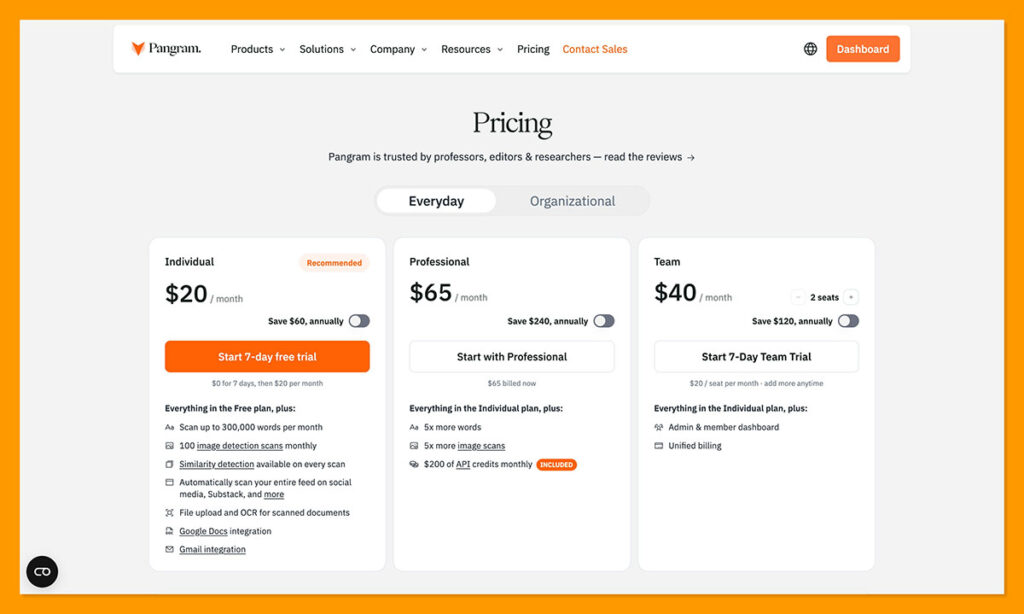
The paid plans start at $20 per month for the Individual plan (300,000 words and 100 image checks), $65 per month for the Professional plan (1.5 million words a month, and 500 image checks, plus $200 in API credits), and $20 for the Team plan (per user). You can also access the API on a pay-as-you-go basis starting at $0.05 per 100 words.
Although all three competitors do have cheaper plans available, I still think Pangram’s pricing is reasonable, particularly if making the wrong call about a piece of content would end up costing you.
GPTZero Pricing
GPTZero has the most generous free plan, letting you check 10,000 words monthly without paying anything. The paid plans are pretty affordable too, starting at $8.33 per month for 150,000 words (Essential), $12.99 per month for 300,000 words (Premium), and $24.99 per month for 500,000 words (Professional). That’s if you pay annually though, monthly bills cost a little more.
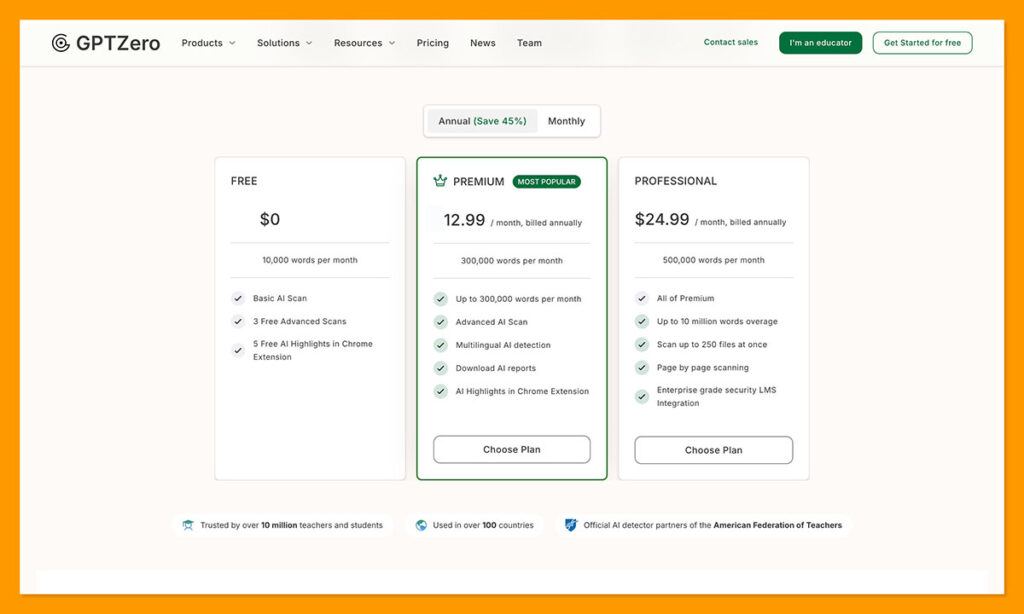
You can pay for API access here too, and request bundled team or classroom plans with a custom cost. One quick thing to keep in mind with GPTZero, though, is that certain features are linked to specific plans (like multilingual AI detection), so you’re not just paying for extra words.
Copyleaks Pricing
Copyleaks is a bit more complicated. Again, there’s a free trial which lets you check about 2500 words per month, after that, though, the pricing depends on who’s buying access (individual, enterprise, or education groups).
Individual plans start at $13.99 per month (for 300,000 words, or 1,200 images), or there’s the Pro plan for $74.99 per month which includes 25 seats. If you’re in the education or enterprise category, you’ll contact the team for a custom price based on how you’re going to use the kit.
Originality.ai Pricing
Originality.ai gives you three plans, alongside the free tier that supports up to three scans a day. The Pro plan is $14.95 per month, giving you 2,000 credits per month (about 200,000 words worth). There’s also an Enterprise plan that starts at $179 per month, for 15,000 credits per month.
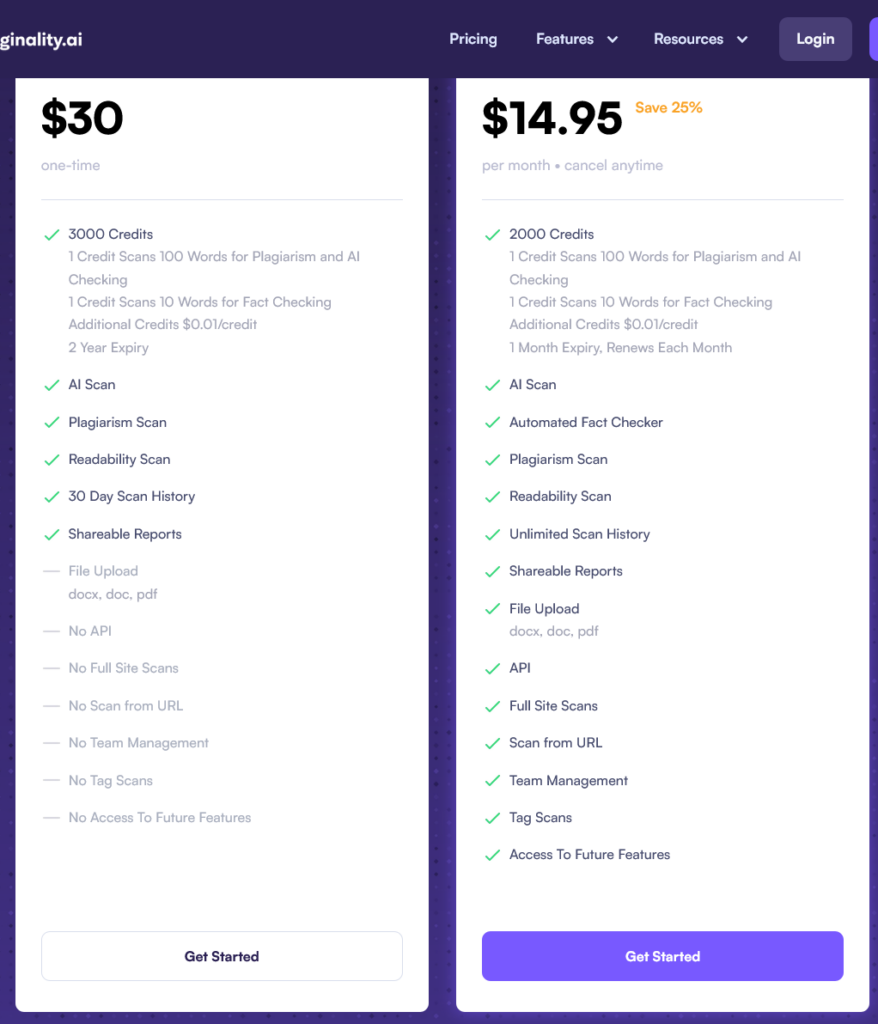
If you’d rather skip the standard plan, you can also choose the pay-as-you-go option, which gives you 3,000 credits at a time for $30.
Unique Features: What Each Detector Can Do
Obviously, all four of these tools are AI detection software, so a lot of the things they do are pretty similar, but I wanted to make some distinctions before we get into things like accuracy scores and false positive rates.
Pangram: More than Detailed Text Detection
First up, Pangram does a few things that make it quite special right now. AI image detection is one example, although of course, other detectors are starting to offer that too. I think the better thing about Pangram is how deep it actually goes when detecting the level of AI involvement in a piece. Pangram 4 can tell you if content is human written, AI generated, or assisted by AI. It can even now flag potentially humanized or paraphrased AI-produced content.
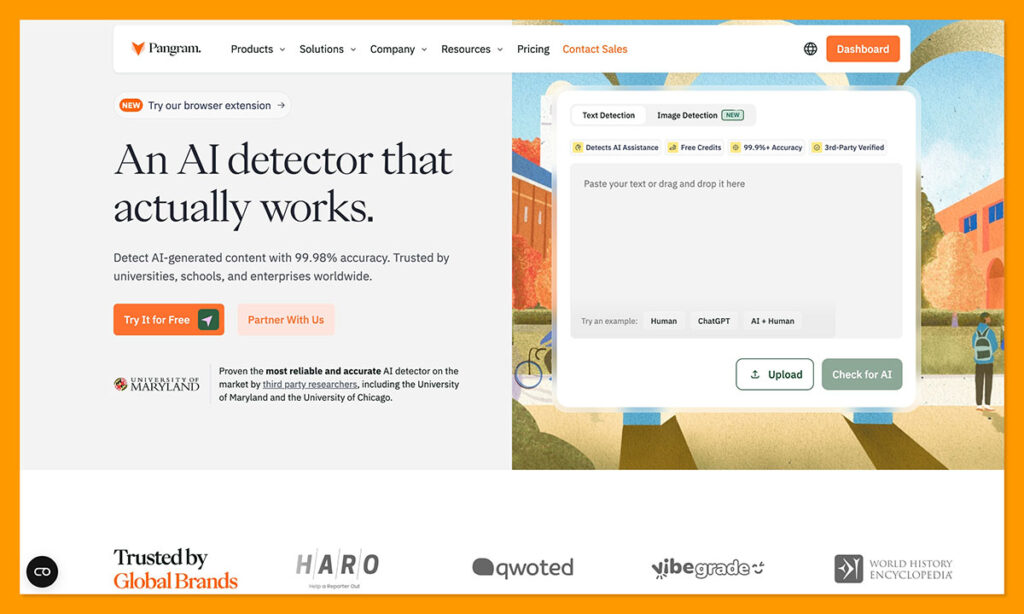
Recently, the company even shared that it detected AI involvement successfully in 98.83% of samples passed through commercial humanizers, and lightly edited human writing was only wrongly classified as AI 0.009% of the time.
There are plenty of extra features too. Pangram can check for plagiarism at the same time it’s scanning for AI influence, it supports more than 20 languages, and it can produce visual breakdowns and heatmaps of scanned content. It also has a Chrome extension, and can check for AI content within Google Docs, which I find quite useful.
GPTZero: Classroom Tools That Go Beyond Detection
My favorite “extra feature” available from GPTZero is the Writing Replay tool, because it shows you how a piece of content developed, tracking editing activity and pasted text. That doesn’t guarantee you’re not going to get false flags from time to time, but it’s easier to challenge a disputed accusation if you have more information about what actually happened in the writing process.
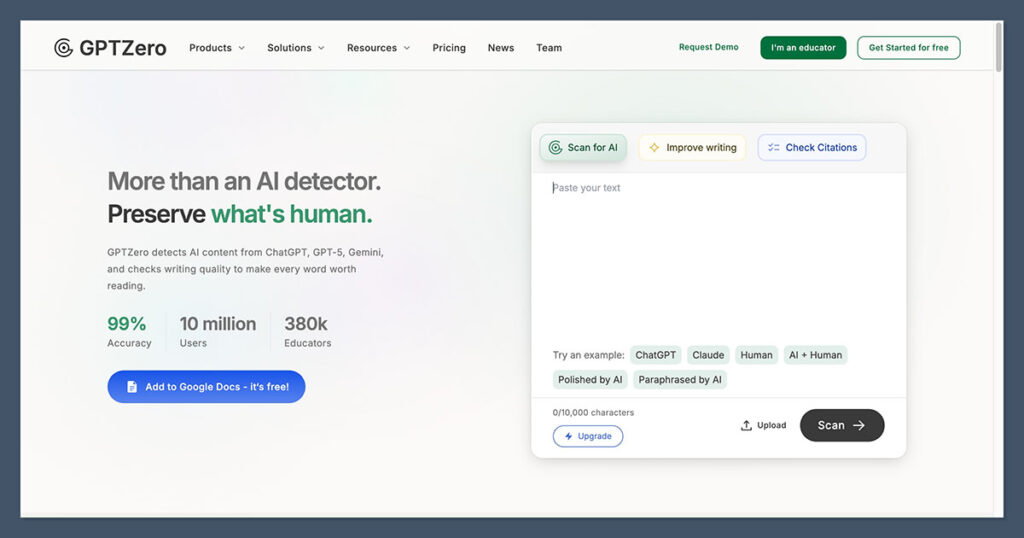
The toolkit also includes sentence level highlighting, batch or bulk scanning, plagiarism checks (with citation verification), and Google Docs feedback features.
GPTZero’s getting better at spotting mixed and paraphrased writing too, though I don’t think it’s quite as accurate as Pangram on that front. The AI Patterns feature, though, is helpful for identifying recurring GPTisms, and Masked Detection helps with deeper insights into suspicious passages.
Copyleaks: Excellent for Multilingual Teams
I always recommend Copyleaks first for multilingual teams, because it supports more than 30 languages, and can even allow users to check whether text might have been written in one language and then translated into another.
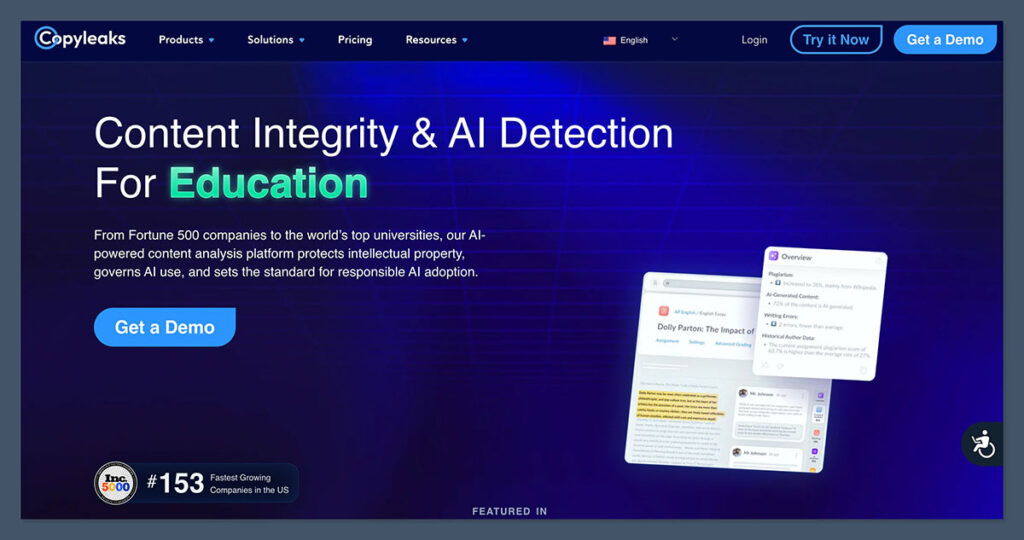
Like both Pangram and GPTZero, Copyleaks can check for AI influence in images. It can also check code, and it has plenty of integrations for learning management systems and tools like Google Docs. The unique features are pretty interesting. AI Logic means that instead of getting a standard generic score, you get highlighted individual sentences with specific confidence scores. There’s also an AI Source match tool that merges typical plagiarism checking with AI analysis.
Copyleaks is also working on its model fingerprinting functionality which can help it suggest what kind of AI models (like GPT-4 or Claude), might have been involved in producing content.
Originality.ai: Content Publishing Tools and Collaboration
I’ve said this in previous reviews, but there’s a good reason why a lot of the publishers I’ve worked with tend to prefer Originality.ai. It combines AI detection with plagiarism reports, grammar tools, readability analysis, and fact-checking. It can also scan entire websites at once, and has its own version of GPTZero’s Writing Replay feature.
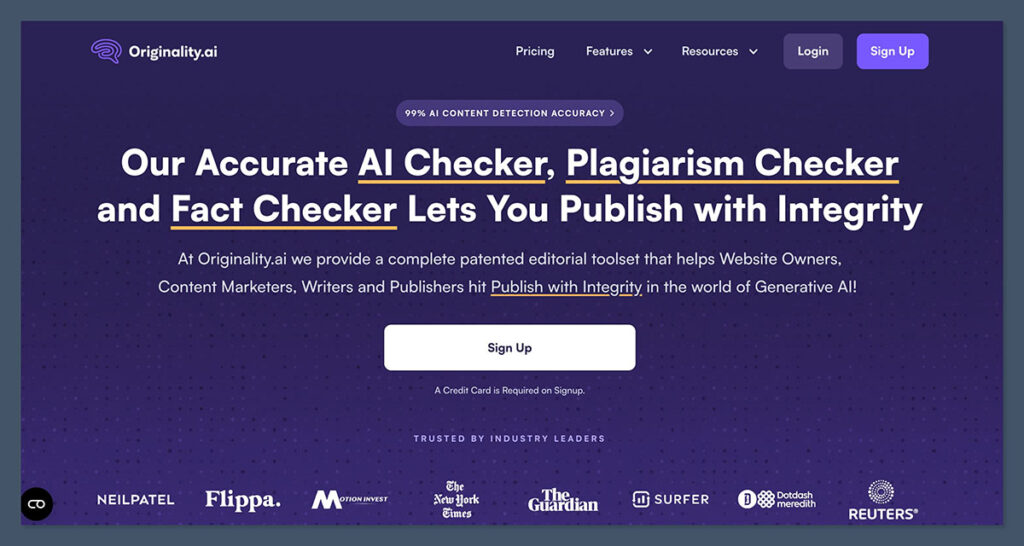
One of the most interesting new features, for me, in 2026 is the AI Allowance, which lets companies decide how much AI involvement they’re willing to accept in content.
There’s also a Chrome extension, an API for automated checking, downloadable reports, and a deep scan functionality that can give users advice on how to (ethically) edit anything that might sound a bit too machine-generated.
AI Image and Multimedia Detection
The first thing I should say here is that we’re not nearly as far along with AI image detection as we are with text detection at this stage, so I wouldn’t expect any of these tools to be perfect.
Pangram has been the most accurate one for me so far (more on that below), and I’ve even tested it on images that have had AI watermarks removed and still got a solid score. The feature is still pretty new, and though Pangram’s reported an average accuracy rate of around 99.5%, it’s still working on updating the functionality.
Copyleaks is probably one of the more impressive options for multimedia teams, with an image detector that includes confidence heatmaps and object detection. There’s also a video API for analyzing audio and visual tracks separately.
Originality.ai is slightly further behind. It introduced its free image detector in June 2026, with support for PNG, JPG, WebP and HEIC files, although you don’t get very in-depth reports, particularly compared to something like Pangram.
GPTZero, for now, is the odd one out. It can accept images containing text for analysis, but it can’t tell you if you’re looking at a deepfake photo.
Detection Accuracy: Which AI Detector Is Best at Spotting AI?
I’m reluctant to focus too much on the numbers published by independent testers here, because the results of those experiments seem to go out of date far too fast. Still, I did some hunting for this comparison, and I have to give Pangram’s scores some credit.
This study, for instance, tested 160 academic papers using Pangram, GPTZero, Copyleaks, and Turnitin (sorry Originality.ai), and Pangram performed brilliantly, with a 97.5% inclusive accuracy score overall, a 92.5% score on hybrid writing, and a 92.5% score on humanized content.
I know that’s not a perfect score, but in comparison, GPTZero got a 0% strict accuracy score on hybrid papers, and Copyleaks only managed 30%. Neither did particularly great with the humanized content, either.
Still, it’s worth saying that AI detection benchmarks tend to disagree, mostly because they’re often running different experiments. Epoch AI’s research from 2026 looked at what happened to detection scores after AI models were given samples of an author’s work to mimic. Pangram missed about 10.1% of the AI passages, GPTZero missed 10.8% and Originality.ai overlooked 17.9%.
In my own experiments, I’ve found all four tools to be comparably good at noticing when something is fully AI-written, but Pangram has consistently been the best so far at also recognizing mixed or hybrid passages, and “rewritten” AI text. I even tried manually rewriting a piece of AI-generated content and it still got flagged.
Pangram also did a lot better at spotting AI-generated images than some of the other tools I tried, so it might be the more trustworthy choice if you’re going to be examining various types of media.
False Positive Rates: Which One’s Least Likely to Accuse a Human?
I think false positive scores should be just as important as accuracy rates for anyone using these tools, so it’s odd how often it gets overlooked. Maybe you’d prefer to falsely accuse someone of producing something with AI than to miss obviously machine-generated slop, but there’s a bit of an ethical issue with that, and I think that’s going to become more significant going forward.
Pangram absolutely wins from a low false positive rate perspective. In a July 2026 evaluation, it found 41 false positives across about a million human-written English documents, giving it an error rate of only 0.0041%. That’s the best score I’ve found so far, although I will say I’ve noticed it can still sometimes make mistakes with certain types of content, like SEO-optimized blogs.
GPTZero’s most recent model is a lot better than it used to be. This year, the company reported only one false positive across 10,402 student essays from the PERSUADE dataset, and its October evaluation correctly classified all 914 of the essays from English language learners in a test group.
Copyleaks and Originality.ai give you a bit more freedom to decide how strict you want them to really be. With Copyleaks, you can choose between extra safe, balanced, or extra sensitive detection. Originality.ai gives you the AI allowance you can set yourself. According to a September evaluation, the tool managed a 98.5% precision score at the 15% allowed setting, rising to around 99.8% at 40%.
Insights: What Do You Get Beyond the Score?
The great thing about all four of these tools is that they’re not taking the old fashioned approach of just dumping a “% AI” score on something and leaving you with nothing else to analyze. All of them give you evidence to work with, just in different ways.
Pangram gives you the full breakdown of how and where AI might have been used in a document, which includes separating AI-generated from AI-assisted or humanized text. You also get a graph for examining detection patterns in longer documents.
GPTZero’s advanced scan highlights potentially problematic sentences and explains a little about why the language characteristics in them might indicate the use of AI. There’s also the AI Patterns tool I mentioned before, which can help you pick up on recurring problems. Plus, you get Writing Replay for another perspective into how a piece of content came to exist.
Copyleaks has its AI Logic tools, which include the AI Phrases feature (showing you which wording tends to come up in AI produced content). You’ll also see plagiarism match scores in the reports, and source references, too.
Then Originality.ai uses its Deep Scan to highlight suspicious passages, explain why they’re suspicious, and give you ethical advice on how to adjust the writing. Just remember that a deep scan does cost an extra five credits per 100 words.
Which AI Detector Is Easiest to Work With?
I don’t think any of the four automatically wins the “easiest to use” award, because they’re all pretty intuitive, especially if you’re just running basic checks. Pangram is currently my favorite dashboard, because it’s uncluttered, and I like being able to scan through a whole document at once and see separate confidence ratings for individual segments.
I’m also a big fan of the integrations you get with Pangram, which include LMS connections, and integrations for Google Docs, and Chrome. Although arguably, the other tools offer pretty similar connections.
GPTZero is really just as easy to use as Pangram for basic scans, but I do give it a few extra points in day-to-day workflows for the Writing Replay feature. The same goes for Originality.ai, which earns points for making collaboration easier, giving people more control over how strict the detection process is going to be, and letting you examine whole websites at once.
Notably though, the extra features like “AI Allowance” might be a double-edged sword for some users, as they mean you have an extra thing to think about before you start conducting scans.
Copyleaks is probably the more complicated option to set up overall, even though I still wouldn’t describe it as difficult. The AI Logic insights are a little more difficult to get your head around at first, although they can be ideal for institutional reviewers who like having a lot of information to interpret.
Privacy and Data Security
I was actually a little surprised that a lot of the reviews I read when I was researching for this comparison didn’t mention data security at all. I’d be pretty annoyed to learn that a confidential piece of work ended up in someone else’s database without my permission because someone wanted to check if I’d used any AI.
The good news is that all four detectors seem to take privacy and data protection pretty seriously, but Pangram is once again my favorite. It never trains its models on submitted writing, or sends anything you scan to outside providers. It also has a SOC 2 Type 2 certification, and organizations can explicitly request zero-retention processing.
GPTZero says that anything submitted through the API doesn’t get stored by default, but dashboard inputs can sometimes be collected and used in aggregate to improve the overall service. Worth keeping that in mind if you’re scanning confidential business documents.
Copyleaks supports private document repositories, but it also has a Shared Data Hub that lets indexed documents be compared across multiple organizations.
Alternatively, Originality.ai encrypts all submissions, and lets users decide if they want to opt-out of having their scanned text used for any model improvements.
Which AI Detector Should You Choose?
I told you back at the beginning of all this that I’d probably recommend all four tools, and I still do, depending on what you really want from this kind of software. Pangram ended up being my overall winner because it gave me the best blend of useful features, high accuracy scores, and low false positive rates, even if it does happen to be a little more expensive than the other three.
Still, I could absolutely see why some people would rather try the other options first. GPTZero has that generous free plan that’s hard to overlook when you’re testing the waters with AI detection tools, and I genuinely love its Writing Replay feature. For universities, and businesses with multilingual staff or clients, Copyleaks is obviously brilliant, and I do think the reports you get are fantastic.
Originality.ai is easier to recommend to publishing agencies thanks to its website scanning feature, and there’s something to be said for the AI Allowance giving you the option to admit that some of the content you scan is going to be at least partially influenced by AI.
As I said in the pricing section, they all have free trial options, so if you’re still not convinced one way or another, give them a go yourself. If you’re anything like me, you’ll probably end up using more than one in the long term.

Comments 0 Responses