

Best overall
Pangram
View Pricing Visit Website →Free plan; Individual from $20/month
- AI detection for text and images
- Similarity checks run alongside AI scans
- False positive rate of about 1 in 10,000
Best for images and video

Hive
View Pricing Visit Website →$50 free API credits; then about $6 per 1,000 requests
- Detects AI in text, images, video and audio
- Names the likely source model
- Chrome extension and API access
Best for multilingual plagiarism
Compilatio Magister+
Request a Quote Visit Website →Custom quote; free demo on request
- Plagiarism checks in 40+ languages
- Cross-language matching for translated text
- LMS integrations and side-by-side sources
I work in an industry where checking your own work has always been pretty important, even if you start writing with the best intentions, you can easily make the mistake of citing something incorrectly, or using someone else’s phrasing because it sticks in your mind after reading it.
So I’ve always been pretty reliant on tools that check content for plagiarism issues, but now I’m starting to use those tools for multiple things at once: similarity checks, errors, and AI detection.
There are plenty of tools that combine those things to save me a few steps in my daily writing workflow, but unfortunately, still a very small collection of options I actually trust.
So these are tools I’d recommend if you want a quick (and reliable) read on how problematic a piece of content might be.
The Four AI Similarity Checkers I’d Use First
I’ve obviously used a wider selection of tools for this particular task than the four I’m focusing on here, and I’ve probably missed a couple out that you may have been expecting to see, but I’ll try to explain my reasoning for that more as we go through. Mainly, I was looking for the best options for the different types of checks you’ll probably be running.
| Tool | Best For | AI Detection | Similarity/Plagiarism checks | Free Tier | Starting Price |
|---|---|---|---|---|---|
| Pangram | Best overall | Yes, for text and images | Yes | 2,000 words and 3 image scans a day | $20 per month |
| Hive | Multimedia checks | Yes, text, images, video, and audio | Source matching | Free chrome extension | API-based (around $6 for 1,000 requests) |
| Compilatio Magister+ | Multilingual plagiarism | Yes, text-only | Yes, across languages | Free demo | Custom license fee |
| Sapling | Lightweight API access | Yes, text | More focused on AI | 2,000 characters per check | $25 per month |
How We Tested These AI Similarity Checkers
If you’ve read some of my other AI detector reviews and comparison articles, you’ll know I tend to go through the same experiment with just about every tool.
When I look at AI detection, I feed each tool the same collection of samples, one that’s purely human writing, one that’s completely generated by AI, one that’s mixed, and one that’s humanized (a document generated by AI then paraphrased by a human).
Since we’re looking at plagiarism detection as well, I also made sure to include samples that featured directly copied content, and edited content taken from another site or source.
As always, I was paying attention to how accurately each tool could spot different forms of AI influence in a piece of content, how much information they gave when they flagged something (AI or plagiarism), and whether I got reasonably good value for the money I was expected to spend.
1. Pangram: Best Overall for AI Detection and Similarity Checking
Best for: Anyone who needs a reliable AI detector with built-in plagiarism scanning.
Starting price: Free plan, with paid plans starting at $20 per month.
I’ll start by admitting that Pangram is definitely more focused on identifying AI in content than it is on checking for citation and plagiarism issues. It’s currently my favorite tool for spotting signs of AI inside content, because although Pangram is more accurate on longer documents (it has less context on shorter text under 200 words),, it seems much more capable at distinguishing between AI and human-written pieces than most.
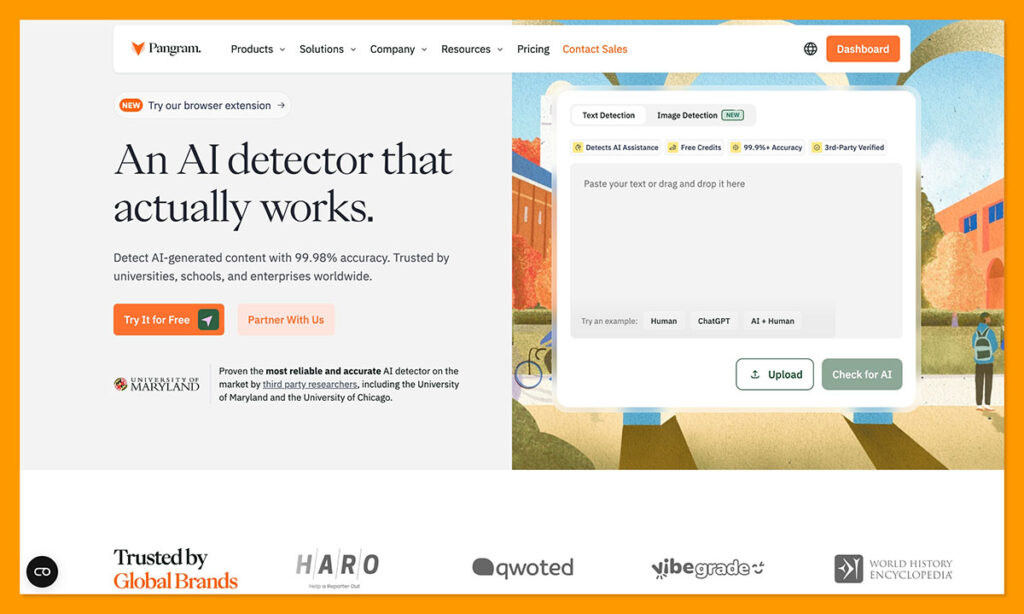
The false positive score (currently about 1 in 10,000) is lower than that of any other tool I’ve tested, and the model even managed to perform well on some pieces of content other detectors struggle with, like poems. More importantly, when it finds potential evidence of AI in a piece of content, Pangram gives you a better idea of how that AI might have been used.
You can see the difference in the sentence-level results between human written, AI written, and mixed text, and content that’s been produced by a bot and rewritten by a human. For plagiarism, you can run similarity checks at the same time you’re examining something for AI, on a batch upload which can save you a lot of time if you’re going through a lot of content at once.
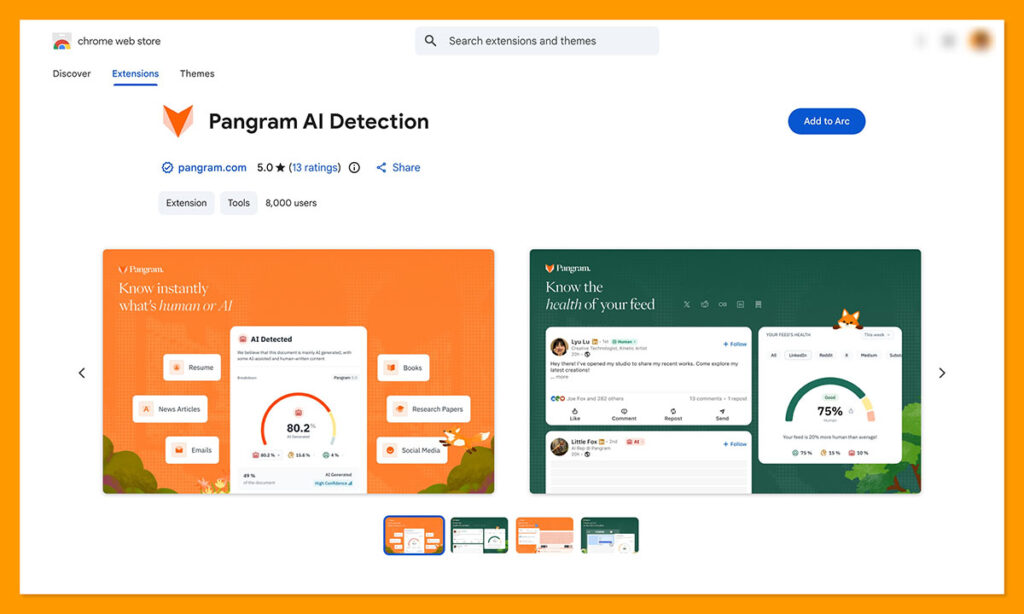
I also like that Pangram works with the tools I typically use, like Google Docs, and has its own Chrome extension, so I can highlight suspicious text on the web and check it without having to switch tabs.
Pricing
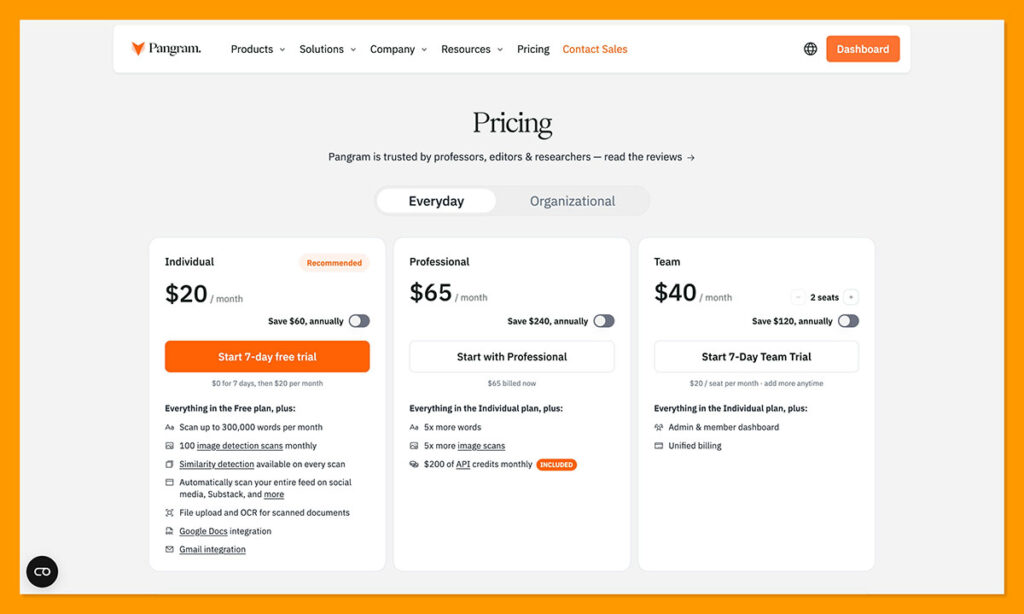
There are other tools with more generous free trials than Pangram, but you can check up to 2,000 words a day and scan three images without paying anything, and I actually think the Individual plan for $20 per month is likely to be more than enough for most users. The Professional plan for $65 per month is decent value for money too if you’re running an organization, since it gives you checks for 1.5 million words, 500 images, and you get $200 in API credits.
Pros:
- Lowest false positive score without compromising on accuracy
- Accurate at flagging humanized text
- Useful passage-level reports and sentence highlights
- Image and text AI detection in one
- Plagiarism checks included
Cons:
- Free plagiarism checks aren’t available
- Can struggle with heavily formatted documents or short paragraphs
2. Hive: Best for Detecting AI in Text, Images, and Video
Best for: Publishers and content moderation teams checking different types of content.
Starting price: Free demo, then API-based credit pricing.
Hive is a tool I never expected to use so regularly, as I never expected to have to check videos or images for evidence of AI involvement or plagiarism, but here we are. There are more accurate tools, like Pangram, for checking text alone, but if you want a quick insight into what’s going on in pictures, video, or audio, Hive is an excellent choice.
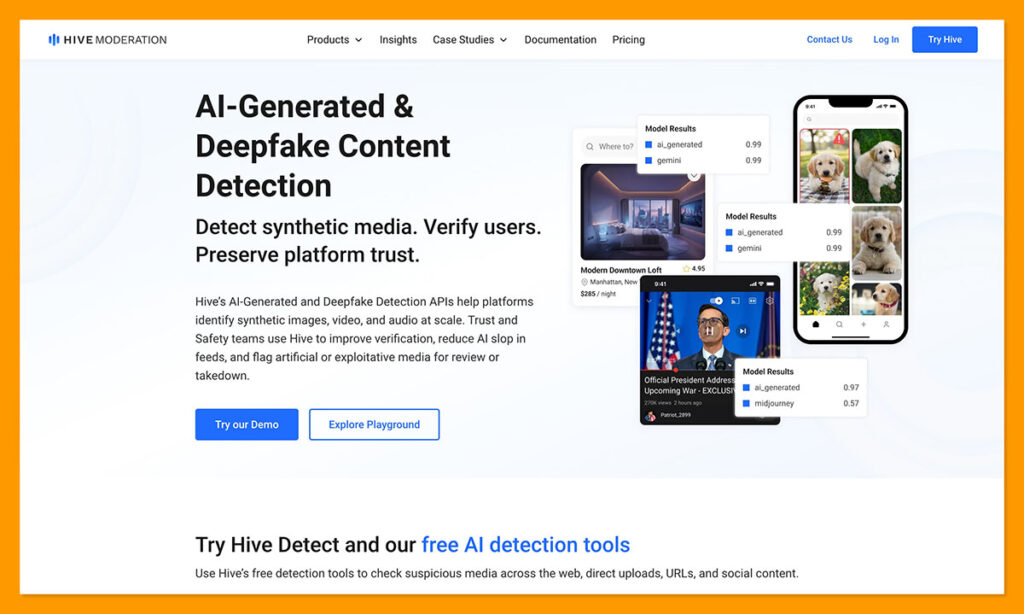
It’s been ranked one of the best-in-class multimedia AI detectors around, with an average accuracy of around 98%, and it can even tell you which AI tool might have been responsible for generating synthetic images or deepfakes, like Midjourney or Dall-E.
I also appreciate how accessible the tool is, you can use the full Hive Moderation suite if you want, or there are plenty of browser tools available (like a Chrome extension or X bot) for quick checks. Plus, you can use the API and add the functionality to the tools you’re already using.
When I tested it, I found Hive wasn’t quite as effective at Pangram for finding AI in written content, especially with the hybrid and humanized samples, and I was a little disappointed by the lack of real insights into AI involvement, you only get a probability score, not a complete report.
Still, for artwork and videos, Hive is better than most, and it’s false positive rate is generally quite low, as long as you’re not scanning anything that’s been too heavily edited.
Pricing
Hive charges on a pay-as-you-go model, so you purchase the credits you need as you work, for beginners, there’s currently an offer that gives you $50 in free API credits after you add your payment details, after that, you’ll be paying around $6 per 1,000 requests for AI image and deepfake detection. Text is cheaper, starting at $0.50 per 1,000 requests.
Pros:
- Better than most alternatives for video and image insights
- Fast and accessible web tools available
- Useful API option for moderation
- Quite a low false positive rate for visual content
Cons:
- Not the best at detecting AI in writing
- Limited reporting insights
- Not a dedicated plagiarism checker
3. Compilatio Magister+: Best for Multilingual Plagiarism and AI Checks
Best for: Multilingual insights into plagiarism and AI-written content.
Starting price: Custom quote.
Compilatio Magister+ is one of the better options here for educational groups who are generally worried about plagiarism and citation problems. It can identify similarities between assignments and existing sources in more than 40 languages, and even works well when something written in a different language has been translated (which is where other plagiarism checkers can struggle).
The results Compilatio gives you let you compare suspected sources side-by-side, exclude properly cited material from overall similarity scores, and run a quick check for obvious signs of AI. The tool can even catch tricks that students might use, like swapping ordinary characters for lookalikes.
When I used this tool for check for plagiarism, the accuracy was brilliant, which makes sense, since there are plenty of reports and tests out there that give the system an accuracy score of up to 99%, and a false positive rate lower than 1%. For AI detection, though it’s a bit less impressive. Similar to Hive, Compilatio only gives you a probabilistic score, and no real explanation of why a piece of text might have flagged.
It also seems to have a much harder time spotting AI in hybrid text than Pangram, and didn’t do the best job at flagging paraphrased text, either.
Pricing
Similar to familiar institutional tools like Turnitin, Compilatio Magister+ is priced on a quote basis, so you need to contact the team, tell them how you’re going to be using the tools, and get a price based on that. There is the option to request a demo, but no free trial, as far as I can see.
Pros:
- Excellent accuracy with plagiarism and similarity checks
- Multilingual support and cross-language matching
- Thorough source comparisons
- Integrations with LMS tools
Cons:
- Not the best for AI detection
- Pricing can be high depending on usage
- Can lag with bulk uploads
4. Sapling: Best Lightweight Detector With an API
Best for: Occasional AI checks and API access.
Starting Price: Free plan, and paid plans starting from $25 per month.
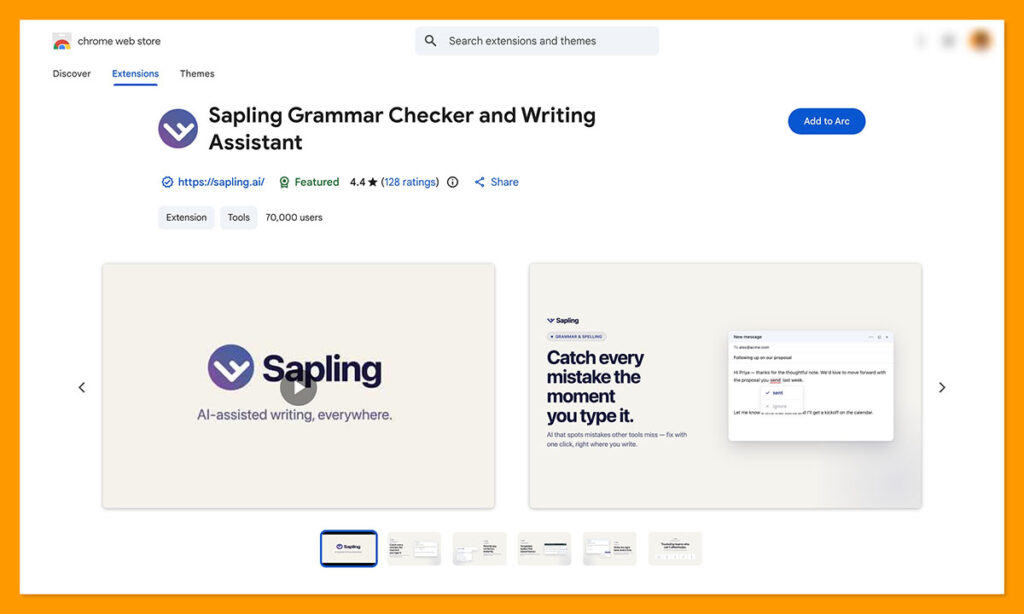
Even though Sapling doesn’t have a dedicated plagiarism checker, it’s a simple enough tool to use if you want a quick read on whether you should be suspicious of a piece of content, for any reason. You can paste some text into the detector without signing up for anything (although you’re limited to 2,000 characters), and it’ll give you an AI probability score, and some highlighted passages.
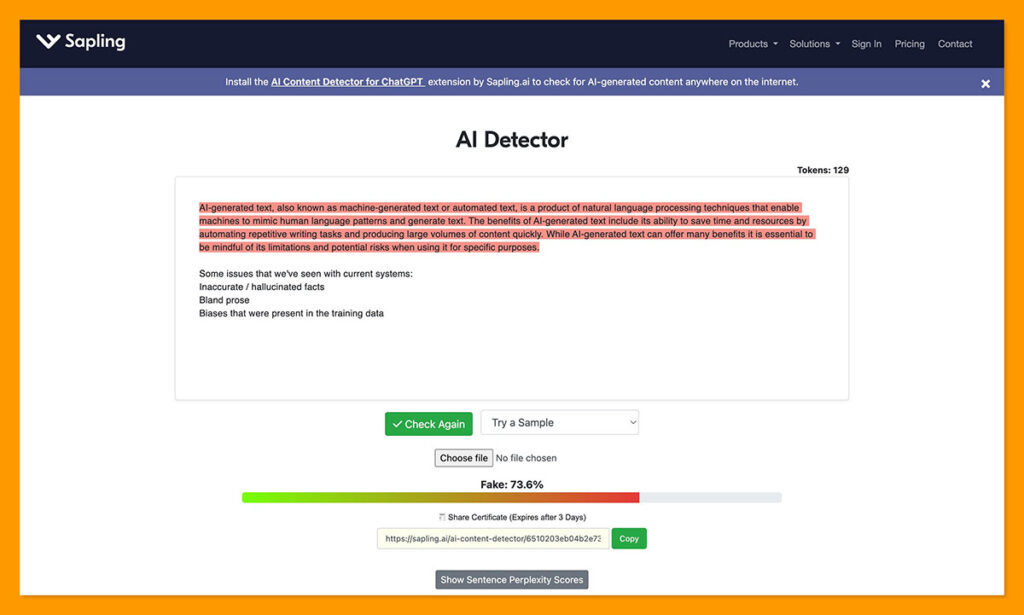
The API gives users more detail, with color-coded sentences, and the option to combine AI detection with readability or grammar checks. On paid plans, users even get access to a writing assistant, although I’d question whether it makes sense to encourage anyone to use that if you’re trying to cut down on obviously AI-influenced content.
Overall, Sapling did a pretty good job at recognizing the purely AI-generated samples in my test, and I like the fact that it covers a few different languages, and comes with browser and app extensions so you don’t have to tab hop too much. Unfortunately, it had a hard time with just about everything else. It couldn’t flag hybrid text very easily, and anything “paraphrased” generally got ranked as human.
It even flagged the pure human writing as partially AI generated, which says something about the false positive rate, although Sapling has said it’s working on reducing that.
Pricing
You can paste as much content as you want into Sapling for quick checks without paying anything, as long as your “snippets” don’t go over 2,000 characters. After that, plans start at $25 per month (though you’ll pay $12 if you’re subscribing annually), for 100,000 characters per check, up to 10 files per batch, and included writing and grammar suggestions. API access is available too, starting at $0.005 per 1,000 characters.
Pros:
- Easy and free to use for basic checks
- Affordable API access for developers
- Browser and web extensions available
- Sentence-level highlighting and decent accuracy on AI text
Cons:
- High false positive rates
- Struggles with hybrid and humanized text
- No real plagiarism tools
The Verdict: Which AI Similarity Checker Should You Use?
I think the choice depends on what you’re examining. If all you want is a quick read on a small piece of text and you’re pretty sure AI might have been involved, Sapling is fine. Compilatio is a lot better if you need deeper plagiarism insights, particularly if you have students that might be writing or translating text in multiple languages.
Hive is more worthwhile if you’re worried about suspicious content in images, videos, and potentially the occasional audio clip, though I’d skip it for text-only AI detection.
Overall, Pangram is still the best overall if what you need is a good read on potential AI involvement, even though it’s not the most focused tool for plagiarism. It has the best accuracy scores (even on humanized text) based on my tests, the lowest false positive rate, and the plagiarism detector is more than capable too.

Comments 0 Responses