


Rytr is a cloud-based AI writing assistant built for speed and simplicity, offering a wide range of templates and editing tools to help you produce marketing copy, email drafts, and blog outlines in minutes.
Our team has rigorously tested and compared multiple AI writing tools, so we can say with confidence that Rytr earns its reputation as one of the most affordable options on the market, though it comes with some clear trade-offs worth understanding before you commit.
In this review, I’ll walk through Rytr’s pricing, features, output quality, and how it stacks up against the competition, so you can decide whether it’s the right tool for your workflow.
Why You Can Trust This Review
We’ve spent significant time testing AI writing tools across a range of real-world use cases, from short-form marketing copy and email drafts to long-form blog articles and SEO content briefs.
Our hands-on testing and ongoing research let us give you accurate, independent assessments rather than surface-level summaries.
Read more about our research methodology below.
Rytr: Pros & Cons at a Glance
| ✅ Pros | ❌ Cons |
|---|---|
| Very affordable, with a genuinely usable free plan | Long-form output often lacks depth and needs heavy editing |
| Extremely simple UI, productive within minutes of signing up | Not a research tool: you must source and verify facts yourself |
| Strong for short-form copy: ads, emails, social posts | Limited SEO intelligence compared to dedicated SEO writing platforms |
| Effective Improve / Expand / Rewrite tools for polishing drafts | Repetitiveness and occasional coherence issues in longer expansions |
| Built-in plagiarism checker (Copyscape) and AI image generation | Fewer advanced integrations and team features than higher-priced rivals |
Best for: Freelancers, solo creators, and small teams who need fast, affordable short-form copy without a steep learning curve.
Paid Plans: From ~$9/month | Free plan: Available
Quick Verdict
Rytr is an excellent budget-friendly copy assistant, particularly for marketers, freelancers, and small business owners who need to generate short-form content at speed.
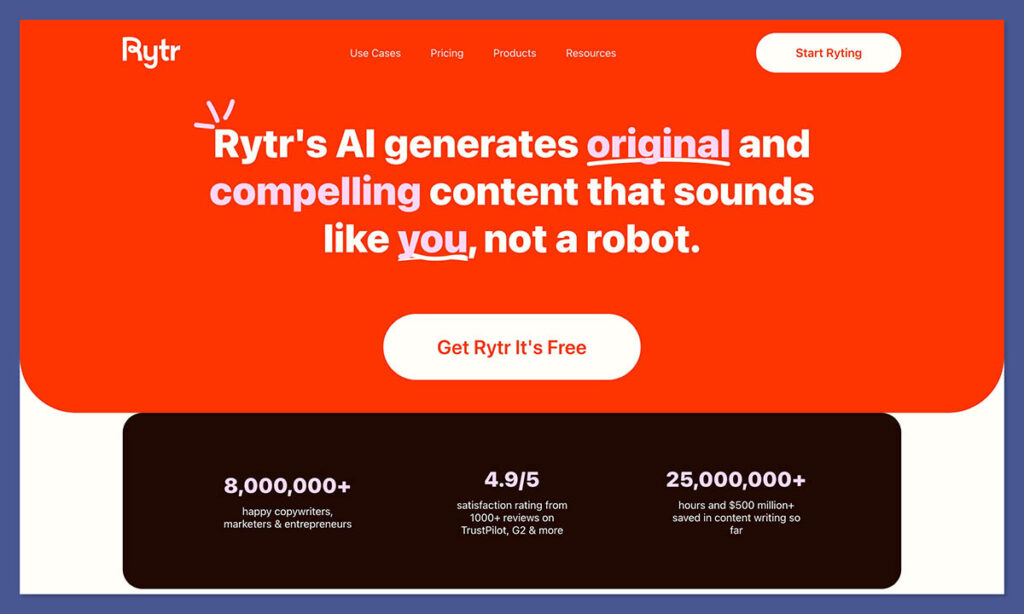
Its pricing is hard to beat, the interface is refreshingly simple, and the Improve and Expand tools genuinely add value when polishing your own drafts.
Where it falls short is on longer, research-heavy content: articles tend to come out generic and repetitive, requiring substantial human input to reach a publishable standard. If you need a lightweight, low-cost tool for daily copy tasks, Rytr delivers.
If your priority is deep, research-backed long-form content, you’ll likely outgrow it quickly.
My Experience With Rytr
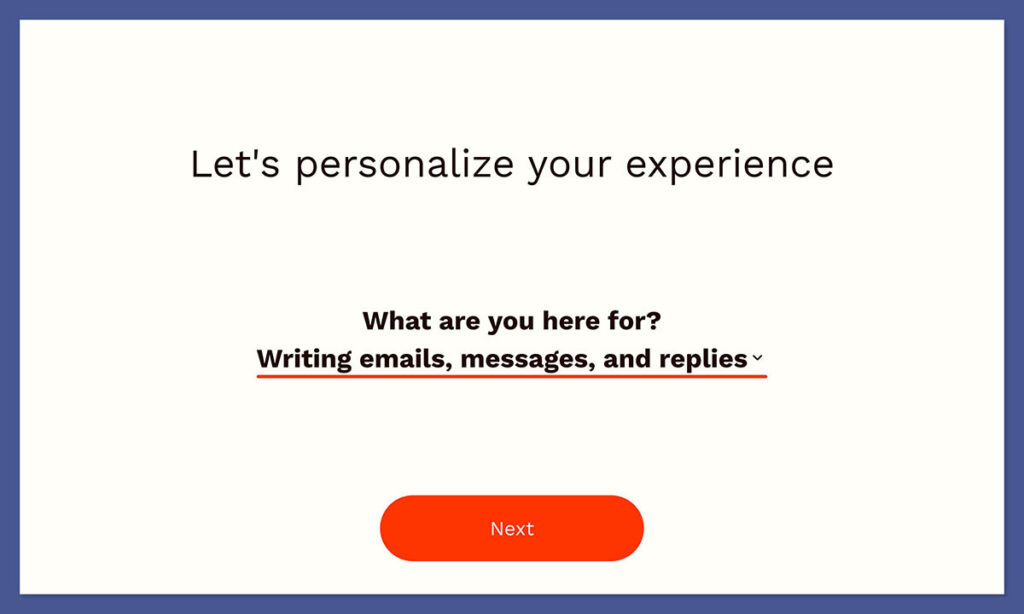
Getting started with Rytr is about as frictionless as it gets. Signing up takes under a minute, and you’re dropped straight into the editor without any complex onboarding flows or setup wizards to navigate.
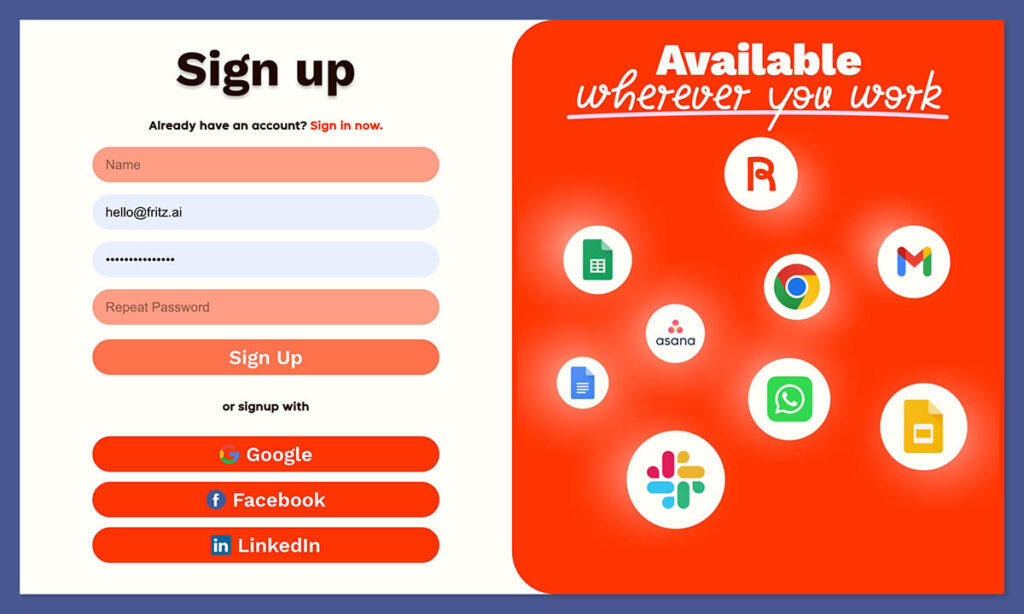
For users who just want to start generating copy immediately, this is a genuine strength.
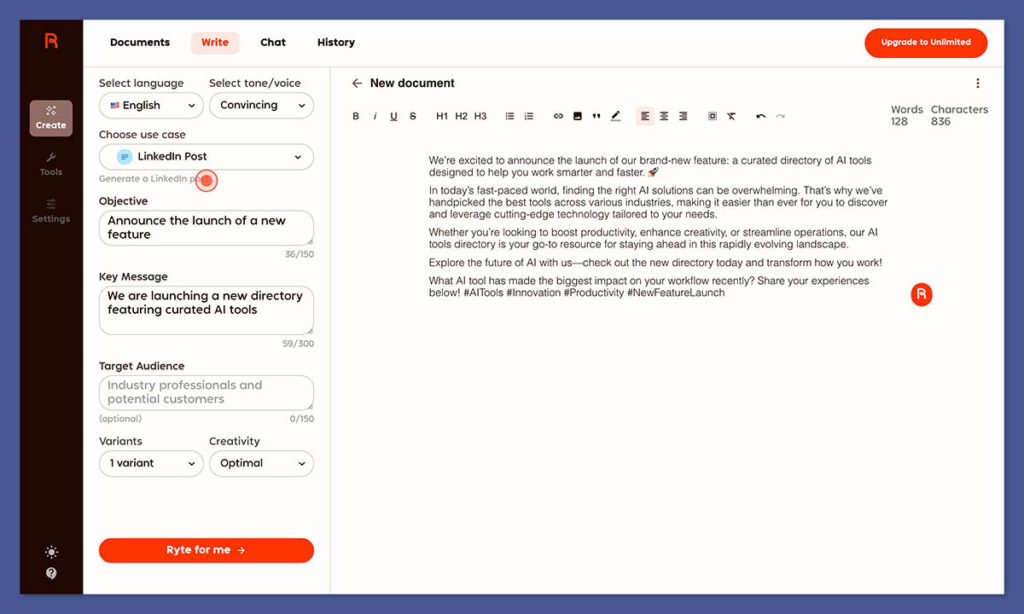
The interface is built around a left-hand panel where you select a use case (from 40+ templates), choose a tone, add your input text or keywords, and hit “Ryte for me.”
Within seconds, Rytr produces multiple output variants for you to choose from, edit, or combine. The whole experience feels fast and low-friction, I could go from a blank screen to a finished social post or email subject line in under two minutes.
Testing the Templates
Rytr’s template library is one of its strongest selling points. I tested use cases across several categories, blog idea generation, product descriptions, cold email outreach, and social media captions, and found the quality consistently solid for short-form work.
The outputs weren’t always ready to publish without a tweak, but they were useful, on-topic starting points rather than generic filler.
Where I noticed the cracks was in longer formats. When I used the blog post outline and long-form editor features to push toward a full article, the content became noticeably more repetitive and shallow.
Ideas that were introduced early in the piece would resurface with slightly different phrasing a few paragraphs later, and the tool struggled to build genuine depth or provide concrete examples without me stepping in.
Testing the Editing Tools
Rytr’s Improve, Expand, and Rewrite functions are genuinely useful, arguably more so than the generation tools for many users. I fed in rough human-written drafts and found that Rytr cleaned up awkward phrasing, tightened sentences, and smoothed tone without aggressively changing meaning. For anyone who writes their own copy but wants a quick polish pass, these tools are a time-saver.
The built-in grammar checker and Text Improver mode work similarly well on short pieces. On longer documents, however, applying these tools repeatedly can introduce the same repetition issues seen in the generation features.
How Much Does Rytr Cost?
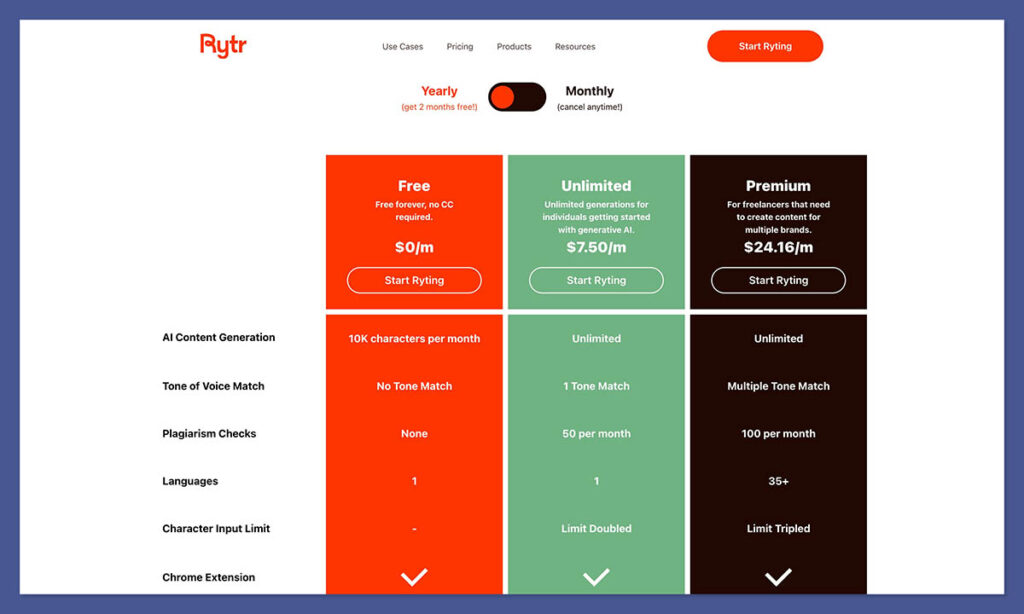
Rytr is consistently framed by reviewers as one of the most affordable mainstream AI writing tools available, and it’s one of the few that still offers a genuinely usable free plan. Here’s how the pricing structure breaks down as of 2026 (exact limits and tier names can vary, always cross-check live pricing before publishing):
Free Plan – $0/month
Rytr’s free tier gives new users access to the core template library, multi-language support, basic AI image generation, and limited plagiarism checks.
Character or credit limits apply, but there’s enough here to evaluate whether the tool suits your workflow before spending a penny. Best for new users testing the platform or very occasional, low-volume tasks.
Saver Plan – ~$9/month
The mid-tier plan (sometimes branded differently across regions) significantly increases output limits, moving toward unlimited writing under a fair-use policy, and unlocks additional features.
At this price point, it’s well-suited for freelancers and small businesses producing regular short-form content. Billed annually, it drops further.
Premium / Unlimited Plan – ~$29/month
The top tier adds priority email and chat support, and in some configurations, dedicated account management. Compared to full-featured competitors like Jasper or Writesonic, Rytr’s premium plan still comes in notably cheaper at list price, though it also offers fewer advanced features in return.
💡 Author’s Note: I’d recommend starting with the free plan to test Rytr’s output quality on your specific use cases before committing. If you find yourself regularly using the templates and editing tools for marketing copy, the Saver plan at ~$9/month offers strong value for the price. The Premium plan is worth considering only if you need priority support or produce very high volumes of content.
Rytr’s Key Features
Templates and Use Cases
Rytr’s template library covers over 40 use cases out of the box, ads, email subject lines, product descriptions, blog outlines, social media captions, cold outreach messages, and more.
The breadth means most everyday copy tasks are covered without needing to build custom prompts from scratch. Each template prompts you for a brief input (a keyword, a product name, a short description) and then generates multiple output options in seconds.
For a freelancer juggling multiple clients or a small team running frequent campaigns, this alone justifies the tool’s entry-level price.
AI Autocomplete and Continue Writing
Rytr can extend any piece of text in context, useful when you’ve started a paragraph but hit a wall. The autocomplete function picks up the tone and direction of your existing copy reasonably well for short passages. For longer documents, it starts to lose the thread, which is worth keeping in mind if you’re relying on it for extended drafts.
Rewrite, Improve, and Expand
These are arguably Rytr’s most practically useful tools. The Rewrite function restructures existing text while keeping the core meaning; Improve polishes phrasing and corrects awkward sentences; Expand adds detail or length to a short passage.
Multiple reviewers and users in 2025–2026 highlight these editing tools as a “hidden gem”, they’re particularly effective for refining human-written drafts rather than generating content from scratch.
Tone and Style Control
Rytr lets you pair any use case with a tone setting, options include Formal, Casual, Convincing, Inspirational, Humorous, and more. In testing, tone control works well for short-form outputs: a product description set to “Convincing” does read differently from one set to “Casual.” For longer content, tone coherence can drift as the document grows.
Long-Form Editor
Rytr includes a document-style workspace for building longer content, combining generation, expansion, and editing tools within a single interface.
It’s a useful space for assembling blog drafts, but it’s worth being realistic about what it produces: long-form outputs tend to be generic and repetitive, and most reviewers estimate that around 50% or more of human input is required to bring a full article up to publishable standard. Rytr is best treated as a drafting and brainstorming assistant here, not a finished-content machine.
Grammar, Spelling, and Text Improver
Built-in grammar checking and a dedicated Text Improver mode let you fix errors and rephrase for clarity without leaving the app. These tools are solid for short pieces and function more like a lightweight Grammarly integration than a deep editing suite.
Plagiarism Checker (Copyscape Integration)
Rytr integrates with Copyscape to let you check generated text for originality directly inside the app. This is a meaningful inclusion for SEO-conscious writers and content agencies where originality checks are a standard part of the workflow, having it built in saves a step compared to tools that require you to export and check elsewhere.
AI Image Generation
Rytr includes a basic AI image generator for producing blog visuals or social media graphics. The quality is described as mixed across recent reviews, adequate for quick concept visuals or placeholder images, but not a replacement for dedicated image generation tools if visual quality matters to your output.
Multi-Language Support
Rytr supports content generation in multiple languages with tone control applied across them, which users in software directories consistently mention as a positive for international marketing teams and multilingual content operations.
Output Quality: What to Expect
Rytr’s output quality depends heavily on what you’re asking it to do. For short-form tasks, social posts, ad copy, email subject lines, product descriptions, it performs consistently well, delivering usable drafts quickly with a clear sense of tone. For longer, research-dependent content, it reliably falls short of the depth and originality that a polished article requires.
| Content Type | Output Quality | Human Input Required |
|---|---|---|
| Social media posts | ⭐⭐⭐⭐⭐ Excellent | Minimal, light editing only |
| Ad copy and headlines | ⭐⭐⭐⭐⭐ Excellent | Minimal, select best variant |
| Email drafts and subject lines | ⭐⭐⭐⭐ Very Good | Low, personalisation needed |
| Product descriptions | ⭐⭐⭐⭐ Very Good | Low, fact-checking required |
| Blog outlines and ideas | ⭐⭐⭐⭐ Very Good | Moderate, structure your own angle |
| Full blog articles | ⭐⭐⭐ Average | High, 50%+ rewriting typically needed |
| SEO-optimised content | ⭐⭐ Below Average | Very high, no SERP data or briefs |
One consistent finding across 2025–2026 reviews is that Rytr is a writing assistant, not a research assistant. It cannot source up-to-date facts, verify claims, or build content around real SERP data.
If your workflow depends on factual accuracy and keyword intelligence, you’ll need to pair Rytr with separate research and SEO tools, or consider a platform built around those needs from the ground up.
How Does Rytr Compare to Competitors?
Rytr occupies a specific niche in the AI writing market: budget-friendly, low-friction copy assistance for individuals and small teams. Here’s how it sits relative to the main alternatives:
| Tool | Best For | Starting Price | Long-Form Quality | SEO Features |
|---|---|---|---|---|
| Rytr | Budget short-form copy | Free / ~$9/mo | Average | Basic |
| Jasper | Marketing teams, brand voice | ~$49/mo | Good | Moderate |
| Writesonic | All-round content production | ~$16/mo | Good | Moderate |
| Frase | SEO content briefs and research | ~$15/mo | Good | Strong |
| Copy.ai | Sales and marketing copy | Free / ~$36/mo | Average | Basic |
Against Jasper and Writesonic: Rytr wins on price and simplicity, particularly for individuals and small teams. Both competitors offer stronger long-form workflows, more sophisticated brand voice controls, and better team collaboration features, but at a significantly higher cost.
Against SEO-focused tools like Frase: Rytr offers more templates and general-purpose writing features, but it lacks integrated keyword research, content scoring, and SERP-driven outlines. If ranking potential and search intent are central to your content strategy, a dedicated SEO writing platform will serve you better.
The clearest framing for Rytr in a competitive landscape: it’s the low-cost, low-friction copy partner for everyday marketing tasks. It’s not trying to be a research platform, an SEO suite, or an enterprise content operation, and it doesn’t pretend to be.
How We Tested Rytr
To bring you an accurate and fair assessment, we tested Rytr across a range of real-world content tasks including short-form copy (ads, social posts, email subject lines), medium-form drafts (product descriptions, blog outlines), and long-form content (full blog articles).
We evaluated output quality, editing tool effectiveness, ease of use, pricing transparency, and how well the tool performs against its stated positioning as a fast, affordable AI writing assistant.
We also cross-referenced findings against a wide range of user reviews and expert assessments published in 2025–2026 to ensure our conclusions reflect broader user experience, not just a single testing session.
Our testing covers the following areas:
- Output Quality – 30%: How usable and accurate is the generated content across different formats?
- Feature Depth – 20%: Do the tools on offer match the tool’s positioning and user needs?
- Ease of Use – 20%: How quickly can a new user become productive?
- Pricing and Value – 15%: Does the cost match the capability at each tier?
- Editing and Polish Tools – 10%: How well do the Improve, Expand, and Rewrite features perform?
- Extras (plagiarism checker, image gen, languages) – 5%: Do the additional features add meaningful value?
Rytr Review: Is It Worth It?
Rytr is a well-positioned, genuinely affordable AI writing assistant that delivers real value for the right user. If you’re a freelancer, solo marketer, or small business owner who needs to turn around short-form copy quickly, social posts, email drafts, product descriptions, ad headlines, Rytr handles that workflow well and charges very little for the privilege.
The editing tools (Improve, Expand, Rewrite) are consistently useful for refining your own drafts, and the built-in plagiarism checker adds practical value without requiring a separate subscription.
Where Rytr falls short is equally clear: it’s not the tool for data-driven SEO content, deeply researched long-form articles, or complex agency workflows. Long-form outputs need substantial human editing, and the platform lacks the SERP integration and content intelligence that specialized SEO writing tools offer.
The free plan is a genuine starting point, not a bait-and-switch, and the paid tiers are affordable enough that the investment risk is low. If your content needs are primarily short-form and speed matters, Rytr is hard to argue with at this price point.
Frequently Asked Questions
Is Rytr free to use?
Yes, Rytr offers a free plan that gives access to the core template library, multi-language support, and limited credits per month. It’s enough to test the tool meaningfully before deciding whether to upgrade.
What is Rytr best used for?
Rytr is best suited to short-form marketing copy: social media posts, ad copy, email subject lines, product descriptions, and outreach messages. It’s also useful for blog outlines and brainstorming content ideas. It’s less suited to long-form articles, in-depth research, or SEO-focused content workflows.
How does Rytr compare to Jasper?
Rytr is significantly cheaper than Jasper and easier to get started with. Jasper offers stronger long-form capabilities, more sophisticated brand voice controls, and better team collaboration features. If budget is a priority and your needs are primarily short-form, Rytr is the better value. If you need advanced content workflows and have the budget, Jasper is the more capable platform.
Can Rytr write full blog articles?
It can produce blog outlines and draft sections, but full articles tend to be generic and repetitive. Most reviewers suggest expecting to contribute significant human editing, commonly cited at 50% or more, to bring a long-form Rytr output up to publishable quality.
Does Rytr have a plagiarism checker?
Yes, Rytr integrates with Copyscape to allow originality checks on generated content directly within the app, which is a useful inclusion for SEO-focused writers and content teams.
Is Rytr good for SEO content?
Only at a basic level, it can help generate meta descriptions and blog section drafts, but it lacks integrated keyword research, SERP analysis, and content scoring. For serious SEO content workflows, a dedicated platform like Frase or Surfer SEO would be more appropriate.

Comments 0 Responses