

I have a real problem with AI detectors, and probably not for the reasons you’d expect. I’m not worried about being “caught” using a GPT. Pretty much everyone does.
What bothers me is being accused of relying on AI more than I do, while other people get away with “0% AI scores” just because they change a few words around.
Most AI detectors promise incredible accuracy scores, but they still constantly flag real people, and miss fakes. I’ve pasted articles I wrote back in 2020 (pre-ChatGPT) into tools and still gotten an “AI-generated” label.
For me, that might not be too much of a problem. If someone claims something I write is “AI-generated”, I can show them my research, and explain where I might have gotten AI help honestly. For students trying to get good grades, content moderators, and trust teams, the problem’s a lot more complicated. That’s why I eventually decided to do this Pangram review. I wanted to test a tool that promises to make “false positive” drama less common.
Quick Verdict
If you’re tired of falsely accusing people of using AI to generate text, or overlooking the people who actually do depend on it too much, Pangram’s AI detector is worth using. It’s one of the few tools truly backed by real research, and one of the only ones I’ve tried that doesn’t assume a higher “AI score” makes it seem more accurate.
Pros 👍
- Excellent at reducing false positive alerts
- Actually validated by the University of Chicago and University of Maryland
- Trusted by teachers, HR teams, law firms, and Quora
- Detects “humanized” AI writing (rewrites)
- Looks for AI assistance, as well as full generation
- API support, chrome extension, and LMS integrations
Cons 👎
- It’s not 100% perfect (no AI detector is)
- It won’t replace human judgement
- Unlimited free access isn’t an option
What is Pangram AI?
Pangram is a research-backed AI detection platform, specifically focused on supporting schools, publishers, and platforms that focus heavily on trustworthy, human-written content. This isn’t a tool where you paste a bunch of text and get a “yes, it’s AI” or “no, it isn’t” score.
Pangram knows that the results it shares have consequences, so it breaks things down. It gives you a real insight into exactly how AI might have been used for a specific piece of text. You can see if something’s fully AI generated, AI supported, or whether it was written by AI and then “humanized” afterwards.
One thing I do like is how it actually checks for AI’s influence in writing. It’s not just generating a probability score, like some tools. It sort of treats writing like a stress test, checking how much a piece conforms to the kind of language and patterns you’d usually see in synthetic language.
Generally, if something looks too “evenly constructed” or pristine, it flags risk. That level of discipline has earned it strong marks from the Universities of Chicago and Maryland, as well as a huge selection of third-party researchers and evaluators. Caution tends to matter when a person’s academic integrity or a platform policy is involved.
Notably, it also checks for more than just “full AI”, as I mentioned before. There’s the “AI assistance” detection mode too, so you can see where people might have gotten a little help from GPTs along the way. That feels useful to me, because getting help from AI isn’t the same as having a bot do all of your work for you.
The Key Features
The main feature of Pangram is the “Detection Dashboard”, where you copy/paste, or upload files to get insights into AI usage. The dashboard supports various file types, and OCR for scanned documents, it can also link to the tools you already have.
Again, the most exciting part of the dashboard is its accuracy. Pangram promises almost zero false positives. It’s literally built to avoid flagging real human language accidentally.
Beyond that, the complete platform includes:
- Humanized AI content detection: The system can flag whether someone wrote something with AI then just paraphrased or removed words until it sounded more “human”.
- AI assistance detection: You get insights into the amount of help a person might have gotten from AI throughout the writing process.
- Extensions and integrations: You can add Pangram straight to Chrome (great if you’re writing in Docs), and it integrates with LMS systems like Canvas and Google Classroom.
- API accessibility: For moderation teams and publishers, there’s an API you can add to your workflow to automatically flag submissions.
- Multilingual detection: You can check for AI in content written in over 20 different languages with the same tool
Other product offerings also include research grants for academics, which are definitely worth checking out if you want to join the fight against AI slop.
How to Use Pangram: Step by Step
Here’s a quick step-by-step guide if you’re testing this yourself, based on what I did when I was pulling together this review.
Step 1: Sign Up
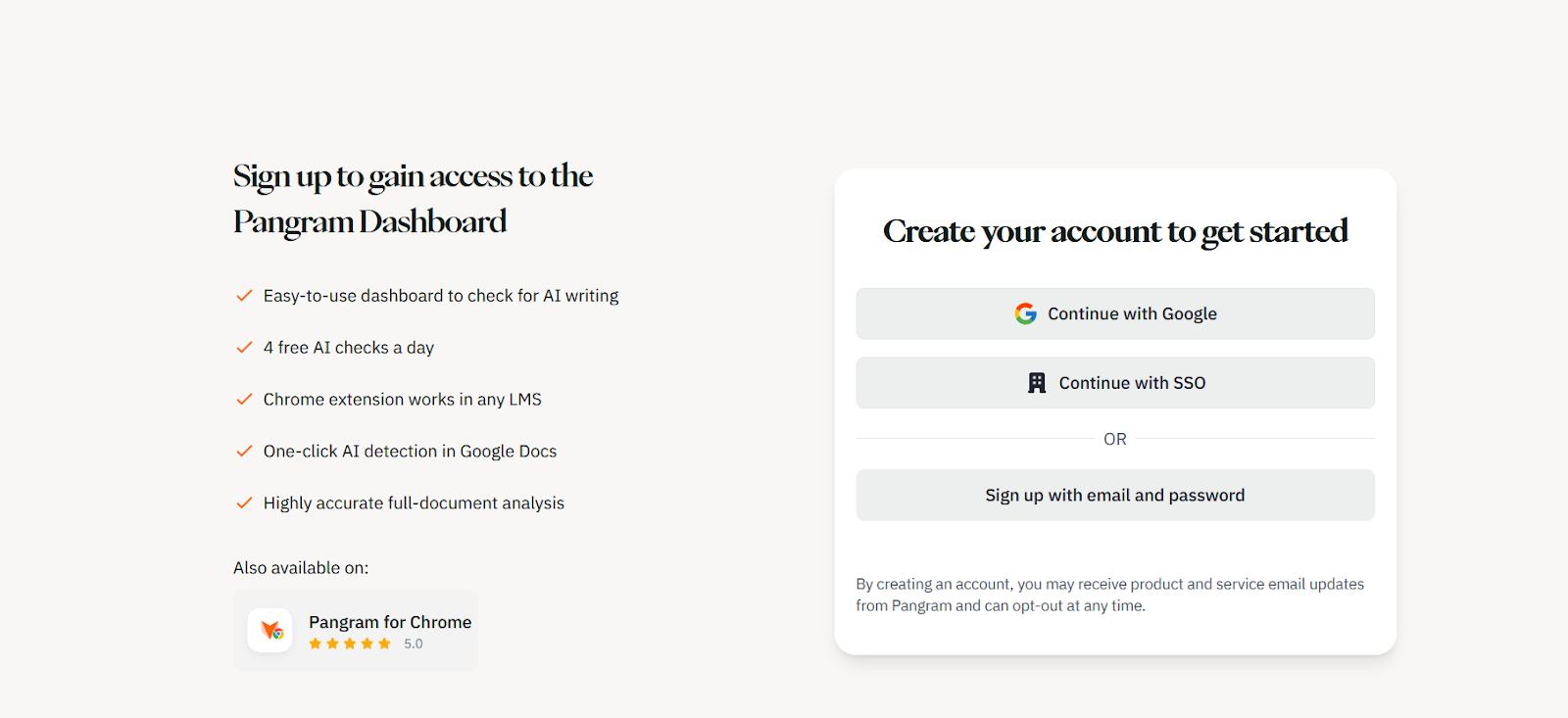
Head to the Pangram website and click on the orange “Try it for Free” button. You should see a page letting you choose whether you want to sign in with Google, SSO, or your email and password.
Alternatively, you can click on the “Pangram for Chrome” button if you want to add the Chrome Extension straight to your browser. If you choose to sign in with Chrome or SSO you might have to complete a two-factor authentication step, but it only takes a second.
Step 2: Choose Your Plan
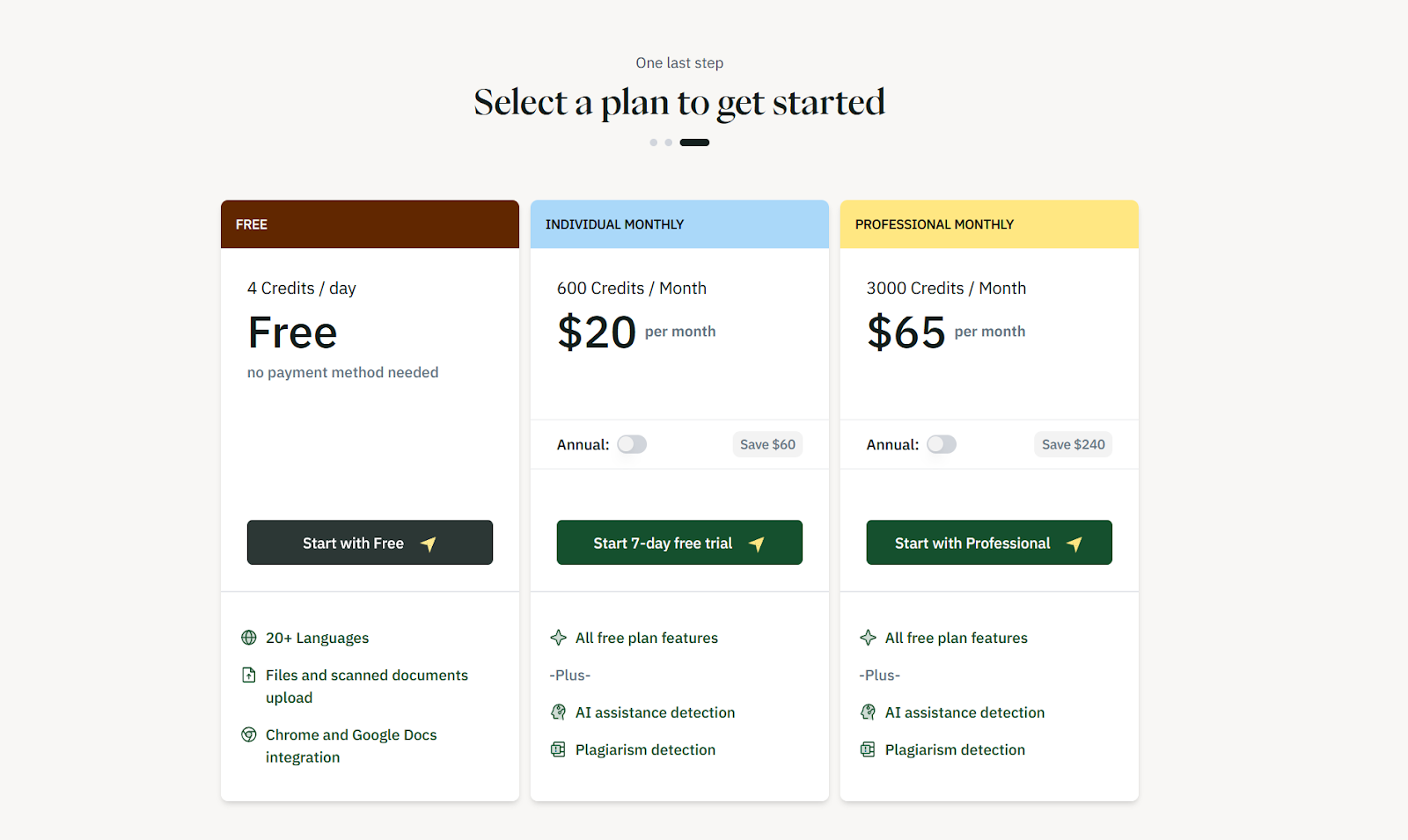
There’s a quick three-step set up before you reach the dashboard, where Pangram asks you a couple of questions about what you do and how you found them, then you’ll choose the plan you want. There’s no long-term free plan, but the $20 per month option is pretty cost-effective, since it gives you 600 credits per month, and one credit is enough for up to 1000 words.
If you pick a premium plan, you’ll enter your payment details at this point. If you start with the free option, you’ll go straight to the dashboard.
Step 3: Enter the Content You Want to Check
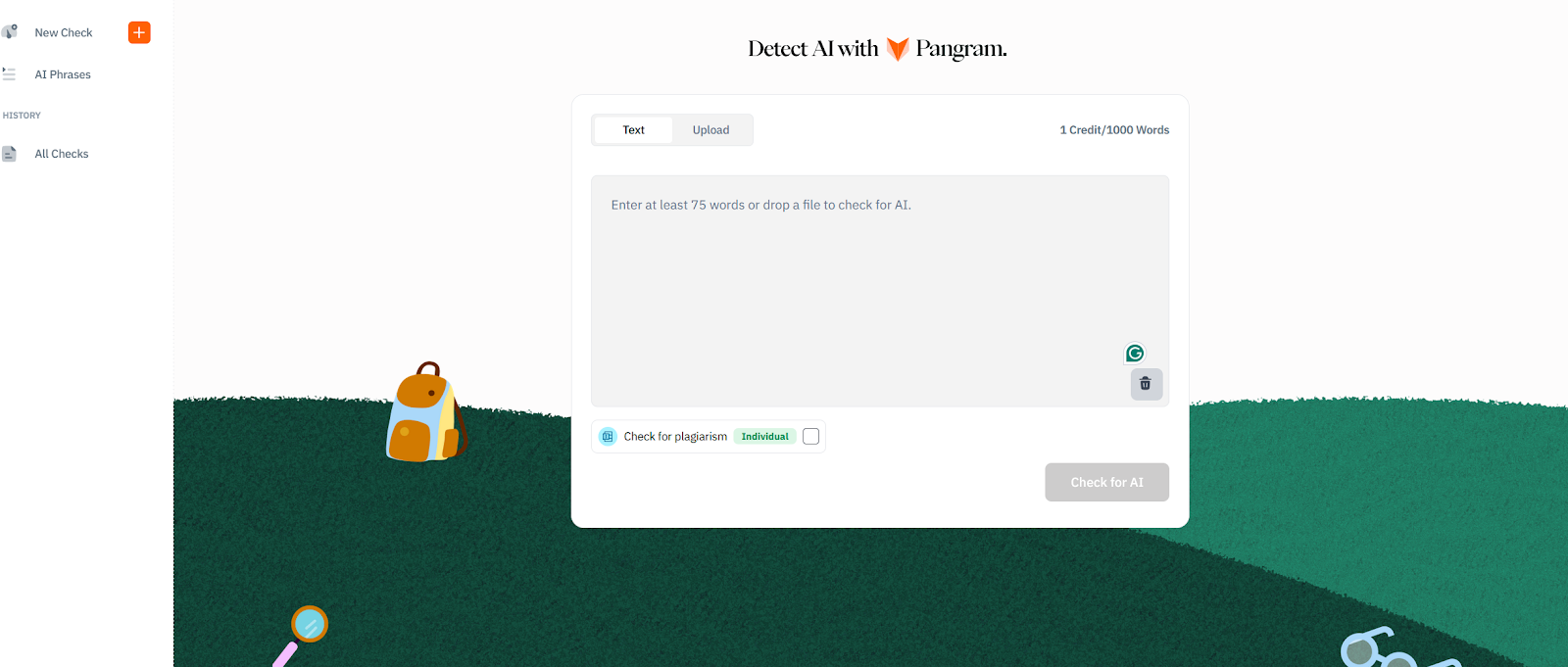
Now you decide how you’re going to share your content with Pangram. There’s a few options. You can copy/paste the text directly (what I did), or you can upload a file. The platform supports PDFs, DOCX, and RTF files.
If you integrate Pangram with the LMS tools you’re already using, or you add the Chrome Extension, you can also use Google Docs, or pre-loaded files from your other tools.
I copied the first part of this article into the system, and clicked “Check for AI”. You can also toggle the “check for plagiarism” option on if you’re on a paid plan.
Step 4: Check the Results
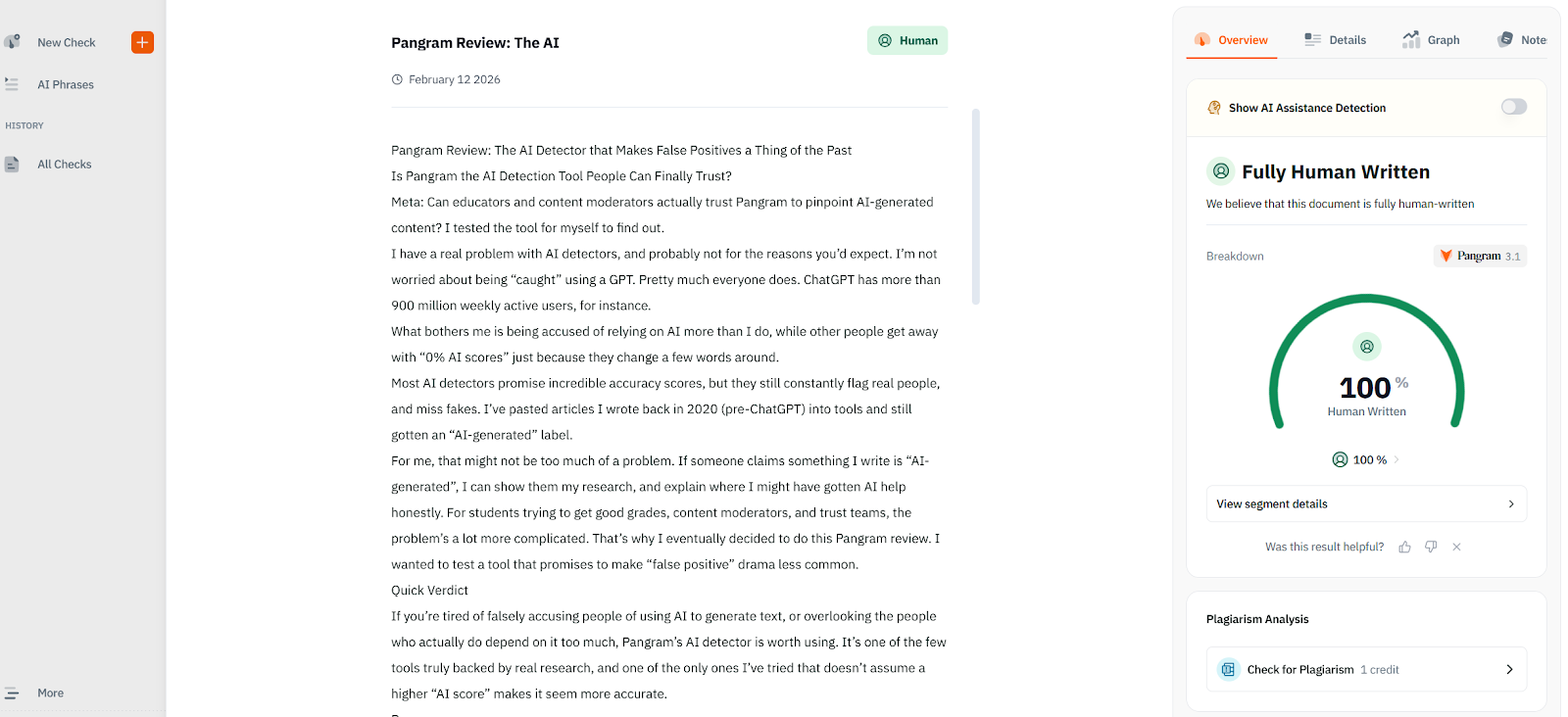
After a few seconds, Pangram will generate a result, showing clearly how much of your content it believes to be AI. At that stage, you can click through the tabs on the right hand side of the page for a little more detail. You can toggle “AI assistance detection on or off, go through the text segment by segment (if one part flags more than another), and view a graph.
There’s also a notes section that I think is really useful. If you notice something flagging as “AI generated” those notes might help you later on.
Obviously, this article flagged as 100% human, which doesn’t help much when I’m trying to show you how much detail Pangram gives, so I generated something quickly with ChatGPT to show you the difference:
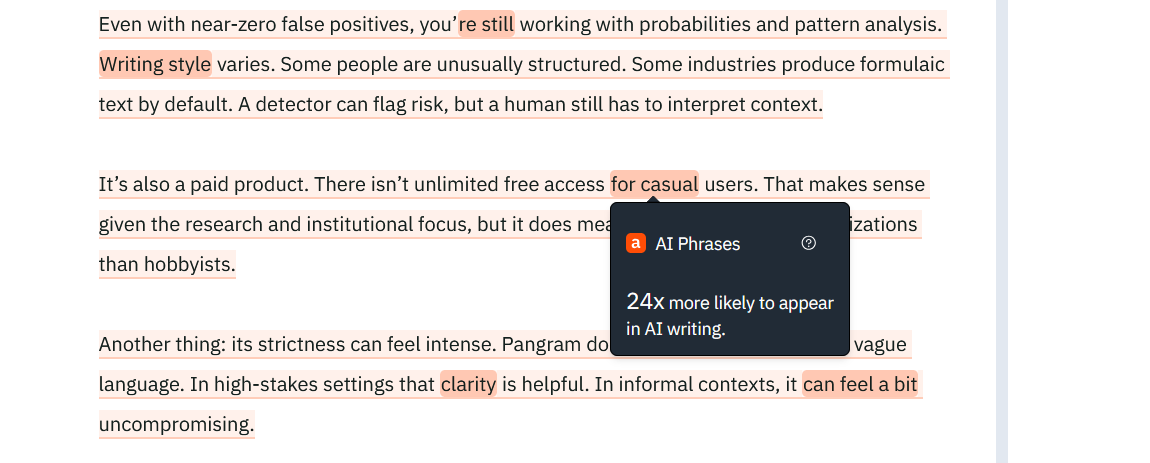
As you can see, you get a comprehensive review of what’s really showing up as “AI styled” here. It even highlights the words and phrases more likely to show up in AI-style writing.
Step 5: Scale Usage
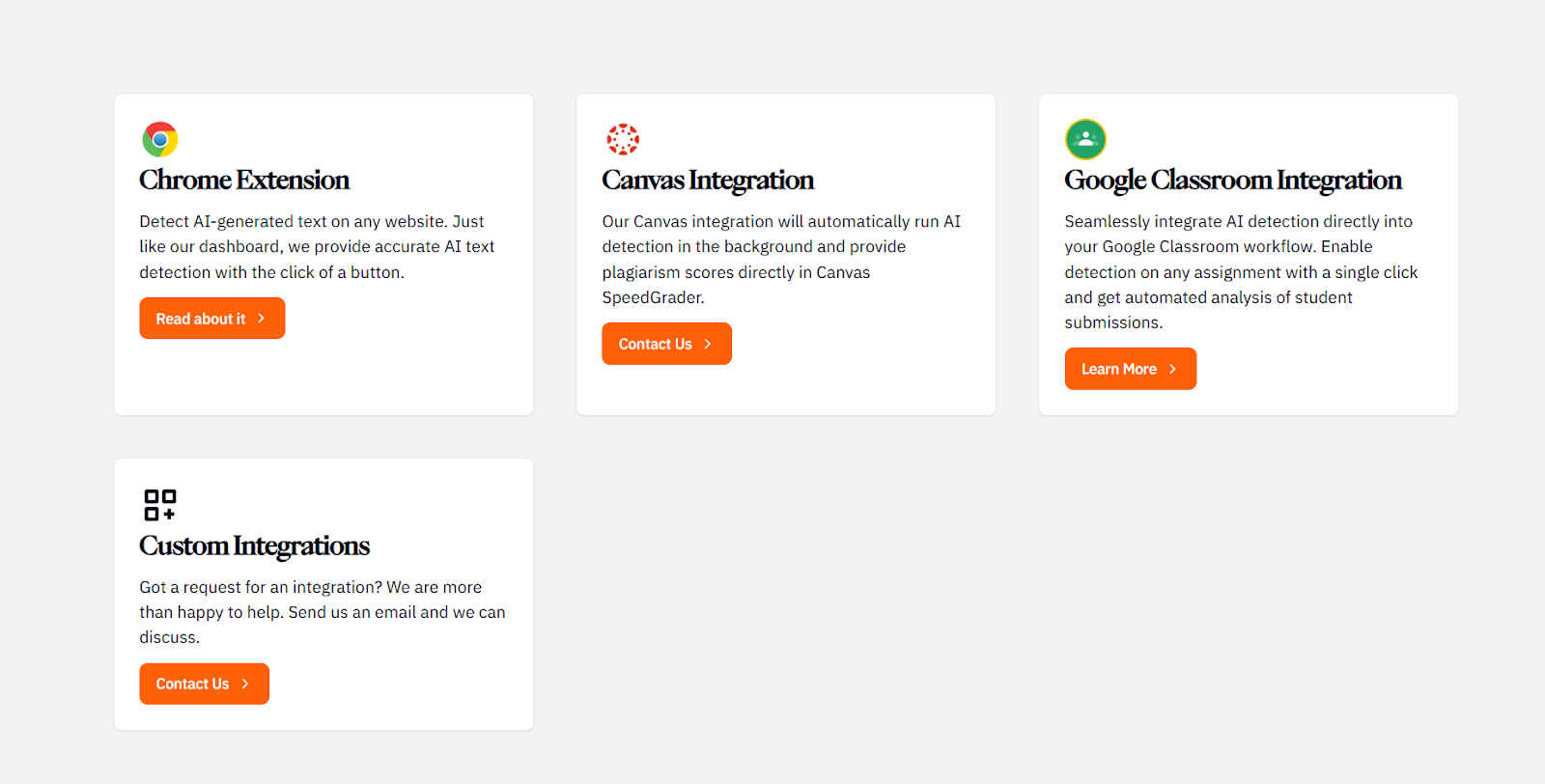
Once you have a good feel for how Pangram works, and how much you can trust it, you can take the system further. If you want a Canvas Integration or custom integrations, you’ll need to contact the team, but you can add the Google Chrome extension or Google Classroom integration o your account pretty quickly.
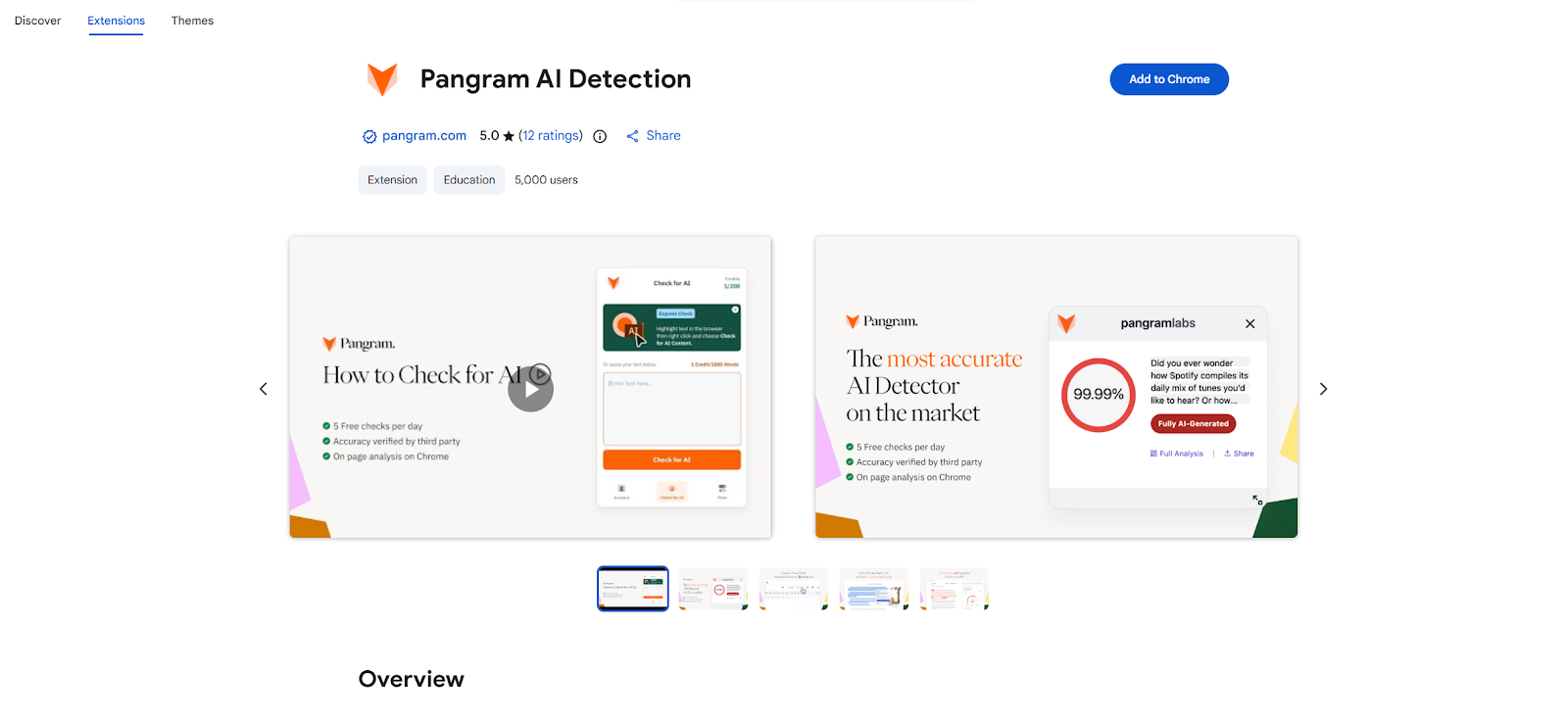
For instance, if you want the Chrome Extension, just visit this page, then click “Add to Chrome” and follow the steps:
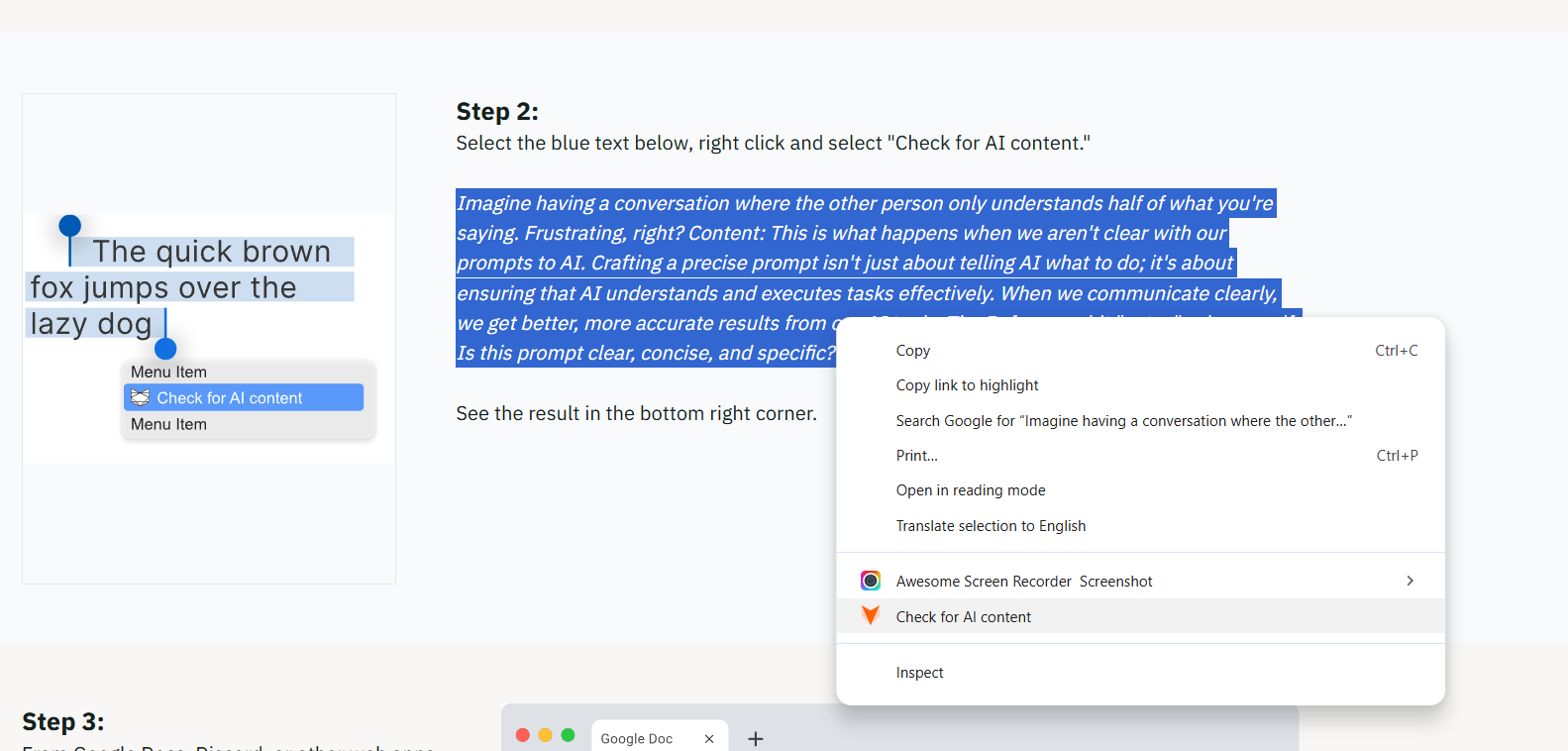
Once Pangram is installed for Chrome, you can highlight any text on a web browser page, right click, and choose “Check for AI content” for a quick score:
That’s all there is to it.
Who is Pangram For? Quick Use Case Examples
I said at the beginning of this Pangram review that I have a problem with AI detectors, but that’s mostly just because they’re often wrong. I actually like the ones that work, and I can definitely see the value of them in certain settings.
Pangram is something I’d probably recommend first for three main use cases:
Teachers Avoiding False Accusations
Imagine you’re in the middle of mid-terms, scanning through hundreds of essays at once. You need to see which of your students actually “put the effort in”, but you can’t afford to accuse real academics of things they didn’t do. Most AI detectors will either miss obvious AI flags, or give you false positives. Pangram doesn’t.
The near-zero false positive rate means you can trust the results you’re actually getting. Instead of being suspicious of everything, you start to get a clearer view of where people really used AI, where they got AI help, where they’re trying to cheat the system by “humanizing” text, and when they’re doing everything solo.
It saves you from a lot of awkward fights with students and their parents. Plus, since you get integrations with LMS platforms already, it fits with the workflow you already have.
Content Moderation at Scale
Lots of publishing platforms get thousands of submissions from “writers” every week. Some use AI responsibly for things like research and planning. Others are trying to pass fully GPT-generated pieces off as their own writing. Some have just paraphrased a few things.
Most tools catch obvious AI. They struggle once the text has been cleaned up.
Pangram is built specifically to detect AI-generated writing even after it’s been “humanized.” That matters when volume is high and you don’t have time to play detective. On top of that, with the API, you can start flagging high-risk content automatically, and sending it straight to review queues. The multilingual detection even means you can analyze content from global writers.
Trust & Policy Teams Needing Receipts
Here’s another problem I have with most AI detectors, they flag something as AI generated, but don’t tell you why it was flagged. You can’t give anyone feedback. You can’t back up your accusations. You’re just stuck saying “it didn’t pass our checker.”
Pangram’s explainable signals and reporting dashboard give teams something concrete to point to. Combined with third-party validation research, that external credibility helps in internal conversations. People will still argue, and sometimes they’ll still be right, but at least you have a way to back yourself up.
Pangram AI vs Other Detection Tools: Quick Comparison
At this point you probably have a good idea of how I feel about “most” AI detection tools. The false positive rate for many AI detectors is terrible. The number of AI slop articles that don’t get flagged might be even worse. Then there’s the fact that you get absolutely no context behind a score.
Here’s my honest opinion of how Pangram stacks up against GPTZero and Originality.AI, two of the biggest names in the business.
Detection Quality
People love GPTZero because it’s cheap, and easy to use. Unfortunately, it’s false positive rates constantly fluctuate across genres. That’s annoying when decisions have real consequences.
Originality.AI is a lot more “aggressive” in detection, which some people assume makes it more accurate. In my opinion, it usually means that it flags legitimate writing more often.
Pangram isn’t a “soft touch”, it’s strict about detecting AI content, but it’s also near-perfect at avoiding false positives. Independent research from the University of Chicago compared commercial detectors under tight false-positive constraints. Pangram held up unusually well when the acceptable error margin was set very low.
Humanized Text Detection
This is the thing most detectors struggle with the most. Most people can pinpoint “pure” AI content. We’ve all gotten accustomed to little “GPT-isms” we see all the time. But it’s harder to detect AI-generated text after you run it through a paraphraser.
Pangram is designed specifically to handle that scenario. It looks at deeper statistical patterns rather than just specific words and phrases. That means you can still see when someone used AI, even after they’ve tried to “rewrite” what a bot spits out.
Explainability
Some detectors give you a number. That’s it.
Pangram provides detection signals inside a review dashboard, with little highlighted sections to show you what’s really influencing the score. That’s really helpful for everyone involved. It means you can explain why you’re accusing something of being AI-generated, so you’re less likely to get arguments.
Even if a writer did produce content that flagged the detector themselves, you can give them feedback on what kind of “machine-like” writing they should avoid in future.
Integrations and Scale
GPTZero and Originality.ai both offer API access. But Pangram’s ecosystem feels more oriented toward the workflows that really matter.
Direct integrations with Canvas and Google Classroom reduce friction in classrooms. Chrome and Google Docs support make everyday checks easier. The API is built for moderation teams that need automated flagging across large submission volumes.
All that, and the multilingual detection capabilities mean that this system can really scale to suit just about any business.
Pangram vs Originality AI: Which is More Accurate?
If you want a more direct idea of how Pangram stacks up against other AI detection tools, comparing it to Originality.ai might help. I know a lot of people trust Originality.AI. It’s one of the most popular tools out there, promising around a 98.6% accuracy score. Unfortunately, I’ve seen for myself just how bad it can be at generating false positives.
We had a team member here take a poem they wrote way back in 2017 (long before ChatGPT even existed), and run it through both detectors. Pangram told us the piece was 100% human writing.
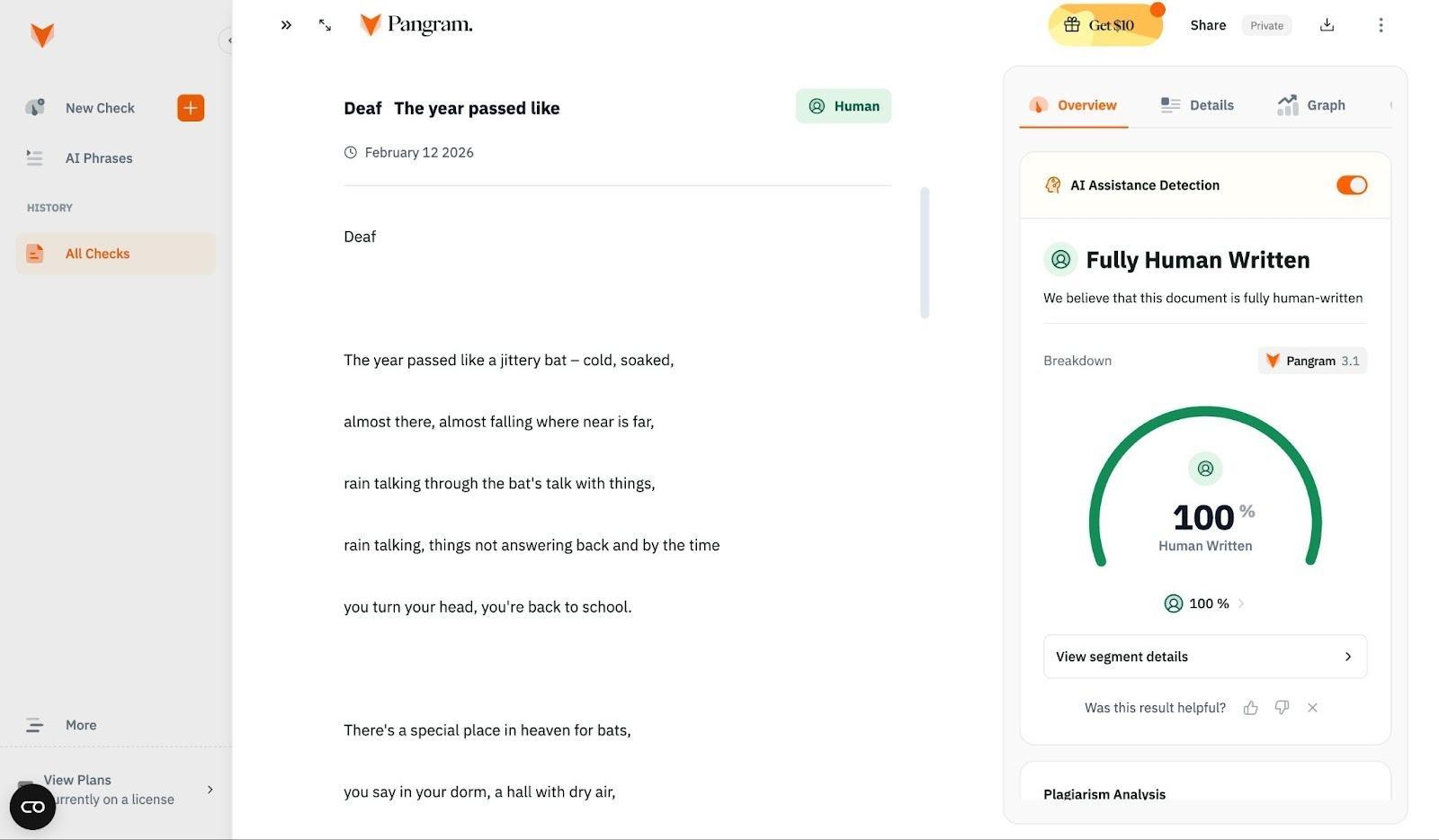
Orginality.AI, on the other hand, gave it a measly 70% chance of being human-written.
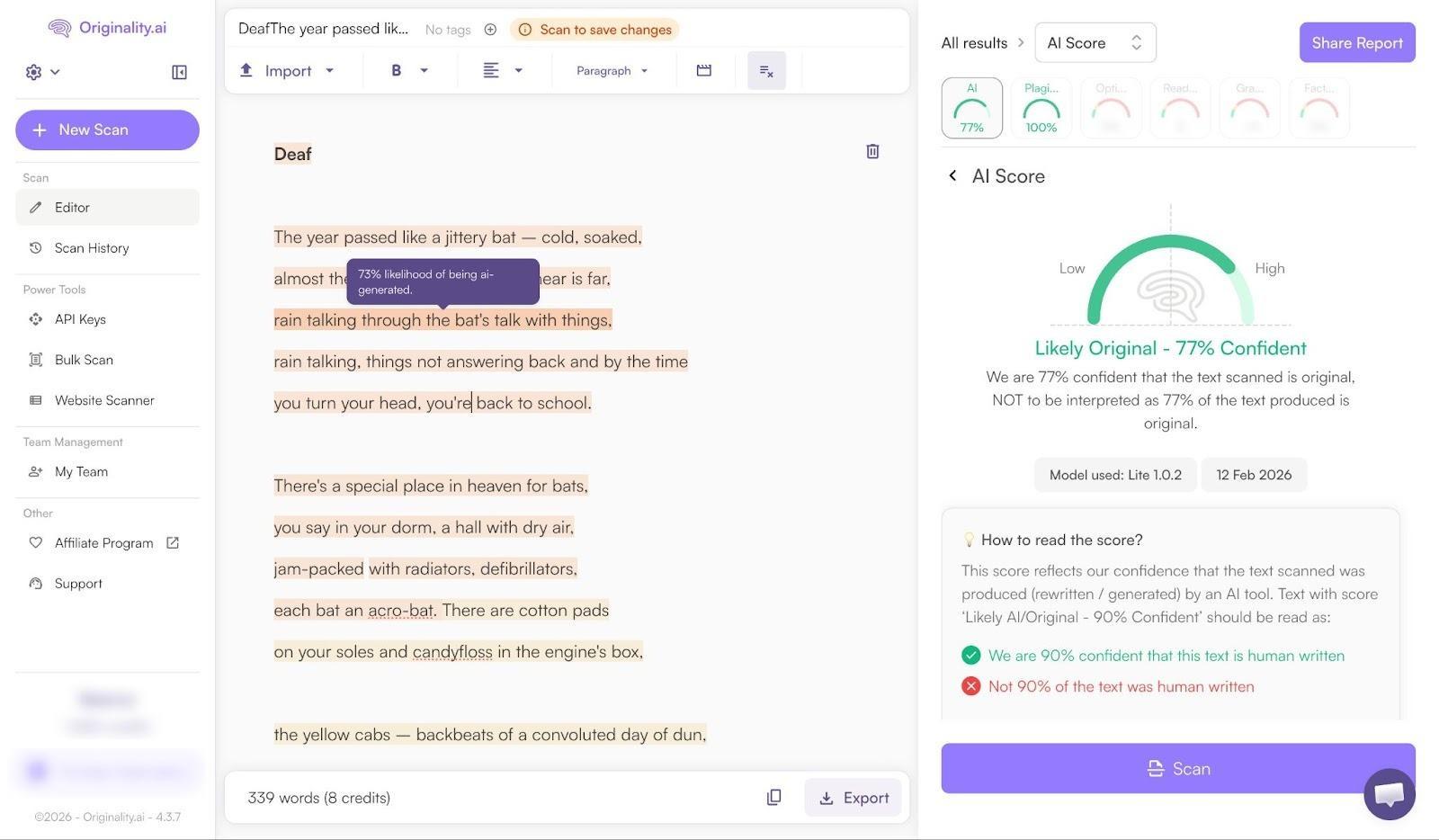
That’s the problem with most AI detectors, in general, they tend to lean towards “trying to find AI” so much that they miss genuine human signals.
It’s worth thinking about the other limitations of Originality.AI too. Unlike Pangram, it doesn’t check for AI text that’s been edited or rewritten by a human. It also doesn’t give you any insights into whether people have just used AI for support. On top of that, it’s very bad at explaining why a specific piece of text got a certain score.
In plain terms: Originality.ai can be accurate on clear AI content, and its false positive rates are low in isolated tests. But in real-world, human-written content, even creative stuff like poems, it can still misfire, whereas Pangram is built to avoid that outcome.
Pangram Review: Where It Falls Short
I’m not going to pretend Pangram is perfect, because I really don’t think that any AI detection tool can be. Ultimately, AI detectors look for signals of “synthesized writing”. Since bots create writing based on what they’ve learned about writing from human beings, it’s not always easy to tell the difference between content made by a bot, and text produced by a person that helped trained it.
Pangram doesn’t remove the need for human judgement. Sometimes it might still suggest someone got more AI help than they actually did when creating something. The near-zero false positive score just means that you can trust your instincts a little more.
The other thing worth mentioning is that this is a paid product. You can test it for free with a few credits a month, but eventually, you’ll need to pay for a plan. Still $20 per month for 600 credits really isn’t bad pricing, compared to the rest of the market.
The only other things I’d mention is that the strictness can feel a bit intense at first (that’s usually true for most AI detectors though). Also, it won’t work as well on tiny snippets of text. You’ll struggle to “AI-check” a mini social media post, for instance.
Pangram Review: My Final Verdict
Pangram hasn’t completely changed how I feel about AI detectors. I’m still suspicious of them. I’ve been trained that way after encountering way too many false positives and “missed opportunities”. I think everyone should feel that way. No AI detector can replace human judgement, just like no AI writer can completely capture human creativity.
Pangram, at least, feels like it’s actively fighting back against the damage that some of the other tools are doing. It’s not trying to make you suspicious of every piece of text you read. It’s helping you understand just how much AI influence has seeped into certain pieces of content, without bombarding you with false positives.
It’s validated, it’s proven, and it looks at AI usage on a spectrum, not just “Is AI” or “Isn’t AI”. That matters, if you’re looking for a tool you can trust.
FAQs
Is Pangram free?
There’s a free test plan that I used which gives you four credits per day.Pricing starts at about $20 per month for 600 credits.
Can Pangram catch reworded AI content?
Yes, that’s one of it’s most appealing features, Pangram AI-Assisted. It can show you whether AI text has been “cleaned up” to avoid flagging other checkers. It also shows you when people might have gotten a little “help” from AI, even if they didn’t rely on it completely.
What’s the false positive rate?
Near zero across virtually all content categories, from reviews to blog posts. That’s been independently verified by the University of Chicago.
Does Pangram work with Google Docs?
Yes, as well as Google Classroom and Canvas. There are options for custom integrations too, as well as a Chrome Extension for AI detection as you browse.
Is Pangram safe for student use?
Yes, it’s used in K-12 and higher-ed settings. I think it’s actually really useful for students,teachers, and professors alike. Teachers get more accurate insights into AI influence on essays and classroom content. Students learn they can’t trick the system.

Comments 0 Responses