

Sometimes it feels like most of us are collecting AI tools like Pokémon cards. We don’t even mean to do it. You just end up jumping between models and systems because they all specialize in different things. Some are better for research (I like Perplexity), some for writing, and some for image design.
Sometimes having a whole stack of tools feels productive. You tell yourself you’re being thorough. Most days, though, it’s just a mess of tabs and login screens you forgot to cancel.
That’s really why tools like Lorka AI (an AI aggregator) exist. Lorka gives you a cost-effective way to consolidate all the different models and apps you might be using into one platform, and one subscription.
Here’s what you should know if you’re thinking of using it.
Quick Verdict: Who Lorka Is Actually For
Lorka makes sense for people who are already juggling multiple AI tools and are tired of pretending that’s “efficient.” It’s aimed at generalists, not people who rely on the most advanced features in everything from ChatGPT to Mistral.
Pros 👍
- $19.99 per month for access to multiple major models
- Built-in web search, PDF chat, translation, image editing, voice mode
- 30-day guarantee and a clearly written refund policy
Cons 👎
- You still have to know which model to pick for which task
- It’s broad, not specialized
- Some advanced tools reported by third parties need hands-on verification
What Is Lorka AI, Really?
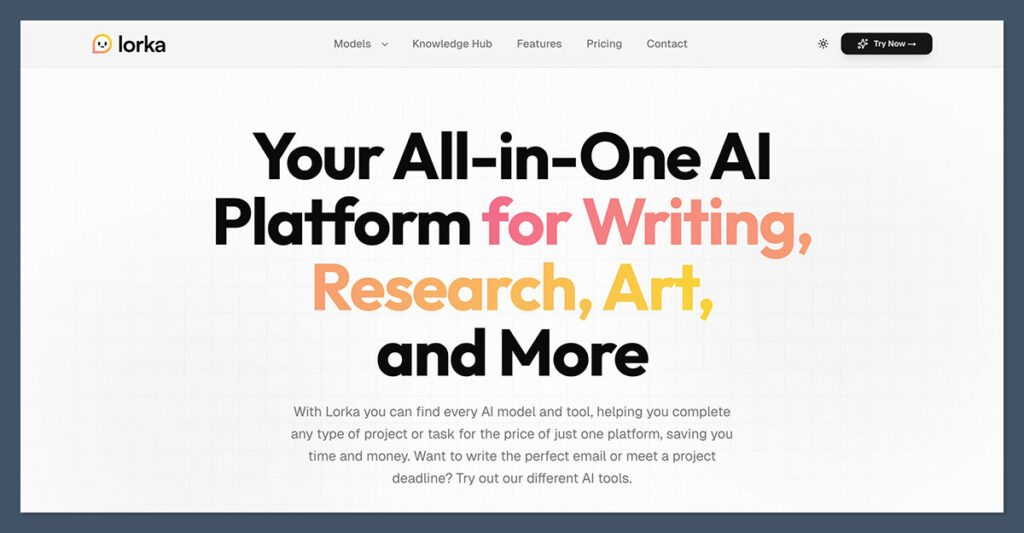
Lorka is a multi-model AI workspace, or an “AI aggregator”. It bundles all of the most popular AI models and tools into a single kit, so you have an intelligent team to work with, rather than a bunch of disconnected tools. The whole point is to make your AI workflow a bit more seamless.
You can throw out a messy first draft in one model, switch over to another to sharpen it, then run the final version past a third just to see what you missed. All inside the same thread. No copy-paste gymnastics. It actually feels organized.
Lorka isn’t the first aggregator I’ve tried. Some feel like a marketplace of bots, and others are more like a front-end where you plug in API keys and manage usage manually.
Lorka is more angled to the “convenience” side of things. You pay one monthly price, jump between pre-integrated models (without APIs), and get tools layered on top.
Lorka AI Review: The Models You Get
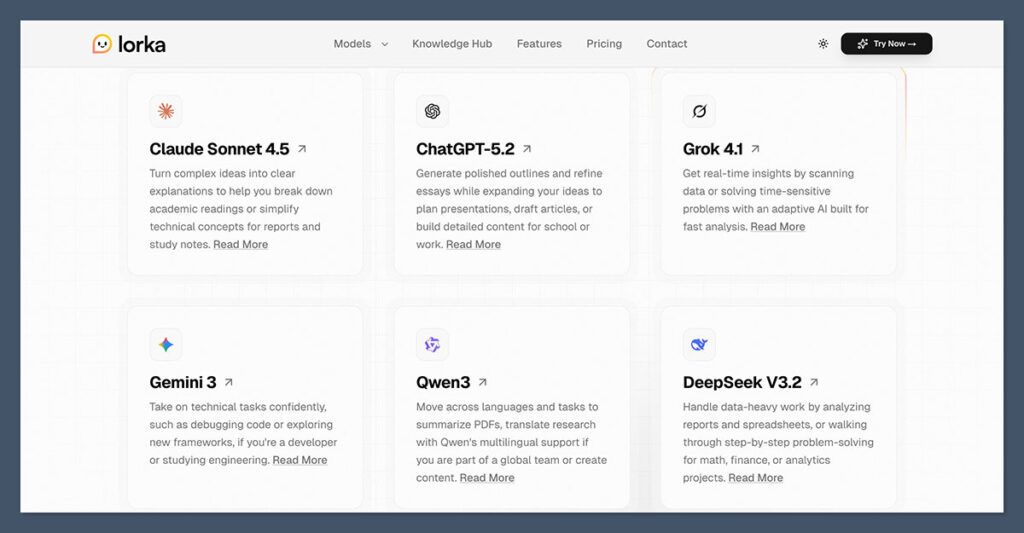
Right now, there are seven main models in the kit:
- Anthropic’s Claude Sonnet 4.5
- OpenAI’s ChatGPT 5.2
- XAI’s Grok 4.1
- Google’s Gemini 3
- Alibaba’s Qwen 3
- Deepseek’s V3.2
- Moonshot’s Kimi K2.5
- Perplexity
They’re all good for different things, which is why the Mix works. Claude is great at clear explanations and handling dense research material. ChatGPT is the all-around generalist tool, ideal for outlines, frameworks and content planning.
Gemini is great with technical prompts and debugging logic, while Grok is quick, reactive, and playful (good for conversations). Deepseek wins for step-by-step reasoning, while Qwen excels at multilingual work. Perplexity, as I said above, is ideal for research.
What’s great about Lorka is you’re not just getting access to all of these models (and a few more still getting developed). You’re getting a system that lets you switch models mid-workflow without starting again.
Features: Where Lorka Becomes More Than a Model List
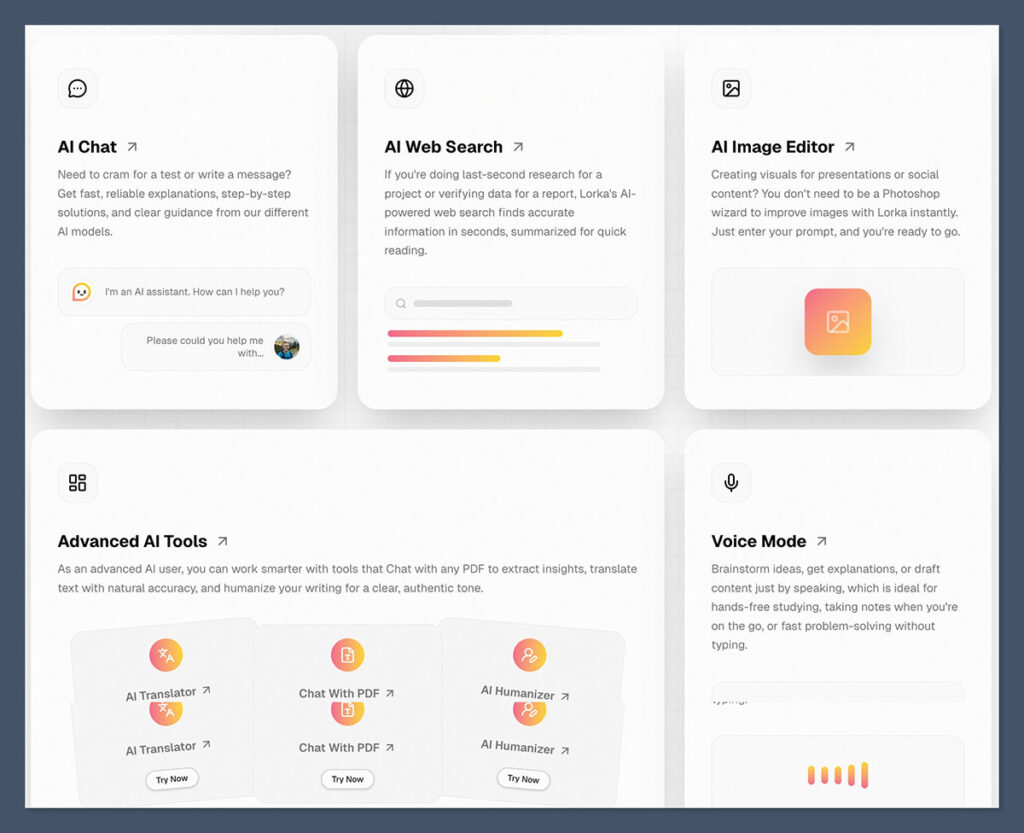
When you actually sign up and start using Lorka, you’ll see a much bigger model list than the one I mentioned above) to choose from. You’ll also see a bunch of “options” for what you can do with each model scrolling underneath your chatbot. You’ve got options ranging from “Help me write” to “watermark removal” right there.
The main feature list simplifies things a bit more. On the main homepage, you’ll see the features people tend to use most often, like:
AI Chat
Everything runs through the main chat interface. You open a conversation, choose a model, and start working. The key detail is that you can switch models without jumping platforms or resetting your thread. You can do anything here, from drafting landing pages and sales emails, to prepping customer support replies.
It’s really not that different to using any other tool you might use for conversational-based work (like ChatGPT). The only major change is that you’re not locked to one model.
AI Web Search
Lorka has web search baked directly into the platform. The idea is simple. Quick research. Quick validation. Quick summaries. It’s handy when you’re writing something that needs fresh context, like market numbers, competitor positioning, or a recent industry shift.
Just don’t confuse this with a research engine built entirely around citations. Tools like Perplexity are obsessed with sourcing and references. Lorka’s search feels more like a convenience layer. Great for getting your bearings.
Fine for checking a claim. If you’re publishing something that demands airtight citations, you’ll still need to verify independently.
AI Image Editor
Lorka’s image editor is built for quick utility. You can generate images from prompts, remove backgrounds, and make basic visual adjustments. The platform itself mentions crisp image generation and background removal directly on its features page.
If you run a small store, this matters. Removing a background from a supplier image without opening Photoshop or generating a quick concept visual for a social ad doesn’t require a design degree.
This won’t replace high-end creative tools. It doesn’t need to. It just needs to cover the everyday 80 percent.
Voice Mode
Talking through ideas inside the same workspace sounds like a small thing until you actually use it. You don’t have to open a separate voice app, export a transcript, then paste it somewhere else. You speak, it drafts, you refine. The momentum stays intact, which is harder to preserve than people admit.
The Advanced Tools
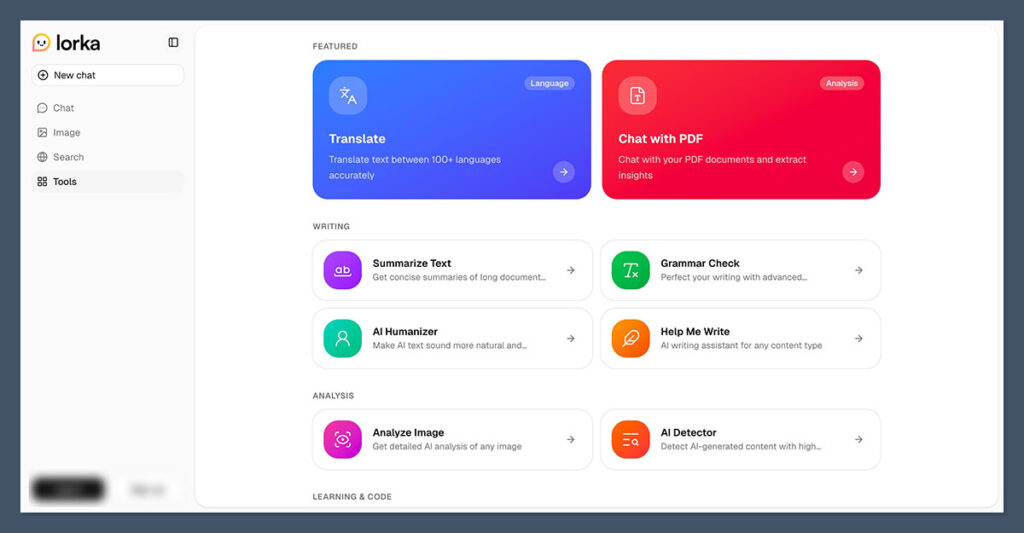
You’ll find these in the “Tools” tab on your dashboard, and they’re all pretty self-explanatory.
The “Help me write” assistant guides you through creating content, just like similar plug-ins for ChatGPT. The Grammar and AI detector help you fine-tune and improve content you’ve already written. Then there’s the other handy features like:
- The AI translator (which works with 100+ languages)
- The Chat with PDF tool that helps you extract insights from PDFs
- Learn, a Personalized AI tutor for any subject
- The AI text summarizer
- The AI image analysis tool
- Code assistant for writing and debugging code
The AI Humanizer is the feature I trust the least. It’s supposed to take robotic AI copy and make it sound more like a person wrote it. I ran a paragraph straight from ChatGPT through it and waited for some dramatic makeover. What I got was light editing. A few phrasing swaps. Slightly softer tone. That’s about it.
It didn’t suddenly give the writing personality. But I can see a niche use for it. If you’ve drafted something quickly and it reads a bit stiff, running it through this tool might spark a better phrasing idea or two. Just don’t expect it to rescue weak writing. It’s a nudge, not a rewrite.
Pricing, Free Access, and the Fine Print
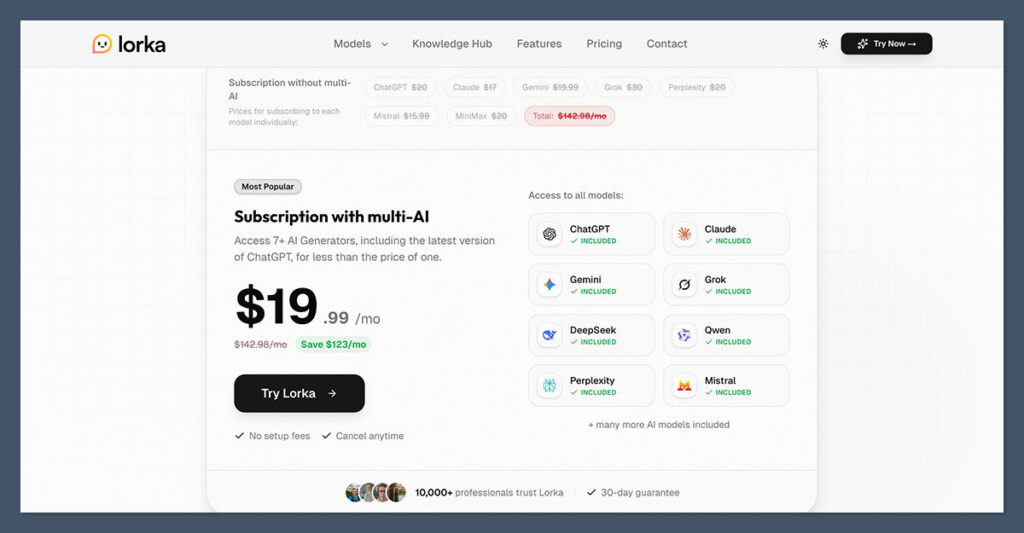
Lorka obviously thinks its pricing is worth bragging about. It gives you a comparison view of its subscription cost compared to the price of paying for every AI tool and model it offers separately right on the home page.
I’ll admit it, the price grabs your attention. Nineteen bucks a month versus north of one hundred and forty if you’re stacking separate subscriptions. That’s hard to ignore.
Obviously, value for money-wise, it’s worth being honest with yourself. If you wouldn’t really be paying for all of those things separately in the first place, you’re not going to save as much.
One good thing is you can try the tool for free with a handful of lower-tier models (like ChatGPT 4o mini). You’re also free to request a refund within 30 days of your purchase if you change your mind.
Overall, Lorka feels like good value to me, particularly if you’re the kind of person who’s already juggling a bunch of AI apps. Even if you’re only paying for something like ChatGPT’s basic plan now, switching to Lorka means you can experiment with more models without paying extra.
Who Lorka Is Really Built For
Lorka isn’t trying to serve one type of user. It’s aimed at people whose work spills across categories.
If I had to call it cleanly, this is who Lorka fits:
- Entrepreneurs who are juggling ideas, business plans, pitch decks, market checks, and translations without wanting five separate logins.
- Students and researchers who live inside PDFs, complicated explanations, quick fact checks, and model comparisons.
- Marketers and ecommerce operators who are constantly rewriting product copy, testing ad hooks, tweaking tone, checking claims, and spinning up quick visuals.
- Programmers and technical users who want help debugging code, walking through logic, or seeing how different models reason through the same problem.
It’s for people who do a bit of everything. If you sit entirely inside one discipline and already love a single AI platform, this won’t feel essential. If your day involves switching contexts constantly, the consolidation starts to make sense.
I do think it’s better for beginners than other AI aggregators too. Some like TypingMind and Poe give you more control, but that can also be overwhelming if you’re still just experimenting. Lorka just feels straightforward, like the easy route for testing the waters with AI.
My Verdict: Should You Use Lorka?
I don’t think Lorka is trying to outshine ChatGPT or Claude or any other standalone model for that matter. It’s trying to make the stack manageable.
If you’re already paying for multiple AI subscriptions and constantly copying prompts between tabs, this platform feels practical. The $19.99 pricing only becomes compelling if it replaces tools you’re actually using.
If you rely heavily on one ecosystem and don’t feel friction switching tools, you might not care.
If you’re wondering if it’s right for you, my question to ask would be: “Will it reduce your mental overhead?” If consolidating a bunch of models and tools into one system would make your workflows a bit less stressful, Lorka is worth a look.
FAQs
What models are included with Lorka?
The site lists ChatGPT, Claude, Gemini, Grok, DeepSeek, Qwen, Perplexity, Mistral and additional models like Kimi, Meta, Minimax and Cohere under its subscription.
How much does Lorka cost?
It’s $19.99 a month. On the same page, they show individual subscriptions adding up to $142.98. That comparison does most of the talking.
Is there a free trial for Lorka AI, or a free plan?
The refund policy mentions a limited free tier for initial message requests before committing to a paid plan.
How does the refund policy work?
Refund requests must be made within 30 days of purchase and before the subscription expires. Lorka states it will respond within 72 hours and process approved refunds within 10 days.
Does Lorka include web search and PDF chat?
Yes. AI web search and Chat with PDF are listed as built-in features, along with translation, image editing, and voice mode.
Is Lorka better than Poe or TypingMind?
It depends on what you’re really looking for. Poe feels more like a bot marketplace. TypingMind gives you API-level control. Lorka focuses on bundling major models and tools into one predictable subscription.

Comments 0 Responses