

Julius AI is one of the more capable tools for spreadsheet analysis, making it easier to pull insights from messy data with no code required. From AI-generated charts to written summaries, it is built for marketers, founders, and teams who want to move faster with data rather than fight with it.
In this review, I break down Julius AI’s core features, its reworked pricing, the pros and cons, and how it compares to similar AI-powered data tools. I have spent weeks using Julius on real client projects, so everything here comes from hands-on testing rather than marketing copy.
One thing to know upfront: Julius has changed a lot since its early days. It started as a lightweight spreadsheet chat tool and has grown into a broader data workspace with notebooks, dashboards, team collaboration, and warehouse connectors. The pricing model changed too, which I cover in detail below.
Why You Can Trust This Review
I have used dozens of AI tools and spreadsheet solutions over the years, from ChatGPT with Advanced Data Analysis to full business intelligence platforms like Looker and Tableau. This review reflects real experience with Julius AI across several datasets, business cases, and team environments.
I verified all pricing, plan names, and feature claims directly against the official Julius AI pricing page at the time of writing, rather than relying on older figures that float around the web. Where Julius has changed since earlier reviews, I flag it.
Julius AI: Quick Overview
| Feature | Score (Out of 5) |
|---|---|
| Ease of Use | 5 out of 5 |
| Features | 4.2 out of 5 |
| Pricing | 4 out of 5 |
| Accuracy | 4.3 out of 5 |
| Visual Output | 4.5 out of 5 |
The features score moved up to reflect the addition of notebooks, dashboards, scheduled reports, and warehouse connectors. The pricing score moved down slightly, because the shift to a credit-based model and the large gap between individual and team plans make value harder to judge than it used to be.
Julius AI Pros and Cons
Pros
- No coding required — I could ask data questions in plain English
- Excellent chart generation and data summaries
- Strong support for messy or unstructured spreadsheets
- Works with Google Sheets, CSVs, SQL, Notion, and more
- Easy to share results via live links or exports
Cons
- Risk of occasional misinterpretation or AI “hallucination”
- Not ideal for automated dashboards or live reports
- Steep pricing curve for heavier users or teams
- Lacks in-depth formula control for analysts
Getting Started With Julius AI
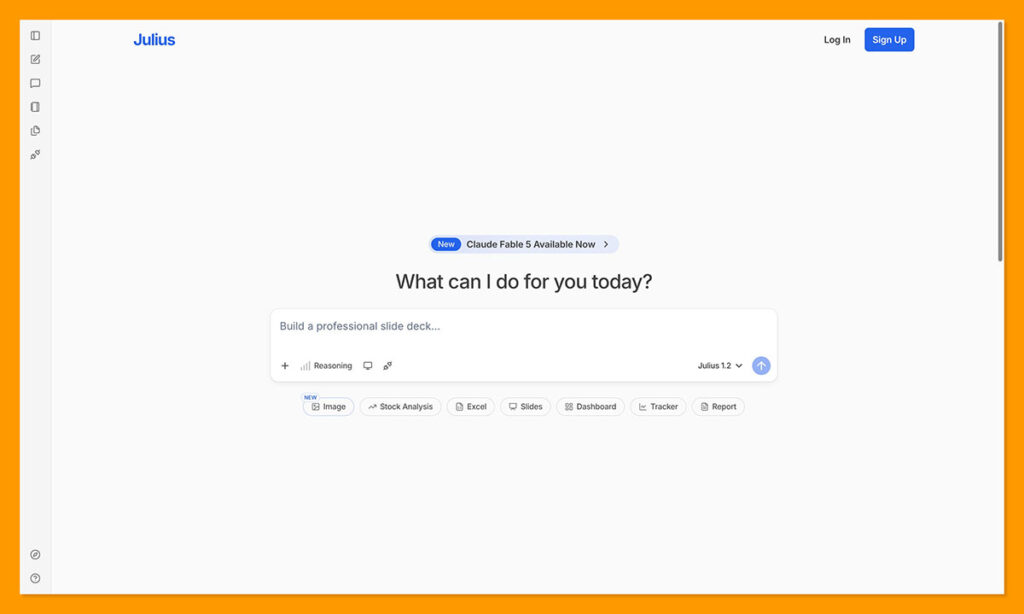
The sign-up process is quick and frictionless. You upload a file or connect a data source, and you are running in about a minute. Here is what I saw on logging in:
- A clean interface built around a central chat window
- Options to upload a file or connect a data source
- A prompt asking what I wanted to know from the data
I uploaded a messy CSV full of inconsistent headers, missing fields, and extra columns. Julius did not blink. It understood what I meant by “sales trends,” even though the column was labeled “Rev_total_Qtr.”
Author’s Testing Notes: Setup took under two minutes, with no coding or data cleaning required. Unlike traditional BI tools that ask you to define a schema, clean headers, or map fields, Julius handled that for me. It felt closer to using ChatGPT than Looker, and that is a good thing.
How I Used Julius AI (Real Use Cases)
I ran Julius through its paces with three real use cases over a multi-week test window.
1. Marketing Campaign Analysis
I asked Julius which campaigns had the highest ROI last quarter, and for a bar chart of cost per lead by channel. It pulled the data from my ad spend sheet, filtered by dates, and returned a visual chart, a written explanation, and an editable table showing the breakdown.
The results were clear and accurate. I did not have to create pivot tables or spend time formatting the spreadsheet. I dropped the raw file in and asked questions like I was chatting with an assistant. Julius even highlighted which campaigns were underperforming and suggested where costs could be optimized, without being asked.
Author’s Testing Notes: When I asked it to “compare that to the previous quarter,” Julius ran the same analysis on older data and updated the chart automatically, instead of restarting. That follow-up behavior is what makes it feel like a real analyst rather than a static tool.
2. Sales Pipeline Review
With a CRM export of deals, reps, and close rates, I asked how many deals each rep closed and who had the highest close rate. Julius produced a leaderboard table and a callout noting that one rep closed at a rate well above the team average. It also surfaced trends, like certain reps performing better in specific industries or deal sizes, which helped with planning team strategy and training.
To test its flexibility, I uploaded a second CRM export with slightly different fields. Even though the structure was not identical, Julius handled the changes smoothly and produced the same style of report without asking me to remap anything.
3. Internal Team Dashboard
I connected a Google Sheet that tracked weekly KPIs. Julius helped me generate summary stats such as average meetings per person, visualize team workloads, and identify outliers without manual filtering. It also created performance snapshots I could share in team meetings, and at one point flagged a drop in task completion that correlated with meeting load, something I had not asked it to check.
Author’s Testing Notes: This turned into a lightweight reporting habit. Each week I refreshed the same sheet, opened the chat, and typed “weekly summary.” Julius pulled the updated stats and visualized the week-over-week changes, replacing what used to be a slow manual task.
Bottom line: Julius helped me answer key questions faster than any spreadsheet tool I have used, and it looked good doing it.
Julius AI Features Breakdown
Julius has expanded well beyond simple spreadsheet questions. Here is where the core functionality sits today.
| Feature | Details |
|---|---|
| Data input | CSV, Excel, Google Sheets, plus SQL and warehouse connectors |
| Connectors | Google Drive, OneDrive, SharePoint, Snowflake, BigQuery, Postgres, MySQL, SQL Server |
| Models | Julius models plus frontier models like GPT-5.5 and Claude Opus on paid tiers |
| Queries | Natural language, with conversational follow-ups |
| Charts | Line, bar, pie, scatter, tables, and more |
| Outputs | Summaries, slides, HTML artifacts, charts, and images |
| Notebooks | Reproducible analysis with code under the hood |
| Automation | Scheduled report runs, Slack Agent, and Custom Agents |
| Dashboards | Shareable dashboards on higher tiers |
| Collaboration | Shared workspaces, files, and threads on team plans |
| Security | SOC 2 Type II, GDPR, CCPA, with SSO on enterprise |
You are not locked into a single file type or data source. I connected and switched between Google Sheets, CSV files, and an Airtable-style export without issues, and Julius kept the context of earlier questions within the same session.
Another useful touch is how Julius suggests follow-up queries based on what you just asked. After a revenue trend chart, it offered options like “compare by product category” or “break down by region.” Those nudges saved time and surfaced angles I might not have thought to ask for.
Pricing: Is Julius AI Worth It?
This is the part of Julius that changed the most. The simple Free, Pro, and Team structure is gone. Julius now uses a credit-based model with several individual tiers and two team tiers, plus enterprise. A credit is consumed per prompt, follow-up, or visualization, and each paid plan includes a monthly credit allotment with daily refresh credits on top.
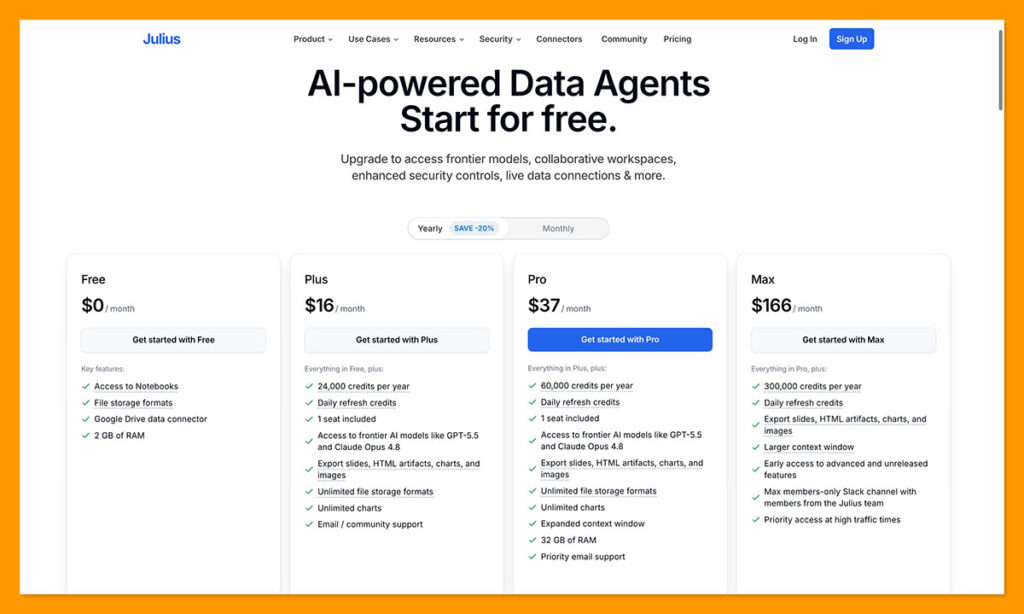
Current Plans
| Plan | Monthly | Annual (per month) | Key inclusions |
|---|---|---|---|
| Free | $0 | $0 | Daily refresh credits, Notebooks, Google Drive connector, 2 GB RAM |
| Plus | $20 | $16 | 2,000 credits per month, 1 seat, frontier models, unlimited charts and storage formats |
| Pro | $45 | $37 | 5,000 credits per month, expanded context, 32 GB RAM, priority email support |
| Max | $200 | $166 | 25,000 credits per month, larger context, early access to new features |
| Ultra | $500 | $416 | 70,000 credits per month, most powerful models, permanent file storage |
| Business | $450 | $375 | 10 seats, warehouse connectors, Custom Agent, scheduled runs, 60,000 credits |
| Growth | $750 | $625 | Up to 30 seats, knowledge base connectors, unlimited dashboards, 120,000 credits |
| Enterprise | Contact sales | SSO, audit logs, advanced security and onboarding | |
A few things worth flagging. The plan that used to be the $20 “Pro” is now called Plus, and Pro is a separate $45 tier with more credits, a bigger context window, and more memory. Annual billing saves up to 20 percent across plans. Students and educators get 50 percent off any plan, which makes Plus one of the cheapest serious data tools available for academic use. There is also a short refund window on paid plans, so you can trial before committing to annual billing.
One quirk: the Business plan actually includes fewer monthly credits than Ultra. That is because Business is sold on seats, connectors, and collaboration rather than raw credit volume. If you are a solo power user who only needs more capacity, Ultra can make more sense than jumping to a team plan.
Value Analysis
- Free is fine for testing and very light use, but the credit refresh runs out fast on real datasets
- Plus at $20 is fair for solo pros and replaces hours of spreadsheet wrangling
- Pro at $45 is the sweet spot if you run analysis weekly and hit the Plus credit cap
- The gap from individual plans to Business is steep, so budget for it before scaling a team onto Julius
Cost-saving tip: Start on Free or Plus, watch how quickly you burn credits, and only move up when repeated analysis work clearly costs more than the subscription.
Julius AI Accuracy and Limitations
Julius is surprisingly accurate, especially given that it runs on general-purpose models. That said, it is not immune to the usual AI hiccups.
Where it performs well
- Recognizing ambiguous column names such as “$ Total Rev”
- Inferring intent from vague prompts like “show sales growth”
- Handling unstructured or mixed-format spreadsheets
Where it struggles
- Column labels that are too abstract, like “X1 Data Set,” can trip it up
- It may hallucinate summary stats when data is sparse or inconsistent
- Heavier statistical work, such as regressions or forecasts, usually needs the Notebooks workflow rather than a single prompt
Accuracy tip: Use clear column headers and double-check summaries before they go into critical reporting.
It is not built to replace a data analyst for high-stakes financial modeling, but with Notebooks now running code under the hood, it handles more advanced analysis than it once did. For the bulk of everyday business needs, exploratory analysis, campaign tracking, and client-facing reports, it is more than accurate enough.
Julius AI Alternatives: 3 Great Options to Consider
Julius AI is definitely worth keeping around if you need quick, low-effort help with data. I really appreciate how helpful it is when you’re dealing with messy files, or just trying to get reliable answers to business questions. Still, it’s not perfect for every data project.
A few alternatives make more sense when you need a true predictive analytics model (customized for your company), more transparency, or broader AI help.
1. Pecan AI: Best for Predictive Analytics
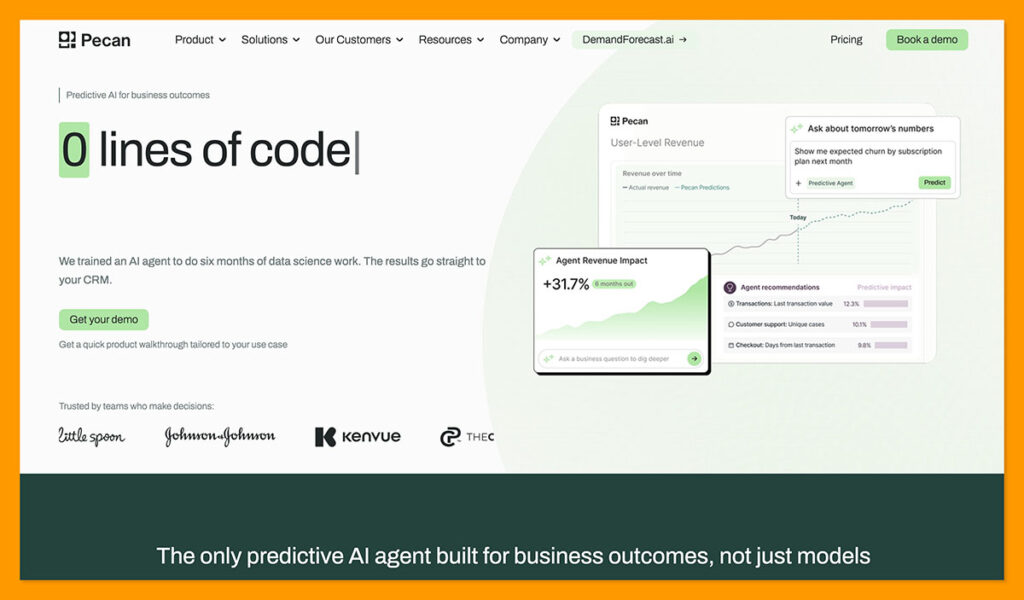
Pecan AI is the Julius AI alternative I’d recommend for companies looking for a lot more than a conversational data assistant. While Julius is great if you want answers about what happened in a spreadsheet, Pecan AI is a more advanced, no-code predictive analytics platform intended to help businesses act on insights faster.
It does need sufficient historical data to be useful, which means connecting it to your CRM, data warehouse, and other resources is part of the process. That might be overkill if you just want a one-off chart. Still, if what you really need is a custom predictive analytics model (without the need for complex coding), that’s where Pecan excels.
It’s perfect for answering questions about who’s about to churn, which leads sales should follow up with, where demand might be heading next, or which campaigns will have the biggest pay-off.
Pecan’s Predictive AI Agent handles data prep, modelling, plain-English questions, prediction monitoring, and delivery back into your CRM, database, or warehouse. It also has very specific use cases, focused on the teams that own outcomes: marketing, RevOps, customer success, finance and sales.
Julius is better suited to fast ad-hoc analysis and exploration, as well as companies searching for cheaper software. Pecan AI is better if you want a more comprehensive predictive model.
2. Quadratic: Best for Transparent Spreadsheet-Based Analysis
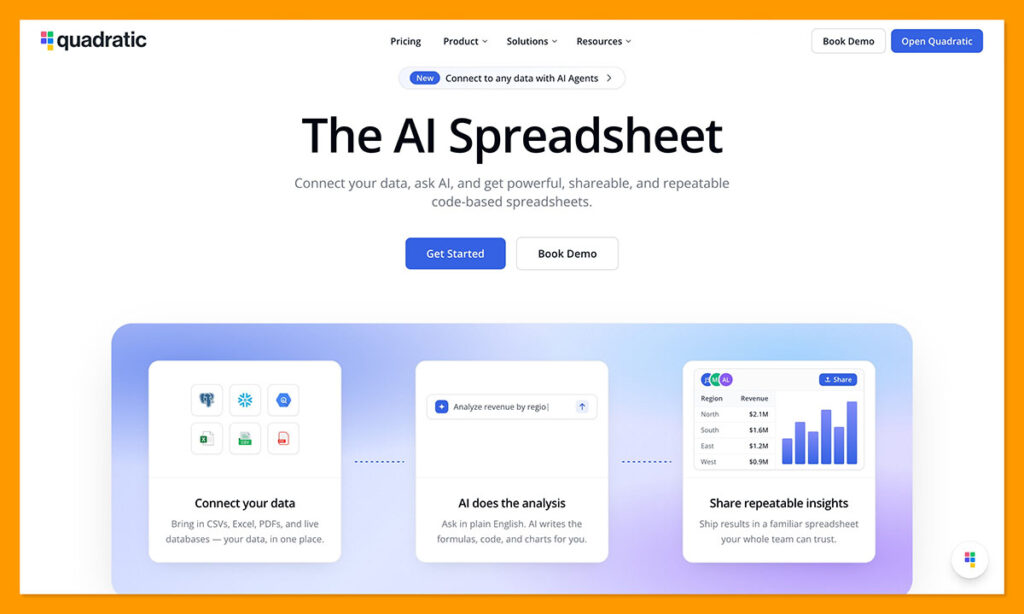
If you like the overall experience of using Julius.AI, but your team keeps asking, “Ok, but how did it get to that answer?” Quadratic might be the better tool.
Julius is chat-first. You ask, it replies, and a lot of the analytical logic happens in the background. That’s fine if you’re moving fast and dealing with basic questions, it becomes more concerning when you’re checking a finance model, or trying to explain your insights to a board member.
Quadratic keeps the spreadsheet atmosphere most analysts are already familiar with, then adds Python, SQL, JavaScript, APIs, charts, formulas and connections to your databases. It works with all kinds of files, and it lets you actually open a cell and inspect the work done by the AI model, so you’re not working on blind trust.
Julius is still better overall if your priorities are speed and simplicity, it’s also, usually, the cheaper option. Still, Quadratic seems like a stronger choice if you need to be able to check your work.
3. Claude: Best for Flexible AI Reasoning and Reports
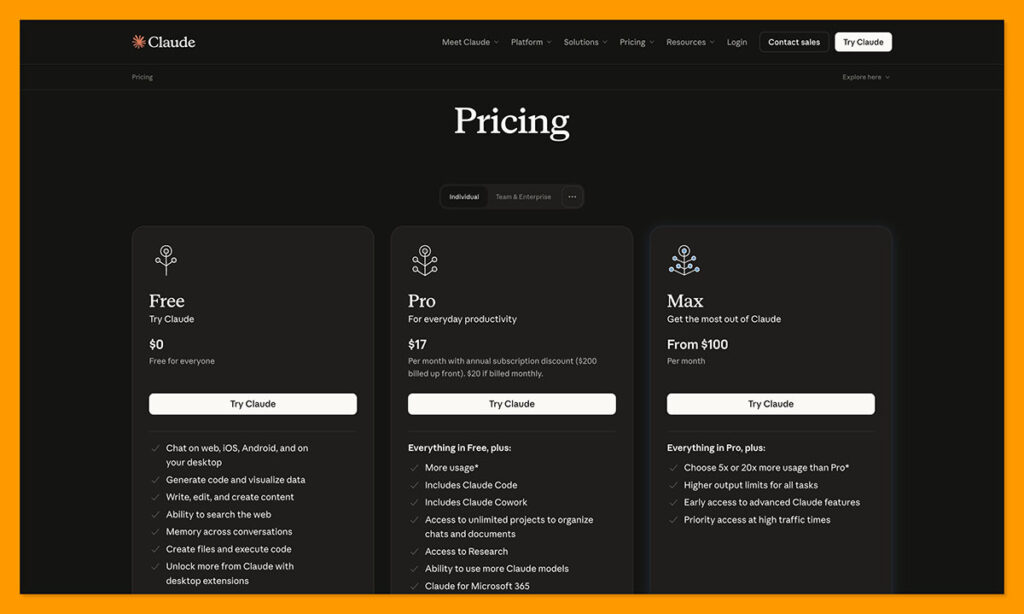
Claude is a bit of a wild card compared to the other alternatives here, because it’s not really a tool designed specifically for data analytics work. It’s really a broader AI assistant that happens to be incredibly useful when you’re working with data.
Claude is compelling when data analysis is just one part of the job, and you need help with the thinking that goes around it. You can feed it insights and get it to create a report, spreadsheet, Python script, or a memo in no time.
Like the other tools here, Claude can work with most common file types, and it can create everything from Python scripts to Excel files. You can even use it to create an AI model, but I’d be careful with that. Claude can run code and analyze data you give it, but it won’t automatically build, validate, and monitor a production-ready predictive model against your live business data the way Pecan does.
The big downside is that Claude needs more steering. Julius gives you a neater data-analysis workspace. Claude gives you a smarter all-round assistant, but you’ll spend more time checking assumptions, shaping prompts, and turning the output into something you can really use.
Methodology
| Criteria | How I evaluated it |
|---|---|
| Testing period | Several weeks on live client projects |
| Data tested | Messy CSVs, CRM exports, and Google Sheets KPIs |
| Plans referenced | Free and paid tiers verified against the official pricing page |
| Comparison basis | Hands-on use against ChatGPT Advanced Data Analysis, Humata, and Excel Copilot |
| Verification | Pricing, plan names, and features confirmed on the official site at the time of writing |
My Verdict on Julius AI
If you work with spreadsheets even occasionally, Julius AI is worth trying. It is one of the few tools that makes data feel approachable, and the learning curve is close to nonexistent.
I recommend it for
- Founders without a data team
- Agencies creating client reports
- Marketers tracking campaign data
- Anyone stuck in spreadsheets more than a few hours a week
- Teams that want warehouse connectors plus a conversational interface
I am more cautious about it for
- Analysts needing fully custom calculations or complex joins from a single prompt
- Heavy users on lower tiers who will run into credit caps
- Small teams sensitive to the jump from individual to Business pricing
- Buyers who expect one flat unlimited plan, which no longer exists
At $20 a month, Plus is an easy call for solo professionals, and even the free tier gives you enough to judge whether Julius fits your workflow. The conversational interface means you start seeing results within minutes. If your current analytics workflow feels slow or intimidating, Julius is a smart way to streamline without losing clarity.
Final Thoughts
Julius AI delivers on its core promise: AI-powered insights from your data, with no coding required. It is fast, easy to use, and solves real problems for everyday users.
It has also grown up. What was once a simple spreadsheet chat tool now includes notebooks, dashboards, automation, warehouse connectors, and enterprise-grade security, with companies like Nvidia, Zapier, and Toast among its users. That maturity is welcome, though the move to credit-based pricing makes the value math a bit more involved than it used to be.
For what it does best, real, contextual answers from plain-English questions, Julius fills the gap between spreadsheets and traditional business intelligence. It does not try to be everything, and that focus is exactly why it works.
Frequently Asked Questions
How much does Julius AI cost?
Julius has a free tier and several paid plans. Individual plans run from Plus at $20 a month to Ultra at $500 a month, while team plans start at Business for $450 a month and Growth at $750 a month. Annual billing saves up to 20 percent, and enterprise pricing is custom.
Is there a free version of Julius AI?
Yes. The free plan includes daily refresh credits, access to Notebooks, a Google Drive connector, and 2 GB of RAM. It is best treated as a preview, since real analysis sessions can use up the free credits quickly.
How does the credit system work?
Each paid plan comes with a monthly credit allotment plus daily refresh credits. A credit is used per prompt, follow-up question, or visualization request. This replaced the older model that counted queries and offered an unlimited plan.
Can Julius AI connect to databases?
Yes. Beyond file uploads and Google Drive, Julius connects to OneDrive, SharePoint, and data warehouses including Snowflake, BigQuery, Postgres, MySQL, and SQL Server. Warehouse connectors are available on the team tiers.
Is Julius AI secure?
Julius is SOC 2 Type II, GDPR, and CCPA compliant. Higher tiers add team controls, and enterprise plans include single sign-on, audit logs, and finer-grained permissions.
Can Julius AI replace a data analyst?
Not for high-stakes financial modeling or fully custom analysis. For everyday business work, such as campaign tracking, pipeline reviews, and client reporting, it covers the large majority of needs without writing code.
Does Julius AI offer a student discount?
Yes. Students and educators get 50 percent off any plan with verification, which makes the paid tiers some of the most affordable AI data tools for academic use.

Comments 0 Responses