

The best platforms now do more than store contacts; they predict who’ll buy, automate the grunt work, and even write the first draft of your follow-up email. It’s amazing, when you pick the right software. After comparing the top contenders, I found HubSpot to be the best AI CRM for 2026 because it unifies these predictive tools into one scalable workflow.
Over the past few months, I’ve wired nearly every major AI CRM into real ecommerce and B2B stacks. I’ve seen what happens when predictive lead scoring meets messy data, and when an AI workflow actually saves a team hours instead of minutes.
Some tools are fast but shallow. Others are powerful but painful to set up. A few, like HubSpot CRM manage to turn data into clear direction without breaking your flow.
Here, I’ll walk through what makes an AI CRM truly smart, compare the top contenders, and show how today’s systems link inbound marketing, sales automation, and customer service into one connected workflow.
What Makes an AI CRM “Smart”?
I’ve spent the past year neck-deep in AI CRM software, and here’s the thing most demos don’t tell you: the smartest systems don’t just automate, they interpret.
A smart CRM does five jobs, usually better than we do:
- Takes care of the grind: Logging calls, tagging leads, nudging you when a deal’s gone cold, all the boring but vital stuff that keeps sales alive.
- Finds patterns you’d miss: Instead of another dashboard full of numbers, it highlights the stories hiding in the data. Why one product keeps closing, why another stalls.
- Predicts outcomes: It doesn’t just record history; it guesses tomorrow. Who’s likely to convert, who’s drifting, where revenue might slip.
- Talks to people like a human: Personalized emails, messages, or follow-ups, all tailored automatically from context, not a template.
- Gets sharper with use: Every call, chat, or click feeds it more context. Over time it starts finishing your sentences.
The best AI CRMs don’t replace people; they remove friction so teams can spend less time chasing data and more time closing deals.
2026 AI CRM Showdown: Quick Comparison
Every AI CRM wants to be the “all-in-one” platform, but most still lean one way. Some are built for speed, some for customization, and some, like HubSpot, for connection.
Here’s the snapshot that sums it up:
| CRM | Best for | AI features | Integrations | Pricing | Key strength |
|---|---|---|---|---|---|
| HubSpot CRM | All-in-one growth platform | Breeze Agents, AI CPQ, Data Hub | 2000+ | Free–Enterprise | Unified marketing, sales, & commerce |
| Salesforce | Enterprise automation | Einstein GPT / Agentforce 360 | 1500+ | $$$ | Custom AI workflows & data layer |
| Pipedrive | Fast sales teams | AI Assistant, Pulse scoring | 400+ | $$ | Ease of use and pipeline speed |
| Zendesk | Service automation | AI chat & support bots | 1000+ | $$ | Ticket resolution & retention focus |
| Zoho CRM | SMB analytics & budget | Zia AI, generative AI & agents | 700+ | $ | Affordable insight & automation |
| Monday.com | Visual, workflow-centric teams | Monday AI | 500+ | $$ | Workflow clarity & cross-team visibility |
| Freshsales (Freddy AI) | Support-first service teams | Freddy AI Copilot | 650+ | $–$$ | Response speed & service automation |
| Vtiger | Open-source / developer-friendly | AI Forecasting | API | Free–$ | Customisation & data control |
Leading AI CRMs: My Hands-On Experience
Once you’ve seen how these CRMs stack up, the next step is simple. get your hands dirty. I started with HubSpot CRM because, frankly, it’s the benchmark everyone else tries to catch.
1. HubSpot CRM: Best Overall AI CRM for Connected Growth
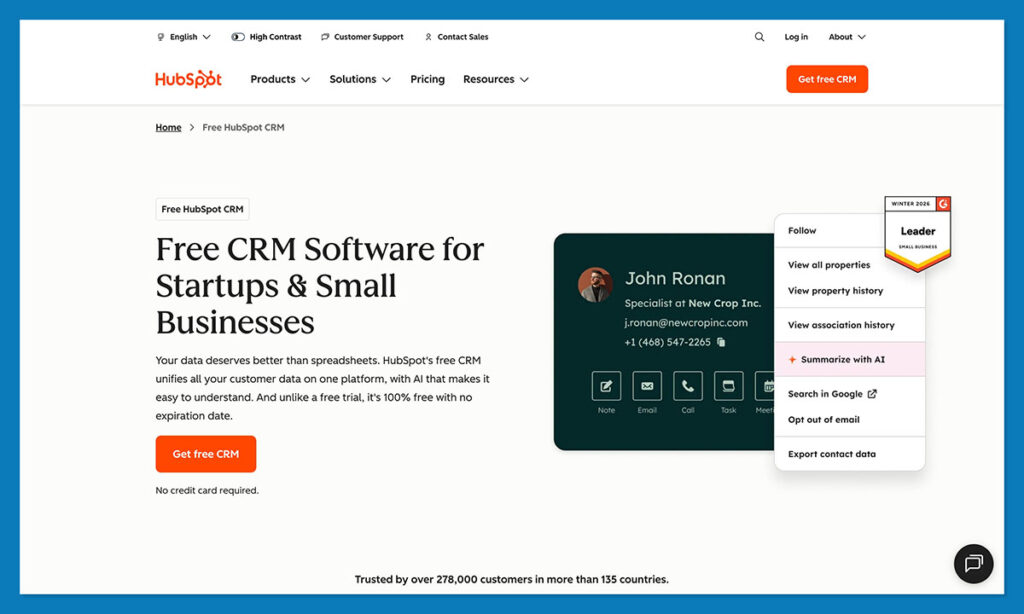
HubSpot has always been about connection between your data, your team, and your customers. But this year, it finally started thinking for itself.
In its Spring 2025 update, HubSpot rolled out a suite of AI “Breeze Agents”: purpose-built digital teammates that help with everything from prospecting to service tickets. The Content Agent drafts emails, the Customer Agent handles support chats, and the Knowledge Base Agent writes and updates help articles automatically.
They’re powered by a new credit-based AI model that gives each plan a set number of AI actions per month: 500 for Starter, 3,000 for Pro, 5,000 for Enterprise. It’s transparent and scales easily, which I appreciated while testing it inside a live ecommerce setup.
HubSpot also expanded its Data Hub, pulling customer info, sales data, and marketing activity into one view. That’s where the AI learns from everything, then starts making predictions about who’s likely to buy or churn.
Pros
- Genuinely unified system for marketing, sales, and service
- AI features you can actually use daily
- 2,000+ integrations and a free entry plan
Cons
- Takes time to set up properly
- Advanced features use AI credits
2. Salesforce: Best for Enterprise AI Customization
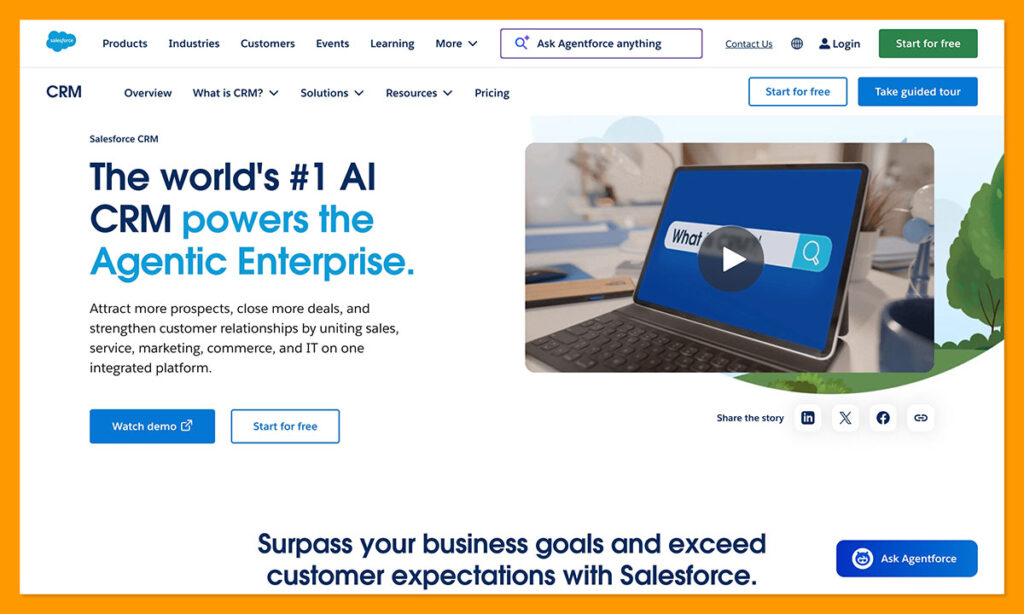
Salesforce is still the heavyweight in enterprise CRM, and in 2025, it doubled down on AI.
Its latest rollout, Agentforce 360, is a full ecosystem of generative tools that handle everything from customer chats to automated deal updates. Think of it as Einstein GPT, but grown up. More conversational, more adaptive, and far better integrated into day-to-day workflows.
If you’re managing complex sales pipelines or multiple departments, Salesforce’s Data Cloud and Einstein GPT combo makes sense. The AI writes summaries of customer calls, predicts revenue, and auto-generates follow-ups straight from your CRM records. It even pulls in third-party data for forecasting, which a dream for large sales orgs who hate guessing.
That said, it’s not for everyone. Salesforce still feels like a big machine. You’ll need someone technical to set it up right, and costs climb fast once you start layering licenses. But when it’s tuned correctly, it’s unmatched in power.
Pros
- Deep customization for enterprise-scale workflows
- Best-in-class analytics and AI forecasting
- 1,500+ integrations and strong partner ecosystem
Cons
- Steep learning curve; setup can be heavy
- Expensive for smaller teams
3. Pipedrive: Best for Simplicity and Sales Speed
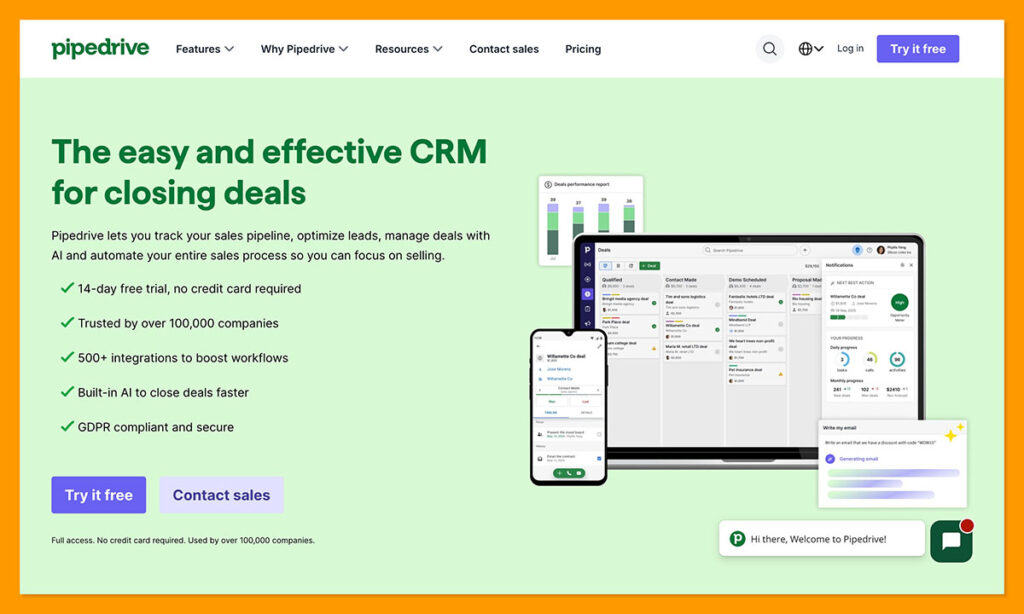
If Salesforce is the spaceship, Pipedrive is the sports car. Fast, focused, and built for people who just want to move deals without the fluff.
Its new AI Sales Assistant and Pulse Lead Scoring features do a surprisingly good job at predicting which opportunities deserve attention. The assistant gives daily nudges: “follow up with this contact” or “update this deal”, and learns from your behavior over time. It’s like a friendly sales coach living inside your CRM.
Pipedrive’s drag-and-drop pipeline still shines. You can see your entire sales process at a glance, make updates instantly, and sync email or chat in minutes. I had it running inside an afternoon, which is a rare claim in CRM land.
But Pipedrive isn’t trying to be all things. It doesn’t have deep marketing automation or support modules like HubSpot or Zoho. But if closing deals quickly is your north star, it’s hard to beat.
Pros
- Lightning-fast setup and simple interface
- AI assistant feels genuinely useful
- Affordable compared to enterprise CRMs
Cons
- Limited marketing and service features
- Reporting and forecasting less sophisticated than HubSpot or Salesforce
4. Zendesk: Best for AI-Driven Customer Support
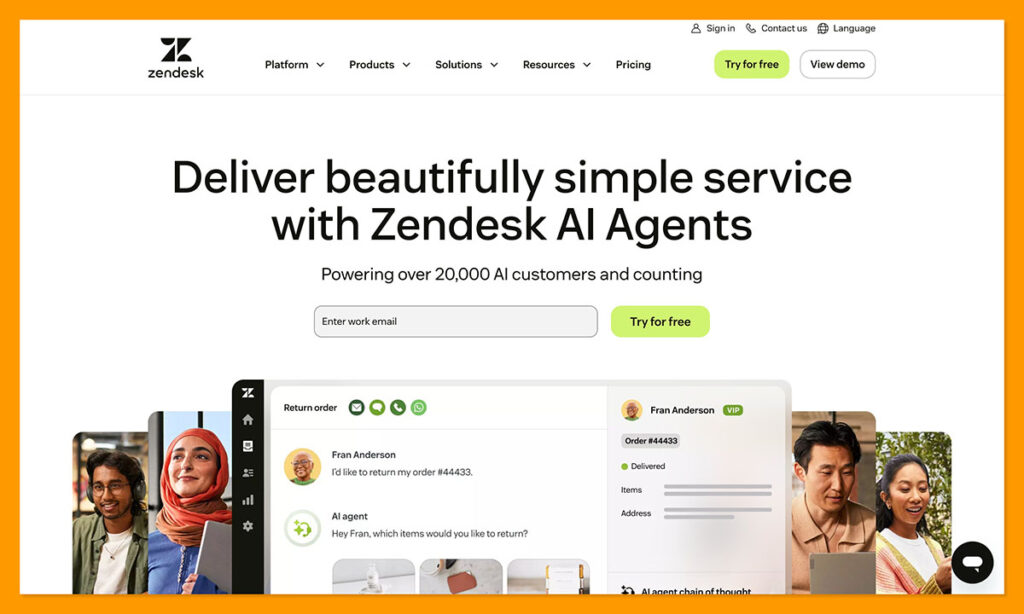
I’ve used Zendesk on and off for years, mostly to keep customer chaos under control.
It’s never tried to be an all-in-one CRM, and honestly, that’s what I like about it.
Zendesk’s focus has always been support, and in 2025 it finally gave agents some real backup. The platform’s new AI Agent Workspace blends automation with context.
Its bots can read customer tone, summarize past chats, and route tickets before a human even sees them. The bots handle the easy stuff, and flag the rest for a real person.
Zendesk also plays nicely with Shopify, Slack, and HubSpot, so it fits easily into most support setups. Just know that it’s not built for marketing or sales. It’s a specialist, not a generalist.
Pros
- Exceptional for service-heavy teams
- Smart sentiment detection and auto-summaries
- Integrates cleanly with ecommerce and CRM platforms
Cons
- Limited tools for sales or lead management
- Costs can rise with advanced AI features
5. Zoho CRM: Best for Budget-Friendly AI Insights
Zoho CRM has come a long way from its early days as the “cheap alternative.” Now it’s one of the most capable platforms in its price range, and its AI assistant, Zia, deserves most of the credit.
The latest release, Zoho CRM for Everyone, added a cleaner layout and team collaboration tools that make it feel less like a spreadsheet and more like a workspace. Zia, meanwhile, keeps getting sharper. You can literally ask it questions: “Show me deals closing this month”, and it spits out an answer in seconds.
It also predicts which leads are worth chasing and which might fade out, based on your past data. It’s not as great at connecting all the dots between customer-facing teams as HubSpot CRM, but it still has plenty to offer.
Pros
- Strong AI toolkit for a fraction of the cost
- Quick to set up and easy to learn
- Ideal for small to midsize teams
Cons
- Interface feels dated in places
- Integrations outside the Zoho ecosystem can be clunky
6. Monday.com: Best for Workflow Automation
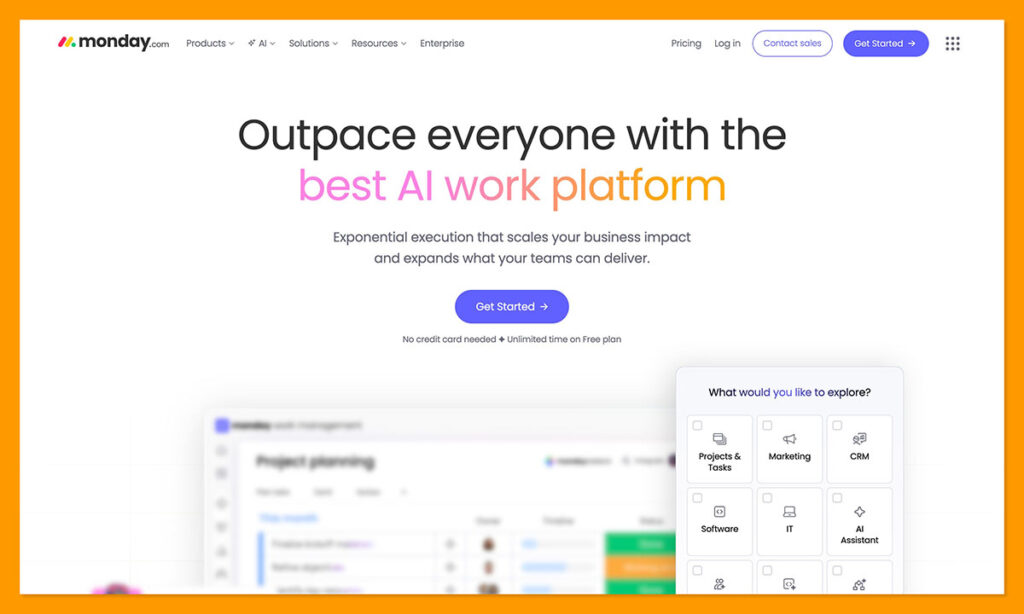
I’ve always thought of Monday.com less as a CRM and more as a visual operating system for teams. That’s still true, but the new Monday AI tools are changing how people manage pipelines.
The 2025 rollout added built-in AI blocks that can summarize updates, generate task lists, and even draft follow-ups based on deal notes. It’s the kind of automation that quietly trims a few minutes off a dozen small tasks every day.
What stands out most is how visual everything feels. You can flip from a Kanban view to a sales board, filter by stage, and drop in automations with plain-language triggers like “when status changes to Won, send invoice.” It’s not a pure CRM like HubSpot or Salesforce, but it’s a great bridge between sales and operations.
Pros
- Intuitive interface and fast onboarding
- Flexible automations with natural-language triggers
- Ideal for cross-team collaboration
Cons
- Lighter CRM depth (no advanced forecasting or scoring)
- Limited native reporting compared with full CRMs
7. Freshsales (Freddy AI): Best for Service Efficiency
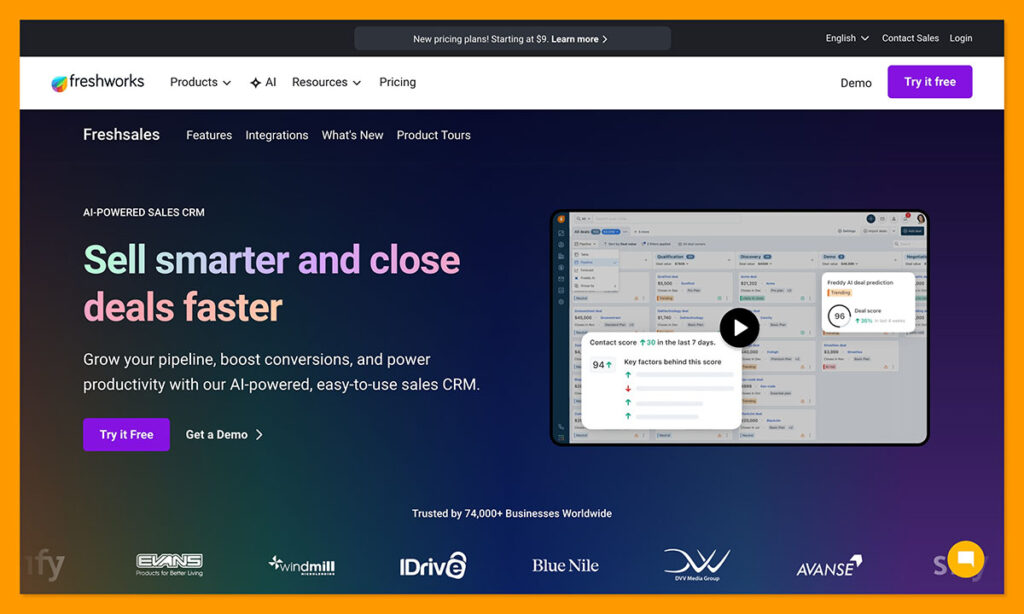
Freshsales, from Freshworks, is simple, friendly, and built around the idea that AI should assist, not confuse. Its Freddy AI Copilot is surprisingly capable. During my test, it suggested next actions, flagged stuck deals, and even summarized customer conversations for quick review.
The newer Agentic AI platform extends that power into support, helping reps handle repetitive tickets and focus on the tricky ones.
Freshsales leans heavily toward service and relationship management, rather than full-funnel marketing. That’s not a drawback if you’re a smaller team that values responsiveness over complexity. The automations are easy to build, and the reporting dashboard gives a clear, at-a-glance view of open deals and response times.
Pros
- Strong AI assistance for sales and support teams
- Fast setup and clean interface
- Great value for small and midsize businesses
Cons
- Less depth in analytics and marketing tools
- Fewer integrations than HubSpot or Salesforce
8. Vtiger: Best Open-Source AI CRM Option
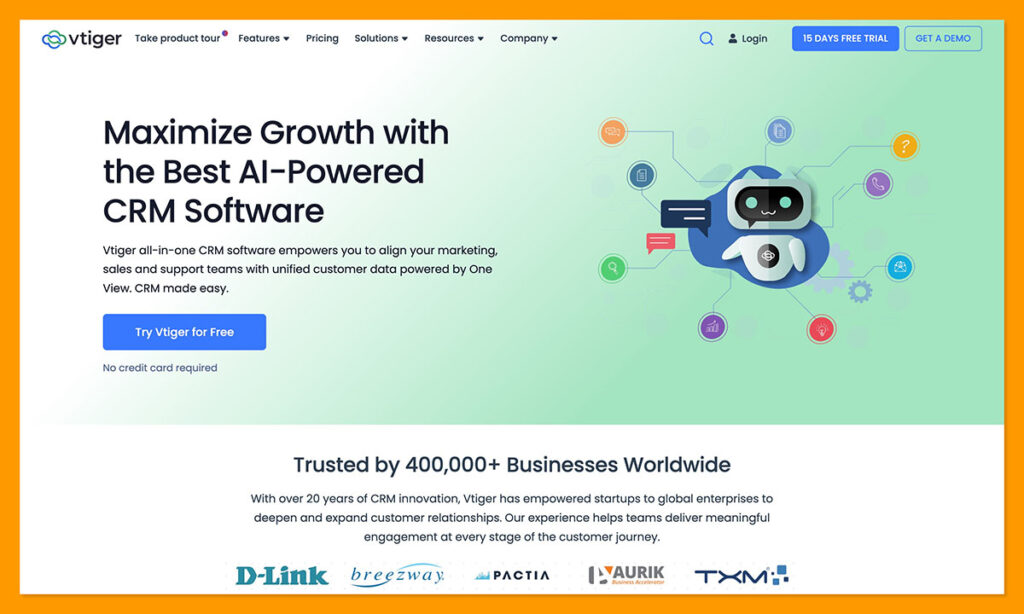
Some businesses don’t want a glossy, locked-in SaaS product. They want control over something they can host, customize, and actually own. That’s where Vtiger CRM still stands out.
Vtiger’s open-source roots make it the most flexible option on this list. You can run it on your own servers or use the cloud version if you prefer less setup. Either way, you get a CRM that bends to fit your workflow, not the other way around.
The newer builds include AI forecasting and sentiment tracking, which quickly make day-to-day sales work smoother. Setup does take longer than plug-and-play systems like HubSpot or Pipedrive, but once it’s running, Vtiger can handle everything without fuss.
Pros
- Fully open-source with strong privacy control
- Built-in AI tools for forecasting and sentiment analysis
- Free and paid versions to fit different budgets
Cons
- Interface looks dated compared with modern CRMs
- Setup and upkeep require some technical confidence
Final Verdict: Why HubSpot Is the Best AI CRM in 2026
After months of testing, I can tell you there’s no single “perfect” AI CRM. Each platform shines for a different type of team, and that’s exactly how it should be.
If you want power and polish in one place, though, HubSpot CRM is still the top pick. Its 2025 updates: Breeze Agents, the new credit system, and that smarter Data Hub, turned it into more than a CRM. It’s a connected workspace for marketing, sales, and service that actually learns as you go.
So, the real question isn’t “which CRM is best?” It’s which one fits how you actually work?
For most businesses: especially those balancing inbound marketing, sales automation, and customer support, HubSpot CRM still nails that balance better than anyone else.
Start your free HubSpot CRM account here and test it for yourself.
FAQs
How does an AI CRM actually help a team day-to-day?
The short version: it gives you time back. AI logs your calls, fills in missing info, flags leads that are heating up, and even writes quick follow-ups. You can focus on the things that actually grow your business.
Are AI CRMs worth it for small businesses?
Absolutely. Tools like HubSpot and Zoho CRM have free or low-cost plans that include real AI features. Even basic automations (like auto-tagging leads or generating task reminders) make a measurable difference when you’re a small team wearing too many hats.
What’s the biggest challenge when using an AI CRM?
Bad data. No amount of AI can save a messy contact list or missing pipeline updates. Before you switch on the smart stuff, clean up your records. AI is brilliant at pattern recognition, but only if you feed it clean, complete information.
How should I choose the right AI CRM?
Start with your workflow, not the feature list. If you need a connected system that covers marketing, sales, and support, HubSpot CRM is the safest bet. If you’re scaling fast and want to build complex automations, Salesforce has the depth. For small teams focused on value and simplicity, Zoho or Pipedrive will get you far. If you’re hands-on with tech, Vtiger gives you total control.
Where should I start if I’ve never touched a CRM before?
Go for something that doesn’t overwhelm you. You can set up a free HubSpot CRM account in minutes, connect your email, and try one of the new Breeze Agents right away. Once you see how it handles follow-ups and data cleanup automatically, you’ll understand why AI CRMs are the new normal.
How long before HubSpot’s AI actually starts saving my team time?
Most teams see a difference within the first two weeks. Here’s the typical timeline: in the first few days, Breeze Assistant starts cutting down content and email drafting time immediately. By the end of week one, automated workflows are handling follow-ups that used to fall through the cracks. Within a month, the CRM has enough behavioral data to start making useful predictions about which leads are worth prioritizing. The key is getting your data clean and your pipelines set up before switching the AI features on.
Why is HubSpot not profitable?
This is a bit of a myth at this point. HubSpot was unprofitable on a GAAP basis for years because it reinvested heavily into product, R&D, and stock-based compensation for its team. That picture changed in 2025: the company posted full-year net income of around $516 million on $3.2 billion in revenue, with operating margins climbing into the high teens. The short version is that HubSpot spent a decade trading margin for market share, and now that the customer base is north of 248,000 businesses, the profits are showing up.
Which big companies use HubSpot?
HubSpot is often pegged as an SMB tool, but its enterprise footprint is bigger than people realise. Companies like Siemens, FedEx, NVIDIA, DHL Express, KPMG, and Trello run on HubSpot, along with thousands of mid-market teams across SaaS, ecommerce, and professional services. That said, you won’t see many Fortune 100 sales orgs using it as their primary CRM. That’s still Salesforce territory. HubSpot’s sweet spot is scaling companies that want marketing, sales, and service in one place without building a custom Salesforce instance.
Do small businesses use HubSpot?
Yes, and they make up the majority of HubSpot’s user base. Roughly half of HubSpot customers have 10 or fewer employees, and about 75% have 50 or fewer. The free CRM plan is a big reason why. You can manage contacts, track deals, and send basic marketing emails without paying anything, which is rare at this level of polish. Small teams usually start on Free or Starter and upgrade to Professional once they need deeper automation or the Breeze AI agents.
Is HubSpot AI free?
Partially. Breeze Assistant and a handful of embedded AI features (like AI-assisted email drafting and content suggestions) are available on the free plan. The heavier stuff, Breeze Customer Agent, Prospecting Agent, and workflow AI actions, sits behind Professional or Enterprise plans and runs on a credit system. As of April 2026, HubSpot moved Customer Agent to outcome-based pricing at $0.50 per resolved conversation, and Prospecting Agent to $1 per qualified lead. So the basics are free, but if you want the agents doing real work, expect a paid plan plus credit spend on top.

Comments 0 Responses