

Best overall alternative

Serif
Visit Website →From $30/month; 7-day trial
- Inbox triage and reply drafts
- Meeting recorder on every plan
- Works with Gmail and Outlook
Best premium email app

Superhuman
Visit Website →From about $25/month (annual)
- Fast keyboard-first email app
- Auto Drafts on the Business plan
- Works with Gmail and Outlook
Best open-source option

Inbox Zero
Visit Website →From $20/month; 7-day trial
- Public code with self-hosting support
- Meeting notetaker from the Plus plan
- Works with Gmail and Outlook
Based on our testing of 15 AI email assistants, Serif is the best Fyxer AI alternative for 2026 because it sorts your inbox, drafts replies, and includes a meeting recorder across Gmail and Outlook. It tops our best Fyxer AI alternatives, although its entry plan leaves out voice matching. However, Inbox Zero offers better value for drafts and meeting notes, while Superhuman suits heavy email users who prioritize speed.
Fyxer Pro costs $37 per month billed annually or $49 billed monthly, while its free tier excludes drafts and sorting. Our Fyxer AI review covers whether those paid features justify staying.
In this guide, I’ll walk you through each assistant’s strengths, prices, and limitations so you can choose a replacement that fits your inbox. Start with your email provider, then focus on the features you actually use.
Key Takeaways
- Serif is our top-rated alternative, with email triage, drafted replies, and a meeting recorder on every plan
- Paid plans range from about $7 per month for SaneBox to $200 per month for Serif Pro, excluding custom enterprise plans
- Shortwave and Gemini serve Gmail users, while Copilot requires an eligible Microsoft work license and Exchange Online mailbox
- Among our standalone picks, Serif, Inbox Zero, and Spark bundle meeting notes with email; Superhuman has not bundled its planned Fathom integration
- Choose Inbox Zero for lower-cost drafts and meeting notes, with Plus starting at $28 per month billed annually
We tested 15 AI email assistants hands-on, connecting them to real Gmail and Outlook inboxes and ranking them on drafting quality and voice match (30%), inbox triage and follow-ups (20%), price and value (15%), Gmail and Outlook support (15%), meeting notes and extras (10%), and privacy and security (10%).
I let each tool sort my inbox, drafted replies with it, and reviewed the available meeting features, provider restrictions, and plan limits. You can read more about our methodology below.
See Our Best Fyxer AI Alternatives
Jump to the pick that matches how you work:
- Serif: Best Overall Alternative
- Superhuman: Best Premium Email App
- Inbox Zero: Best Open-Source Option
- Shortwave: Best for Gmail Power Users
- alfred_: Best for Multiple Inboxes
- Gemini and Copilot: Best Built-In Option
- Spark: Best Free Plan
- Missive: Best for Shared Inboxes
- SaneBox: Best Budget Inbox Filter
Fyxer AI Alternatives Comparison Table
Compare provider support and meeting notes before getting drawn in by a low starting price. The cheapest plan doesn’t always include the feature you’re leaving Fyxer to replace.
For example, Serif reserves voice matching for Standard, while Inbox Zero adds its notetaker on Plus. Use this table to build your shortlist, then look at the relevant plan rather than the entry price alone.
| Tool | Our rating | Best for | Starting price | Free plan or trial | Works with | Meeting notes | Recommended for |
|---|---|---|---|---|---|---|---|
| Serif | 4.6/5 | Overall alternative | $30/month, monthly billing | 7-day trial | Gmail, Outlook | Every plan | Founders replacing Fyxer’s core features |
| Superhuman | 4.5/5 | Premium email app | About $25/month, annual billing | No free Mail plan | Gmail, Outlook | Not bundled yet | Heavy email users prioritizing speed |
| Inbox Zero | 4.4/5 | Open-source option | $18/month, annual billing | 7-day trial | Gmail, Outlook | From Plus | Budget-conscious professionals and self-hosters |
| Shortwave | 4.3/5 | Gmail power users | $30/seat/month, monthly billing | 14-day trial | Gmail, Google Workspace | No | Teams searching extensive email histories |
| alfred_ | 4.2/5 | Multiple inboxes | $25/month, annual billing | 7-day trial, card required | Gmail, Outlook, iCloud, IMAP | No | People managing several accounts |
| Gemini and Copilot | 4.1/5 | Built-in option | Free Gemini basics | Free Gmail features | Gemini: Gmail; Copilot: Exchange Online | Through eligible Meet or Teams plans | Existing suite subscribers |
| Spark | 4.0/5 | Free plan | Free | Free plan | Gmail, Outlook, iCloud, IMAP | Capped on Free | Individuals trying AI email |
| Missive | 3.9/5 | Shared inboxes | $14/user/month, annual billing | 30-day trial, no card | Gmail, Microsoft 365, IMAP | No | Shared support and sales teams |
| SaneBox | 3.8/5 | Budget inbox filter | About $7/month | Free trial | Major providers, IMAP, Exchange | No | People mainly needing inbox filtering |
1. Serif: Best Overall Alternative
- Serif pricing: $30 to $200 per month, billed monthly
- Standout capability: Meeting recorder included on every plan
- Works with: Gmail and Outlook; Mac and iOS apps
- Our rating: 4.6/5
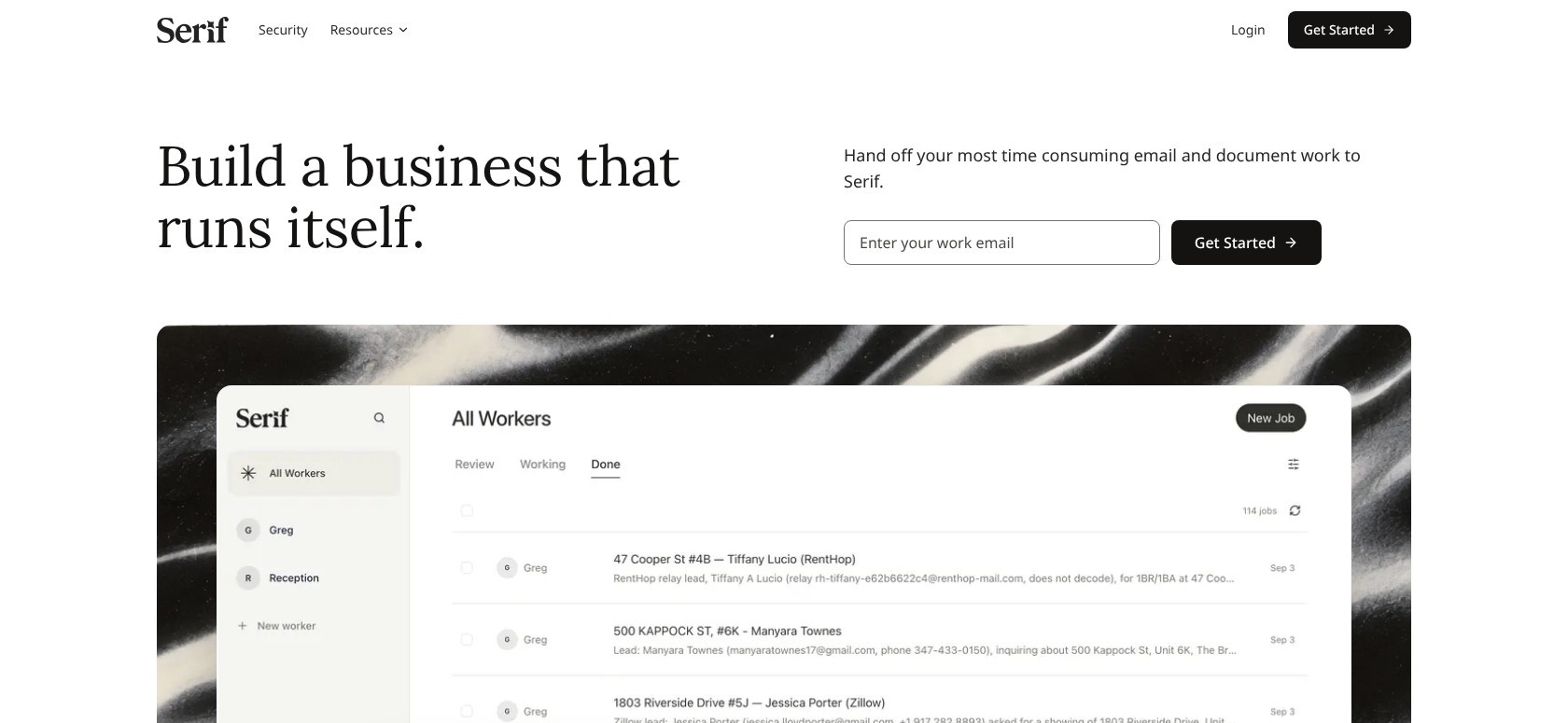
Serif is our best overall alternative because it brings Fyxer’s main email and meeting features together without restricting you to Gmail. Its security offering also includes HIPAA coverage, making it worth a look for sensitive client work.
That said, True Voice requires Standard, so Lite isn’t the right comparison if personalized replies are your priority. Windows and Android apps also remain on the roadmap.
Superhuman offers broader app coverage, although Outlook accounts lack a dedicated mobile app. Compared with Fyxer, Serif Lite lowers the monthly entry price, while Standard’s voice-matched drafts cost about the same as Fyxer Pro.
Pros
- Gmail and Outlook support
- Meeting recorder on every plan
- True Voice on Standard and Pro
- SOC 2 Type 2 and HIPAA coverage
Cons
- No True Voice on Lite
- No Windows or Android app yet
- Plan-specific usage allowances
What’s new with Serif?
Serif’s current lineup separates basic assistance from voice matching and heavier usage. Standard raises the allowance over Lite, while Pro targets intensive use. There’s also a per-user Team plan.
Windows and Android apps are still marked as coming soon. For me, the available apps matter more than a promised release, especially when replacing something you use daily.
Why use Serif in 2026?
With assistants adding features beyond drafting in 2026, Serif’s combined email and meeting approach makes sense for people replacing several Fyxer functions. Outlook users aren’t left out, unlike with Gmail-only Shortwave.
Plus, you don’t immediately need another subscription for meeting notes. For regulated work, review the security terms and agreements before connecting client mail. HIPAA coverage doesn’t mean every possible setup meets every requirement.
My Serif testing notes
I used Serif to sort mail and draft replies, then included its meeting recorder in my comparison. I liked having those jobs covered together rather than treating notes as a separate purchase. My main frustration was Lite’s missing voice matching, which made the entry plan a weaker fit for personalized replies. I compared drafts with my original messages, so make sure you assess tone and added commitments as well as whether a reply reads smoothly.
How Much Does Serif Cost?
Every plan includes the meeting recorder, but personalized drafting means budgeting for Standard. Don’t pay for Pro simply because it sits higher in the lineup; its appeal is heavier usage, not unlocking the recorder.
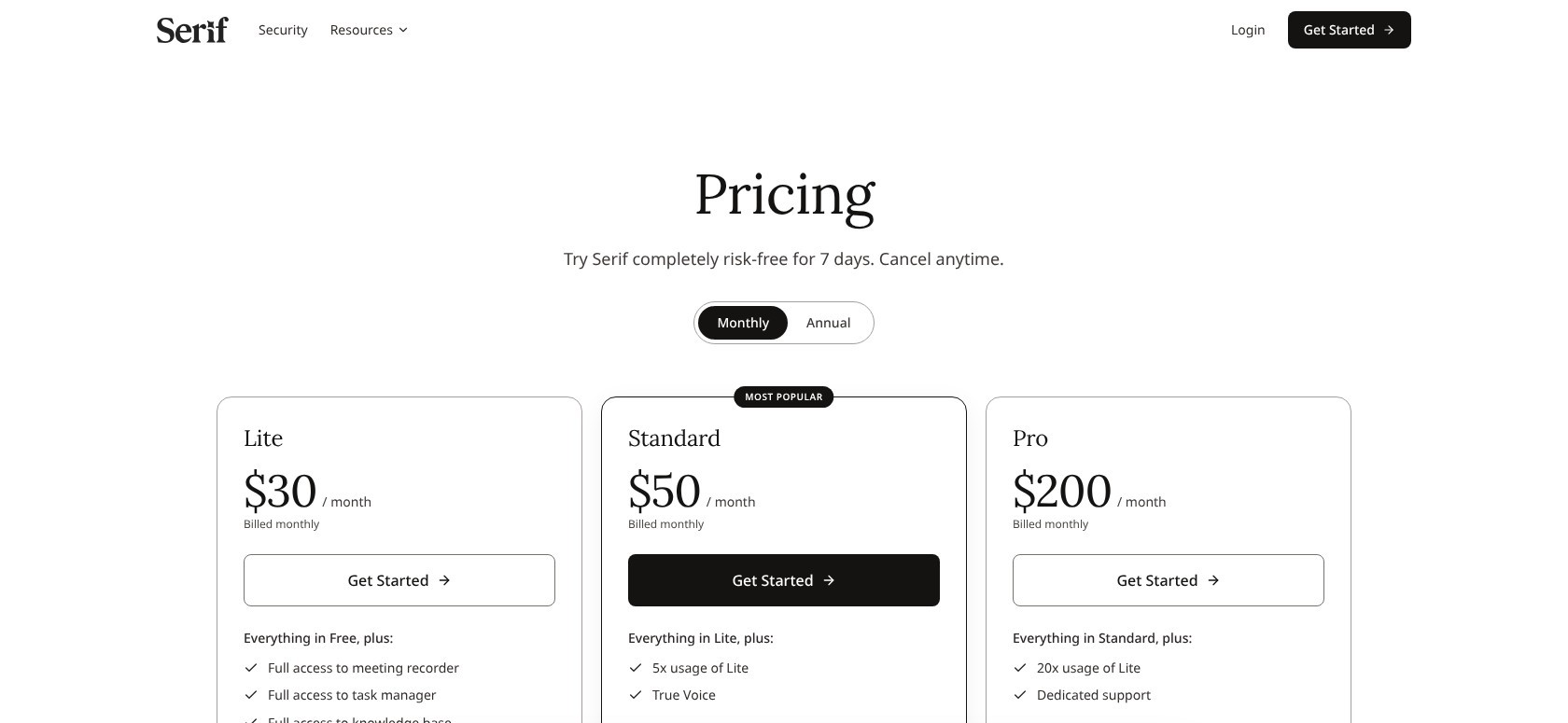
| Plan | Monthly price, annual billing | Monthly price, monthly billing | True Voice |
|---|---|---|---|
| Lite | Not listed | $30 | No |
| Standard | Not listed | $50 | Yes |
| Pro | Not listed | $200 | Yes |
| Team | Not listed | $50/user | Ask sales |
| Enterprise | Custom | Custom | Custom |
2. Superhuman: Best Premium Email App
- Superhuman pricing: About $25 to $33 per month, billed annually
- Standout capability: Auto Drafts on Business
- Works with: Gmail and Outlook; app experience varies by provider
- Our rating: 4.5/5
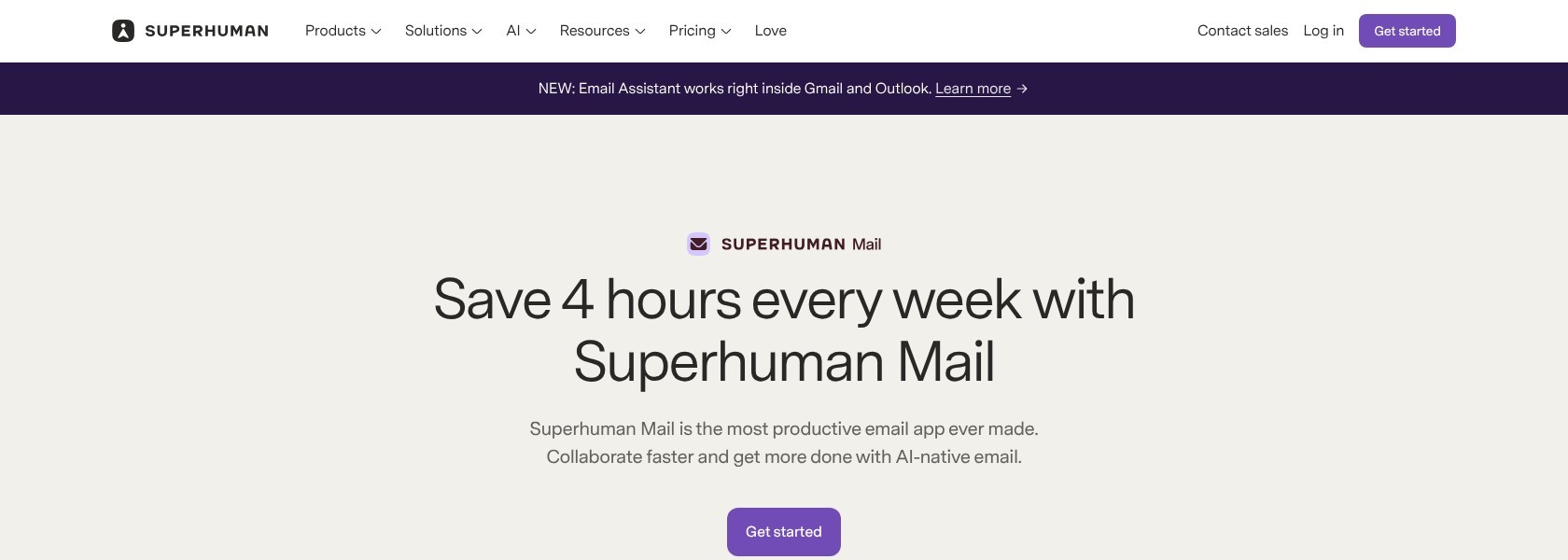
Superhuman is our premium pick for automatic email handling and assistance inside your existing Outlook inbox. Business adds Auto Drafts and Ask AI, while Mail MCP connects email with compatible AI tools.
However, Serif is the more complete replacement if you need recording alongside your email assistant. Superhuman Business costs a little less than Fyxer Pro on annual billing, but a separate notetaker can wipe out that saving.
For me, its appeal is the email experience itself. If meetings are a major part of your Fyxer subscription, don’t treat Superhuman as a complete swap just yet.
Pros
- AI assistance inside Outlook
- Auto Drafts and custom AI labels on Business
- Mail MCP connections
- Gmail and Outlook support
Cons
- No free Mail plan
- No dedicated mobile app for Outlook accounts
- No bundled meeting recorder
What’s new with Superhuman?
Grammarly rebranded as Superhuman in October 2025 and introduced Superhuman Go. Mail MCP followed in April 2026, expanding connections between email and other AI tools.
In September 2026, Superhuman announced it is acquiring Fathom to bring meeting context into its products. That’s worth watching, but the planned integration isn’t an included notetaker.
Why use Superhuman in 2026?
Superhuman’s 2026 expansion into connected AI tools makes it interesting for people who want email assistance without leaving Microsoft’s environment. Automatic drafts land in Outlook’s usual Drafts folder, and changes sync to Outlook Mobile.
Business is easier to justify for a reply-heavy work inbox than occasional personal email. That said, price and mobile friction remain reasons users hesitate, particularly when they expect the same interface everywhere.
My Superhuman testing notes
When I connected my Outlook inbox to Superhuman, its automatic drafts appeared in the normal Drafts folder. I revised a suggested reply and reviewed the synced changes in Outlook Mobile. I also reviewed automatic labels alongside messages I normally handled myself. The missing dedicated Superhuman mobile app for Outlook accounts frustrated me, so make sure you include phone-based work when assessing the experience.
How Much Does Superhuman Cost?
Starter costs less, but Fyxer-style automatic drafts require Business, making it the relevant plan for that comparison. The free Superhuman suite tier doesn’t include a Mail subscription, so it isn’t a free route into these email features.
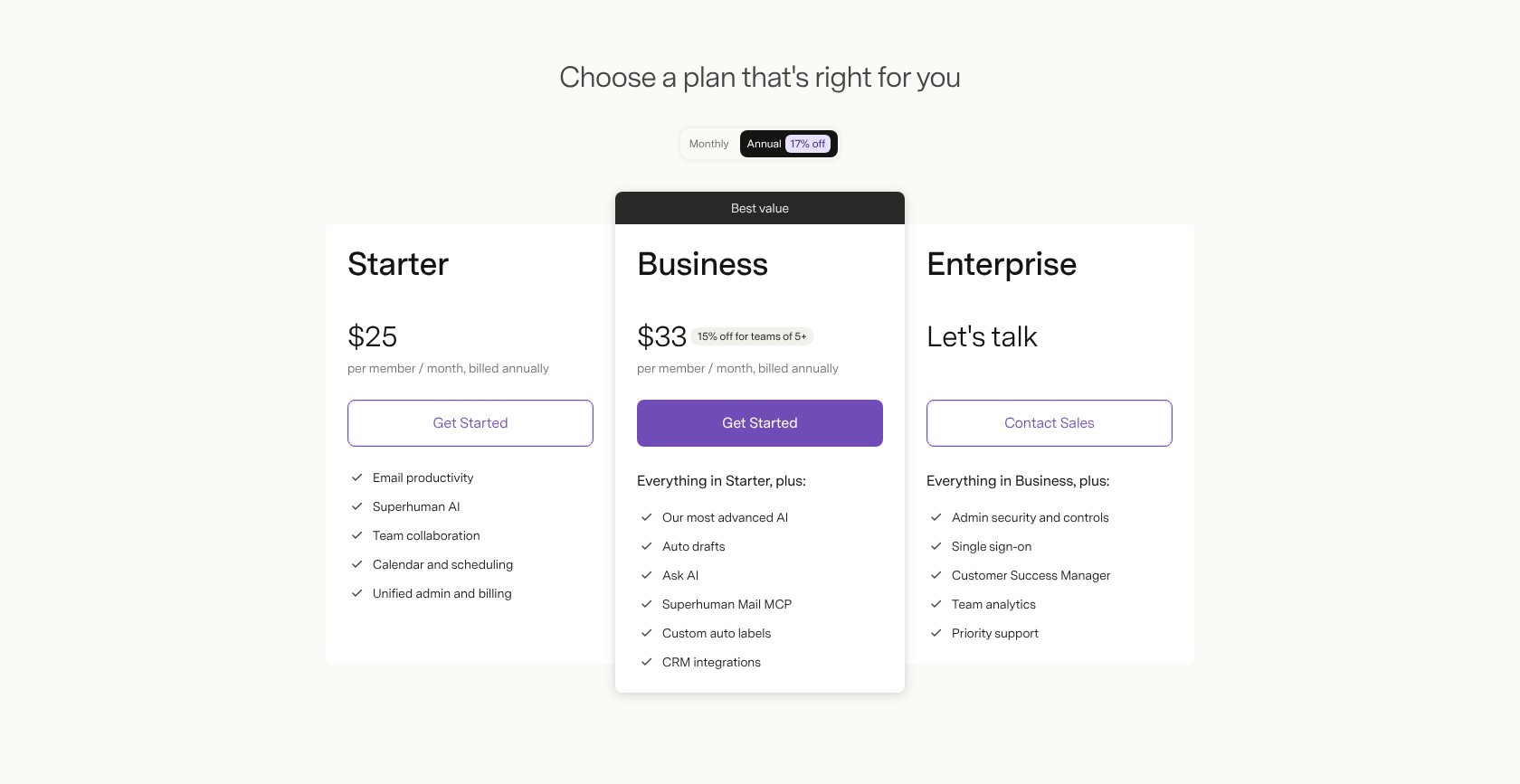
| Plan | Monthly price, annual billing | Monthly price, monthly billing | Auto Drafts |
|---|---|---|---|
| Starter | About $25 | About $30 | No |
| Business | About $33 | About $40 | Yes |
| Enterprise | Custom | Custom | Yes |
3. Inbox Zero: Best Open-Source Option
- Inbox Zero pricing: $18 to $42 per month, billed annually
- Standout capability: Public code with self-hosting support
- Works with: Gmail, Google Workspace, and Outlook
- Our rating: 4.4/5
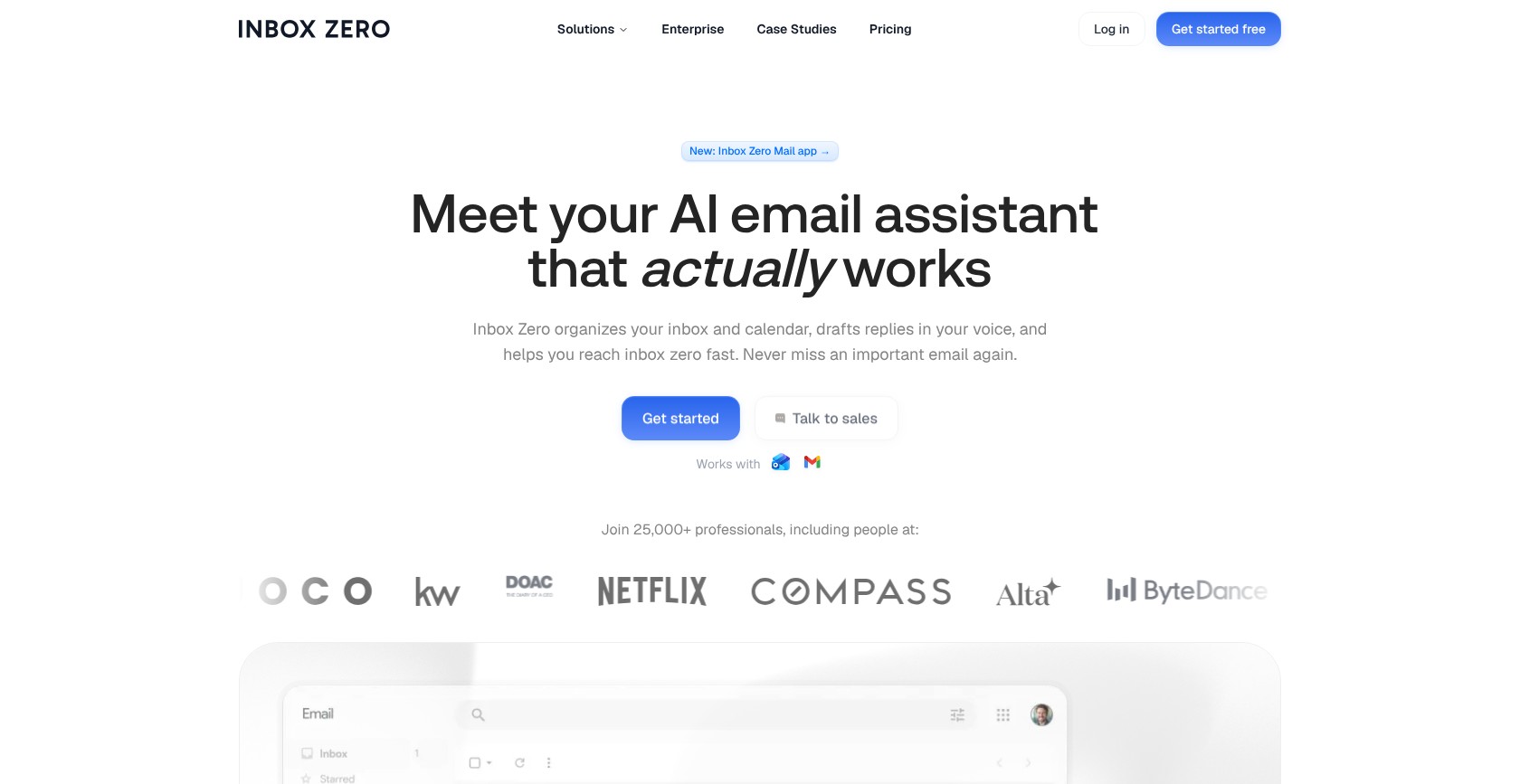
Inbox Zero is our best open-source option because it combines configurable email assistance with public code and an optional hosted service. Starter includes drafting and sorting, while Plus adds the meeting notetaker for a closer Fyxer replacement.
Compared with Fyxer Pro, Plus delivers drafts and meeting notes for less on annual billing. That’s its strongest selling point for someone who wants the combined features without Serif’s higher personalized-drafting price.
However, self-hosting involves technical setup, including your own OAuth application. Superhuman is a better shortlist candidate if you want a premium email experience without managing infrastructure.
Pros
- Open-source code and self-hosting
- Cold-email blocking on Starter
- Meeting notetaker from Plus
- Gmail and Outlook support
Cons
- No meeting notetaker on Starter
- OAuth setup for self-hosters
- Hosting responsibilities outside the hosted service
What’s new with Inbox Zero?
Starter includes pre-meeting briefs, so preparing for a conversation doesn’t require upgrading to Plus. Plus adds Slack connectivity and a knowledge base alongside meeting recording.
Enterprise also offers an on-premises option. That gives you another way to run the software, but you’ll need to agree who manages the setup rather than treating it like the hosted subscription.
Why use Inbox Zero in 2026?
As email assistants combine more inbox and meeting tasks in 2026, control over the software becomes part of the buying decision. Inbox Zero’s public code lets technical teams inspect and customize what handles their mail.
Its hosted service has SOC 2 Type 2 and CASA Tier 2 verification. Those credentials don’t automatically extend to a setup you operate yourself, so the hosted and self-hosted options deserve separate consideration.
My Inbox Zero testing notes
I started with the hosted service and reviewed cold-email decisions separately from ordinary categorization. I used its drafting and sorting tools together, while treating meeting briefs and meeting recording as different features. My main reservation was the extra OAuth setup attached to self-hosting. That route meant more responsibility than the hosted subscription, so make sure you choose it for control rather than an effortless free replacement.
How Much Does Inbox Zero Cost?
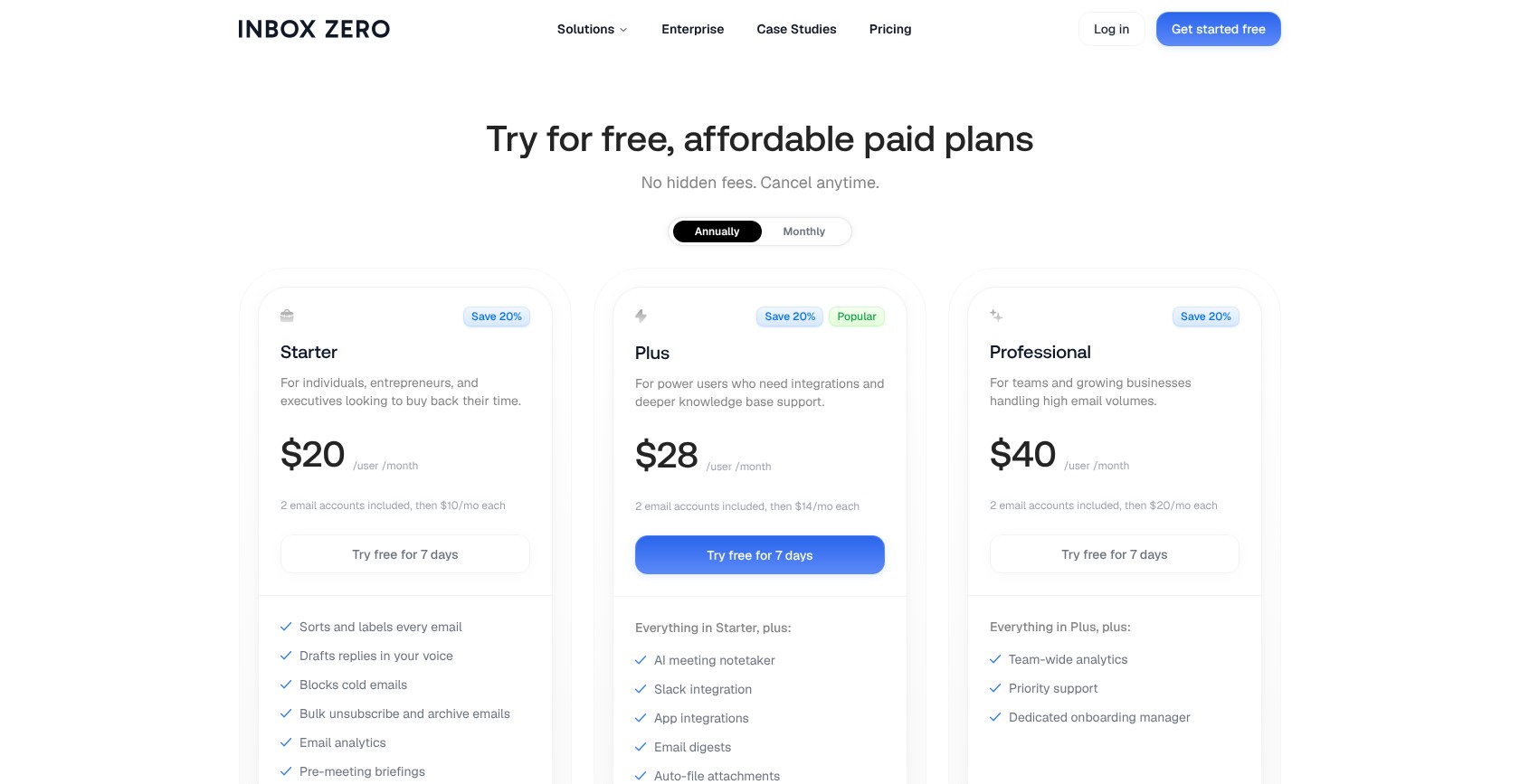
Every paid tier includes drafts and sorting. Plus is the clearest lower-cost match for Fyxer’s combined email and meeting offering, while Starter makes more sense if you only need email assistance and pre-meeting preparation.
| Plan | Monthly price, annual billing | Monthly price, monthly billing | AI meeting notetaker |
|---|---|---|---|
| Starter | $18 | $20 | No |
| Plus | $28 | $35 | Yes |
| Professional | $42 | $50 | Ask sales |
| Enterprise | Custom | Custom | Custom |
4. Shortwave: Best for Gmail Power Users
- Shortwave pricing: $30 to $120 per seat per month, billed monthly
- Standout capability: AI search across email history
- Works with: Gmail and Google Workspace only
- Our rating: 4.3/5
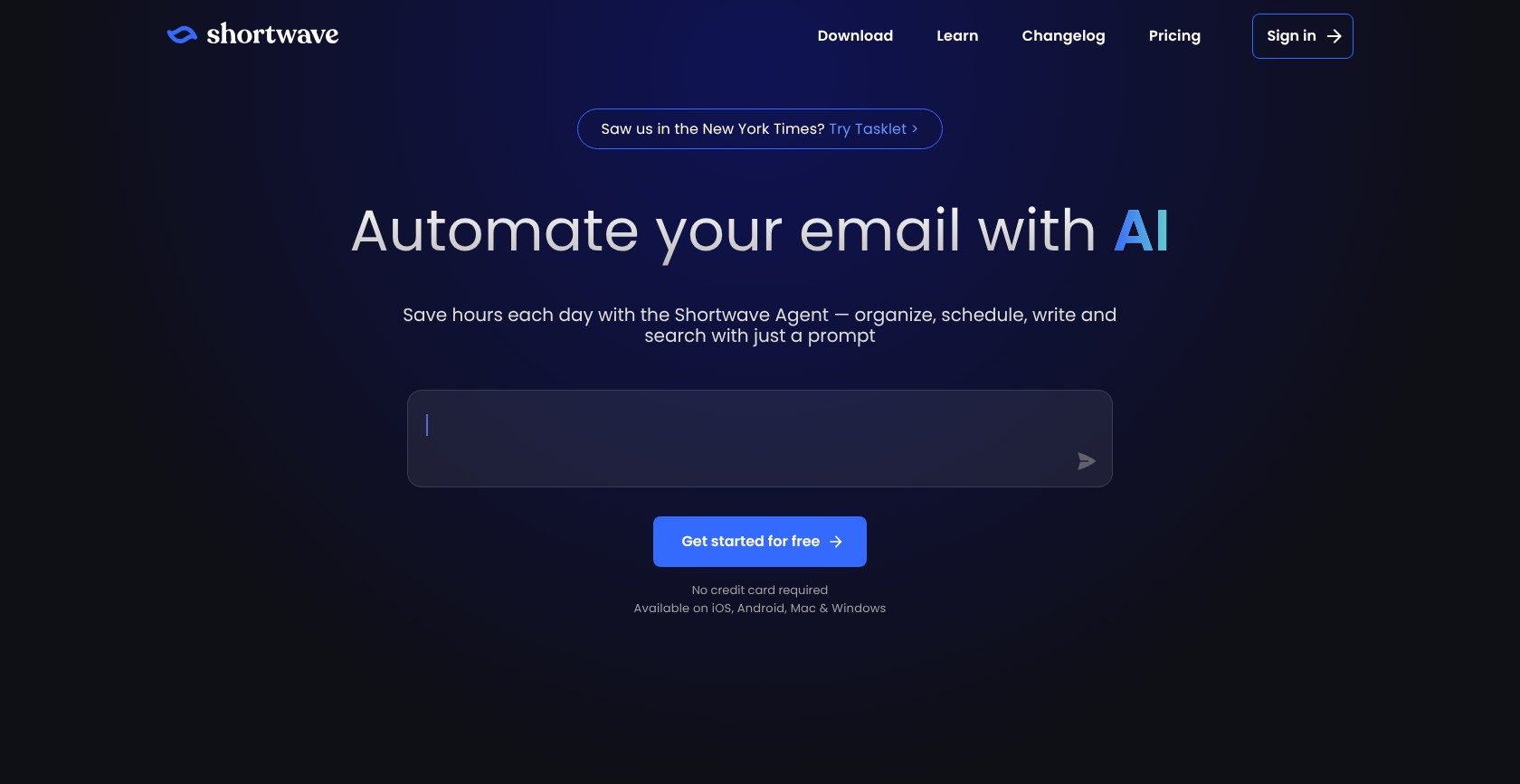
Shortwave is our best Gmail power-user pick because it combines conversational email search, summaries, and Tasklet automation. It’s worth considering when finding an old decision matters as much as writing your next reply.
However, Shortwave only supports Gmail and Google Workspace, which immediately rules it out for a native Outlook setup. Inbox Zero is also cheaper for basic drafting.
Compared with Fyxer Pro billed monthly, Shortwave Business costs less, but you lose meeting notes. Its strongest case isn’t being a cheaper copy of Fyxer; it’s helping you work with the information already sitting in Gmail.
Pros
- AI search across email history
- Higher-tier Claude models
- Tasklet automation
- Trial access (14 days)
Cons
- Gmail and Workspace only
- No meeting notes
- Monthly billing without an annual discount
What’s new with Shortwave?
Shortwave added Tasklet integration and default AI web browsing for paid plans in January 2026. Its February update introduced different Claude configurations across the paid tiers.
Prices also increased during 2026. Choose around the model access and usage you need, rather than assuming Max will improve every ordinary email task.
Why use Shortwave in 2026?
Shortwave’s 2026 search and automation additions suit Workspace teams whose project decisions stay buried in email. Its assistant gives you a way to retrieve context without remembering the original subject line.
That said, users describe mixed results with older threads. An earlier proposal and the latest decision aren’t interchangeable, so the linked conversation still matters. For me, search assistance is useful precisely when it brings you back to the relevant email.
My Shortwave testing notes
I used Shortwave’s assistant to ask about earlier email conversations and compared its answers with the underlying threads. I treated summaries as a starting point rather than skipping the original messages. The provider restriction was my biggest limitation because I couldn’t connect an Outlook mailbox natively. Forwarding changes the setup and sends replies from Gmail, so make sure you can work within that account behavior.
How Much Does Shortwave Cost?
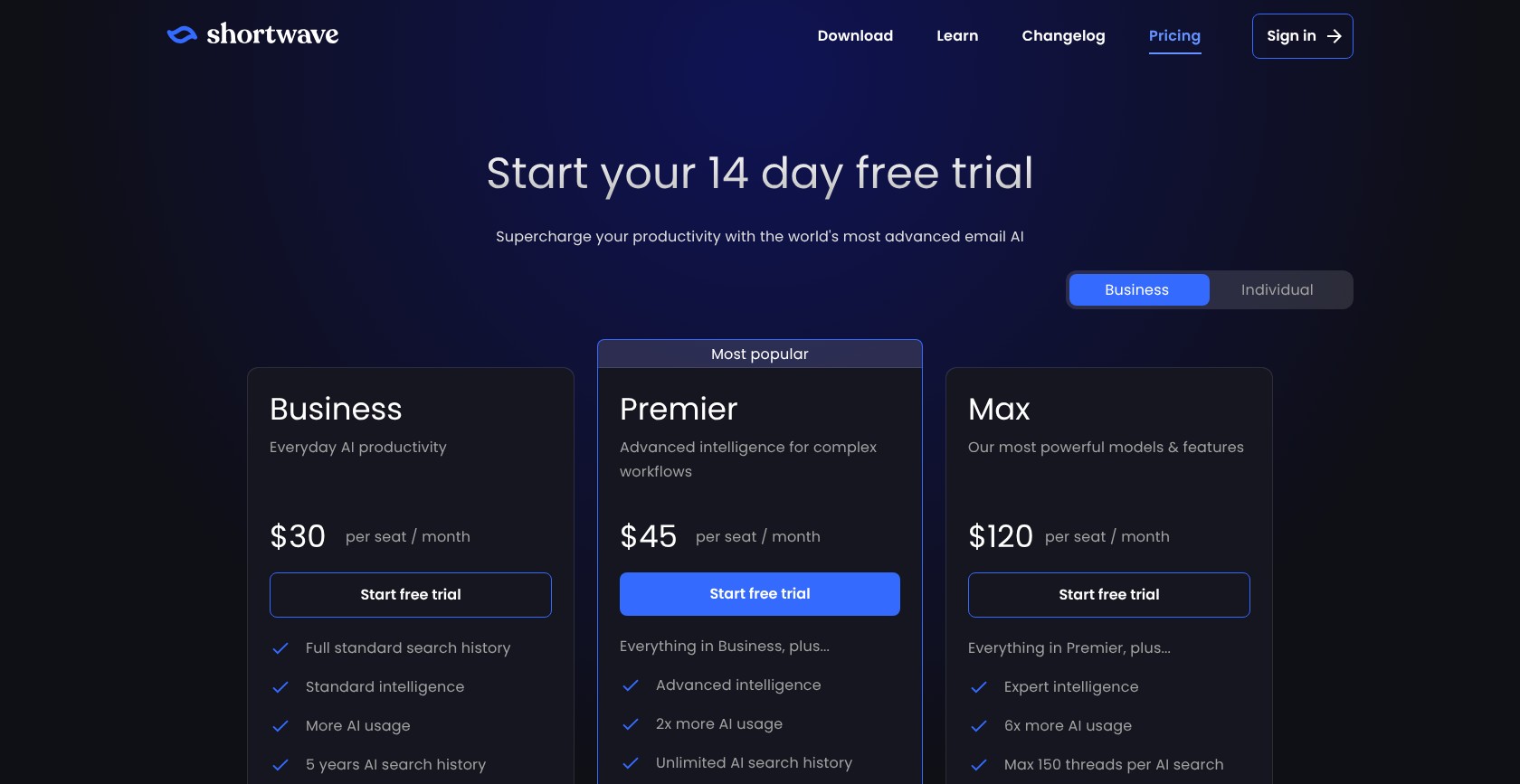
Shortwave bills monthly, with model access changing by tier and no annual discount. Start with Business unless a specific task calls for a higher-tier model; the plan names alone aren’t a reason to spend more.
| Plan | Monthly price, annual billing | Monthly price, monthly billing | AI models |
|---|---|---|---|
| Business | Not offered | $30/seat | Claude Haiku 4.5 and Sonnet 4.6 |
| Premier | Not offered | $45/seat | Claude Sonnet 4.6, adaptive |
| Max | Not offered | $120/seat | Claude Opus 4.6 |
5. alfred_: Best for Multiple Inboxes
- alfred_ pricing: $25 to $41.67 per month, billed annually; Team priced per seat
- Standout capability: Up to 6 accounts per person, depending on tier
- Works with: Gmail, Outlook, iCloud, and IMAP
- Our rating: 4.2/5
alfred_ is our best multiple-inbox option because it brings accounts from different providers into one assistant and morning brief. Its review-before-send approach also keeps you responsible for outgoing messages.
Unlike Fyxer, which requires Team for a second inbox, alfred_ supports a broader mixed-account setup. That makes it appealing when work and personal email don’t share a provider.
However, alfred_ doesn’t include a meeting notetaker, so Serif and Inbox Zero are better replacements when recording matters. For me, the decision comes down to whether scattered accounts or missing meeting notes create the bigger problem.

Pros
- Multiple accounts across providers
- Morning briefs and follow-up tracking
- Credit-free triage and chat
- Review before sending
Cons
- No meeting notetaker
- Card required for the trial
- Credits required for routines
What’s new with alfred_?
alfred_ includes routines for calendar cleanup and week planning, plus a client wiki that retains client-specific context. These additions take it beyond ordinary inbox triage.
But routines draw from a separate credit allowance. Unlimited everyday inbox assistance doesn’t mean unlimited automation, especially if planning and calendar tasks are the main reasons you’re interested.
Why use alfred_ in 2026?
With email assistants expanding into planning in 2026, alfred_ makes a case for bringing separate accounts into the same briefing. An Outlook work account and an iCloud personal account don’t require a provider move.
The attraction is a consolidated view rather than another email client. That said, broader account support doesn’t fill the meeting-capture gap, so keep that separate when weighing it against Fyxer.
My alfred_ testing notes
I connected work and secondary accounts and compared the morning brief with each inbox. I also reviewed follow-up reminders against their original conversations and kept outgoing messages under review before sending. The separate routine allowance frustrated me because calendar and planning tasks weren’t covered by the credit-free everyday assistance. I assessed those tasks separately, so make sure you separate routine usage from normal triage and briefs too.
How Much Does alfred_ Cost?
alfred_ meters routines and workflows rather than everyday triage and briefs. Compare the included credits alongside your account needs, especially if you’re buying it for calendar cleanup rather than simply bringing inboxes together.
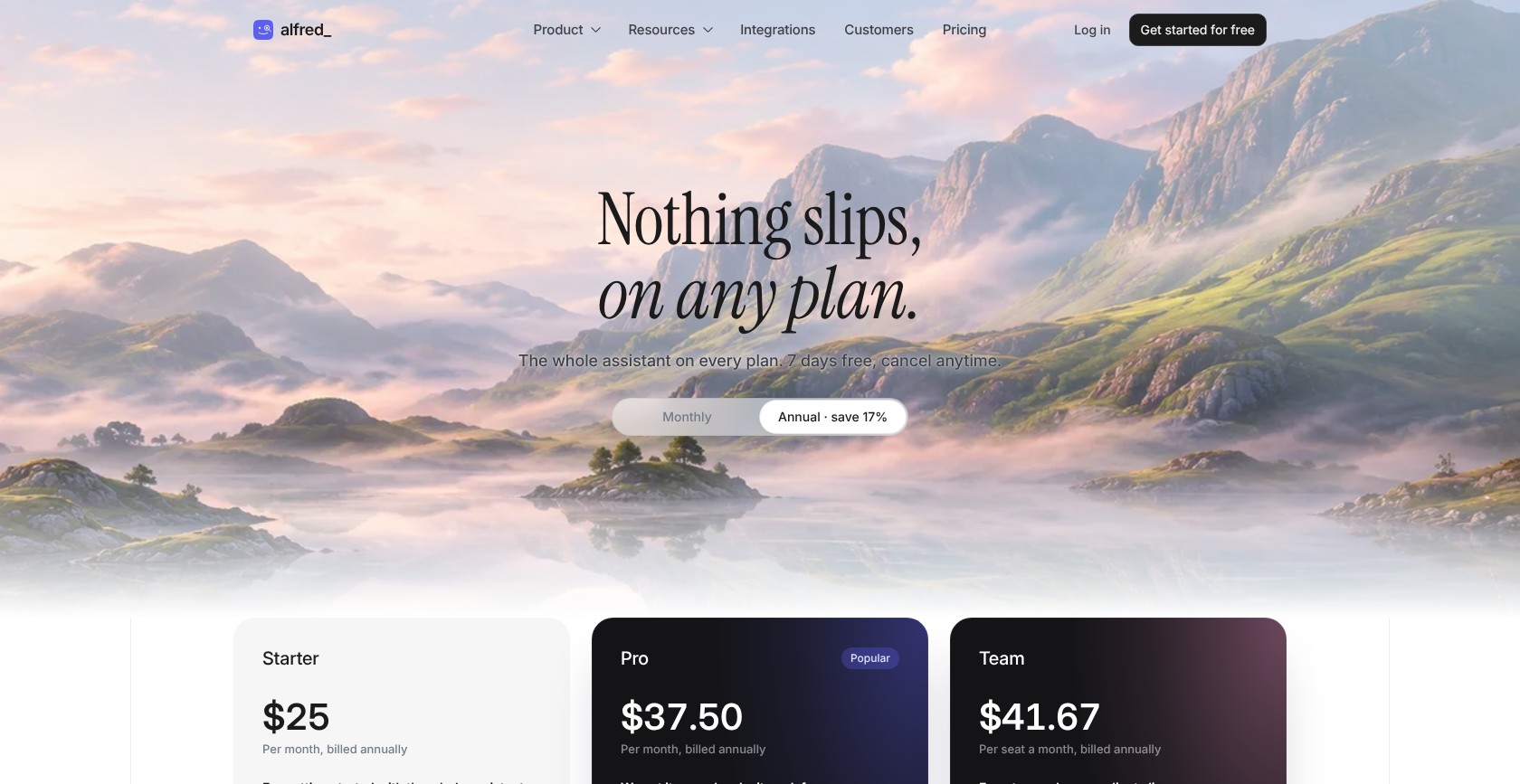
| Plan | Monthly price, annual billing | Monthly price, monthly billing | Monthly routine credits |
|---|---|---|---|
| Starter | $25 | $29.99 | 2,000 |
| Pro | $37.50 | $44.99 | 4,000; white-glove setup |
| Team | $41.67/seat | $49.99/seat | Ask sales |
6. Gemini and Copilot: Best Built-In Option
- Gemini and Copilot pricing: Free Gemini basics; Google AI Pro $19.99/month; Microsoft 365 Copilot about $30/user/month, US prices
- Standout capability: AI inside your existing productivity suite
- Works with: Gemini in Gmail; Copilot in eligible Exchange Online mailboxes
- Our rating: 4.1/5
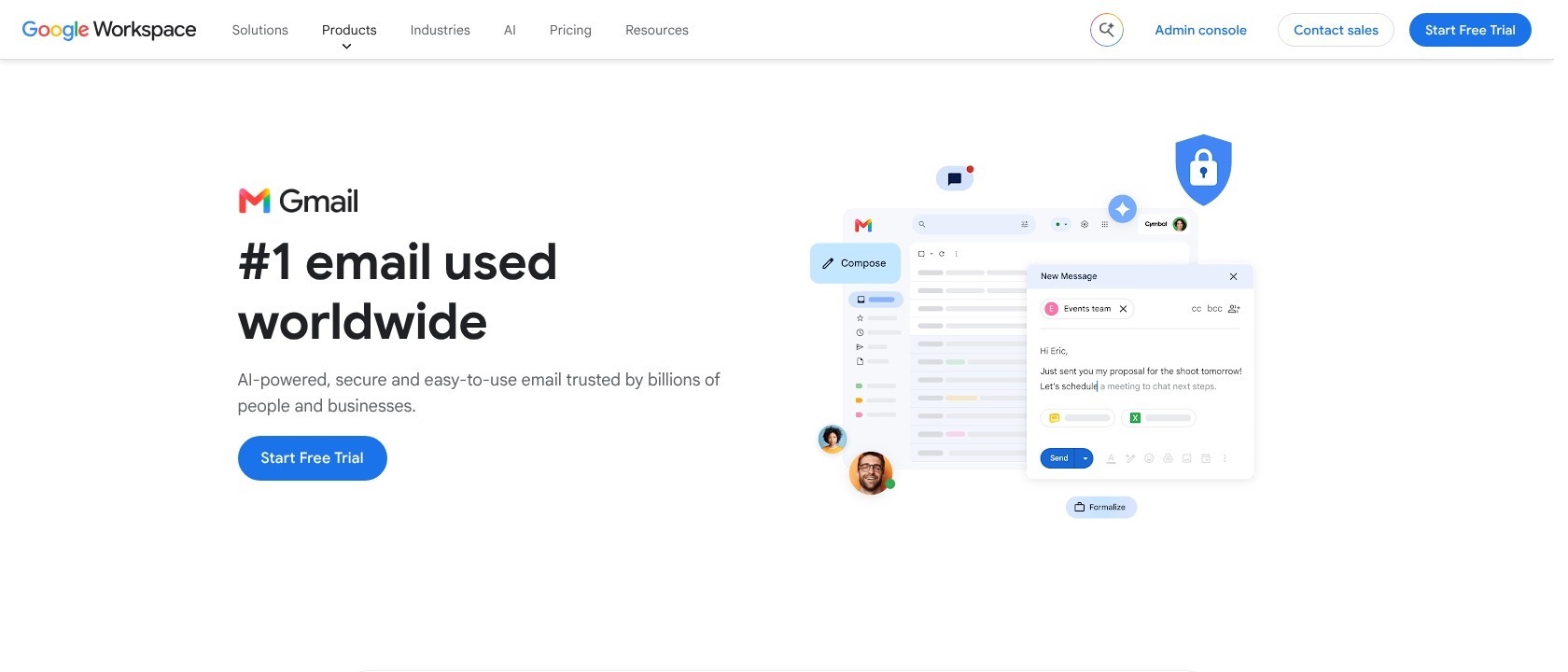
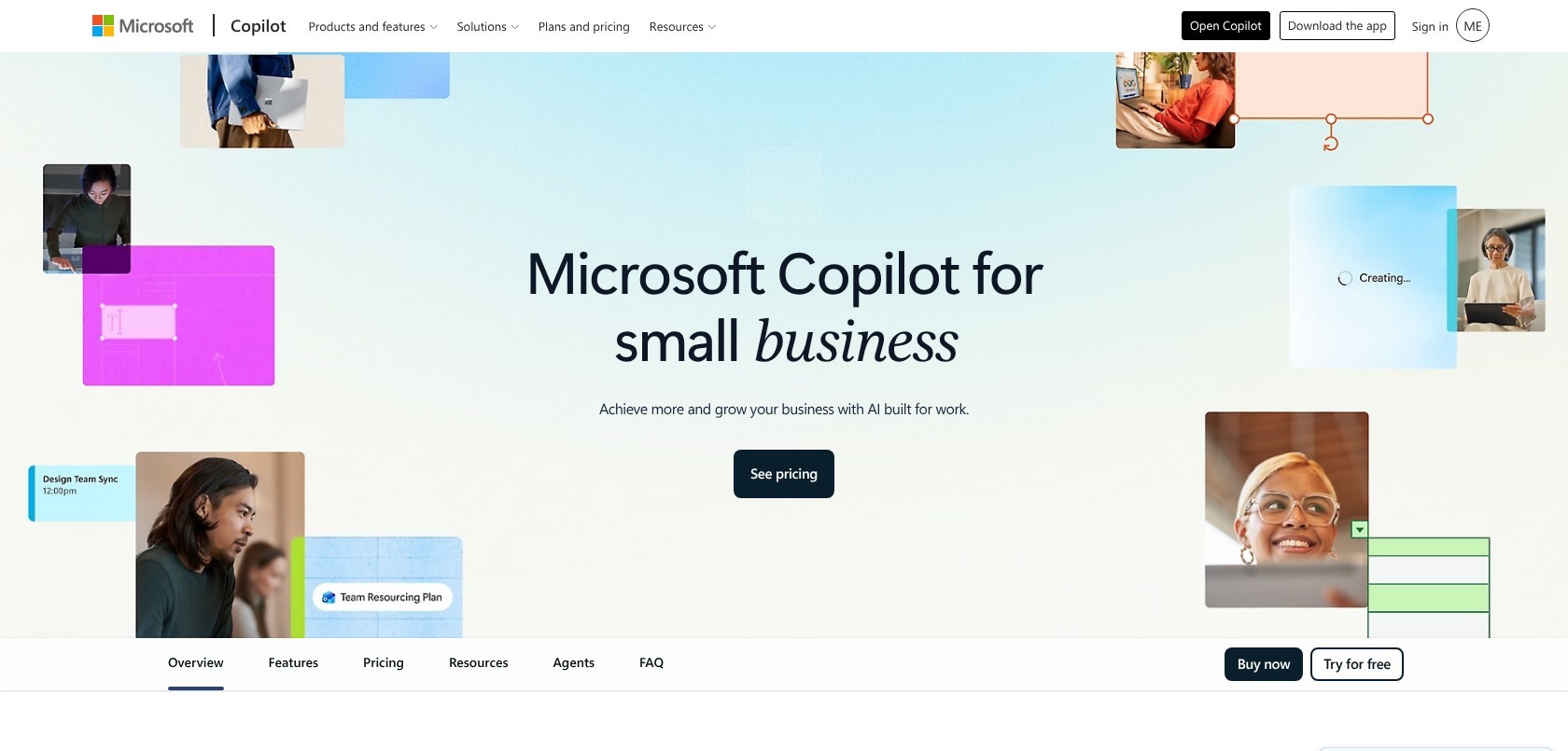
Gemini and Copilot are our best built-in options because they add assistance without introducing another inbox vendor. Gmail includes free drafting and summaries, while Copilot explains its inbox priority decisions.
If your subscription already includes them, native AI can cost nothing extra, making it a sensible place to start. There’s little reason to buy another writing assistant for a task your suite already covers.
However, neither is an equivalent replacement for Fyxer’s automatic labels and follow-ups. Serif is closer to that combined email-assistant offering, particularly when you’re replacing more than occasional writing help.
Pros
- Free Gemini basics in Gmail
- Gemini in every Workspace plan
- Copilot priority explanations and coaching
- No additional inbox vendor
Cons
- Gmail AI Inbox still in testing
- Copilot work-license requirement
- Copilot restricted to Exchange Online mailboxes
What’s new with Gemini and Copilot?
Google expanded Gmail’s Gemini features in January 2026, initially in US English. Paid Google AI plans add inbox questions and Proofread.
Microsoft began rolling out agentic drafting in Outlook and Copilot Chat in March 2026. Availability depends on your account and license, so using Outlook alone doesn’t guarantee access to those additions.
Why use Gemini and Copilot in 2026?
The expansion of native email AI in 2026 makes your existing suite worth trying before adding another subscription. That’s especially true when your company already approves Workspace or Microsoft 365 and you mainly need drafting.
Meeting notes still depend on eligible Meet or Teams functionality. An email AI entitlement isn’t a promise that every meeting feature comes with it.
My Gemini and Copilot testing notes
I compared Gemini’s Help Me Write with a normal client reply and explored its paid inbox questions. In Copilot, I reviewed the explanation behind an inbox priority rather than accepting the label alone. Gmail’s lack of a general auto-triage replacement was my main frustration. I also checked Copilot’s exclusion of signed or encrypted mail, so make sure your mailbox and message requirements fit before relying on it.
How Much Does Gemini and Copilot Cost?
These are US prices. Your existing Workspace or Microsoft subscription may already cover the assistance you need, while Copilot’s price sits alongside a qualifying base subscription. Start with what your account includes.
| Option | Price | Inbox AI included |
|---|---|---|
| Free Gmail | $0 | Summaries, Help Me Write, Suggested Replies |
| Google AI Pro | $19.99/month | Adds inbox questions and Proofread |
| Google Workspace | Included with eligible existing subscription | Gemini in Gmail across Workspace plans |
| Microsoft 365 Copilot | About $30/user/month, plus qualifying base subscription | Prioritization, drafting, summaries, coaching |
7. Spark: Best Free Plan
- Spark pricing: Free, or EUR 8.25 to EUR 19.08 per month, billed annually
- Standout capability: Full email client with capped free meeting notes
- Works with: Gmail, Outlook, iCloud, and IMAP; major desktop and mobile platforms
- Our rating: 4.0/5
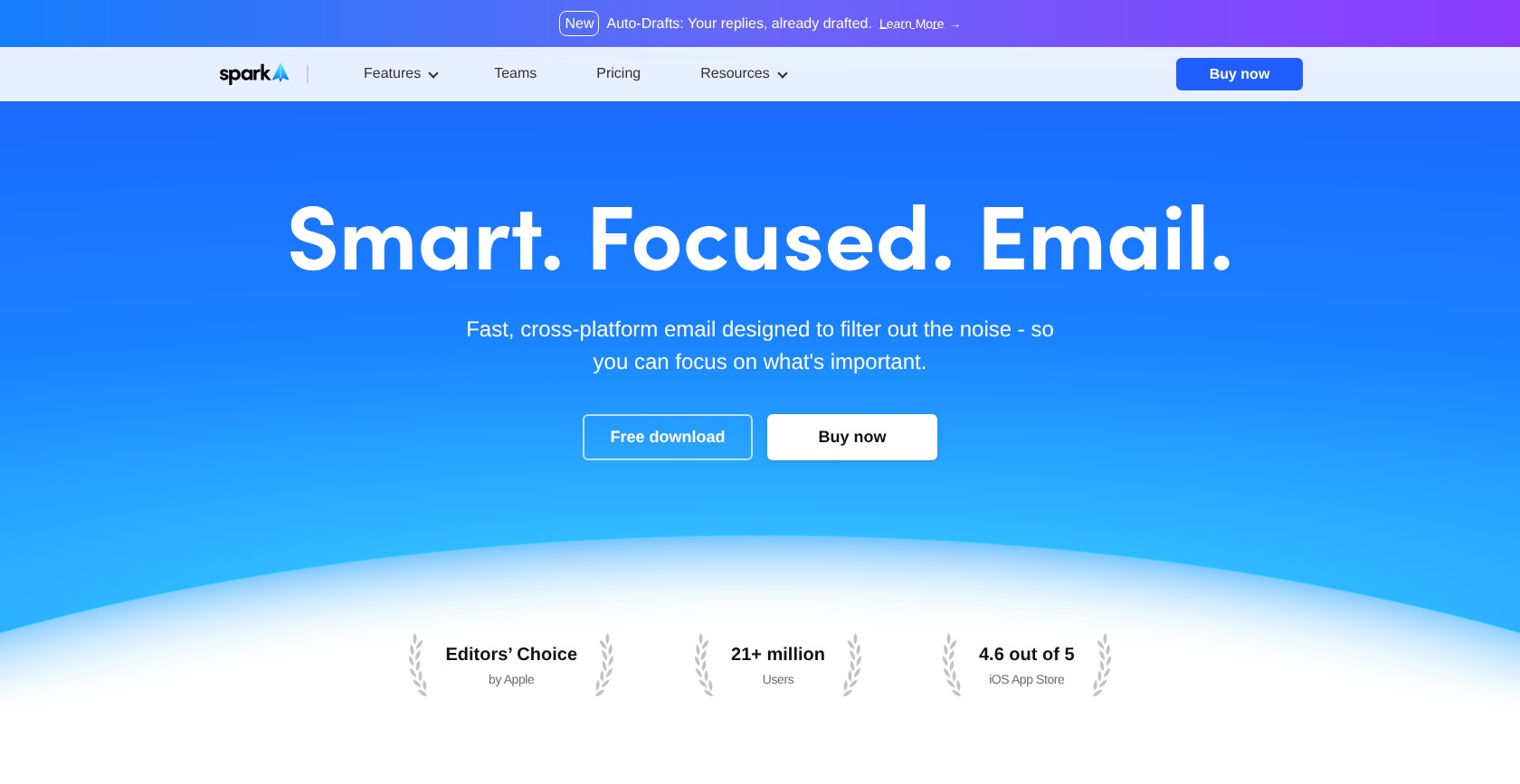
Spark is our best free-plan pick because it provides a complete email client with limited AI assistance and meeting notes. Its broad app coverage also suits people who move between Windows and mobile devices.
Compared with Fyxer’s restricted free tier, Spark gives you a full email app. However, Auto-Drafts remains in closed beta, so don’t assume free access means a ready replacement for automatic replies.
Inbox Zero’s self-hosting option is more relevant if infrastructure control comes first. Spark’s main appeal is being able to try AI email within a usable client without paying a cent!
Pros
- Free email client
- Mac, Windows, iOS, and Android apps
- Meeting notes across plans
- Broad email-provider support
Cons
- Spark +AI off by default
- Auto-Drafts in closed beta
- Limited free meeting notes (5 lifetime)
What’s new with Spark?
Spark Pro includes Autopilot and HubSpot integration alongside unlimited meeting notes. Auto-Drafts appears in its feature set, but access remains tied to the closed beta.
If automatic replies are your main reason for leaving Fyxer, check beta access before buying Pro. An appealing feature name isn’t enough if it isn’t available to your account.
Why use Spark in 2026?
As email clients add AI and meeting features in 2026, Spark offers a free starting point instead of an immediate subscription commitment. Its client remains useful even if summaries and suggested replies don’t persuade you to upgrade.
That said, email and meeting data pass through Readdle’s cloud infrastructure. Having a desktop app doesn’t mean processing stays entirely on your device.
My Spark testing notes
I added everyday accounts, enabled Spark +AI, and compared quick replies with my usual writing. I reviewed summaries against complete threads rather than relying on the shortened version alone. The Free plan’s lifetime meeting-note allowance was my main limitation. It gave me a sample rather than an ongoing recorder, so make sure you budget for a paid plan if regular meeting capture matters.
How Much Does Spark Cost?
Spark’s prices are in euros. The annual equivalents below reflect yearly subscriptions of EUR 99 for Plus and EUR 229 for Pro.
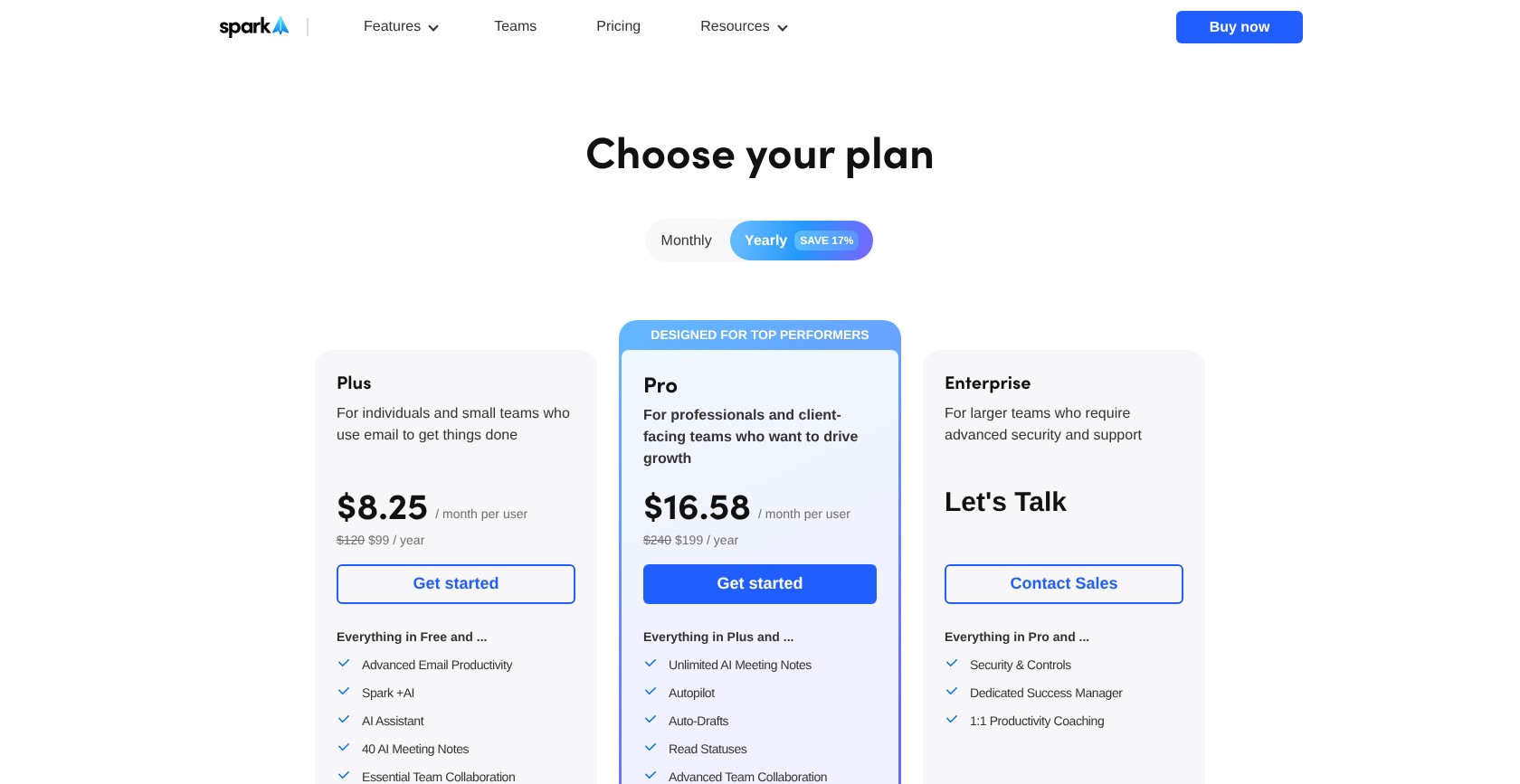
The main meeting-note decision is whether you need a sample, a monthly allowance, or unlimited use.
| Plan | Monthly price, annual billing | Monthly price, monthly billing | Meeting notes |
|---|---|---|---|
| Free | EUR 0 | EUR 0 | 5 lifetime |
| Plus | EUR 8.25 | EUR 10 | 40/month |
| Pro | EUR 19.08 | EUR 22 | Unlimited |
| Enterprise | Custom | Custom | Custom |
8. Missive: Best for Shared Inboxes
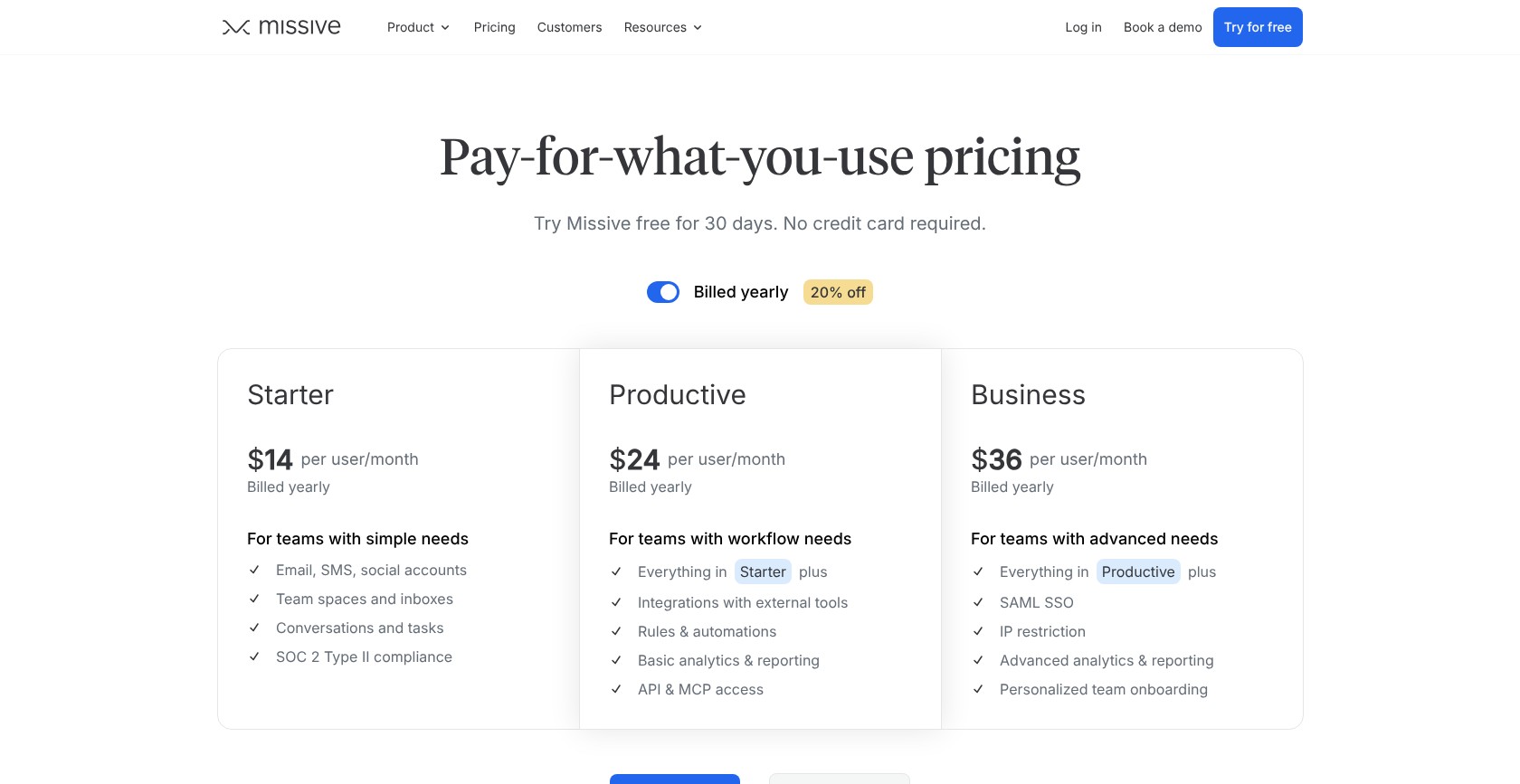
- Missive pricing: $14 to $36 per user per month, billed annually
- Standout capability: Shared conversations with optional bring-your-own-key AI
- Works with: Gmail, Microsoft 365, and IMAP inside Missive
- Our rating: 3.9/5
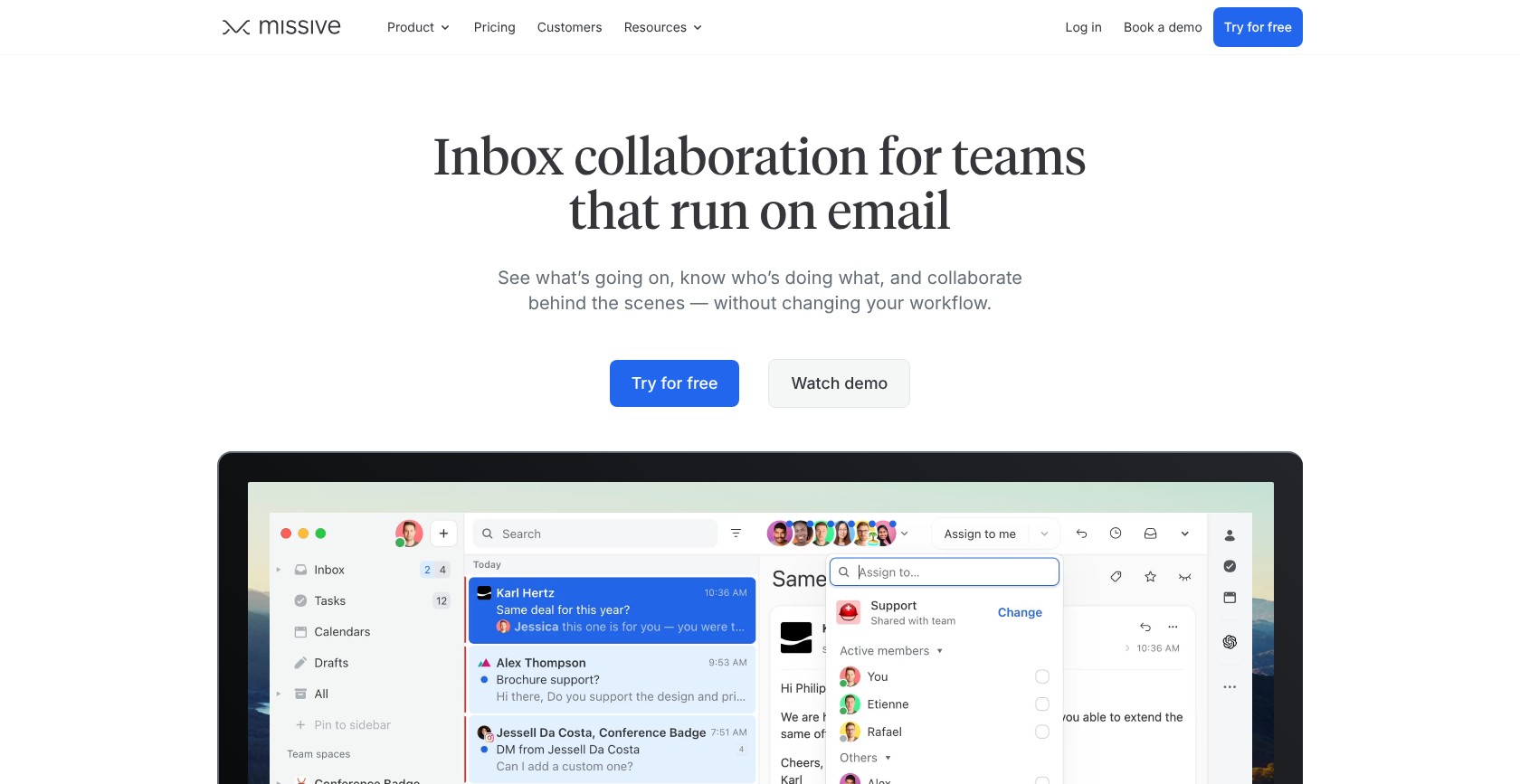
Missive is our best shared-inbox option because it combines conversation assignments, internal discussion, and AI-assisted replies. It’s a stronger fit for a shared support address than an assistant built around one person’s inbox.
Compared with Fyxer Team, Missive Productive costs well under half as much per user on annual billing. But it doesn’t replace meeting notes, so that price comparison only works if collaboration is your priority.
Superhuman better suits someone who wants to remain inside Outlook. Missive brings your Microsoft account into its own app rather than adding the shared workflow to Outlook itself.
Pros
- Shared inboxes and assignments
- Internal conversation comments
- Bring-your-own-key AI and MCP access
- Trial without a card (30 days)
Cons
- Separate app instead of Outlook
- Starter user limit (5 users)
- No meeting notetaker
What’s new with Missive?
Missive includes MCP access and the option to connect your own model-provider key. You can use Missive credits or supported external AI billing, depending on how you want to pay for assistance.
That flexibility doesn’t make AI usage free. Model charges still belong in your comparison with an assistant that bundles its AI features into the subscription.
Why use Missive in 2026?
With AI drafting available across the 2026 shortlist, shared-inbox coordination becomes Missive’s more useful selling point. When colleagues answer the same address, assigning ownership can matter more than matching one person’s writing style.
Missive keeps those discussions alongside the email instead of in separate chat conversations. Plus, its AI assists with translation, although personal inbox triage isn’t the main reason to choose it over Fyxer.
My Missive testing notes
I used a shared address with a teammate, assigned a conversation, and added an internal comment. I then reviewed an AI draft alongside that discussion before sending a shared response. I liked keeping the coordination attached to the conversation. The client switch was the drawback for me, so make sure you’re comfortable working inside Missive rather than expecting these features inside Outlook.
How Much Does Missive Cost?
Missive offers AI through its credits or your API key, so include those charges alongside the subscription. Monthly billing costs more than the annual equivalents below, while the plan limits also change how many teammates can join.
| Plan | Monthly price, annual billing | Monthly price, monthly billing | Team size |
|---|---|---|---|
| Starter | $14/user | Higher than annual | Up to 5 users |
| Productive | $24/user | Higher than annual | Up to 50 users |
| Business | $36/user | Higher than annual | Unlimited |
9. SaneBox: Best Budget Inbox Filter
- SaneBox pricing: From about $7 per month
- Standout capability: Server-side filtering without changing email apps
- Works with: Major providers, including Microsoft 365, plus IMAP and Exchange
- Our rating: 3.8/5
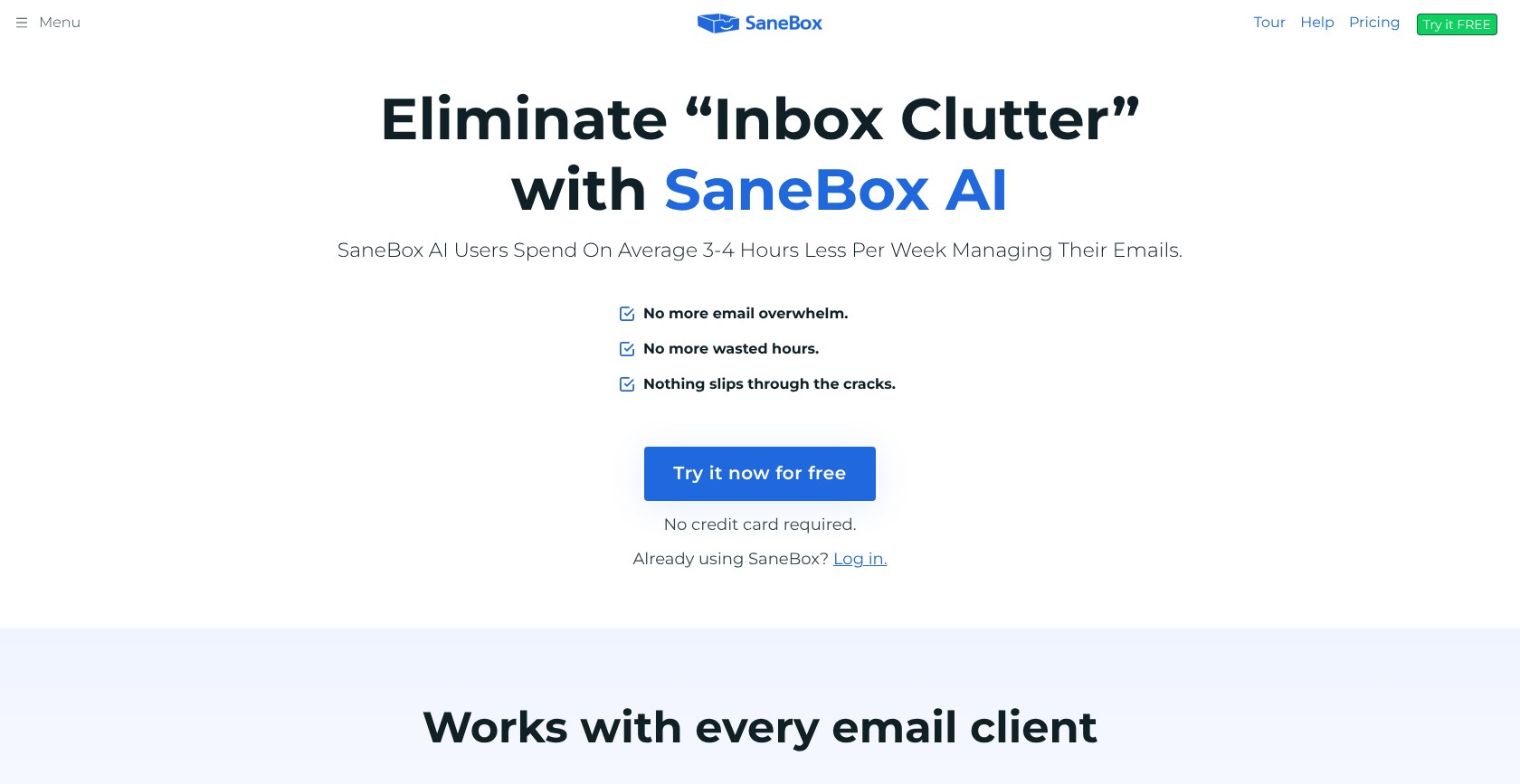
SaneBox is our best budget filter because it separates lower-priority messages without making you switch email clients. Daily Digest helps you review filtered mail, while Deep Clean tackles an existing backlog.
Compared with Fyxer, SaneBox is a filtering-first replacement, not a like-for-like substitute for personalized drafting and meeting capture. Inbox Zero offers a broader AI assistant if those extra jobs matter.
For me, SaneBox makes the most sense when inbox clutter is the problem you’re paying to solve. There’s no need to buy a broader feature set simply because other tools offer one.
Pros
- Filtering inside your existing email setup
- Broad provider support
- Daily Digest and Deep Clean
- Low entry price
Cons
- Training period for sorting
- Drafting limited to SaneDrafts
- No free plan
What’s new with SaneBox?
SaneDrafts adds reply drafting to a product best known for filtering. It broadens what SaneBox can do, but doesn’t turn it into a combined meeting-and-email assistant.
Pricing and trial terms have also changed. Older comparisons may not reflect the current options, so use the plan breakdown below rather than assuming an earlier offer still applies.
Why use SaneBox in 2026?
While assistants bundle more features in 2026, SaneBox remains relevant for people who mainly need filtering. If you use Fyxer to separate newsletters from important conversations, recording and voice-matched replies may be unnecessary extras.
Users describe a learning period, including occasional important mail landing in the wrong folder. A cleaner inbox isn’t proof that every sorting decision was correct, so filtered messages still deserve attention.
My SaneBox testing notes
I reviewed SaneLater alongside my main inbox and used the Daily Digest to revisit filtered messages. I corrected sorting decisions as I went rather than judging the tool by how much mail disappeared. The training period was my main reservation because sorting still needed attention. I focused on which messages stayed visible, so make sure you judge the quality of filtering rather than the size of your inbox.
How Much Does SaneBox Cost?
SaneBox plans vary by mailbox count and included features, with discounted annual billing. Check the current annual price and trial terms before buying, particularly if you’re comparing the entry plan with a broader Fyxer replacement.
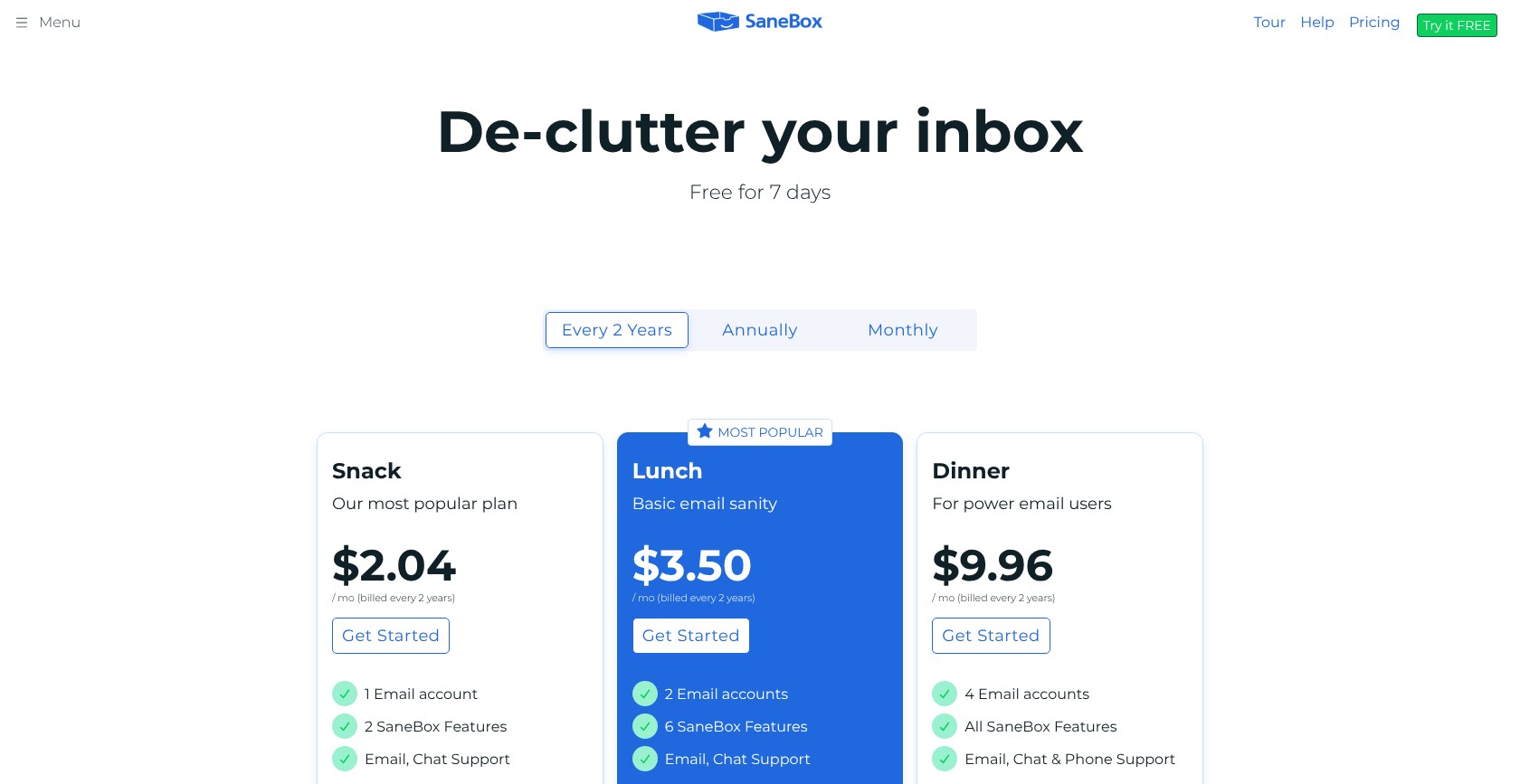
| Plan | Monthly price, annual billing | Monthly price, monthly billing | Mailboxes |
|---|---|---|---|
| Snack | Discounted | About $7 | 1 |
| Lunch | Discounted | About $12 | 2 |
| Dinner | Discounted | About $36 | 4 |
How Do I Choose the Right Fyxer AI Alternative?
Start with your provider and the Fyxer features you actually use. Shortwave can’t serve an Outlook-only business, while SaneBox won’t replace a meeting recorder however attractive its price looks.
Then compare the plan you need, not the cheapest tier. Serif’s voice matching and Inbox Zero’s notetaker show how easily a headline price can point you toward the wrong comparison.
Here’s the checklist I’d use to narrow the options:
- Does it support my provider? Look at your actual mailbox type, not just whether you open messages in the Outlook app.
- Do the drafts sound like me? Compare normal client replies after a week, including signatures and routine acknowledgments.
- Can I review sorting decisions? Look at where important messages go before trusting automatic filing.
- Does it record meetings? Budget for a separate AI meeting tool if it doesn’t.
- How is usage metered? Separate everyday inbox features from credit-consuming routines, including what happens when allowances run out.
- What access does it require? Review permissions and whether your email can be used for model training.
Your shortlist doesn’t need to include every highly rated tool. A compatible assistant that covers your main task is more useful than a feature-rich option built for someone else’s inbox.
Can I Switch From Fyxer AI?
Yes, you can connect a compatible replacement without moving your underlying email account. However, the new assistant needs its own setup; don’t assume voice preferences or sorting rules transfer.
During overlapping trials, avoid letting both services reorganize the same mail. Otherwise, it becomes harder to tell which assistant caused a sorting mistake.
Before leaving, review Fyxer’s cancellation date and paid seats, including domain-based additions. Once the replacement works, revoke Fyxer’s access in your Google or Microsoft settings as well as canceling the subscription.
Removing access doesn’t necessarily stop billing, and canceling billing doesn’t replace reviewing app permissions. Keep the transition tied to the features you’ve tested: reliable drafting alone doesn’t prove that sorting or meeting notes will suit you too.
How We Test and Rank the Best Fyxer AI Alternatives
We tested 15 AI email assistants to compare how well they replace Fyxer’s everyday jobs, from drafting and sorting to meeting capture.
A cheaper assistant isn’t better value if you need another subscription for notes. We also separated assistance inside Outlook from standalone clients that connect to Microsoft accounts, since those experiences aren’t interchangeable.
Our framework uses these weighted categories:
- Drafting quality and voice match (30%): We test normal work replies and assess the editing they need. We separate automatic drafts from on-demand writing and identify plan-specific voice matching.
- Inbox triage and follow-ups (20%): We assess categorization and reminder controls, including whether you can review decisions before important mail leaves your main inbox.
- Price and value (15%): We compare the relevant plan with Fyxer Pro, including metered usage and the cost of any separate notetaker.
- Gmail and Outlook support (15%): We test native compatibility separately from forwarding workarounds. We examine mailbox restrictions and mobile behavior, not just provider logos.
- Meeting notes and extras (10%): We assess recording availability and useful integrations. Announced acquisitions don’t count as available functionality.
- Privacy and security (10%): We examine requested permissions and model-training terms, alongside the scope of security certifications and hosting options.
I ranked Serif first because it covered Fyxer’s core email and meeting jobs across both major providers. Lite’s missing voice matching was the main drawback.
Superhuman stood out for premium email assistance, while Inbox Zero offered stronger value for combined drafts and notes. Neither suited every task.
After testing the options, I still saw reasons to stay with native Gemini or Copilot when they covered the missing capability. The best choice depended on the actual mail and features involved, not simply the highest rating.
Final Verdict: Which Fyxer AI Alternative Do I Recommend?
Serif is our best Fyxer AI alternative because it combines inbox triage, drafted replies, and meeting recording across Gmail and Outlook. Inbox Zero is my value pick for combined drafts and notes, while Superhuman suits automatic assistance inside Outlook.
I know Serif won’t be the right fit for everyone, especially if its missing apps or Standard-tier voice matching are dealbreakers. Try the available free plans or trials before canceling Fyxer, and include meetings if notes matter. The right replacement is the one that improves your everyday work.
FAQs
Is Fyxer AI worth it?
Fyxer AI is worth considering if you regularly use its drafts, inbox sorting, and meeting notes together. Its value is weaker when you only need occasional writing help already covered by Gemini or Copilot.
A shared support team may get more from Missive’s assignments and internal comments. Fyxer Pro costs $37 per month billed annually, so compare that current plan rather than legacy Starter prices, which are closed to new customers.
Is there a free Fyxer AI alternative?
Yes, Gmail’s free Gemini features and Spark’s free plan let you try AI email without a subscription. Inbox Zero’s code is also free to self-host, although hosting and model usage can add costs.
These aren’t identical free replacements for Fyxer Pro. Spark’s automatic drafts remain in beta, and free Gmail assistance doesn’t provide equivalent automatic triage.
Fyxer’s own free tier includes 400 monthly credits but excludes drafts and sorting. See “7. Spark: Best Free Plan” for its meeting-note limits.
Which Fyxer AI alternative works best with Outlook?
Serif is our top Outlook-compatible choice for replacing Fyxer’s combined email and meeting features. Choose Superhuman when keeping assistance inside Outlook matters more than an included recorder.
Copilot is another option if your company licenses Microsoft 365 Copilot and your mailbox runs on Exchange Online. Using the Outlook app alone doesn’t mean your account qualifies.
Shortwave requires Gmail or Google Workspace, while SaneBox better suits filtering-only needs. Look at your mailbox type before starting a trial, especially if Outlook contains accounts from several providers.
Is it safe to give an AI email assistant access to my inbox?
An AI email assistant can be appropriate for work, but safety depends on its permissions and data handling. Security certifications help you assess controls; they don’t remove the risks of broad mailbox access.
Review model-training policies and your organization’s requirements before connecting sensitive mail. Fyxer has SOC 2 Type II certification, while HIPAA coverage requires Enterprise.
Serif and Inbox Zero also state security credentials with their own scopes. Revoke unused connections, and consider native Gemini or Copilot if avoiding another inbox vendor matters most.

Comments 0 Responses