

Wispr Flow is an AI voice dictation tool that transcribes your speech and rewrites it into clean, formatted text, directly inside whatever app you’re already using.
It’s aimed at writers, developers, and knowledge workers who want to reduce how much time they spend typing.
I’ve spent time testing Wispr Flow across a range of real writing tasks, and in this review I’ll cover how it actually performs, what the pricing looks like at each tier, where it falls short, and who it genuinely makes sense for.
Wispr Flow: Pros & Cons
| ✅ Pros | ❌ Cons |
|---|---|
| Real-time AI cleanup removes filler words and false starts | Relies on cloud processing — no offline mode |
| Works in any text field across Mac, Windows, iOS, Android | Free plan limited to 2,000 words per week |
| Command Mode for hands-free editing and rewriting | Learning curve to get the best from voice commands |
| Supports 100+ languages with automatic detection | Privacy controls are stronger on Enterprise than on Basic/Pro |
| Whisper Mode for quiet dictation in shared spaces | Can feel expensive compared to native OS dictation (which is free) |
What I Like
- Wispr Flow doesn’t just transcribe — it actively rewrites your speech into clean, structured text, removing disfluencies and tightening phrasing in real time
- Command Mode is a genuine differentiator: you can select existing text and tell Flow to “make this more concise” or “turn this into bullet points” without touching a key
- The personal dictionary learns your jargon, names, and acronyms over time, meaning accuracy improves the more you use it
- Whisper Mode lets you dictate quietly in offices or public spaces, a surprisingly practical feature that most competitors skip entirely
What I Dislike
- The free plan’s 2,000-word weekly cap is low enough to be frustrating for anyone who actually wants to test it seriously before committing
- Because everything is cloud-processed, a poor internet connection kills your workflow entirely
- Privacy settings are meaningfully better on the Enterprise tier — Basic and Pro users should check their data settings carefully before using Flow for sensitive content
- Getting consistent results from Command Mode takes practice; it’s not as intuitive as just typing an edit yourself at first
My Experience With Wispr Flow
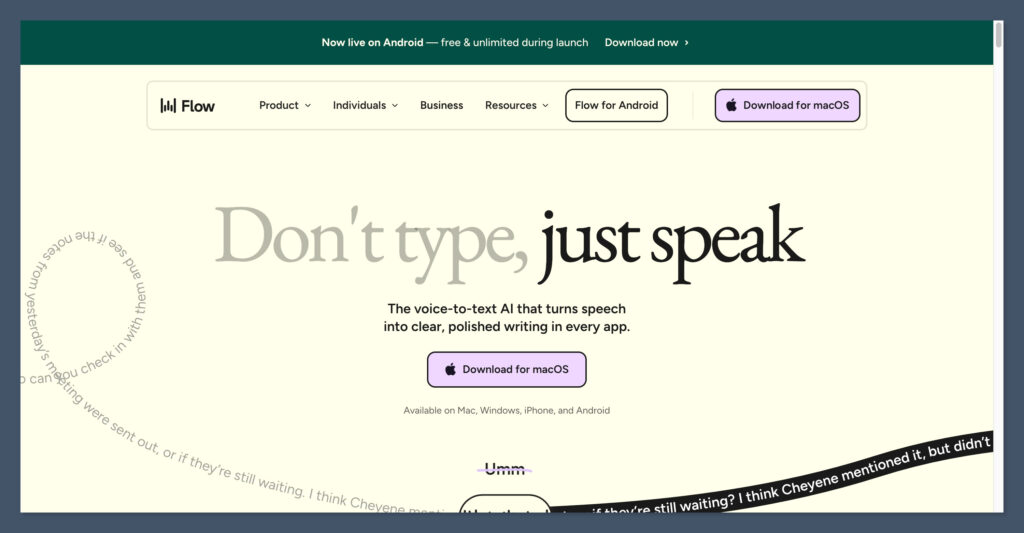
Getting started with Wispr Flow is straightforward — you download the app, create an account, and you’re up and running within a few minutes.
There’s no lengthy onboarding quiz or complicated setup process. On Mac and Windows, Flow installs as a system-wide tool that sits in your menu bar, ready to activate whenever you hit your chosen keyboard shortcut.
Once it’s running, the experience is simple: press the shortcut, speak, and text streams directly into whatever app is active — whether that’s Gmail, Notion, Slack, VS Code, or a plain text editor.
I was pleasantly surprised by how seamlessly it dropped into tools I was already using without requiring any per-app configuration.
Author’s Testing Notes
The first thing I noticed was the cleanup. When I dictated a sentence with a false start — “I want to… actually, let’s start with the budget” — Flow only output the final intended sentence. That kind of course-correction logic is what separates Wispr Flow from basic transcription tools. It’s not just writing down what you said; it’s figuring out what you meant.
How Wispr Flow Handles Dictation
At its core, Wispr Flow combines cloud-based speech recognition with a large language model that rewrites your speech in real time.
The result is text that reads like you typed it carefully — not like a raw transcript full of “ums,” restarts, and rambling clauses.
The system also adapts to you over time. You can build a personal dictionary with names, industry terms, and acronyms you use regularly, which cuts down on the need to manually correct the same mistakes.
You can also create snippets — voice shortcuts that expand into full blocks of text, like typing “insert my intro” and having Flow drop in your standard email opener.
For developers, the speed gains are particularly striking. Independent reviews report dictation speeds of around 179–184 words per minute when coding and writing documentation — well beyond what most people can type. The tool works inside IDEs like VS Code and Cursor, handling code, comments, and terminal commands.
Author’s Testing Notes
I tested Flow across email, a Google Doc, and a Slack thread in the same session. Switching between apps required zero reconfiguration — Flow just worked wherever my cursor was. The tone adaptation was noticeable too: my email came out measured and professional, while my Slack message was shorter and more casual, without me doing anything different.
How Much Does Wispr Flow Cost?
Wispr Flow uses a freemium model with four tiers: a free Basic plan, an individual Pro plan, a Teams plan, and custom Enterprise pricing.
| Plan | Price | Best For |
|---|---|---|
| Flow Basic | Free | Casual testing |
| Flow Pro | ~$15/month (or ~$12/month billed annually) | Individual power users |
| Flow Teams | ~$10–12/user/month (3+ seats) | Small teams |
| Flow Enterprise | Custom pricing | Large orgs with compliance needs |
The free Basic plan gives you 2,000 words per week — enough to get a feel for the tool, but not enough for heavy daily use.
It also excludes Command Mode, which is one of Flow’s most compelling features. For anyone who wants to use Wispr Flow as a serious part of their workflow, the Pro plan at around $12/month (billed annually) is the realistic starting point.
Teams unlocks shared dictionaries and snippets plus centralized billing, which is useful if you want consistent vocabulary across a content team or sales org. Enterprise adds SOC 2 Type II and ISO 27001 compliance, SSO/SAML, HIPAA enforcement, and advanced admin controls — making it the right fit for regulated industries or large organizations.
Author’s Testing Notes
I’d treat the free plan as a proof-of-concept rather than a genuine free tier. The 2,000-word weekly cap gets used up fast, and without Command Mode you’re missing a big part of what makes Flow worth paying for. If voice dictation clicks for you after a few days, move straight to Pro annual.
Wispr Flow’s Key Features
Command Mode
Command Mode is the feature that pushes Wispr Flow beyond basic transcription. You highlight a block of text, activate Flow, and speak an instruction: “make this more concise,” “rewrite this as a bulleted list,” or “change the tone to be more direct.”
Flow applies the edit and replaces the selected text — no keyboard required.
For writers who produce high volumes of first-draft content by voice, this effectively makes revision hands-free too. It’s a meaningful productivity gain once you get comfortable with how to phrase your commands.
Tone Matching
Flow adjusts how it formats and structures text based on the app you’re using and any contextual cues from your dictation. An email comes out more formal; a Slack message is punchier.
Over time it also builds a model of your personal writing style — your typical sentence length, preferred formality level, and recurring phrases — which makes the output feel increasingly like your own voice rather than generic AI text.
Whisper Mode
Most dictation tools are built for normal speaking volume, which makes them awkward in shared offices, coffee shops, or on public transport.
Whisper Mode is optimized specifically for very quiet speech, letting you dictate discreetly without projecting across the room. It’s a small feature on paper but genuinely useful if you don’t work in a private space.
Multilingual Support
Flow supports over 100 languages with automatic language detection, switching as you move between languages mid-session. For multilingual teams or professionals who work across markets, this removes a lot of friction that other tools introduce — there’s no need to manually switch language settings between tasks.
Cross-Platform Integration
Wispr Flow works system-wide on Mac, Windows, iPhone, and Android.
Because it operates at the OS level rather than inside a specific app, it drops into any text field — email clients, docs, CRMs, IDEs, terminals, messaging apps, and web forms. There’s no list of “supported apps” to check; if you can type in it, you can dictate into it.
Privacy and Security
Because Wispr Flow processes everything in the cloud, privacy is a legitimate consideration — especially for professionals handling sensitive client or business information.
At the Enterprise tier, the picture is strong: SOC 2 Type II and ISO 27001 certification, enforced Privacy Mode with zero data retention, HIPAA compliance, and SSO/SAML for access control. For organizations in regulated industries, this makes a compelling case.
For Basic and Pro users, the situation is less clear-cut. Cloud processing means your dictated content is sent to external servers for transcription and AI rewriting.
Third-party reviewers advise checking what data is retained, how long it’s stored, and which models process it — particularly before dictating anything commercially sensitive or confidential.
Flow isn’t a fully local, on-device solution, so users with strict privacy requirements should review the current privacy policy carefully before committing.
Wispr Flow vs. the Alternatives
| Tool | Best For | Free Plan | Starting Price (paid) |
|---|---|---|---|
| Wispr Flow | AI-cleaned dictation + hands-free editing | 2,000 words/week | ~$12/month |
| Apple Dictation | Basic transcription on Mac/iOS | Free (built-in) | N/A |
| Windows Speech Recognition | Basic dictation on PC | Free (built-in) | N/A |
| Otter.ai | Meeting transcription and notes | Yes | ~$16.99/month |
| Dragon Professional | Local, high-accuracy dictation | No | $699 one-time |
If you’re comparing Wispr Flow to native OS dictation tools, the gap is primarily in the AI layer: Flow rewrites and cleans your speech; Apple and Windows dictation just transcribes it.
For light use, native dictation is free and perfectly adequate. For anyone who dictates regularly and wants cleaner output with less editing, Flow’s Pro plan is worth the cost.
Dragon Professional is the legacy choice for users who need fully local processing and maximum accuracy in specialized domains like legal or medical, but at $699 it’s a very different kind of commitment — and it doesn’t have Flow’s cross-platform flexibility or AI editing features.
Who Is Wispr Flow Best For?
Wispr Flow is strongest for writers, marketers, and knowledge workers who draft large amounts of text daily and are comfortable thinking out loud.
If you currently type long emails, reports, or blog posts from scratch, the switch to voice can cut drafting time significantly — reviewers consistently report 3–4x speed improvements for first-draft content.
Developers get a lot of value from it too, particularly those already using AI-enhanced editors like Cursor or VS Code who want to dictate code, comments, and documentation without breaking their flow.
It’s less suited for users with poor internet connections (cloud dependency is a hard constraint), people who need fully local processing for compliance reasons, or very light users who have no real friction with typing and wouldn’t use AI editing features anyway.
How We Test AI Productivity Tools
Our reviews are based on direct hands-on testing combined with analysis of verified user feedback, independent technical reviews, and official product documentation.
For dictation and AI writing tools, we focus on accuracy in real-world conditions, how much editing the output actually requires, feature depth versus marketing claims, and whether the pricing reflects genuine value at each tier.
We test across multiple use cases — drafting, editing, coding, and multilingual workflows — and assess each tool against both power users and people trying AI-assisted writing for the first time.
Wispr Flow Review: Verdict
Wispr Flow is the best AI voice dictation tool available right now for professionals who write a lot and want to do less of it by hand.
The combination of real-time AI cleanup, Command Mode for voice-driven editing, tone matching, and seamless cross-platform integration puts it well ahead of native OS dictation and most category alternatives.
The free plan is too restricted to serve as a real long-term option, and the cloud-first architecture means it’s not the right fit for anyone with strict local-only privacy requirements.
But for the target user — a writer, marketer, or developer who regularly produces high volumes of text — the Pro plan pays for itself quickly in time saved.
If you’re on the fence, the free Basic plan is worth trying for a week. Just go in expecting to hit the word limit, and treat it as a trial rather than a sustainable setup.
Frequently Asked Questions
Is Wispr Flow free?
Yes, there is a free Basic plan that gives you 2,000 words of dictation per week. It includes core transcription and the personal dictionary, but excludes Command Mode. For unlimited use and access to all features, you’ll need the Pro plan at around $12–15 per month.
Does Wispr Flow work on Windows?
Yes. Wispr Flow is available on Mac, Windows, iPhone, and Android. It works system-wide on both desktop platforms, dropping into any text field across your installed apps and browser.
Is Wispr Flow accurate?
Accuracy is generally strong, particularly in English and other widely spoken languages. The combination of speech recognition and AI rewriting means the output is cleaner than a raw transcript — filler words, false starts, and mid-sentence corrections are automatically removed. Accuracy improves over time as Flow learns your vocabulary and phrasing.
Is Wispr Flow secure?
Wispr Flow processes dictation in the cloud, which is worth being aware of before using it with sensitive content. Enterprise customers get robust compliance controls including SOC 2 Type II, ISO 27001, HIPAA enforcement, and zero data retention options. Basic and Pro users should review the current privacy policy and in-app settings to understand what data is retained and for how long.
How fast is Wispr Flow compared to typing?
Most users report drafting speeds 3–4 times faster than typing when using voice dictation for first-draft content. Developer reviews have recorded speeds of around 179–184 words per minute when dictating code and documentation — well above the average typing speed of 40–80 words per minute.
What is Command Mode in Wispr Flow?
Command Mode lets you edit and rewrite existing text using your voice. You highlight a passage, activate Wispr Flow, and speak an instruction — for example, “make this shorter” or “rewrite this as a numbered list” — and Flow applies the edit directly. It effectively makes revision hands-free, reducing keyboard dependency beyond just the initial drafting stage.

Comments 0 Responses