

With teacher workloads rising and lesson planning eating into evenings and weekends, the rise of AI slide generators offers a powerful shortcut. These tools are designed to transform plain lesson notes into engaging, formatted slide decks in just minutes.
Whether you’re planning daily instruction, covering multiple subjects, or prepping student-led projects, AI slide tools are helping teachers create faster, with less stress — and more consistency.
We’ve tested and reviewed the top AI slide generators that work best in classrooms. From budget-friendly picks to visual-heavy platforms, here are the tools teachers are using to save hours every week.
Our Top 5 AI Slide Generators for Teachers
| Tool | Best For | Starting Price (USD) | Free Plan | Google Slides Integration | Language Support |
|---|---|---|---|---|---|
| Prezi | Dynamic, non-linear presentations | $15/month | Yes | No | Yes |
| Gamma | Fast, visual-rich lesson creation | $10/month | Yes | No | Yes |
| SlidesAI | Google Slides users | $20/month | Yes | ✅ | 100+ languages |
| Plus AI | In-depth slide building inside Google | $10/month | Yes | ✅ | Yes |
| Canva AI | All-in-one classroom design | $14.99/month | Yes (Edu) | No | Yes |
| Beautiful.ai | Polished presentations | $12/month | No | No | Yes |
What Are AI Slide Generators and Why Do Teachers Use Them?
AI slide generators are digital tools that use artificial intelligence to turn plain text into presentation slides. Instead of manually creating a slide deck, teachers can input lesson content, outlines, or even just a topic—and the tool generates a polished, editable presentation in seconds.
This is especially useful in schools where teachers are handling multiple subjects, preparing for substitute coverage, or managing differentiated instruction for students at various ability levels. By streamlining the design and layout process, AI tools allow teachers to focus more on the actual lesson delivery and less on formatting.
Here are some key reasons teachers are turning to AI-powered presentation tools:
- Time savings: Most slide decks that took 1–2 hours to build manually can now be created in 10–15 minutes.
- Consistency: AI generators use clean, standardized formatting, which helps maintain visual consistency across lessons.
- Student engagement: Presentations created with the help of AI tend to include more media, interactive elements, and accessible layouts.
- Stress reduction: Less time on admin tasks means more energy for planning, grading, and supporting students.
A growing number of teachers, especially in middle and high school settings, are starting to integrate AI into their daily workflows—not just as a novelty, but as a core part of their teaching toolkit.
The Top AI Slide Generators for Teachers in 2026
Several AI-powered slide platforms have become popular with educators thanks to their user-friendly interfaces, education-focused features, and time-saving benefits. Below is a breakdown of the top tools that are getting real traction in schools:
1. Prezi – Best for Non-Linear, Engaging Presentations
💰 Starting price: $15/month
📚 Free Plan Available: Yes
📽️ Unique Zooming Layouts
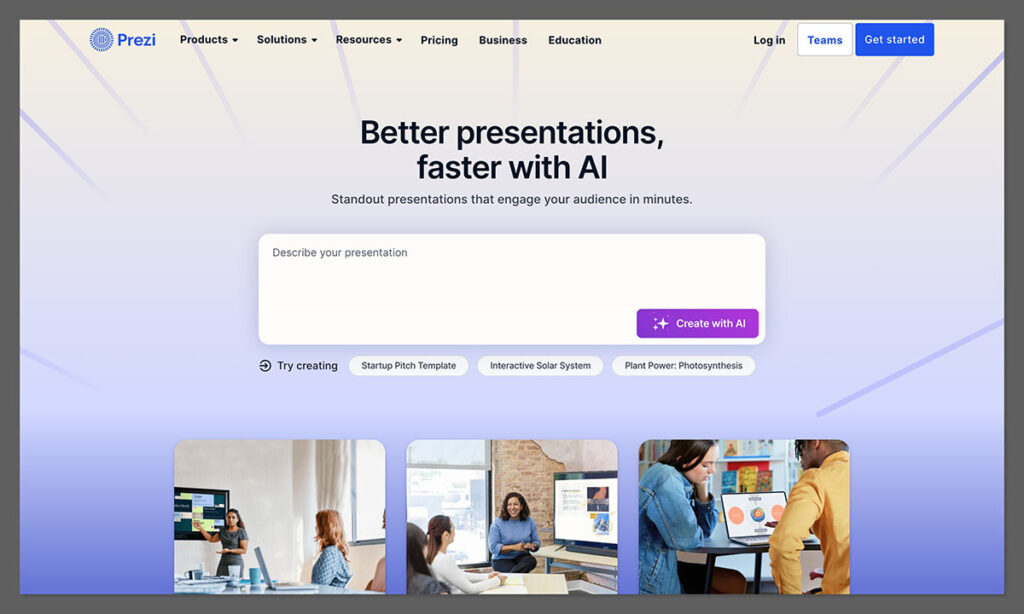
Prezi stands out by offering a zooming presentation style that lets teachers create non-linear, highly interactive lessons. Rather than clicking slide to slide, you can pan across topics visually—perfect for mind maps, timelines, or branching discussions.
✔️ Pros:
- Dynamic presentation format boosts engagement
- Good for visualizing complex topics
- Includes AI-powered content suggestions
❌ Cons:
- Not suited for simple, linear lectures
- Can feel unfamiliar for first-time users
Prezi’s zooming canvas allows teachers to show how concepts connect, which works well in subjects like science, geography, and history. For instance, you could build a visual journey of the water cycle or trace major events in the American Revolution.
Educators also use Prezi to encourage student interaction—letting learners “travel” through ideas during group work or flipped classroom activities. The AI tool recommends layouts and visuals to speed up the creation process, reducing manual design time.
2. Gamma – Best for Interactive Teaching Decks
💰 Starting price: $10/month (billed annually)
📚 Free Plan Available: Yes
🌍 Language Support: Yes
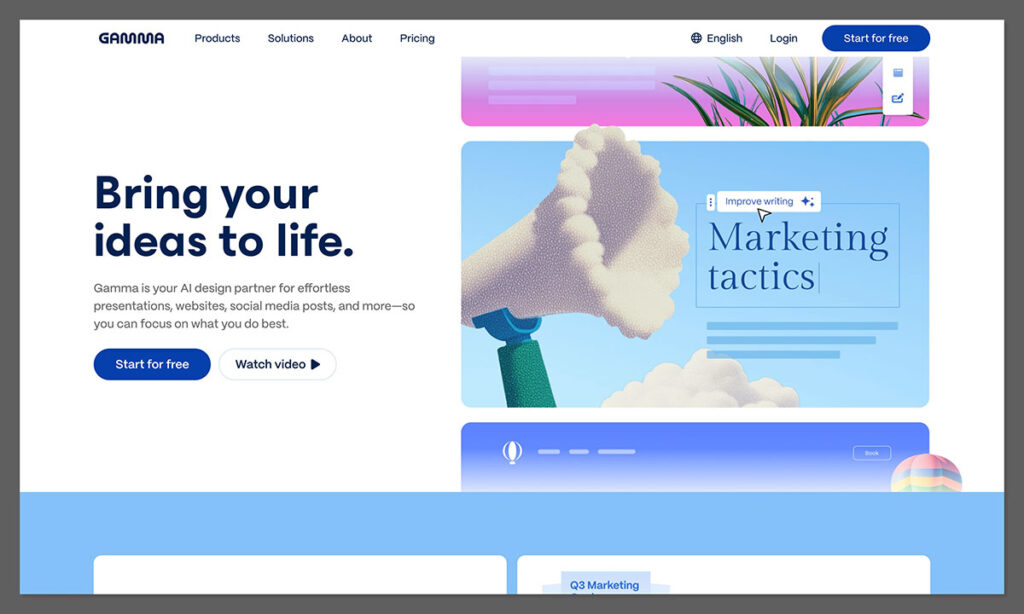
Gamma is built for speed and simplicity. With a clean interface and smart AI-powered slide creation, it’s a favorite among teachers who need lesson decks done in under 10 minutes. Enter a short prompt — like “photosynthesis recap” — and Gamma builds a full set of slides, complete with visuals, headings, and layouts.
✔️ Pros:
- Clean interface and intuitive prompts
- Includes charts, embedded videos, and quizzes
- Live collaboration for co-teaching or department use
❌ Cons:
- Not integrated with Google Slides or PowerPoint
- Limited custom styling unless upgraded
Gamma’s layout engine intelligently breaks down content into digestible slides, helping teachers avoid cluttered designs. Its responsive structure makes it easy to present from laptops, tablets, or smartboards without display issues.
Teachers using Gamma say it’s especially useful for short lessons, flipped classrooms, or review sessions. It also works well when preparing a last-minute class or sub plan, where time and clarity are key.
3. SlidesAI – Best for Google Slides Users
💰 Starting price: $20/month
📚 Free Plan Available: Yes
🌐 Google Slides Integration: ✅
🌍 Language Support: 100+
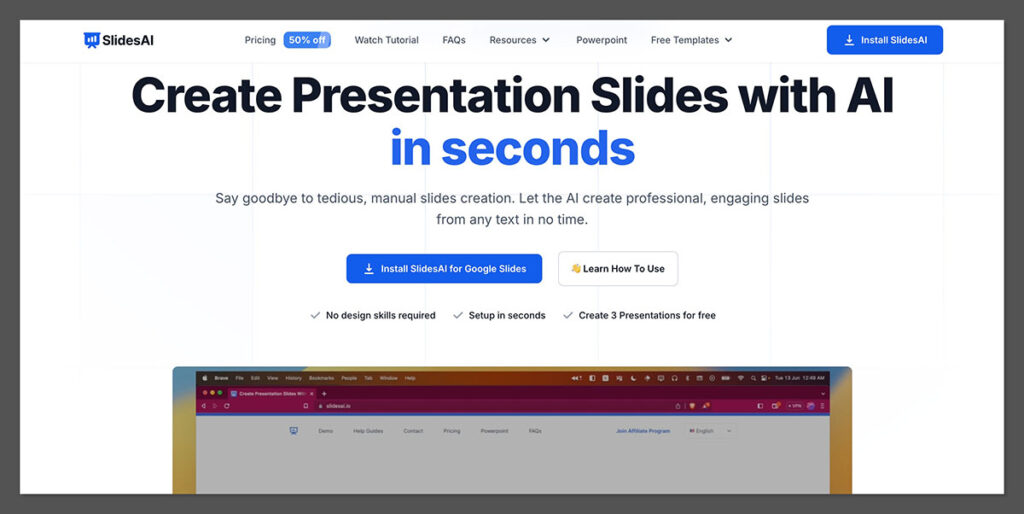
If your school already uses Google Workspace, SlidesAI is an obvious choice. Simply paste your text content (e.g., lesson objective, bullet points, learning outcomes), and SlidesAI formats it into an editable Google Slides presentation.
✔️ Pros:
- Native Google Slides support
- Easy to use with no learning curve
- Supports multilingual classes and ELL
❌ Cons:
- Occasional slide layout glitches
- Free plan limits the number of slide generations
SlidesAI preserves your formatting while cleaning up the slide structure, saving time on adjusting font sizes and spacing. Teachers also appreciate that it suggests headings and subpoints based on input structure.
The tool is particularly useful for standardized testing prep, structured lesson overviews, and curriculum-based templates. It feels like an extension of Google Docs — making it accessible even for less tech-savvy educators.
4. Plus AI – Best Google Slides Add-On for Detailed Presentations
💰 Starting price: $10/month
📚 Free Plan Available: Yes
🧠 Integrated with Google Slides
Plus AI is a Google Slides add-on that builds slide decks using AI. Teachers can enter a prompt like “intro to mitosis” or paste a lesson outline, and the tool generates a formatted presentation with section headers, bullet points, and clean visuals.
✔️ Pros:
- Built directly into Google Slides
- Smart slide structuring for clear lesson flow
- Works well with text-heavy content like outlines or lesson plans
❌ Cons:
- Limited customization options on the free tier
- Not as visually rich as tools like Canva
It’s especially helpful for teachers who want to quickly convert curriculum content into slides without leaving Google Workspace. Plus AI structures your content logically, suggesting headings, subpoints, and even title slide formats.
Educators use Plus AI to prep unit overviews, flipped classroom decks, and student project templates. It saves time while keeping everything editable inside Google Slides — no new platforms to learn or external exports required.
5. Canva AI – Best for All-in-One Classroom Design
💰 Starting price: $14.99/month
📚 Free for Educators: Yes (Canva for Education)
🎨 Massive Template Library
Canva is already a teacher favorite, and its AI slide builder now adds automatic layout suggestions based on your content. You can generate presentations, worksheets, posters, and even social media posts — all in one dashboard.
✔️ Pros:
- Huge library of classroom templates
- Drag-and-drop editing with real-time preview
- Free for teachers (Education plan)
❌ Cons:
- Can feel overwhelming with so many design options
- Not fully automated like SlidesAI or Gamma
Canva’s education features include lesson plans, whiteboard slides, and flashcard builders, all integrated with AI suggestions. Its design elements are customizable and visually engaging without being overly complex.
Teachers using Canva AI often rely on it for both instruction and classroom communication—like creating announcements or end-of-term reports. It also supports co-teaching environments through real-time collaboration.
6. Beautiful.ai – Best for Formal Presentations
💰 Starting price: $12/month
📚 Free Plan Available: No
💼 Design Automation
While not built specifically for schools, Beautiful.ai creates highly polished, corporate-style presentations that are great for training sessions, parent meetings, or CPD presentations.
✔️ Pros:
- Smart layout engine for consistent designs
- Excellent for presenting to administrators or stakeholders
- Includes animation and visual hierarchy tools
❌ Cons:
- Not ideal for everyday classroom use
- Lacks education-specific templates
The platform automates text resizing, image placement, and slide flow to maintain a professional feel. For teachers who present to governors, district staff, or at conferences, this adds credibility to their materials.
It’s also a strong option for instructional coaches or department heads who need to present policies, conduct training, or showcase student performance data in a visually compelling format.
Real Use Cases: How Teachers Are Using AI Slide Generators
Teachers across the U.S. are integrating AI into everyday teaching in a variety of ways. These tools aren’t just for formal lesson slides—they’re being used to create interactive activities, flipped classroom resources, and student projects.
Use Case 1: Quick Starters and Lesson Recaps
Instead of spending 30 minutes creating a starter slide or end-of-lesson recap, teachers use tools like SlidesAI to input three key concepts and instantly generate summary slides. This approach improves retention and allows more time for discussion.
Benefits:
- Improves lesson flow and continuity
- Students better understand lesson objectives
- Helps with differentiated instruction across skill levels
Use Case 2: Cover Lessons and Substitute Plans
When a teacher is off sick, the ability to generate a full deck based on a simple topic outline is a game-changer. Colleagues can step in without scrambling for lesson content.
Benefits:
- Saves time during emergencies
- Keeps lessons on track
- Ensures continuity even without the primary teacher present
Use Case 3: Student-led Presentations
Many high schools are empowering students to create their own slide decks using AI. This reduces the technical barrier and allows students to focus more on content than design.
Benefits:
- Builds presentation and research skills
- Makes assignments more engaging
- Encourages creativity without requiring design expertise
Features That Matter Most for Educators
Not every AI slide generator is built with teachers in mind. While design tools are great, educators need features that make their content practical and accessible.
Here’s a table comparing what matters most in the classroom:
| Feature | Why It Matters |
|---|---|
| Text-to-Slide Input | Saves time by auto-generating decks from lesson plans |
| Google Slides Integration | Seamless workflow for schools using G Suite |
| Multi-language Support | Ideal for bilingual or ELL classrooms |
| Media Embeds | Teachers can add videos or diagrams quickly |
| Editable Slides | Allows for customization per classroom needs |
| Education Templates | Saves even more time by providing relevant layouts |
When evaluating AI tools, it’s essential to look for education-specific capabilities. A general slide tool may look good on paper but might not support the types of workflows teachers rely on daily.
Stats That Prove It Works
Several studies and surveys from 2024 and 2025 show that AI slide generators are not only saving time but also improving learning outcomes and reducing teacher burnout. Here’s what the data says:
- 70% time savings on slide prep when using SlidesAI, compared to manual creation
- 40% drop in after-hours lesson planning for teachers using AI tools (EdTech Impact Survey 2025)
- 3 out of 4 teachers in secondary schools said AI-generated slides improved their lesson flow
- 230% increase in Gamma’s education user base during 2025
- 15% higher student engagement reported when teachers used Tome or Gamma for slide presentations
- 60% faster lesson resource prep in a UK pilot using Canva AI
- Teachers using AI slide generators were 2.3 times more likely to meet weekly curriculum goals
These stats aren’t just fluff—they reflect real improvements in how teaching is delivered and how teachers manage their workloads.
Pros and Cons of Using AI Slide Generators in Education
Like any tool, AI slide generators come with trade-offs. While the benefits are clear, it’s still important to understand the limitations.
Pros:
- Saves valuable prep time without sacrificing quality
- Reduces design fatigue by automating layout decisions
- Improves accessibility for ELL and neurodiverse learners with clear visual support
- Increases consistency across subjects or grade levels
- Encourages student autonomy in project-based learning
Cons:
- May generate generic content without specific prompts
- Dependent on internet access, which can be a challenge in some schools
- Privacy concerns around student data if logged in with school accounts
- Not curriculum-aware out of the box unless integrated with educational templates
- Can limit creativity if overused without customization
Balancing AI tools with teacher intuition is key. Think of them as an assistant, not a replacement for pedagogy.
How to Choose the Right AI Slide Generator for Your Classroom
Not every tool will suit every school. Choosing the right AI slide generator depends on your goals, tech environment, and subject matter. Here are a few questions to consider when picking a tool:
- Do you already use Google Slides or PowerPoint? Choose a tool with native integration.
- Do you teach multiple subjects or age groups? Look for flexible template libraries.
- Do students create their own presentations? Find tools that are student-friendly.
- Is your school using Chromebooks or tablets? Make sure the tool is web-based and mobile-optimized.
- Need collaboration with other staff? Choose platforms with team sharing features.
Start by testing 2–3 tools with a free account. Use the same lesson content across each one to see which output works best for your teaching style.
Final Thoughts
AI slide generators for teachers aren’t just time-savers—they’re workflow enhancers. By automating design and formatting, these tools free teachers up to do what they do best: teach.
Whether you’re creating quick reviews, student projects, or full-blown lesson decks, there’s an AI tool out there that can cut your prep time and help you deliver more consistent, engaging lessons.
The best part? You don’t need to be a designer or tech expert to use them. Most tools are built with simplicity in mind, and once you get used to prompting them correctly, they’ll save you hours every week.

Comments 0 Responses