

Perplexity and Claude are two of the most capable AI tools available today, but they’re built for very different jobs.
We’ve spent weeks testing both platforms across real content workflows to bring you an informed recommendation.
Based on our testing, Claude is the stronger choice for writers and content teams who need an AI assistant for drafting, editing, and structuring long-form content.
Perplexity vs Claude: Quick Verdict
- Claude – Best overall for content creation, reasoning, and editorial workflows
- Perplexity – Best for research, fact-checking, and citation-heavy tasks
In this comparison, I’ll walk through how Perplexity and Claude stack up across the categories that matter most for anyone using AI tools professionally: research capabilities, writing quality, reasoning depth, ease of use, and more.
Quick Comparison: Perplexity vs Claude
Get a quick overview of where each tool leads before we go deeper:
| Category | Perplexity (Pro/Max) | Claude (Sonnet / Opus) |
|---|---|---|
| Primary role | Answer engine & deep research tool with live web and citations | General-purpose assistant & reasoning LLM |
| Web search | Default, real-time; advanced Research/Deep Research modes | Optional tool for fact lookup and context |
| Research depth | Dozens of searches, 100+ citations per report on Enterprise | Research mode focuses on reasoning over fewer curated sources |
| Citations | Dense inline citations in every answer by design | Available but generally sparser and more targeted |
| Long-context documents | Good via file upload; more query-driven | 200k-token context for massive docs and conversations |
| Reasoning mode | Research, Deep Research with top reasoning models | Extended thinking with tunable budget |
| Article generation | Pages for auto-structured, visual articles | Strong freeform drafting and editing in-chat |
| Ideal use | Up-to-date research, competitive intel, evidence gathering | Deep analysis, narrative drafting, refactoring large documents |
1. Best for Research: Perplexity
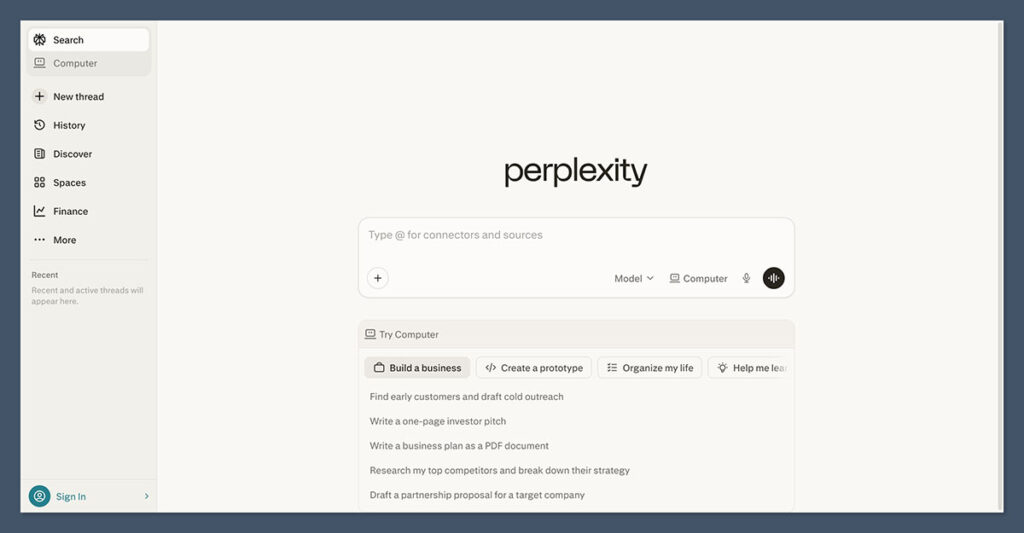
If your workflow starts with gathering evidence, checking sources, or building a research brief from scratch, Perplexity is clearly the stronger tool here. Real-time web search isn’t an add-on for Perplexity; it’s the foundation everything else is built on.
Perplexity’s Research Capabilities
Every query in Perplexity hits the live web by default. You don’t need to toggle anything or switch modes. When I tested it for competitive research queries, it pulled current data without me having to prompt it to search.
Where Perplexity really separates itself is with its Research and Deep Research modes. Deep Research automatically runs dozens of individual searches, reads through hundreds of pages, and then synthesizes everything into a structured report.
On Pro and Enterprise tiers, I’ve seen reports come back with 50 to over 100 citations in under four minutes. For content teams building evidence-backed articles, that’s a massive time saver.
Perplexity also offers focus filters. You can bias results toward academic and scholarly sources, which is useful if you’re building content around industry studies or evidence-based claims. And because every answer surfaces citations inline, I could quickly inspect and vet individual sources before deciding whether to reference them.
Claude’s Research Capabilities
Claude has added built-in web search, and Anthropic positions it as a tool for straightforward, factual queries that can be solved with one or two calls. Think checking a recent news item or verifying a specific detail. It works, but it’s clearly not designed to compete with Perplexity’s depth here.
Anthropic also offers a separate Research feature alongside web search and extended thinking. But third-party tests of AI deep research tools tend to benchmark Claude’s research mode primarily on reasoning quality and summary depth, not on the kind of citation density or SERP-level coverage you get from Perplexity.
In practice, Claude’s web search is more “just-in-time context” than a full research agent. If you need to build a 20-source research brief, you’ll finish faster in Perplexity.
The Winner: Perplexity leads for research and citation-heavy tasks Perplexity’s live web search, Deep Research mode, and dense inline citations make it the better tool for evidence gathering, competitive scans, and building research briefs from scratch.
2. Best for Writing and Drafting: Claude
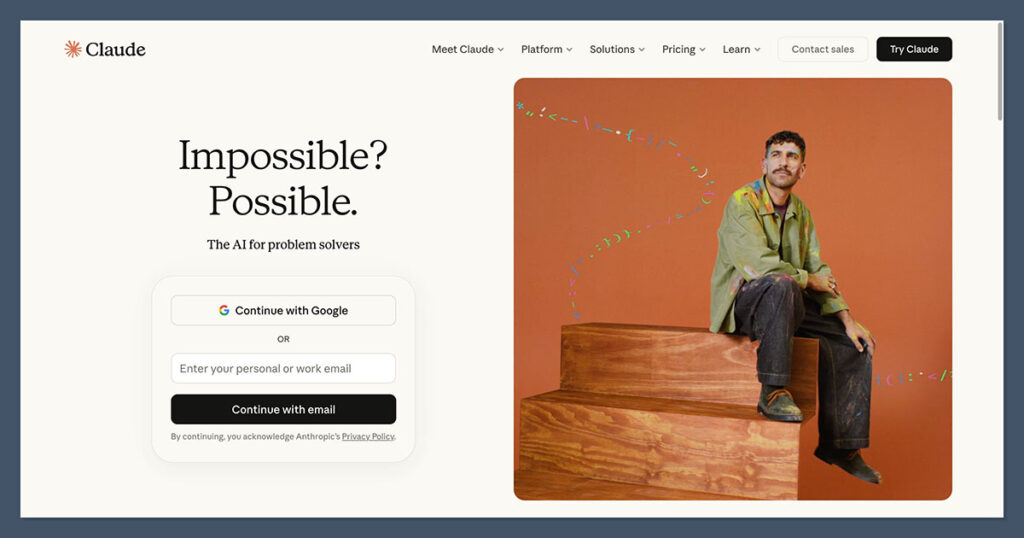
Research is only half the job. Once you have your sources and your brief, you need to turn that raw material into something publishable. This is where Claude consistently outperforms Perplexity.
Claude’s Writing Strengths
Claude is frequently praised for tone control, subtlety, and the ability to restructure complex drafts. In my testing, I fed it a messy research dump and asked it to propose article structures, complete with a table of contents, section hierarchy, and headings tailored to specific search intents. The output was usable with minimal editing.
What makes Claude particularly effective for editorial work is its extended thinking mode. Instead of generating a quick surface-level response, you can give Claude a thinking budget and let it work through a problem step by step. When I needed a nuanced comparative analysis rather than a simple descriptive overview, extended thinking consistently produced more thoughtful, better-structured output.
Claude’s 200k-token context window is also a practical advantage. I could paste in an entire long-form article, a competitor’s piece, and a style guide all in one conversation, and Claude would reference all of it coherently. You don’t need to break your work into fragments or worry about the tool losing track of earlier instructions.
Perplexity’s Writing Capabilities
Perplexity does have a writing feature called Pages, which turns any research thread into a structured, publishable article with sections, headings, and even visuals in a single click. It’s a genuinely useful shortcut if you need a quick first draft backed by live data.
Perplexity is also strong at generating outlines or section-by-section briefs supported by citations, which makes it a solid starting point for SEO and content pieces. But once you move beyond that initial structure and into the actual line-level writing, editing, and narrative shaping, Claude handles it with more precision.
The Winner: Claude produces better long-form content and editorial output Claude’s tone control, extended thinking, and massive context window make it the stronger tool for turning research into polished, publication-ready articles.
3. Best for Reasoning: Claude
Both tools offer reasoning capabilities, but they approach the problem differently, and Claude has a clear edge for tasks that require sustained, multi-step thinking.
How Claude Handles Reasoning
Claude 3.7 Sonnet is a hybrid reasoning model. In standard mode, it gives you fast responses for straightforward tasks. Switch to extended thinking, and it works through problems using a chain-of-thought approach with a controllable thinking budget. You decide how much computational effort the task deserves.
External reviews consistently highlight Claude’s performance on graduate-level reasoning tasks, visual reasoning, coding, and multi-step, instruction-heavy workflows. In my own testing, Claude handled complex article restructuring, multi-layered comparison frameworks, and style-controlled rewrites better than any other tool I tried.
How Perplexity Handles Reasoning
Perplexity integrates reasoning directly into its search workflow. Pro Search and Deep Research break queries into sub-questions, run multi-step searches and code execution, and then synthesize conclusions.
Deep Research also runs on top-tier reasoning models (Opus-class for Max/Pro users), and Perplexity reports benchmark-leading accuracy on external QA and research rubrics.
The difference is that Perplexity’s reasoning is tightly coupled to information retrieval. It’s excellent at “find, analyze, and conclude.” Claude’s reasoning is more general-purpose, which means it handles tasks that don’t start with a search query, like restructuring a 10,000-word document or working through a complex editorial decision.
The Winner: Claude’s extended thinking gives it the reasoning edge Claude’s hybrid reasoning model, controllable thinking budget, and strong performance on complex, instruction-heavy tasks make it the better choice when deep analysis matters more than live data retrieval.
4. Easiest to Use: It’s a Tie
Both Perplexity and Claude prioritize simplicity, but they’re simple in different ways.
Using Perplexity
Perplexity feels like a search engine that also thinks. You type a question, and it comes back with an answer, sources, and follow-up suggestions. There’s almost no learning curve. If you’ve ever used Google, you already know how to use Perplexity.
The workflow tools, Research and Deep Research, are clearly labeled and run automatically once activated. Pages makes it easy to convert a research session into a structured output. The experience is streamlined and task-oriented.
Using Claude
Claude works as a single, conversational workspace. You chat with it, upload files, toggle web search, enable extended thinking, and handle code, all within one long-running thread. It’s more flexible than Perplexity but also requires a bit more intentionality in how you use it.
For content professionals, Claude’s interface pays off once you learn to give it the right context. Feed it a reference article, a style guide, and your research, and it will work with all of that simultaneously. But it does ask more of you upfront compared to Perplexity’s type-and-go approach.
The Winner: Both tools are easy to use in different ways Perplexity is more approachable for quick research tasks with minimal setup. Claude is more powerful once you learn to provide structured context, but the initial learning curve is slightly steeper.
5. Best Features and Ecosystem: Perplexity
When it comes to the breadth of what’s available out of the box, Perplexity packs more into its research-oriented feature set.
Perplexity’s Feature Stack
Perplexity Pro and Max give you access to multiple frontier models. Behind the scenes, it uses Perplexity’s own Sonar model alongside external models like GPT-5.x, Claude Sonnet 4.6+, and Gemini Pro. You can also choose models explicitly when you need to.
Research and Deep Research modes automatically pick the best model combination for a given task, so you don’t need to manage model selection for most research use cases. On top of that, Perplexity offers Labs, Pages, and a computer-use feature for turning results into files, dashboards, or articles.
Claude’s Feature Stack
Claude’s approach is different. All plans (Free, Pro, Team, Enterprise) expose Claude 3.7 Sonnet. Extended thinking is available on paid tiers with control over the thinking budget. Opus and other top-tier models are available on higher-end or API plans for the most demanding reasoning tasks.
Claude emphasizes depth within a single conversational workspace rather than breadth of modes. Web search, file upload, code execution, and extended thinking all layer into one continuous thread. It’s less modular than Perplexity’s approach, but for long-running editorial projects, keeping everything in one place has real advantages.
The Winner: Perplexity offers more built-in features for researchers Perplexity’s multi-model access, automatic model selection, and purpose-built tools like Pages and Deep Research give it a wider feature set for research-driven workflows.
6. Best for Content Workflows: Claude
For content teams and professional writers, the real question isn’t which tool is better in isolation. It’s which one fits more naturally into your production workflow.
Based on my testing, a practical content workflow usually looks like this:
Step 1: Topic and Angle Validation
Use Perplexity to scan current SERPs, news, and industry sources. Assemble a structured brief with citations and competing viewpoints before you start writing.
Step 2: Evidence-Rich Research Doc
Run Deep Research on your main query and key sub-questions. Export the results as a PDF or copy them into your writing environment. This gives you a solid factual foundation with sources already attached.
Step 3: Drafting and Narrative Shaping
Feed the Perplexity research into Claude. Ask it to propose article structures tailored to your audience and search intent. Use extended thinking when you want deep comparative analysis rather than descriptive text.
Step 4: Line-Editing and Style
Let Claude handle tone, clarity, and cohesion passes. You can instruct it to edit for a specific voice while preserving all citations and concrete claims from your research phase.
Step 5: Final Fact Check and Freshness Pass
Do a last Perplexity run on any time-sensitive claims (pricing, model versions, release timelines) right before publishing. Refresh citations as needed.
In this workflow, Claude sits at the center of the actual content production. Perplexity bookends it with research at the start and fact-checking at the end.
The Winner: Claude is the better tool for end-to-end content production While Perplexity is essential for research and verification, Claude handles the heaviest parts of content creation: structuring, drafting, editing, and polishing long-form articles.
How We Tested Perplexity vs Claude
We tested both platforms across real content production tasks, not synthetic benchmarks. Our evaluation focused on the following areas, weighted by their relevance to professional content workflows:
| Category | Weight | What We Tested |
|---|---|---|
| Research Quality | 25% | Depth, accuracy, and citation density when building research briefs |
| Writing Quality | 25% | Tone control, narrative structure, and editorial polish in long-form output |
| Reasoning Depth | 20% | Performance on multi-step analysis, comparisons, and complex instructions |
| Ease of Use | 10% | Onboarding, interface clarity, and learning curve |
| Features & Ecosystem | 10% | Available models, modes, integrations, and workflow tools |
| Content Workflow Fit | 10% | How naturally the tool integrates into a real article production pipeline |
We tested both tools ourselves across multiple content projects to make sure the recommendations here are based on hands-on experience, not just feature lists or marketing claims.
Perplexity vs Claude: Our Verdict
For anyone producing professional content, from blog articles to in-depth guides and comparison pieces, Claude is the more complete AI assistant.
Its writing quality, reasoning depth, and ability to work with large volumes of context make it the tool you’ll rely on most during the actual creation process.
That said, Perplexity isn’t a runner-up you can ignore. Its research capabilities, citation density, and real-time web access make it genuinely indispensable for the stages that come before and after writing. The strongest content workflows use both: Perplexity to investigate and validate, Claude to synthesize, structure, and polish.
If you can only choose one, Claude gives you more versatility. If you can use both, you probably should.

Comments 0 Responses