

Deepswap is a pretty cool browser-based AI tool that can swap faces in videos with really good results.
It’s the top choice for content creators that need high-quality face swaps, although it’s on a pay-per-use model that can get pricey.
After reviewing and testing over a dozen different face swap tools that include DeepFaceLab, FaceFusion, Reface, and FaceMagic, I’m convinced that Deepswap is the way to go for video content, providing you have high-quality footage.
In this review, I’m going to run down all the details about Deepswap’s pricing, features, and performance, so you can decide if its the right fit for your projects.
Why Can You Trust This Review
I’ve tested a bunch of AI face-swapping tools on all sorts of devices and content types, checking how good the output quality is, how fast the workflow is, and even the pricing.
This review goes into the nitty gritty with real-world footage, a rundown of how the credit system works in practice and even the privacy and retention policies of Deepswap – all straight from the horse’s mouth.
This review is packed with:
- Real-world testing with actual real-world footage – not just theory
- A breakdown of what you get for your credits
- A look at how the company protects your privacy
- A straight-up comparison with other face-swapping tools out there
The Good and Bad of Deepswap
What Deepswap is Good At:
- Video-based face swaps – hands down the best I’ve seen
- Easy to use, even for complete beginners
- Loads of features, like image enhancement and cartoon filters
- Supports long videos (up to 30 minutes or 1 GB)
- Up to 6 face swaps in a single clip
- Clear credit system for each feature
What I’m Not So Keen On:
- No free plan or free trial to try it out
- Credit system limits experimentation and big projects
- Data retention policies are all over the shop
- No way to control the resolution of your swapped image – just labeled as ‘HD’
- Privacy policy is out of date from 2021
My Experience With Deepswap
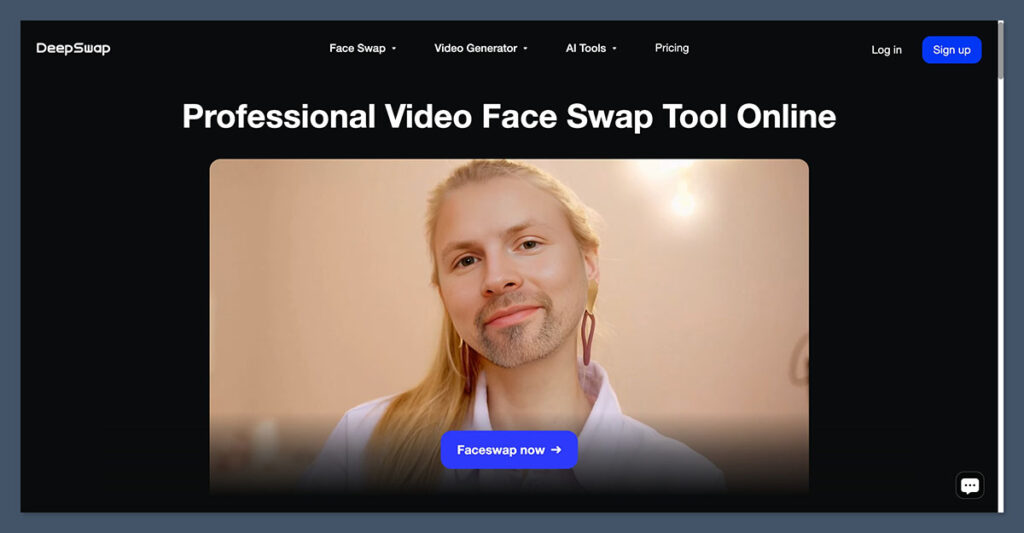
Signing up was a breeze – just needed an email and password. The dashboard is easy as pie to navigate, with each tool clearly labeled.
Uploading content is lightning fast and the interface is pretty intuitive – obvious where to upload a target face and how to apply it.
What caught my eye:
- I was able to upload 5 files at once
- The system processed a 15-second video in under a minute
- Preview images showed the before and after side-by-side
- Re-editing without starting from scratch was a real time-saver
Still, with lower quality footage or footage that moves fast, Deepswap’s results quickly drop off. It needs high-quality inputs to deliver results that impress.
How Deepswap Pricing Works
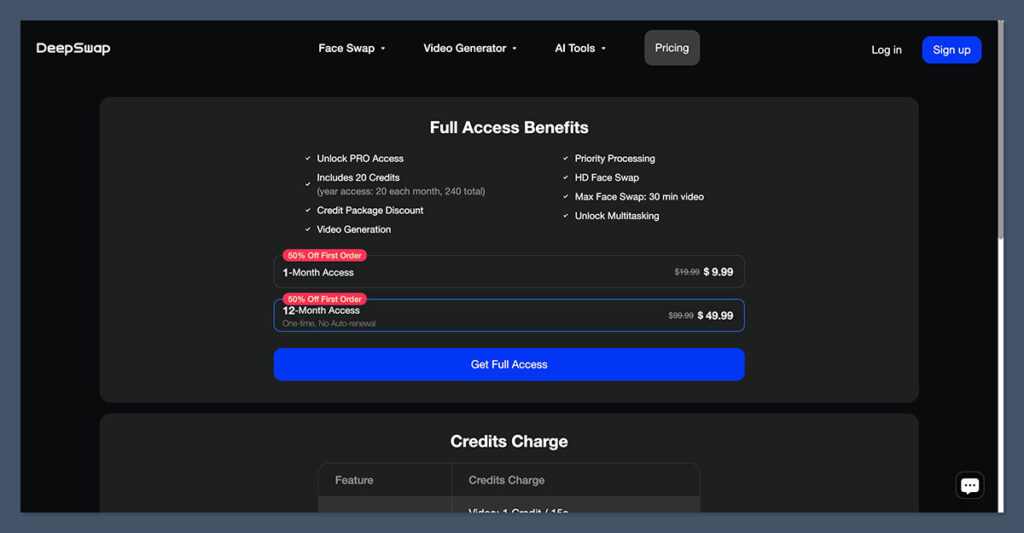
Unlike most other platforms that charge monthly for unlimited access, Deepswap uses a credit-based pricing system.
You pay for a subscription, and each edit consumes a set number of credits depending on the feature.
Subscription Options
Subscription Options
| Plan | Price (USD) | Credits Included | Notes |
| Monthly | $9.99/month | 20 credits | Recurring billing |
| Annual | $49.99/year | 240 credits | Price doubles to $99.99 after year one |
Credit Usage Table
| Feature | Credits Used |
| Video face swap | 1 credit per 15 seconds |
| Photo face swap | 0.1 credit |
| GIF face swap | 1 credit |
| Image-to-video generator | 1 credit per 5 seconds |
| Text-to-video generator | 1 credit per 5 seconds |
| AI image enhancement | 0.1 credit per photo |
| AI Girl generator | 0.2 credits per image |
| Video extend tool | 1 credit per 5 seconds |
What That Gets You
Here’s roughly how 20 credits will go:
- Up to 5 minutes of video swaps (20 credits ÷ 1 per 15 seconds)
- 200 image swaps
- 20 GIF swaps
- 100 seconds of AI-generated video
It’s a pretty good amount for casual users to experiment with, but for daily workflows and larger projects, the cost really stacks up. You can’t swap a 10-minute video without using your whole monthly credit allotment.
Upload Limits & Formats
Deepswap supports standard video, image, and GIF file types, and the upload limits are pretty generous for a web-based tool.
Upload Limits
| Media Type | Max File Size | Max Duration |
| Video | 1 GB | 30 minutes |
| Photo | 20 MB | N/A |
| GIF | 20 MB | N/A |
| Batch Upload | Up to 5 files | N/A |
You can edit up to 6 faces in a video, which really comes in handy when working with group scenes or ensembles.
Just keep in mind that some older Deepswap blog posts still mention a 500mb limit – so always double check your limit in your own account.
Easy Peasy – Workflow & Ease of Use
I found Deepswap a total breeze to use – no technical skills required. Everything is super clear and well labellled.
Here’s the basic process:
- Upload your stuff (video, image, or gif)
- Upload the face you want to swap in
- Pick the faces to replace
- Hit “Generate” and wait for it to churn out some magic
The processing time is usually under a minute for short clips or still images – and you get a side by side preview and a download link to boot.
Tips for Getting The Best Results
- Use well lit footage or risk your faces looking all fuzzy
- Make sure your faces are nice and clear – no obstructions or clutter
- Try to avoid side on angles and motion blur
- If you can, shoot at 1080p or better
The quality of your footage is key – poor quality stuff will result in flickering, warping or faces not tracking right. The tool is smart, but it’s still only as good as the input you give it.
HD Output – But What Does That Mean?
Deepswap says their output is “HD” but they won’t say exactly what resolution that means.
There’s no option to change the bitrate or upscale to 4k, but still – my output videos looked sharp and clean when the input was good quality.
No compression artifacts or colour loss to speak of. But this is not a movie quality AI tool – it’s designed for social media, YouTube and web level quality.
Ideal Test Scenarios
Want to test it out before committing? Try these scenarios:
- A short clip of a person talking with nice soft lighting
- A mid shot scene with a bit of head movement
- A group shot with a bunch of people all facing the camera
- A gif test to see how well it handles all the frames
These will give you an idea of how Deepswap handles real world problems.
The Extras – Other AI Tools
While face swapping is the main game, Deepswap bundles in some extra AI tools that can be quite useful
The Bonus Tools
- Enhance: makes your photos look a bit sharper
- Background Removal: takes the background out of a picture
- Cartoonize: adds some comic style effects to your image
- AI Girl: gives you a stylized or anime style image
- Video Generator: creates a video from an image or some text
These cost 0.1 – 0.2 credits each and can be a big help for thumbnails, promo videos or creative posts. They’re simple, but get the job done.
Your Data – What Happens To It?
This is the part where things get a bit murky
The Privacy Policy
- Files are only stored as long as you’re using the service
- Stored on Irish servers
- May be accessed by local authorities if needed
The Help Centre
- Uploads are stored for 30 days
- Generated content is stored for 7 days
- Download your results ASAP!
These don’t match up exactly. If you’re worried about your data, just assume that all uploads are stored for a while.
Deleting Your Stuff
- You can manually delete your content from your dashboard
- Full account deletion gets rid of all your uploaded and generated media
- Support can help with custom deletion requests
No auto delete toggle or strict retention control panel here.
Refunds & Failed Generations
Deepswap does offer some refunds and automatic credit returns for failed tasks
Refund Policy
- You have 7 days to ask for a refund
- You can’t have used any credits
- No refunds for partial credit use or expired subscriptions
Failed Generations
- If a video or image fails, credits get returned automatically
- You can check your credit history from your account page
Deepswap’s refund system is nice and clear – but a bit strict. If you forget to cancel or make a mistake, you’re unlikely to get any compensation.
How Deepswap Compares To The Competition
Deepswap vs FaceMagic
| Feature | Deepswap | FaceMagic |
| Video Length | Up to 30 mins | Under 2 mins |
| Multi-face Swap | Yes (6 faces) | No (1–2 faces) |
| Credit Model | Yes | Subscription only |
| Free Tier | No | Limited free plan |
| Mobile App | No | Yes (iOS/Android) |
Deepswap vs Open Source Tools
| Feature | Deepswap | DeepFaceLab |
| Setup Time | None | High (technical) |
| Quality | High (HD) | Very high (4K+) |
| Speed | Fast | Slow (GPU required) |
| Privacy | Cloud-based | Local-only |
| Cost | $9.99/month | Free |
Open-source tools: they’re the powerhouses of video editing but, you know, they come with a bit of a catch – you need to be willing to put in the time to learn them and also be prepared to shell out for the hardware.
Deepswap: The Verdict
If your number one priority is getting that perfect video swap, and you don’t mind working to a credit budget, then Deepswap is probably one of the best options out there today.
It’s great with long videos, handles multiple faces no problem and, most importantly, gives you a seriously smooth finish with what you put in.
Who Deepswap is Perfect For:
- YouTube creators who want to get creative with their video content
- Meme or parody people who love to get in on the fun
- Marketing teams working on video projects
- Short-form video editors who work with confidence
Who Should probably Look Elsewhere:
- People with footage that’s not exactly going to win any awards in the quality stakes
- Agencies with super strict rules around data privacy
- Anyone who’s looking for a good old-fashioned free trial, or who just wants to use it whenever they like
If you know what you’re doing and can plan your projects from start to finish, then you should get some top-notch results from Deepswap.
On the other hand, if you like to play it by ear, or need some peace of mind with your data security, then maybe one of those local tools is a safer bet

1.9/5 rating on trust pilot – that speaks volume
😬😬