

Everyone knows I have a bit of a love-hate relationship with AI detection tools, and I don’t think I’m the only one at this point. They can be very useful, particularly if you’re a bit more skeptical when it comes to deciding whether anything you read was actually produced by a human these days.
Most of the tools I’ve used in the past tend to focus on analyzing larger chunks of content, like essays, interviews, or blog posts, but there are a handful out there that can also check shorter bits of text, like social media posts on X.
I actually think that’s a really good use case for AI detectors, honestly, particularly when about 76% of Americans alone think it’s very important to know if the videos, pictures, or text they’re reading on social come from people or bots. Social media “opinions” and comments aren’t automatically trustworthy anymore.
Still, not every detector is going to give you insights you can trust, so these are the ones I’d actually recommend using if you’re sick of second-guessing everything you see.
The Best AI Detectors for X (Twitter)
I couldn’t really test these tools the same way I’d test something designed to flag AI content in longer-form copy. A lot of systems do perfectly well with something over 300 words, most tend to struggle when copy gets a lot shorter. So, I focused on a few things:
- How well does it work on X? Does it plug into the platform or use an extension?
- Is it quick enough when it’s scanning posts?
- How does the tool label posts when it detects AI? What does it tell me?
- Can it detect AI assisted copy as well as stuff that’s fully machine generated?
- How often does it struggle with false positives?
I really did care about that last factor, because honestly, I’m tired of most detectors defaulting to assuming everything is GPT-infused. I don’t want to accuse people of depending on ChatGPT when they actually wrote something themselves.
Here’s the quick short-list.
| Tool | Best for | X workflow | Why it made the list | The catch |
|---|---|---|---|---|
| Pangram | Best overall | Real-time Chrome labels on X | It scans X, LinkedIn, Substack, Medium, Reddit, and Google Docs, then shows how much of your feed looks human-written versus AI-generated. | Tiny posts are still awkward. That’s true for every detector. |
| TweetDetective | Best X-only paid checker | Chrome extension with tweet-level AI probability | It’s built for Twitter/X, shows a probability score inside the feed, and claims to catch over 97% of AI texts. | Its own site says those numbers come from longer text. X is not famous for long text. |
| AI Tweet Detector | Best lightweight experiment | Chrome extension for X/Twitter | It adds AI badges to tweets, can hide or collapse posts above a threshold, and uses Hugging Face or GPTZero. | Very small adoption and not enough proof yet. I’d play with it. I wouldn’t build a moderation process around it. |
1. Pangram: Best AI Detector for X Overall
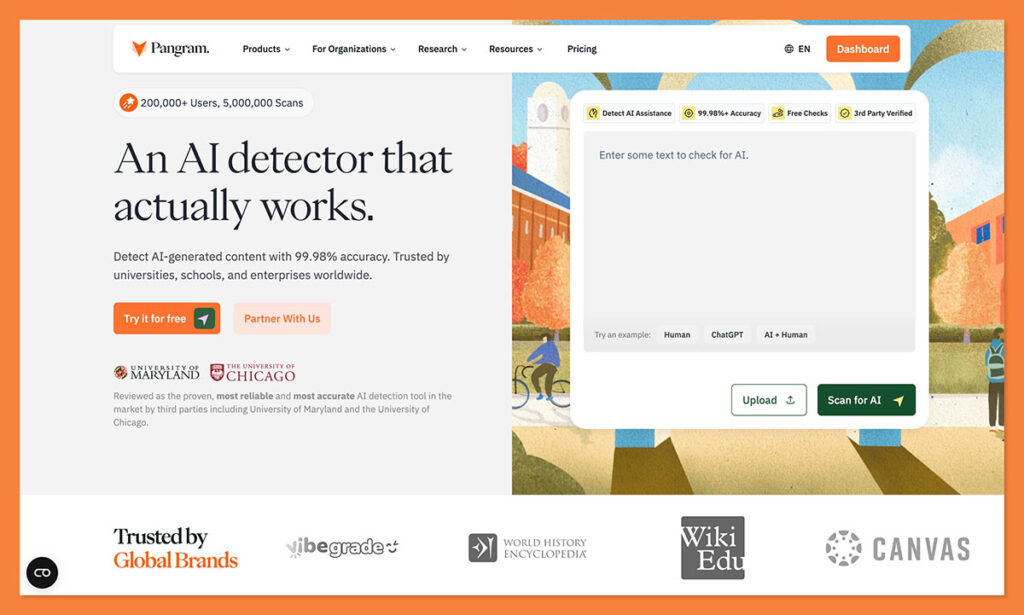
Starting price: Free plan with 4 credits per day, then $20 per month for 600 credits
AI writing detection: Yes
Works on X: Yes, through the Chrome extension
Best for: People who want AI labels inside the feed
Pangram has been my favorite AI detector for a while now for a few reasons. It’s incredibly good at catching all kinds of machine-made content, it can even tell you if a piece of writing is “AI-assisted”, and whether someone’s tried to clean up some AI slop by humanizing it.
It also doesn’t automatically assume everything is AI. According to reports from Chicago Booth, Pangram makes virtually no mistakes when it comes to incorrectly marking human writing is AI. Personally, I’ve had great results with it too, it’s false positive rate is practically non-existent.
What makes it great for X is the handy Chrome extension. You just add Pangram to your browser, and it can label content as “human”, “AI” or “AI-assisted” as you scroll through your feed. You can also highlight anything else you see on the web to check for AI content, and you can open a side bar to get a sort of “AI/human” percentage score for everything on your feed.
Pros:
- Real-time labels for human, AI, and AI-assisted content
- Very easy to install and use
- Great levels of accuracy
- Feed health sidebar for a breakdown percentage of AI/human content
- Strong false-positive record
Cons:
- You’ll need the paid plan if you’re going to use it regularly
- Can still sometimes struggle with really short posts
2. TweetDetective: Best X-Only Paid AI Tweet Checker
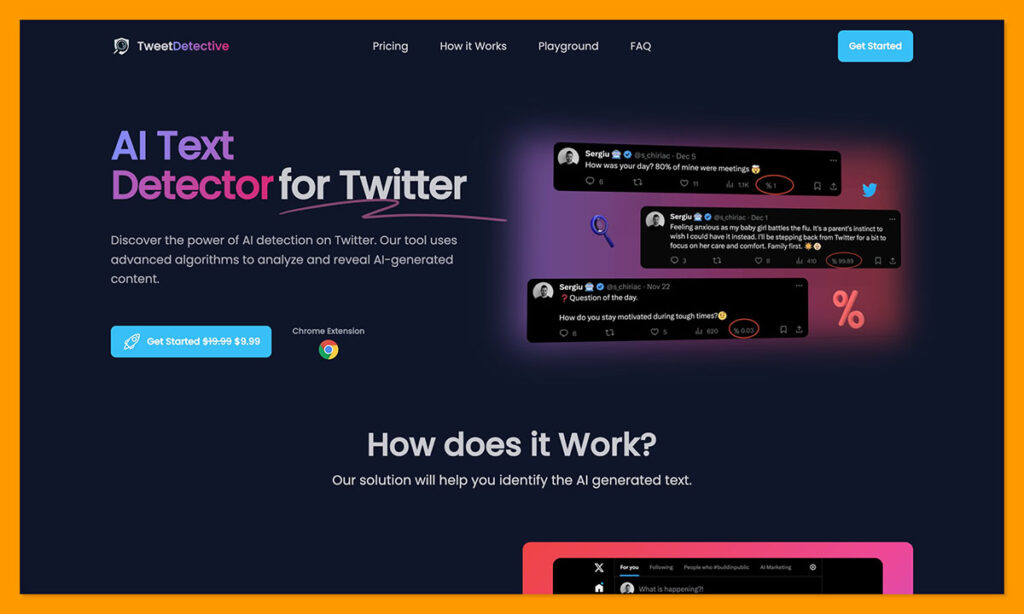
Starting price: $19.99/month, discounted to $9.99/month at the time I checked
AI writing detection: Yes
Works on X: Yes
Best for: People who only want tweet-level AI detection on X
TweetDetective is one of the most “niche” tools I tried. Unlike Pangram, it’s not focused on finding AI influence in all kinds of content, it just focuses on social media posts, specifically, X posts. It’s pretty simple to use. Once you buy access, you can install the Chrome extension, save your API key, and start watching your feed for AI text.
The tool gives you a “percentage score” for each post, so you can see exactly how likely it is to be machine-generated, according to the system’s AI analysis. From what I can tell, it’s pretty accurate (about a 97% accuracy score on average).
Still, it’s false positive rate can be pretty high, particularly if you’re looking at mixed-media posts with images and text in the same place. Plus, at the moment, it only supports English, so if you have a global contact list, you’re going to miss a few things.
Pros:
- Built specifically for Twitter/X
- Handy probability score appears inside the feed
- Reasonably good accuracy rate of 97%
- Constant updates as part of the subscription
- Very fast workflow
Cons:
- No free plan
- You need an API key
- Not so great at avoiding false positives
3. AI Tweet Detector: Best Lightweight Experimental Option
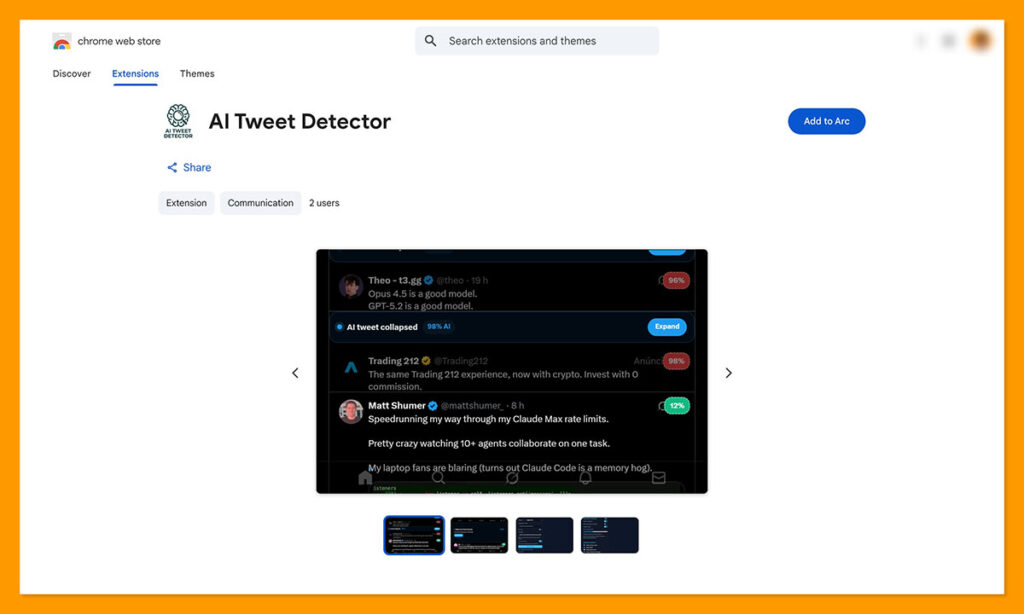
Starting price: Free via Chrome Web Store
AI writing detection: Yes
Works on X: Yes
Best for: People who want a basic AI warning label on tweets
This is pretty similar to “Tweet Detective” really, but you can use it for free. You install the chrome extension, save your API key, then start scanning through your social feeds. Like the other tool, this one gives you a percentage score showing how likely something is to be AI-generated, with color coding this time.
Apparently, it uses GPTZero or Hugging Face, so you can expect about the same level of accuracy you’d get from both of those tools. Trouble is, I don’t think it’s hugely accurate. After scrolling through a feed for quite a while, I saw almost no posts that had a “0%” AI score. It’s hard to believe absolutely everyone is using AI in some way.
I think this is the kind of lightweight, experimental tool most people will like using if they just want a quick read on which posts they should be a little more skeptical about. Still, I wouldn’t recommend trusting it 100%, or accusing anyone with it based on the percentage score alone.
Pros:
- Free to use
- Built for X/Twitter
- Can collapse tweets above your chosen threshold
- Lets you use Hugging Face or GPTZero
Cons:
- May not be 100% accurate
- Still pretty experimental
Pangram Is the Best AI Detector for X
I know it probably seems odd that I’d recommend Pangram over extensions that were clearly made just for the job of detecting AI-infused content on X, but it’s really the tool I trust most.
It can still make mistakes, obviously, but that’s true of any AI detector, and that’s also why I always tell people to trust their own judgement before they go out accusing anyone of anything, or assuming that something is totally human written.
Still, Pangram does the best job at finding AI content quickly on the web, without trying to convince you that there’s absolutely nothing out there you can trust. If you really want to get a good read on how much GPT slop is clogging up your feed, without taking too many risks with false positives, Pangram is worth it.

Comments 0 Responses