

Serif AI is a lightweight email assistant designed for busy founders, solo operators, and lean teams.
It connects directly to Gmail or Outlook and works in the background to help organize emails, write replies, and schedule meetings — without changing how you use your inbox.
In this review, I’ll cover what Serif AI does, how it works in real inboxes, its pricing and security setup, and how it compares with other AI email tools.
Why you can trust this review
This review is based on weeks of hands-on testing using a real Gmail account, sending and replying to live messages, testing calendar connections, and uploading personal company data to train the AI assistant.
I’ve also reviewed the official product documentation and tested competitors like Superhuman, SaneBox, and Front for context.
Let’s get into it.
Serif AI: At a Glance
| Rating | Use Case | Price Range | Best For |
|---|---|---|---|
| 4.3 out of 5 | Inbox drafting and scheduling | $20–$50/month | Founders and small teams |
| Review Count | Platforms | Draft Control | Setup Required |
| 2 public reviews | Gmail and Outlook | Manual review | 5-minute integration |
Serif isn’t trying to be a shared inbox tool or a full-blown email CRM. It works more like a personal executive assistant that writes draft replies, organizes your inbox, and helps with scheduling.
It’s best for professionals who want help managing high-volume inboxes but don’t want to fully automate replies or outsource communication.
My Experience Using Serif AI
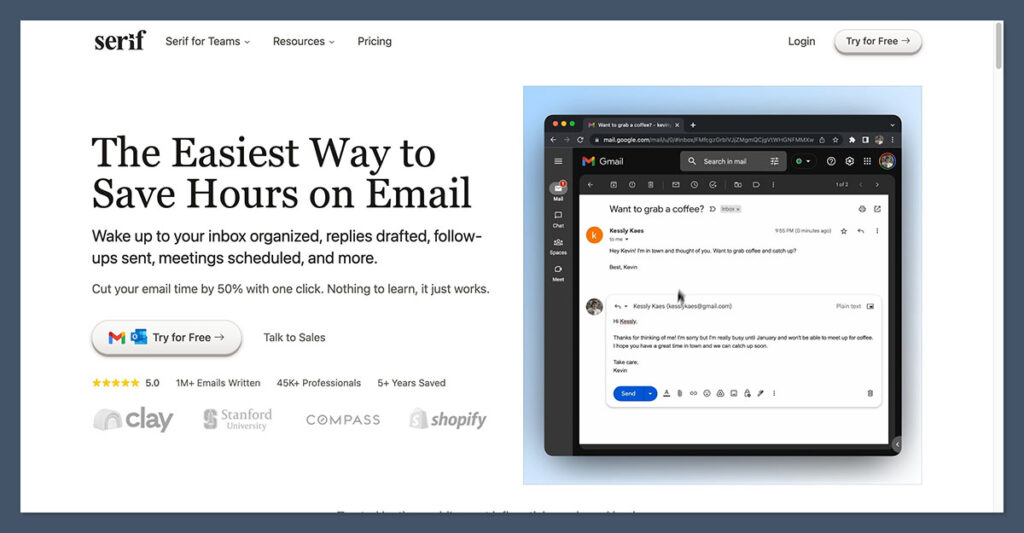
When I first set up Serif AI, I connected it to my Gmail account. The setup took less than five minutes and didn’t require any special permissions beyond standard email access.
After connecting my account, the assistant began generating draft replies inside Gmail without needing me to use a new interface or dashboard.
Here’s what I experienced:
Seamless setup
- I signed in with my Google account
- Connected my calendar for scheduling
- Received a confirmation email and was done within minutes
Drafts where you need them
Serif created drafts inside Gmail, labeled appropriately based on topic or urgency. It never auto-sent anything — I always had full control over what went out.
Assistant scheduling
I tested the assistant’s ability to handle scheduling emails. By forwarding a thread to my assistant email (e.g., [email protected]), the AI drafted a full scheduling reply and included calendar times based on my availability.
Custom tone training
After a few days, I uploaded a few company policy PDFs, templates, and previous email threads into the dashboard. The assistant adjusted its tone and structure in draft replies to reflect how I write — including specific phrasing and call-to-action language I regularly use.
It wasn’t perfect out of the box, but with a bit of guidance, it got impressively close.
Key Features of Serif AI
Serif keeps things simple and focused. It doesn’t overwhelm you with tools. Instead, it focuses on doing three things well.
1. Drafting Email Replies
Serif automatically drafts replies to incoming emails based on:
- Your past replies
- Uploaded documents (like tone guides, policies, templates)
- AI language modeling tuned to your writing style
Replies land in your Drafts folder in Gmail or Outlook. You edit and send when you’re ready.
2. Inbox Organization
Serif applies labels based on topic, urgency, or sender. It filters out spam, promotions, and repetitive outreach that clutters your inbox.
This worked well in my testing. Cold sales pitches, PR spam, and notification-style emails were automatically moved to low-priority folders. Genuine leads and partner messages remained front and center.
3. Scheduling via Forwarding
If you’re dealing with back-and-forth meeting coordination, Serif helps. Simply forward the thread to your assistant email address. The AI checks your connected calendar and drafts a reply suggesting times.
This feature is optional but can save several minutes per conversation when booking meetings.
Pricing and Plans
Serif AI offers two plans. Both include a free trial that gives you full access to features before you commit.
| Plan | Price (USD) | Processed Emails | Accepted Drafts | Email Accounts |
|---|---|---|---|---|
| Essentials | $20/month | 4,000 | 100 | Up to 5 |
| Pro | $50/month | 7,500 | 300 | Unlimited accounts |
I used the Essentials plan during testing. It covered my usage well. However, if you handle multiple high-volume inboxes or accept a large number of drafts daily, the Pro plan may be worth the upgrade.
The pricing is usage-based. You pay more if you use more. That makes it ideal for teams looking to scale gradually, but heavy users may hit limits quickly.
Privacy and Security
Privacy is a major concern when it comes to giving any AI access to your inbox. Serif makes strong claims about its privacy model, though a few certifications are still in progress.
What Serif Does Well
- Emails are not stored on their servers
- Data is not used to train general AI models
- Learning data is encrypted at rest
- Google Workspace verified
- CASA Tier 2 accredited
- Completed a third-party security audit
Still Pending
- SOC 2 Type 2
- GDPR
- HIPAA
These items are marked as “in progress” on the website. If you’re evaluating Serif for use in a regulated industry, I recommend reaching out for up-to-date documentation and clarification from their team.
What I Like About Serif AI
✔️ Drafts appear directly in Gmail or Outlook, no new interface
✔️ Smart labeling that actually works
✔️ Scheduling via forwarding is fast and accurate
✔️ Custom training with PDFs and tone docs is a standout feature
✔️ Privacy approach is transparent and thoughtful
What I Don’t Like
❌ Still very few user reviews available
❌ No shared inbox or team collaboration features
❌ Compliance badges like GDPR and HIPAA are still pending
❌ Usage-based pricing might be limiting for high-volume senders
Is Serif AI Good Value for the Money?
If you manage a lean inbox and want help drafting replies, the $20 Essentials plan is a good deal. You can connect up to five email accounts and let Serif work quietly in the background. It removes a ton of mental friction and saves serious time.
The $50 Pro plan makes sense for people managing multiple accounts or teams, though keep in mind that team features are limited at this stage.
Alternatives to Serif AI
Serif AI has a focused use case: help individuals manage emails smarter, not replace them. That said, there are several tools worth comparing if you’re looking for something broader.
| Tool | Best For | Key Features |
|---|---|---|
| Superhuman | Speed and shortcuts | Instant commands, AI drafts, fast UX |
| SaneBox | Inbox filtering | Auto moves low-priority emails |
| EmailTree | Smart replies and automation | AI replies, workflows, and templates |
| Front | Team collaboration | Shared inboxes, internal notes, routing rules |
| Mailbutler | Email enhancement tools | Tracking, templates, notes, task integrations |
If you just want triage and cleanup, SaneBox is great. If you need deep collaboration features, Front is worth the higher price point.
But if you want fast drafting and inbox help, directly inside Gmail or Outlook, Serif AI is a strong contender.
Final Thoughts: Should You Use Serif AI?
Serif AI offers a clean solution for busy professionals who want help with their inbox without giving up control. It doesn’t auto-send, it doesn’t replace human interaction, and it doesn’t demand a new workflow.
It’s a focused, privacy-conscious assistant that handles the repetitive parts of email so you can focus on more important work.
If you:
- Spend more than 1 hour per day on email
- Manage multiple inboxes or leads
- Want to reduce mental fatigue from replying to repetitive messages
Then I recommend trying the free trial. Just make sure to upload training docs early so you get the most accurate drafts possible.

Comments 0 Responses