

There are loads of AI design tools doing the rounds these days, and I’ve had the chance to try out a bunch of them.
Some are mightily impressive but end up overcomplicating things, while others are annoyingly simple but lack real punch.
Hotpot AI, however, is one I kept hearing about, especially from people who’d used it for some slick image editing and AI-generated art. I spent an age working with it to see if it’d really live up to the hype.
This review is a rundown of everything I’ve experienced using Hotpot AI.
From the features and pricing to the pros and cons, and how it stacks up against the competition – here’s the lowdown on what you need to know before taking the plunge.
What is Hotpot AI About?
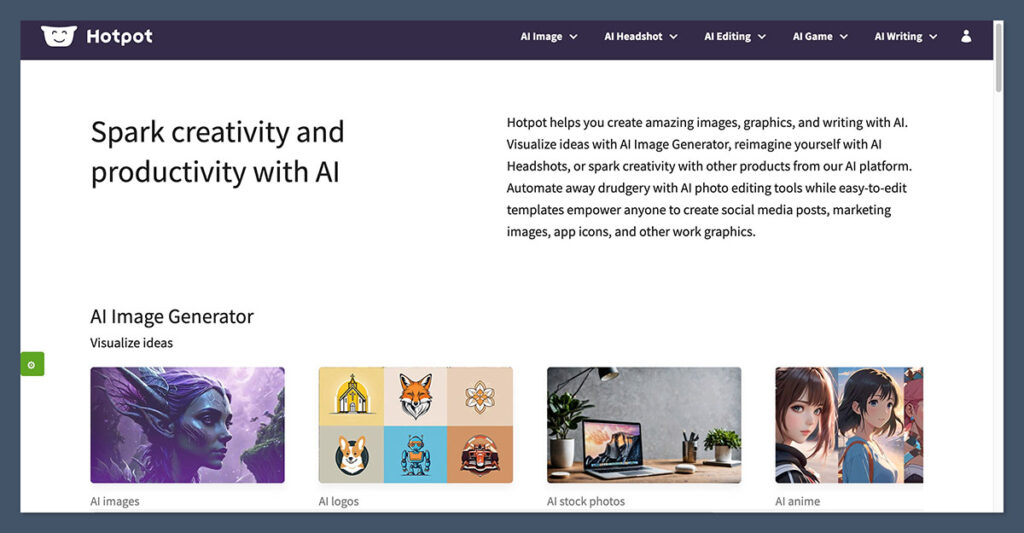
Hotpot AI is a web-based AI tool designed to help people whip up and enhance visuals using AI.
It’s essentially your one-stop-shop for generating graphics, editing images, restoring photos, taking the background off pictures and even creating headshots – all using templates and AI models.
And yes, it’s not just for designers – I think it’s actually perfect for people who aren’t super clued up on design but need some decent visuals for business or marketing.
Hotpot AI’s got a super simple interface and you don’t even need to download anything – the whole thing runs straight from your browser.
Key Features of Hotpot AI
Here’s a rundown of the most useful features I got to try:
- AI Art Generator: You can turn some text prompts into artwork using this tool – think DALL-E or Midjourney.
- AI Image Enhancer: This will automatically sharpen, upscale and improve image quality.
- Background Remover: Get rid of product images or portrait backgrounds in seconds.
- AI Headshots: Generate photorealistic headshots for professional use.
- Photo Restoration: Bring old, blurry or damaged photos back to life.
- AI Object Remover: Knock objects or people out of an image in a snap.
- Colorization Tool: Turn your black-and-white photos into colour.
It all runs from a single dashboard, and the interface is based around templates so it’s not overwhelming even if you’ve never used a creative tool before.
What Sets Hotpot AI Apart?
There are loads of AI image editing tools out there, but Hotpot AI finds a sweet spot in the middle.
It’s not trying to be Photoshop, and it’s not just another AI image generator. What makes it stand out is how it bundles all the essential visual tools in one place, while keeping things nice and simple.
Why I Think it’s Different
- It’s user-friendly: Most tools like this get confusing fast, especially when you start working with AI prompts. Hotpot AI stays nice and easy to use, with templates to guide you.
- It’s built for speed: Whether you’re generating AI art or enhancing an image, the whole process is fast and doesn’t require much from you.
- Template-based workflow: Every tool from headshot generation to background removal is based around guided templates. You just fill in a few prompts, upload an image or click a few buttons.
- Focused on non-designers: I noticed it’s aimed at marketers, solopreneurs and content creators rather than professional graphic designers. If you’re trying to save time without hiring a designer, it’s a good bet.
That being said, the quality of the output depends a lot on the task.
While the AI image generation was solid for marketing and web use, it’s not on the same level as Midjourney if you’re after some seriously stunning, gallery-quality artwork.
Pros and Cons of Hotpot AI
Like every tool, Hotpot AI comes with trade-offs. I’ve used it for everything from photo edits to AI-generated headshots, and here’s what I’ve got to say – the good and the bad.
Pros
- No design experience needed: You don’t need to know the first thing about layers, masks or image compression – just follow the template.
- Multiple tools in one: Instead of using five different sites, Hotpot AI offers art generation, photo editing, enhancement and restoration tools all in one place.
- Affordable pricing: Compared to hiring a designer or paying for Adobe products, Hotpot is a total bargain.
- Fast image rendering: The results come back in seconds, especially for image editing tools.
- No software installation: Everything just runs in the browser.
Cons
- Limited creative control: The AI tools are template-driven. If you’re after total control over every pixel, this isn’t the right tool.
- Mixed results with AI generation: Some of the AI-generated images look great, while others are just a bit off or even distorted.
- Watermarks on free plan: If you’re using the free version, your images will have big fat watermarks all over them.
- No collaboration features: This isn’t built for teams – it’s a solo tool.
Real User Feedback: What People Say About Hotpot AI
To get a better feel for the bigger picture, I dug through reviews on Product Hunt, Reddit, and Trustpilot. Here’s a rundown of what I found – the common feedback that just kept popping up from other users.
The Good Stuff
- Easy peasy: Over and over again, users were raving about how simple the tool is to use – especially for tasks like pulling backgrounds out of images or just giving a photo a quick polish.
- Fantastic value: Even on the free plan, people found Hotpot AI to be a lifesaver for basic visual tasks.
- Solid AI art quality for the price: While it’s not the most advanced AI art generator out there, Hotpot AI gets the job done for a budget-friendly price.
The Not-So-Good Stuff
- Unpredictable AI outputs: Some users felt that the AI was just a bit too wild, especially when they were using vague keywords.
- Limited advance editing tools: Experienced designers and editors were looking for more creative control, or at least some Photoshop-like features.
How Does Hotpot AI Stack Up Against Other AI Tools?
There are heaps of AI tools out there for design and image generation, so I took a closer look at how Hotpot AI compares to some of the big names.
Feature Comparison Table
| Tool | Ease of Use | Image Quality | Free Plan | AI Editing Tools | Price Range |
| Hotpot AI | 9/10 | 7.5/10 | Yes | Yes | $10–$50/month |
| Midjourney | 5/10 | 9.5/10 | No | No | $10–$60/month |
| Canva AI | 9/10 | 8/10 | Yes | Limited | $0–$14.99/month |
| Photoshop Generative | 6/10 | 9/10 | No | Yes | $22.99/month |
| Playground AI | 7/10 | 8.5/10 | Yes | No | $0–$30/month |
Hotpot AI vs Midjourney
Midjourney can crank out high-quality, artistic images with crazy levels of detail, but it’s a total pain to use, requires Discord and doesn’t have any editing tools. Hotpot AI is way easier for newbies and has some pretty useful editing features, but the art just isn’t as sharp.
Hotpot AI vs Canva AI
Canva is great for layouts and presentations, but its AI features feel a bit watered down compared to Hotpot’s image enhancement and restoration tools.
Hotpot AI vs Photoshop
Photoshop’s Generative Fill is super powerful but also super intimidating – you’ve got to have some serious skills to get the best out of it. Hotpot is way faster and simpler for most tasks, though.
Pricing: Is Hotpot AI Worth Paying For?
Hotpot AI comes with both a free version and several paid options. The pricing is based on credits – you use ’em to generate or edit images.
Free Plan
- Limited credits
- Watermarked images
- Good for just trying out the tools
Paid Credits
You can buy credits without a subscription or go for a monthly plan – it’s pretty flexible.
| Plan Type | Price (USD) | Credits Included |
| Starter | $10/month | 1,000 credits |
| Professional | $20/month | 2,500 credits |
| Premium | $50/month | 7,000 credits |
| Pay-as-you-go | From $5 | Varies by amount |
As for me, I found that 10/month gets you a pretty good amount of output – especially if you’re using the image enhancement or background remover tools.
Who Should Use Hotpot AI (And Who Shouldn’t)
Good For:
- Solo entrepreneurs who just need some quick visuals for social media or ads
- eCommerce store owners who want to clean up product photos or remove backgrounds
- Digital marketers who need to crank out content fast without hiring designers
- Beginners who just want a super simple image editing tool without getting overwhelmed
Not So Good For:
- Professional designers who need that deep layer-based editing or the works – no team features or collaboration tools, sadly
- Agencies with multiple clients (no team features or collaboration tools)
- People after super high-end AI artwork – Midjourney is probably your better bet
My Verdict: Legit, or Just Hype?
After a few weeks of using Hotpot AI I can honestly say it’s a real game-changer – but you gotta know what you’re getting out of it.
Don’t go in thinking it’s going to completely replace a team of designers or a powerhouse like Photoshop, that’s just not what it’s meant for.
But when you need a quick fix, some AI generated art or a swift edit on a product photo or headshot – then Hotpot AI is the perfect tool for the job.
It’s dead easy to use, won’t break the bank and is super flexible – which makes it ideal for somone who needs speed and simplicity rather than total control.
If you value getting things done fast and without too much fuss then Hotpot AI is well worth checking out.
Final Verdict
Hotpot AI isn’t trying to be the next Photoshop or Midjourney – its aim is speed, simplicity and being practical.
If you’re running a small business, selling online or just need some decent visuals fast without the steep learning curve, then this tool does exactly what it says it’ll do.
That’s my take on Hotpot AI. Give it a test run, see how it fits into your workflow and decide for yourself if the results meet your standards.

Comments 0 Responses