

Slidesgo and Prezi are two popular tools in the presentation space, but they’re not designed to do the same job.
After testing and using both tools extensively, I can confidently say that choosing between them comes down to what kind of presentation workflow you need.
If your goal is to create attractive slides quickly using tools you already know, Slidesgo is the better fit.
But if you want to present in a more dynamic and interactive way, with tools like embedded video and analytics, Prezi is the stronger choice.
In this guide, I’ll break down exactly how Slidesgo and Prezi compare, covering features, pricing, AI tools, usability, and when to use each.
Slidesgo vs Prezi: Quick Verdict
Slidesgo – Best for quick, polished templates you can edit in PowerPoint or Google Slides
Prezi – Best for delivering interactive presentations and video-based storytelling
Let’s take a closer look at both tools and how they perform side by side.
Quick Comparison: Slidesgo vs Prezi
Here’s a side-by-side overview of Slidesgo and Prezi across key categories:
| Category | Slidesgo | Prezi |
|---|---|---|
| Core Function | Template library and AI deck generator | Interactive presentation and video tool |
| Editing | Google Slides, PowerPoint, Canva | Inside Prezi platform (browser and desktop) |
| AI Features | AI-powered presentation generator | None |
| Best For | Fast slide creation using familiar tools | Engaging, non-linear storytelling and video presentations |
| Free Plan | Yes, with attribution | 14-day free trial only |
| Premium Pricing | From $5.99/month | From $7/month |
| Analytics | Not available | Available on Premium plan |
| Learning Curve | Very low | Moderate |
Best for Templates and Speed: Slidesgo
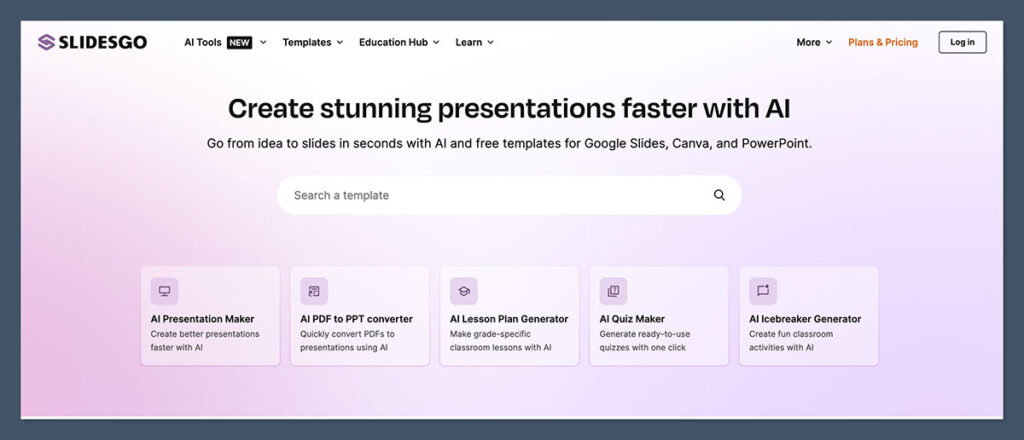
Slidesgo is ideal if you want to create good-looking slides without spending much time designing them. It gives you access to more than 15,000 templates that you can edit directly in Google Slides, PowerPoint, or Canva.
You don’t have to learn a new platform because everything happens in the software you’re already using.
In my experience, Slidesgo is particularly useful for students, teachers, marketers, and small businesses who need to create presentations quickly and make them look polished.
The process is simple: choose a template, download it, and start editing.
What makes Slidesgo even more efficient is the built-in AI presentation maker. This tool can generate a complete slide deck based on your prompt.
For example, if you type “2024 Marketing Strategy for Ecommerce,” the tool will auto-generate a relevant theme, content structure, and placeholder slides you can immediately start working with.
Slidesgo is a good fit if you:
- Need a ready-to-edit presentation within minutes
- Work mostly in Google Slides or PowerPoint
- Want to save time on slide design
- Don’t need video features or analytics
- Prefer a low learning curve
The templates cover nearly every category, including education, business, healthcare, and creative fields. You’ll also find different formats for reports, timelines, infographics, and even resumes.
Slidesgo Features Overview
| Feature | Slidesgo |
|---|---|
| Templates | 15,000+ |
| AI Tool | Yes, presentation generator |
| Platforms Supported | Google Slides, PowerPoint, Canva |
| Online Editor | Available (Premium only) |
| Pricing | Free with attribution, $5.99/month Premium |
| Attribution | Required on free plan |
| Ease of Use | Very easy |
| Best Use Case | Fast, professional-looking slides |
Slidesgo is not a presentation platform. It’s a design shortcut. If you already know how to build a presentation and just want it to look great without starting from scratch, Slidesgo is a solid choice.
Best for Presentation Delivery: Prezi
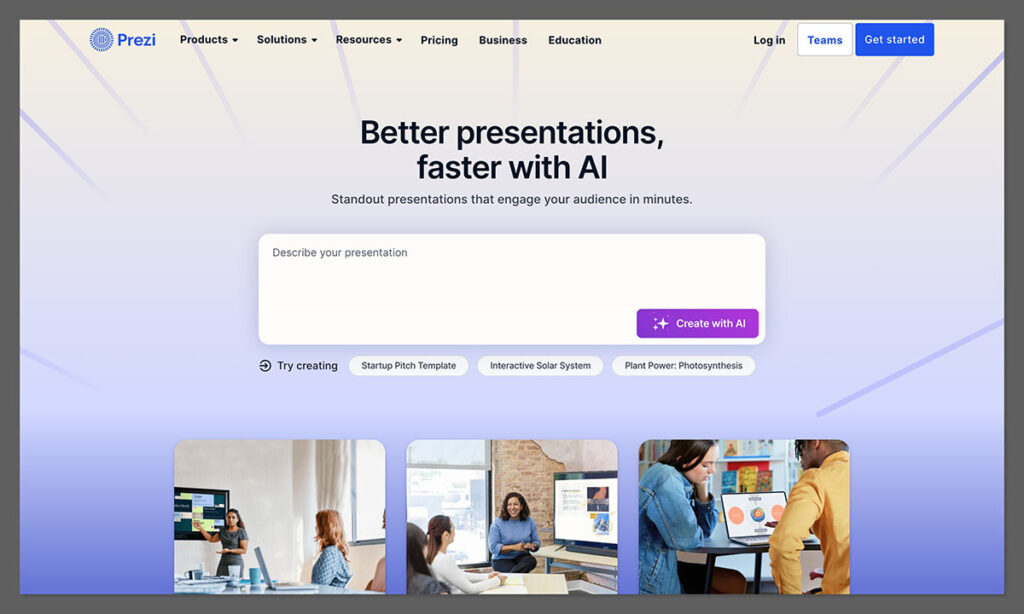
Prezi is all about how you present. Instead of traditional slides, Prezi uses a zoomable canvas that lets you present content in a non-linear way.
You can zoom in and out of ideas, move around freely, and guide your audience through a more visual journey.
In addition to its main editor, Prezi also offers Prezi Video, which lets you record or livestream with your content appearing on-screen with you. This is great for virtual meetings, webinars, and video content creators.
I found Prezi especially powerful when I needed to deliver interactive presentations to clients or when trying to keep people engaged during remote calls.
The visual flow and flexibility make a big difference when compared to clicking through static slides.
Prezi is a strong option if you:
- Present live or over video and want to stand out
- Need interactive or non-linear storytelling
- Want analytics on presentation performance
- Create content for webinars or YouTube
- Are willing to learn a new interface
The interface takes a bit of time to get used to. Prezi presentations don’t follow a traditional slide structure. Instead, you create a map of content and use motion paths to guide viewers through your ideas.
Prezi Features Overview
| Feature | Prezi |
|---|---|
| Presentation Style | Non-linear, visual canvas |
| AI Features | None |
| Video Integration | Prezi Video for livestream or recording |
| Analytics | Available with Premium |
| Offline Access | Yes, with desktop app |
| Pricing | From $7/month |
| Trial | 14-day free trial |
| Best Use Case | High-engagement, interactive presenting |
Prezi puts more emphasis on presentation delivery than on design. If how you present is just as important as what you present, Prezi is worth considering.
Pricing Comparison
If cost is a factor in your decision, here’s how the pricing breaks down between Slidesgo and Prezi.
Slidesgo Pricing
| Plan | Cost | Details |
|---|---|---|
| Free | $0 | Access to limited templates, attribution required |
| Premium | From $5.99/month | Full template library, online editor, AI features, ad-free |
Slidesgo’s pricing is affordable. The Premium plan is billed monthly or annually and unlocks all templates, removes attribution, and gives you access to the online editor and AI tools.
Pricing may vary slightly depending on location due to localized currencies, but most users pay under $6 per month with an annual plan.
Prezi Pricing
| Plan | Cost | Features |
|---|---|---|
| Standard | $7/month | Access to Prezi Present only |
| Plus | $19/month | Includes Prezi Video, more storage, and branding tools |
| Premium | $29/month | Adds analytics, training, and live support |
Prezi offers a 14-day free trial on all plans but doesn’t have a permanent free tier. If you want access to analytics and Prezi Video, you’ll need at least the Plus or Premium plan.
Compared to Slidesgo, Prezi is a more expensive long-term investment. But it also provides more advanced features geared toward professionals who need better delivery tools.
AI Tools: Slidesgo Leads Here
When it comes to AI, Slidesgo offers more built-in features. Its AI presentation maker helps you create a draft deck from a simple prompt, saving time and giving you a solid structure to build from.
Prezi does not currently offer AI features. It focuses instead on user-driven design and content delivery.
Slidesgo’s AI tool can:
- Generate a complete presentation outline
- Suggest slide content and structure
- Automatically apply templates and visual styles
While the AI content will need editing, it’s a great starting point. It’s especially helpful for people who need a quick presentation and don’t want to build it from scratch.
Ease of Use
Slidesgo is easier to use because it works with platforms you already know. If you’ve used PowerPoint or Google Slides, you’ll feel right at home.
There’s no need to learn new software. You simply download your template and edit it in your preferred tool.
Prezi has a moderate learning curve. The interface is unique, and the zooming presentation style takes some practice. But once you get the hang of it, it opens up creative ways to present your ideas.
If you’re short on time or working with a team that prefers simplicity, Slidesgo wins. If you’re comfortable trying something new for the sake of more engaging delivery, Prezi is worth the learning curve.
When to Use Slidesgo
Slidesgo is best when you:
- Need to make a presentation fast
- Don’t want to spend time designing
- Prefer using tools like Google Slides or PowerPoint
- Need a wide range of templates across topics
- Want basic AI help to create slide decks
It’s a great solution for school projects, client proposals, marketing reports, and internal updates. The templates are attractive, easy to customize, and professional-looking.
When to Use Prezi
Prezi is the better option when you:
- Want your presentation to stand out
- Present live or over video often
- Need to tell a story visually
- Care about audience engagement and analytics
- Are creating webinars or educational content
If you’re in sales, teaching, training, or content creation, Prezi adds energy to your presentations that standard slide tools just can’t match.
Final Verdict: Slidesgo vs Prezi
These two tools solve different problems.
Choose Slidesgo if you need fast, attractive slides with minimal effort. It’s affordable, beginner-friendly, and integrates well with existing software.
Choose Prezi if you want a more compelling way to present. It offers a unique style, great for storytelling and live delivery, especially when combined with video.
- If your goal is to speed up presentation creation, go with Slidesgo.
- If your goal is to improve how you present and engage your audience, Prezi is the better fit.
For many professionals, the ideal setup might be using both: create slides with Slidesgo, then present them in Prezi Video when delivery matters most.

Comments 0 Responses