

If you’re looking for a way to create lesson plans, classroom slides, or internal team decks quickly, Slidesgo can save you hours. But if you need professional, branded presentations, or care about billing clarity, there are important trade-offs to consider.
In this review, I’ll walk you through my experience with Slidesgo’s tools, pricing, and usability so you can decide whether it’s the right fit for your needs.
Slidesgo Pros and Cons
Best for classroom, internal, and fast-deadline presentations
Rating: 3.7 out of 5
| Pros | Cons |
|---|---|
| Thousands of ready-to-use templates | Templates are widely reused and not unique |
| AI presentation generator is fast | Billing and cancellation complaints are common |
| Works with Google Slides, PowerPoint, and Canva | Limited customization for brand consistency |
| Free plan available | No refunds if templates are downloaded |
Why You Can Trust This Review
I personally tested Slidesgo’s features, including the AI presentation maker, online editor, and downloadable templates. I also reviewed 50+ user ratings on Trustpilot and compared Slidesgo with similar AI tools like Beautiful.ai, Canva, and Gamma.
This review is based on my hands-on experience with the platform and up-to-date research from verified sources.
My Experience With Slidesgo
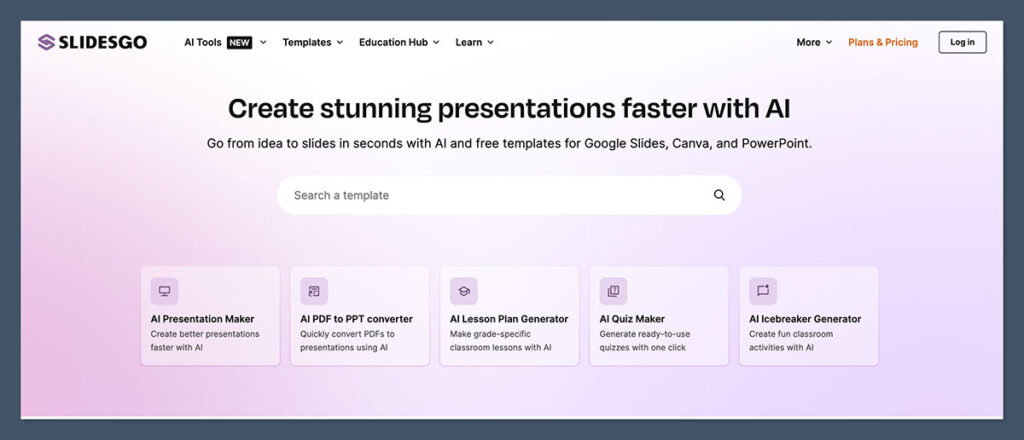
Getting started with Slidesgo was straightforward. I didn’t need to enter payment details to try the free plan, and I was able to download templates right away after registering.
The homepage was clear and made it easy to filter templates by category, industry, or style.
I tested a few education-themed templates, business decks, and medical slides to see the range and quality. The templates looked great, and all the common layout types were covered — title slides, sections, infographics, timelines, and graphs. For classroom or team settings, the prebuilt structure saves a lot of time.
Slidesgo also offered an AI presentation maker. I typed in a topic and got a complete deck in under a minute. It wasn’t perfect, but it gave me a useful starting point that I could edit further in PowerPoint or Google Slides.
That said, I did notice some friction. You need to keep the attribution slide on the free plan, and I ran into issues when testing the subscription and cancellation process — more on that below.
What You Get With Slidesgo
Slidesgo includes three core features: a massive template library, a browser-based editor, and an AI-powered deck generator.
Template Library
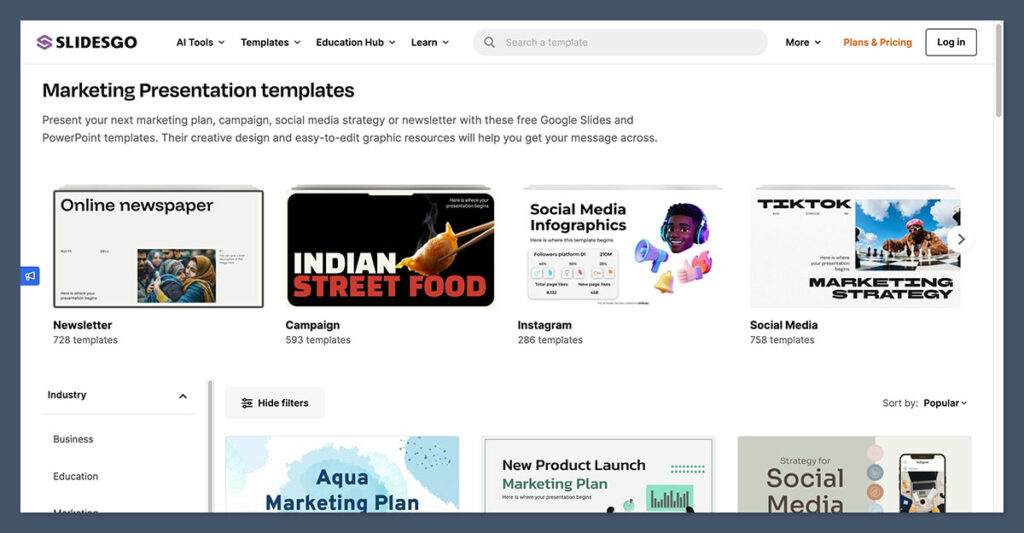
This is Slidesgo’s main strength. There are over 15,000 templates available to premium users and a smaller rotating set of free templates.
Templates are organized by:
- Topic (Education, Marketing, Healthcare, etc.)
- Style (Minimalist, Creative, Modern)
- Format (Google Slides, PowerPoint, and some Canva templates)
Every template includes all standard slide types:
- Title and section breaks
- Charts and graphs
- Icons and illustrations
- Timelines and process flows
- Maps and infographics
Online Slideshow Editor
Slidesgo also includes a free browser-based editor. This is useful if you don’t have access to Google Slides or PowerPoint on your device. It lets you:
- Edit slides directly in the browser
- Export the final version as a .pptx file
- Add or remove slides, change text, update visuals
It’s simple and not a replacement for full-featured tools, but it worked well for basic edits.
AI Presentation Maker
This tool creates a presentation from a short prompt. I tested it with topics like “Digital Marketing Basics” and “Renewable Energy for Kids.”
The generated decks were solid outlines with placeholder text and visuals. The AI did not write deep or accurate content, but it helped me skip the blank-slide phase.
| Feature | Free Plan | Premium Plan |
|---|---|---|
| Template access | Limited (3 per month) | Full (15,000+) |
| Online editor | Yes | Yes |
| AI presentation maker | Limited use | Unlimited access |
| Attribution required | Yes | No |
| Monthly download limit | 3 | 150 (soft cap) |
Free Plan vs Premium Plan
I started with the free plan, which gave me three downloads per month and access to a rotating selection of templates.
For light users, this may be enough. But if you’re building decks regularly, you’ll hit the limit fast.
The real value comes from the premium plan, which removes download limits (up to 150 templates per month), unlocks the full template library, and gives access to AI tools and the online editor with no attribution requirement.
Premium Pricing (USD)
| Plan | Monthly | Annual (billed yearly) |
|---|---|---|
| Individual | $9.99/month | $59.99/year |
| Team (5 users) | $19.99/month | $119.99/year |
| Enterprise (1000 users max) | Custom quote | Custom quote |
There are also education discounts available for schools and districts.
Billing and Refund Experience
Slidesgo’s billing system is where many users run into problems.
The official policy is:
- No refunds after payment is made
- A 30-day refund may be possible if you haven’t downloaded anything
But in my testing, I found conflicting information across their pricing page, terms of service, and educational discount page. Some users report being charged after cancellation or not receiving expected refunds.
Recommendations:
- If you try the premium plan, start with a monthly subscription
- Monitor your billing date closely
- Screenshot cancellation confirmation
- Avoid using auto-renew unless you’re confident in the platform
Slidesgo is not a scam, but the billing clarity needs serious work.
Template Quality and Design
The designs in Slidesgo are visually strong and ready to use out of the box. Most templates use vector illustrations, bold colors, and clean layouts.
They feel modern and well-balanced. However, they don’t offer much flexibility for brands that need strict design rules.
What I liked:
- Templates look professional without feeling generic
- Lots of variety in layout structure
- Each deck includes 20 to 40 slides
What I didn’t like:
- Hard to enforce brand guidelines across different templates
- Fonts and color systems don’t always match brand palettes
- You’ll see the same designs reused across many presentations
If you’re a teacher, student, or internal comms manager, the look and feel will probably be more than enough. But if you’re presenting to clients or building brand-driven decks, you’ll want more control.
Compatibility With Google Slides, PowerPoint, and Canva
One of the reasons Slidesgo has stayed popular is how easily it integrates with the tools most people already use.
- Google Slides: Templates copy directly into your Google Drive
- PowerPoint: Downloads as a standard .pptx file
- Canva: Some templates include a Canva link so you can open them in the Canva editor
You don’t need to learn a new tool. Slidesgo fits into your existing workflow, which makes it fast and practical.
Slidesgo AI Features: Good Start, Needs More Depth
The AI presentation generator is one of Slidesgo’s newer features. It’s a simple tool that takes a topic prompt and builds a basic slide deck. You can choose a style, then generate and edit the slides in their online editor.
It works well for:
- First drafts
- Student projects
- Simple explainer decks
It’s not great for:
- Long, complex narratives
- Branded storytelling
- Data-heavy analysis
Slidesgo’s AI is more like a quick idea starter than a full deck writer. If you want something more advanced, you may want to look at tools like Beautiful.ai or Gamma.
Who Slidesgo Is Best For
Slidesgo is best for people who need clean presentations fast and don’t have time to design from scratch.
Ideal users:
- Teachers: Great for lesson plans, classroom slides, and training decks
- Students: Useful for group projects, thesis presentations, and visual reports
- Small teams: Good for internal decks, updates, and workshop slides
Not ideal for:
- Design agencies: Lacks the polish and flexibility for client presentations
- Large companies: No brand kit or design system support
- Marketing teams: Limited control over branding, typography, and spacing
If you just need to get something out the door that looks polished, Slidesgo will probably get the job done. But if your presentation is mission-critical or client-facing, you may need more.
Alternatives to Slidesgo
If Slidesgo doesn’t fit your workflow, here are a few other options to consider.
| Tool | Best For | Strengths |
|---|---|---|
| Canva | General design and slides | Brand kits, drag-and-drop editing |
| Beautiful.ai | Business and client presentations | Smart layout automation |
| Gamma | Story-driven decks | AI-assisted writing and design |
| Slidebean | Startup fundraising | Pitch deck frameworks and visuals |
| Envato Elements | Premium templates | Unique, less-used designs |
Canva is a design platform that works for everything from slide decks to social media graphics. It offers a free plan with access to basic templates, while Canva Pro starts at $14.99 per month for premium features like brand kits, custom fonts, and team collaboration.
Beautiful.ai is built for teams that need sleek, consistent presentations fast. Pricing starts at $12 per month (billed annually) for individuals, and there’s a 14-day free trial to test its smart slide design features.
Gamma combines AI writing and slide design in a clean, web-based platform. It has a free plan with limited AI credits, while paid plans begin at $8 per month for additional AI usage and advanced formatting tools.
Slidebean is geared toward startups preparing investor decks, pitch decks, and financial presentations. It starts at $29 per month, and includes access to pitch templates, financial modeling tools, and AI-assisted slide structuring. There’s no traditional free trial, but they offer a free viewer account to explore some features.
Envato Elements gives you unlimited access to premium presentation templates, graphics, videos, and more for a flat fee. Pricing starts at $16.50 per month (billed annually), and unlike other platforms, it does not offer a free plan or trial. It’s best for creatives looking for variety and higher-end visuals.
Each tool has its own pricing, workflow, and feature set. It’s worth exploring a few if Slidesgo doesn’t feel like the right fit.
Final Verdict
Slidesgo is a solid tool for anyone who wants a fast way to build professional-looking presentations without starting from scratch. Its template library is well-designed, its AI tools are improving, and it fits neatly into existing workflows with Google Slides and PowerPoint.
But it’s not perfect. The free plan is limited, the premium plan has billing quirks, and the templates aren’t unique.
If you value speed and convenience more than full control or originality, Slidesgo is a helpful tool to have.
If you’re a teacher, student, or solo creator, Slidesgo is a great pick. If you’re part of a brand-conscious team or agency, you’ll want more control than Slidesgo can offer.

Comments 0 Responses