

Quick Answer: Artspace AI is a creative generation tool aimed at helping digital artists, marketers, and creators produce AI-generated art fast. It’s useful if you want visual content without hiring a designer, but it’s not perfect.
I’ve tested it hands-on, and here’s what stood out, both the good and the frustrating.
What Is Artspace AI?
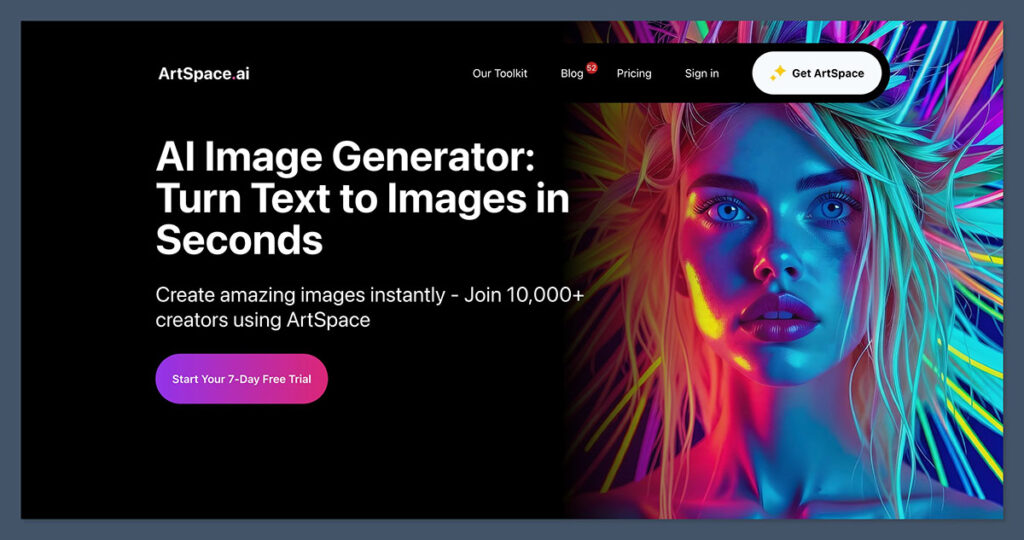
Artspace AI is a platform that lets you generate AI-powered artwork.
Think of it like Midjourney or DALL·E, but with a slightly different angle. The tool markets itself as being beginner-friendly, community-driven, and built to help artists monetize AI-generated work.
When I first landed on the homepage, I noticed right away that it’s not just about image generation. There’s a whole ecosystem: art creation, curation, marketplace listings, and social sharing. It feels part AI tool, part art platform.
Here’s how it breaks down:
- AI art generation using prompts, no coding or design skill needed
- Templates and presets to speed things up
- Marketplace integration to list, sell, and showcase your work
- Community voting on featured art
While the interface looks simple enough, some areas felt clunky and a bit underdeveloped, especially compared to bigger AI tools.
Pros and Cons
Pros 👍
- Good-looking results for abstract and fantasy-style art
- Fast rendering — most outputs took under 15 seconds
- Easy to use interface for prompt input and browsing styles
- Community sharing feels motivating and adds exposure
- Marketplace integration makes it easy to list and sell artwork
Cons 👎
- Prompt quality swings from brilliant to baffling — not always reliable
- No image editing tools built in — just generate and export
- Limited rights clarity — unclear how licensing works if you sell prints
- No advanced settings — unlike Midjourney, you can’t fine-tune style or scale
Artspace AI Features: What You Can Actually Do
I dug into the core features. Some were pretty handy, others felt half-baked. For a creative platform built around automation and visual storytelling, it covers the basics well, but falls short in some depth and polish.
Here’s what stood out while I was testing it:
Key Features Breakdown
| Feature | My Experience |
|---|---|
| Prompt-based art generation | Fast and clean output, but prompt tuning takes time |
| Marketplace tools | Easy to list artwork, some hiccups in tagging/sorting |
| Style templates | Helpful presets, limited compared to Midjourney |
| Collections | Organize work into public galleries |
| Exporting | PNG and JPG only, no transparent backgrounds |
| Community features | Likes, comments, shares – think Instagram-lite |
Prompt-Based Art Generation
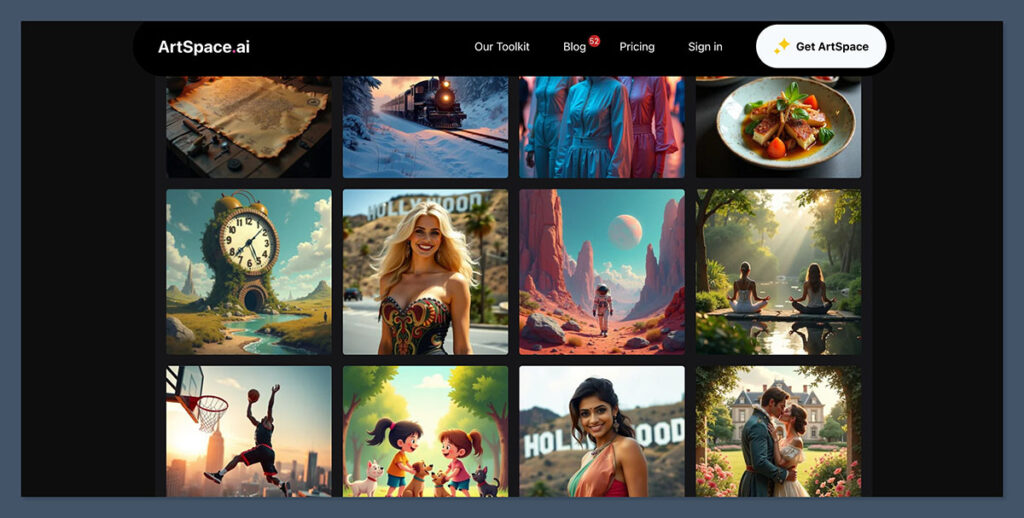
This is the heart of the platform. You type in a prompt, something like “surreal desert landscape with digital glitch aesthetics”, and Artspace AI spits out an image in about 10–20 seconds.
- Most of the results looked good at first glance
- Abstract and concept art came out particularly well
- Human faces and hands were still hit or miss (no surprise there)
One drawback? There’s no negative prompting or advanced configuration. You get one slider for style influence and that’s it. Compared to something like Midjourney, this is a stripped-down version of prompt control.
Templates, Collections, and Styles
To help guide beginners, Artspace AI offers a range of pre-built style templates. These act like filters, from cyberpunk to oil painting, you can snap a style onto any prompt to influence the output.
That said:
- There’s no fine-tuning, just a dropdown menu of presets
- You can’t layer or customize these templates
- Some styles feel overly repetitive if used too often
Collections are a neat touch. You can group your best work into themed galleries and make them public. It’s a lightweight way to build a portfolio without needing another platform.
Marketplace & Community
Artspace has built-in tools for listing and selling AI-generated artwork. You can:
- Set pricing
- Add product tags
- Link to your profile or external store
I liked the idea, but the UI still feels a little buggy. Tagging is clunky and sorting products by category didn’t always stick. Still, it’s better than having to upload work manually to a third-party site.
On the community side, it functions like a basic social feed. You can:
- Like and comment on other artists’ work
- Follow creators
- Browse featured images daily
It’s more motivation than networking, but it does add a bit of life to the platform.
Exporting Your Work
Once you generate an image you like, you can download it in PNG or JPG. That’s it. There are no transparent background options, no direct integration with design tools like Canva or Figma, and no high-res export toggles.
It works, but it could definitely be more flexible. Especially if you’re using this for product design, social posts, or merch mockups.
The art quality varies wildly depending on the prompt. You’ll get stunning results one minute and something messy the next.
It’s clear there’s potential here, especially if they refine their model. But for now, it feels like a creative sketchpad more than a finished production tool.
Pricing: Is Artspace AI Worth the Money?
Artspace AI keeps pricing dead simple. No credit packs, no confusing tokens, just clean, fixed monthly plans based on how many high-quality images you want to generate. Every plan gives you access to the full feature set and commercial usage rights.
And the best part? Plans start at just $3.99/month, way below the industry average.
| Plan Name | Monthly Price | Images/Month | Includes |
|---|---|---|---|
| Rookie Rocket | $3.99 | 250 HQ images | Commercial use, all premium features, all AI models |
| Studio Starter | $5.99 | 500 HQ images | Same as above |
| Pixel Pioneer | $9.99 | 1,000 HQ images | Same as above |
| Design Dreamer | $19.99 | 2,500 HQ images | Same as above |
| Elite Illustrator | $49.99 | Unlimited HQ images | Same as above |
All plans are billed monthly, with no annual commitment required.
What Stays Consistent Across All Plans
No matter which tier you choose, you get:
- Full commercial rights – use your images for products, prints, or ads
- Premium features unlocked – advanced styling, faster generation, batch options
- Access to all AI models – no gating or restricted capabilities
The only thing that changes is how many images you can generate per month. And if you go with the Elite plan, it’s unlimited, ideal for high-volume creators, ecom sellers, or anyone building AI-heavy workflows.
Is It a Good Deal?
Definitely. This is one of the most affordable AI art platforms I’ve tested. Other tools charge more for fewer features and still lock commercial use behind higher plans.
- If you’re just testing the waters or need art casually, Rookie Rocket is a low-risk entry point.
- For serious side hustlers or digital creators, Pixel Pioneer or Design Dreamer gives plenty of output capacity.
- And if you’re creating content at scale, Elite Illustrator removes any ceiling entirely.
There’s no mention of refunds or rollovers, so make sure you’ll use your monthly image quota. But for these price points, it’s hard to argue with the value.
How It Compares to Other AI Art Tools
There’s no shortage of AI art generators out there, but a few names consistently rise to the top.
To see where Artspace AI really stands, I stacked it against two of the biggest players: Midjourney and DALL·E 3.
All three tools do the same thing on paper, generate images from text prompts, but they each serve very different types of users.
Side-by-Side Comparison
| Tool | Strengths | Weaknesses |
|---|---|---|
| Artspace AI | Simple UI, community focus, cheap | Mid-level output quality, limited control |
| Midjourney | Best quality, strong style control | Discord-only access, no native marketplace |
| DALL·E 3 | GPT-4 integration, easy to use, polished UI | Lower image fidelity, fewer controls |
Where Artspace AI Fits
Artspace AI plays the role of accessible middle ground.
It’s easier to jump into than Midjourney, and it’s more visually rich than DALL·E 3 when it comes to styling and community presentation.
The layout is clean, it doesn’t require a third-party app like Discord, and you don’t need coding or prompt-engineering skills to use it.
But the downside is just as clear: output quality isn’t as refined. It’s often good, sometimes even great, but it rarely matches the artistic polish of Midjourney or the consistency of OpenAI’s rendering model.
Tool Breakdown by User Type
Here’s a quick breakdown of who each tool is best suited for:
- Artspace AI
Best for: Beginners, content creators, social media marketers
Why: Simple interface, built-in community, quick exports - Midjourney
Best for: Artists, designers, and creators who want total control
Why: Unmatched quality, fine-grain prompt tweaking, artistic presets - DALL·E 3
Best for: GPT users and casual creatives
Why: Integrated with ChatGPT, solid for simple concepts, very user-friendly
If you’re after pure image quality, Midjourney wins, hands down.
If you want speed, clean UX, and GPT-friendly prompts, DALL·E 3 is the move.
Artspace AI sits squarely in the middle, fast, fun, and functional, but still a few updates away from being a pro-grade tool.
Who Should Use Artspace AI?
Artspace AI isn’t trying to be everything for everyone, and that’s actually a good thing. After using the platform for a while, it became pretty clear who this tool is built for and where it starts to fall short.
If you’re looking for a quick, low-barrier way to create visuals, it’s a solid starting point. But if you’re after precision or commercial-grade outputs, there are better tools out there.
Ideal For:
Here’s who I’d recommend it for:
- Beginner artists
If you’re curious about AI art but don’t want to touch code or learn complex software, this tool makes it easy. The interface is intuitive, and you can create solid results without technical skills. - Creators selling digital prints
Platforms like Etsy, Gumroad, and Redbubble are full of AI-powered designs. Artspace AI can help you spin up fresh visuals to list products without needing design tools like Photoshop or Illustrator. - Social media marketers
Need scroll-stopping content fast? Artspace is a good tool for generating eye-catching images for campaigns, posts, or even story backgrounds, especially when you’re working with tight turnaround times. - Students and hobbyists
If you’re experimenting with art or just want a tool for visual play, the free and low-cost tiers are budget-friendly and offer more than enough for casual use.
Not Recommended If:
There are a few cases where Artspace AI probably isn’t the right fit:
- You need ultra-consistent brand art
Because prompt results can vary, the platform isn’t ideal for building cohesive visual assets. You won’t be able to replicate exact styles or characters with pixel-level control. - You want deep control over image generation
Tools like Midjourney and Stable Diffusion offer far more control over parameters like lighting, resolution, prompt weighting, and negative prompts, none of which Artspace supports. - You’re producing client work with strict licensing needs
If your job involves commercial design, product packaging, or marketing campaigns, the lack of clear commercial rights and file export flexibility is a real limitation.
Overall, Artspace AI hits the sweet spot for creative exploration and quick visuals, just not for anything that demands precision or legal clarity.
Final Verdict: Would I Use Artspace AI Again?
Yes, but with limits.
Artspace AI isn’t trying to be Midjourney or DALL·E 3. It’s carving out its own lane: fast, lightweight, and community-driven. That’s exactly why I’d use it again, for the right type of work.
It’s genuinely fun to play with. You get quick results, and the art often looks good enough for blogs, thumbnails, and digital storefronts.
For creators building their brand, trying out visual ideas, or just messing around with new styles, it’s a handy tool to have in your stack.
Where It Shines:
- Fast turnaround with no setup headaches
- Great for visual experimentation and creative warm-ups
- Ideal for quick content: social posts, digital prints, or placeholder graphics
- Affordable pricing for casual and mid-level creators
But if I was doing serious commercial design work, anything involving brand consistency, high-res exports, or client deliverables, I’d still lean heavily on Midjourney for image quality or go back to Photoshop for full control.
Bottom Line
Use Artspace AI for creativity and speed.
It fits nicely into a workflow that needs inspiration, variety, or quick testing. Just don’t expect museum-level output or professional-grade controls, that’s not what this tool is built for.
If you go in knowing what it can and can’t do, it’s well worth the price.
Frequently Asked Questions (FAQs)
Is there a Trial?
Right now ArtSpace.ai doesn’t offer a free 7-day trial. You will need to input your card detail once you start the free trial.
Can I Use for Commercial Purposes?
Yes, I can confirm that the art generated through ArtSpace can be used for commercial use. Just don’t infringe on existing copyrights.
What powers ArtSpace’s AI?
ArtSpace uses proprietary AI models developed in-house for all image rendering. These custom algorithms are the backbone of the platform.
What’s the Max Image Size?
Currently I can generate images up to 2048×2048 pixels. This is a good balance of detail and processing efficiency for most use cases.

Comments 0 Responses