

DeepSwap and FaceMagic are two of the most popular AI face swap tools available right now, but which one should you actually use?
I’ve spent hours testing both platforms, comparing their features, pricing, privacy policies, and overall user experience to give you a clear recommendation. A
s a result of my testing, DeepSwap is the stronger choice if you need a browser-based workflow with longer video support and a wider set of creative tools.
DeepSwap vs FaceMagic: Quick Verdict
- DeepSwap – Best overall for creators who need longer videos, browser-based editing, and a broader feature set
- FaceMagic – Best for quick, mobile-first face swaps and social content creation
In this comparison, I’ll break down exactly why DeepSwap edges ahead overall, while also highlighting where FaceMagic makes more sense, covering features, pricing, ease of use, privacy, and more.
Quick Comparison: DeepSwap vs FaceMagic
Get a quick overview of how these two face swap tools stack up before we dive into the details:
| Area | DeepSwap | FaceMagic |
|---|---|---|
| Platform | Web-based (browser) | Mobile app (iOS/Android) |
| Core formats | Video, photo, GIF, VR face swap | Video, photo, GIF |
| Max video length | Up to 30 min (45 min on some pages) | Up to 10 min |
| Multiple faces | Up to 6 faces per video | Supported (exact limit unspecified) |
| Extra tools | Video generation, AI tools, HD swap, multitasking | AI styles, templates, cartoon effects |
| Pricing model | Subscription + credits (~$9.99/mo) | Freemium + subscription (~$9.99/mo) |
| Credits included | 20/month (240/year on annual plan) | 20/month |
| Data retention | Created content: 7 days; servers in Ireland | Created content: 24 hours; servers in Hong Kong |
1. Best for Features: DeepSwap
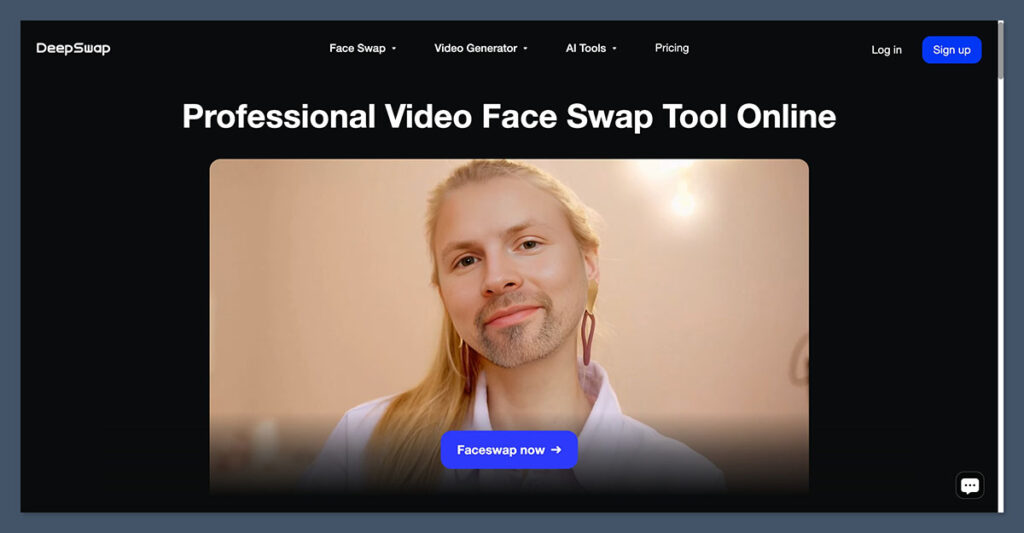
When it comes to raw feature count and creative flexibility, DeepSwap has a clear advantage over FaceMagic. It’s built as a broader creator platform, whereas FaceMagic stays focused on quick, template-driven swaps.
Core Face Swap Capabilities
Both tools handle the fundamentals well. You can swap faces in videos, photos, and GIFs with either platform. However, DeepSwap supports VR face swap as an additional format, which FaceMagic doesn’t offer.
DeepSwap also lets you swap up to 6 faces in a single video, which is useful for group scenes or complex edits. FaceMagic supports multiple-face swaps too, but its official materials don’t specify an exact cap.
Video Length Limits
This is where the gap is most obvious. DeepSwap’s pricing page lists a 30-minute maximum for face swap videos, with another page showing a 45-minute upload limit.
FaceMagic’s Pro plan highlights 10-minute long video swap as a key benefit. If you’re working with anything longer than a short clip, DeepSwap is the only real option between these two.
Additional Creative Tools
DeepSwap extends well beyond face swapping. Its pricing page lists separate credit costs for video generation, an AI girl generator, and a broader suite of AI tools, along with HD face swap and multitasking features. It’s positioning itself as a usage-metered creator platform rather than a single-purpose app.
FaceMagic’s extra features lean toward mobile-friendly creative effects: AI style transfers, cartoon filters, templates, and an in-app editor. These are useful for quick social posts but don’t match the breadth of DeepSwap’s toolset.
The Winner DeepSwap offers a wider feature set with longer video support and more creative tools. Its browser-based platform supports up to 6 faces per video, VR face swap, video generation, and HD processing, making it the better choice for creators who need flexibility beyond basic face swaps.
2. Best for Ease of Use: FaceMagic

If you want the simplest possible path from “open the app” to “share a face swap,” FaceMagic is the easier choice. Its mobile-first design means everything is built around quick workflows and pre-made templates.
Workflow Design
FaceMagic runs as a native mobile app with in-app templates and a streamlined upload process. You pick a template or upload your own content, select a face, and the app handles the rest. The emphasis is on speed and shareability, which makes sense for its target audience of casual social content creators.
DeepSwap works through a browser, which means uploads and downloads happen through a more traditional web interface. It’s not difficult to use, but it involves more steps: uploading source material, selecting features, adjusting settings, and downloading the result.
The trade-off is that you get more control and more options, but the learning curve is steeper.
Getting Started
FaceMagic’s mobile app design means you can download it and start swapping faces within minutes. Templates make it especially easy if you don’t have your own source material ready.
DeepSwap’s web platform requires more initial setup. You’ll need to navigate separate tools for face swap, VR face swap, video generation, and other features. This modular approach is more powerful, but less intuitive for first-time users who just want a quick face swap.
The Winner FaceMagic is the easier platform to pick up and use. Its mobile-first workflow, pre-made templates, and streamlined interface make it the better choice for users who want fast results without a learning curve.
3. Best for Pricing: It’s a Tie
DeepSwap and FaceMagic land at nearly identical price points, though their pricing structures have some important differences worth understanding before you commit.
DeepSwap Pricing
DeepSwap uses a subscription-plus-credits model. The official pricing page states that plans include 20 credits, with annual access providing 20 credits per month (240 total).
Independent reviews in 2026 describe plans starting around $9.99 per month, with annual billing at roughly $49.99 for the first year before a higher renewal rate.
Credit consumption varies by feature, which is an important detail. Video face swap costs 1 credit per 15 seconds, while DeepVid video generation costs 1 credit per 5 seconds. This means your 20 monthly credits won’t go equally far across different tools.
FaceMagic Pricing
FaceMagic uses a freemium structure. The Pro plan includes benefits like 10-minute long video swap, 20 credits per month, no watermark, priority queue, and content encryption. Third-party listings in 2026 commonly show a $9.99 per month Pro tier, and reviews note that extra credit packs are available for private uploads and premium templates.
Value Comparison
| Detail | DeepSwap | FaceMagic |
|---|---|---|
| Monthly price | ~$9.99/mo | ~$9.99/mo |
| Annual price | ~$49.99/yr (first year) | Not confirmed via official sources |
| Credits per month | 20 | 20 |
| Credit cost transparency | Detailed per-feature breakdown | Simpler, less granular |
| Free tier | Limited free usage | Freemium with watermarks |
| Extras | Feature-specific credit pricing | Extra credit packs available |
Both platforms give you 20 credits per month at essentially the same price. DeepSwap is more transparent about how credits are consumed across different features, which helps with planning. FaceMagic keeps things simpler on the surface but may require additional credit packs depending on usage.
The Winner DeepSwap and FaceMagic are priced almost identically, with both offering 20 credits per month at around $9.99/mo. DeepSwap provides more granular credit pricing, while FaceMagic offers a simpler freemium entry point. Neither has a clear pricing advantage.
4. Best for Privacy and Data Handling: FaceMagic (Slightly)
Privacy is a critical consideration with any face swap tool. Both DeepSwap and FaceMagic process highly sensitive facial data on their servers, so neither should be considered fully private. That said, there are meaningful differences in their data handling policies.
DeepSwap’s Privacy Policy
DeepSwap’s privacy policy states that uploaded photos, GIFs, and videos may be collected, and facial feature data is collected separately for editing purposes.
Photos containing faces are deleted automatically once the new video is created. Created content is stored for 7 days (7 x 24 hours), and uploaded materials are stored on remote servers located in Ireland during use.
FaceMagic’s Privacy Policy
FaceMagic’s privacy policy states that uploaded media is collected for face swapping, generated content is stored for just 24 hours, and uploads are stored on remote servers in Hong Kong during service use.
FaceMagic also makes an explicit claim that it does not use photos or facial features for face recognition or unique identification, and that its facial feature data is not biometric data.
Comparison
| Privacy Detail | DeepSwap | FaceMagic |
|---|---|---|
| Content retention | 7 days | 24 hours |
| Server location | Ireland | Hong Kong |
| Source deletion | Auto-deleted after processing | Stored during use only |
| Biometric disclaimer | Not specified | States facial data is not biometric |
FaceMagic’s shorter retention window (24 hours vs. 7 days) and its explicit disclaimer about biometric data give it a slight edge in this category.
However, both services still process face uploads on remote servers, which means neither is a fully local or privacy-neutral option. Users concerned about data handling should factor in the server jurisdiction that matters most to them: Ireland (EU) for DeepSwap or Hong Kong for FaceMagic.
The Winner FaceMagic has a slight privacy advantage with its 24-hour content retention (vs. DeepSwap’s 7 days) and its explicit statement that facial feature data is not used for biometric identification. However, both tools process sensitive face data on remote servers.
5. Best for Longer Video Projects: DeepSwap
If your primary use case involves anything longer than a quick clip, DeepSwap is the only viable option between these two tools.
DeepSwap supports face swaps on videos up to 30 minutes long (with some pages referencing a 45-minute upload cap). For content creators, editors, or anyone working with longer-form material, this is a significant advantage.
FaceMagic caps its Pro plan at 10-minute long video swaps. For short social media clips, that’s perfectly fine. For anything more substantial, it’s a hard limit that will send you elsewhere.
DeepSwap also offers HD face swap and multitasking capabilities, which further support longer and more complex video workflows. Combine that with support for up to 6 faces in a single video, and you have a tool that can handle group scenes and extended footage that FaceMagic simply can’t.
The Winner DeepSwap is the clear winner for longer video projects, supporting up to 30 minutes of video face swap compared to FaceMagic’s 10-minute cap.
How We Evaluated DeepSwap vs FaceMagic
To make this comparison as useful as possible, I analyzed both platforms across several key areas, weighted according to what matters most when choosing a face swap tool:
| Evaluation Area | Weight |
|---|---|
| Features and capabilities (formats, video length, multi-face, extra tools) | 35% |
| Ease of use (workflow, onboarding, platform accessibility) | 20% |
| Pricing and value (plan cost, credit system, transparency) | 20% |
| Privacy and data handling (retention, server location, disclaimers) | 15% |
| Output quality and use case fit (video length, HD support, target user) | 10% |
I reviewed official pricing pages, privacy policies, and feature listings from both platforms, supplemented by independent third-party reviews from 2026. All claims in this comparison are sourced from publicly available official and third-party materials.
Key Takeaways
- DeepSwap supports significantly longer video face swaps (up to 30 minutes vs. FaceMagic’s 10 minutes) and handles up to 6 faces in a single video.
- FaceMagic is the faster, easier option if you want template-driven face swaps on your phone for social media content.
- Both platforms use a credits-based system at similar price points, but DeepSwap’s credit costs vary by feature while FaceMagic keeps it simpler.
- Neither tool is fully privacy-neutral. Both process face data on remote servers, though FaceMagic deletes generated content faster (24 hours vs. 7 days).
- DeepSwap offers more creative tools beyond face swapping, including video generation and VR face swap.
DeepSwap vs FaceMagic: Our Verdict
For creators who need a versatile, browser-based face swap tool with support for longer videos and a broader set of AI-powered creative features, DeepSwap is the better platform.
Its 30-minute video cap, support for up to 6 faces, and additional tools like video generation and VR face swap make it the more capable option for serious creative work.
FaceMagic is the better pick if you want a simple, mobile-first experience for quick social content. Its template-driven workflow, shorter learning curve, and slightly better privacy terms make it appealing for casual users who don’t need long-form video support or desktop-level control.
Both platforms cost roughly the same and offer the same number of monthly credits, so the decision comes down to how and where you want to work rather than how much you want to spend.

Comments 0 Responses