

DeepFaceLab is the most widely used open-source face-swapping toolkit available, responsible for the vast majority of high-quality deepfake content produced over the past several years.
It’s powerful, free, and gives you complete control over every stage of the face-swap process.
I’ve spent time working through DeepFaceLab’s full pipeline, from installation and face extraction to model training and final video export, so I can share an honest assessment of what this tool delivers and where it falls short.
In this review, I’ll walk you through the features, system requirements, workflow, and ethical considerations so you can decide whether DeepFaceLab is the right tool for your project.
Quick Verdict
- DeepFaceLab produces the highest-quality face swaps available, but only if you’re prepared to invest significant time learning the workflow and have access to a capable NVIDIA GPU.
- It’s completely free and open source, which makes it appealing for researchers, VFX hobbyists, and technical creators who want full control over their output.
- The learning curve is steep. If you need quick, simple face swaps without technical setup, cloud-based tools will get you there faster, though with less control over the final result.
- Ethics matter. DeepFaceLab is a tool. How you use it determines whether it creates value or causes harm. Consent, disclosure, and watermarking are non-negotiable in 2026.
Pros 👍
- Industry-standard quality for face swapping with frame-level consistency
- Completely free and open source with a large community
- Full control over masks, models, training parameters, and blending
- All processing happens locally, so your footage never leaves your machine
- Extensive ecosystem of tutorials, forks, and pretrained models
Cons 👎
- Steep learning curve with a script-based, multi-step workflow
- Requires a strong NVIDIA GPU (RTX 3000/4000 series recommended)
- Training can take hours or even days for high-quality results
- Limited to face swaps only, with no lip-sync, Al avatars, or full generative video
- Primarily Windows-only, with Linux and Colab support requiring manual setup
My Experience With DeepFaceLab
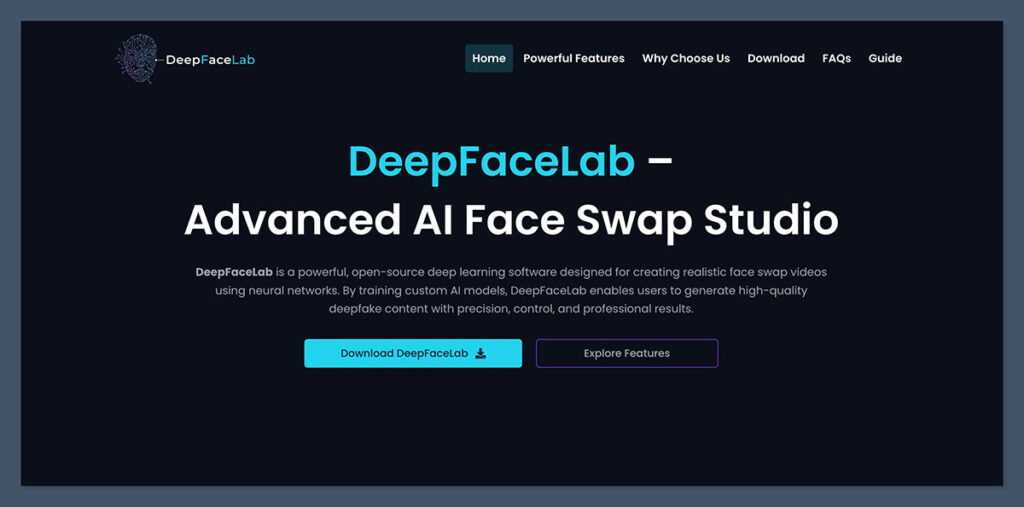
Getting started with DeepFaceLab is nothing like signing up for a cloud-based tool. There’s no account creation, no onboarding wizard, and no drag-and-drop interface.
You download a pre-packaged build from GitHub, extract it, and work through a series of numbered batch scripts: “2) extract faces SRC,” “4) train SAEHD,” and so on.
This approach is functional but far from polished. If you’ve ever worked with command-line tools or scripting environments, you’ll feel at home. If you haven’t, expect to spend your first few sessions just understanding the file structure and what each script does.
Author’s Note
I was struck by how different this experience feels compared to modern AI tools that handle everything behind a single “Generate” button. DeepFaceLab gives you complete transparency into every stage of the process, which is a strength for technical users but a genuine barrier for anyone expecting a consumer-grade interface.
The community tutorials and Discord groups fill the documentation gap, but you will need to invest time in learning before you produce anything usable.
How the Workflow Actually Works
DeepFaceLab operates on a seven-step pipeline. Each step feeds into the next, and understanding the full chain is essential before you start.
| Step | What Happens | Time Required |
|---|---|---|
| 1. Installation | Download the build, install CUDA and GPU drivers | 30 min to 1 hour |
| 2. Prepare datasets | Gather consented footage with 100+ high-quality face images for your source | Varies |
| 3. Extract faces | DeepFaceLab detects and crops faces from source and destination videos using landmark detection | Minutes to hours depending on video length |
| 4. Train the model | Neural networks learn identity and expression mapping (SAEHD is the most common architecture) | Hours to days |
| 5. Merge | The trained face is composited back into the target video with masking and color matching | Minutes to hours |
| 6. Refine | Manual mask edits fix artifacts around jawlines, eyes, and fast-motion frames | Varies by quality standard |
| 7. Export | Final video rendered at target resolution with synchronized audio | Minutes |
The training step is where most of your time goes. Depending on your GPU, dataset size, and target resolution, training can run for thousands of iterations over the course of several days. You monitor loss values and preview frames to decide when the model has learned enough to produce convincing results.
DeepFaceLab’s Core Features
DeepFaceLab is narrowly focused on face swapping, and within that niche, its feature set is deep. Here’s what you get access to.
Face Extraction and Detection
DeepFaceLab uses deep learning-based landmark detection (similar to MTCNN) to find, crop, and align faces from your source and destination videos. The extraction process is largely automated, but you can curate the resulting “faceset” manually, removing blurry frames, bad angles, or duplicates to improve training quality.
Model Training (SAEHD)
The core of DeepFaceLab is its training engine. Most users work with the SAEHD architecture, which learns to map one person’s facial identity and expressions onto another. You control parameters like resolution, batch size, and training iterations, which directly affect output quality and training time.
Some community builds ship with pretrained models, which can reduce the time to your first usable result. However, for high-quality, project-specific output, training from scratch on your own dataset is still the recommended approach.
Face Merging and Compositing
After training, DeepFaceLab merges the learned face back into the destination video. This step includes masking, blending, and color matching tools to make the swap look natural. You can adjust parameters for each frame, which is where the real quality difference shows compared to automated tools.
Manual Editing Controls
This is where DeepFaceLab separates itself from cloud-based alternatives. You get layered masking, manual mask editing, and fine-grained blending controls to adjust jawlines, eye alignment, mouth positioning, shadows, and skin texture. For complex scenes with varying lighting or fast motion, this level of control is essential.
Key Takeaway: DeepFaceLab’s feature set is designed for users who want granular control over output quality, not for users who want quick results. Every feature assumes you’re willing to spend time learning how to use it properly.
System Requirements
DeepFaceLab is resource-intensive. Before you commit to learning the tool, make sure your hardware is up to the task.
| Component | Minimum | Recommended (2026) |
|---|---|---|
| GPU | NVIDIA GPU with CUDA support | RTX 3000 or 4000 series (RTX 4060 or higher) |
| CPU | AVX-capable processor (very slow training) | Modern multi-core processor |
| RAM | 8 GB | 16 GB or more |
| Storage | SSD with 50+ GB free | Large SSD; projects can consume tens of GB |
| OS | Windows 7/8/10 | Windows 10 or later |
You can technically run DeepFaceLab on a CPU, but training performance is extremely slow and only practical for experimentation. A dedicated NVIDIA GPU with CUDA is effectively a hard requirement for real projects.
Linux users and those without local hardware can use Google Colab notebooks or the community-maintained DeepFaceLabClient, though both require more manual setup than the standard Windows builds.
Author’s Note
If you don’t already own a capable NVIDIA GPU, the hardware cost of getting started with DeepFaceLab is a real consideration. An RTX 4060 alone runs around $300, and that’s before accounting for the rest of your system. By comparison, cloud-based face-swap tools run on the vendor’s hardware, so your local machine specs don’t matter at all.
Use Cases: What DeepFaceLab Is (and Isn’t) For
DeepFaceLab is a tool with legitimate creative and research applications, but it also carries significant ethical responsibility. Here’s how the use cases break down.
Legitimate Uses
- VFX and filmmaking: Face replacement for stunt doubles, de-aging actors, recasting for reshoots, and experimental visual storytelling
- Research and education: Studying generative models, training deepfake detection systems, and academic work on synthetic media safety
- Consented entertainment: Meme and parody content using face swaps, provided all participants have given written consent and AI use is disclosed
What It Doesn’t Do
DeepFaceLab is strictly a face-swap tool. It doesn’t generate video from text prompts, create AI avatars, handle lip-sync dubbing, or produce full synthetic video. If you need those capabilities, you’re looking at a different category of tool entirely.
Ethics and Legal Considerations ⚠️
The technology DeepFaceLab provides can be misused for non-consensual or deceptive content, including impersonation, fraud, and other harmful applications. In 2026, safety-oriented guidelines and emerging regulations emphasize several non-negotiable practices:
- Written consent from all individuals whose likenesses are used
- Visible disclosure that AI-generated face swapping was used
- Watermarking with provenance standards like C2PA
- Compliance with platform terms of service and local synthetic media laws
Platforms and regulators in many regions are moving toward mandatory labeling of synthetic media. Violating these standards can result in bans, legal liability, or both.
DeepFaceLab vs. Cloud-Based Face-Swap Tools
This is the comparison that matters most for anyone choosing a tool in 2026.
Cloud-based face-swap services have improved dramatically and now offer results that are perceptually close to DeepFaceLab’s output in many scenarios, but with far less effort.
| Aspect | DeepFaceLab | Cloud/Web Face-Swap Tools |
|---|---|---|
| Deployment | Local installation, mainly Windows, manual setup | Browser-based, no local install required |
| Price | Free and open source | Freemium or paid subscription/credits |
| Hardware Needed | Strong NVIDIA GPU, 16+ GB RAM, large SSD | Runs on vendor servers; any device works |
| Speed | Hours to days of training per project | Minutes per generation |
| Control | Full: masks, training params, blending, manual edits | Limited sliders and preset options |
| Quality (Best Case) | Cinematic, frame-consistent swaps | High, but less robust in complex scenes |
| Ease of Use | Difficult; scripting mindset required | Beginner-friendly interfaces |
| Data Privacy | All footage stays on your machine | Footage must be uploaded to third-party servers |
| Scope | Face swaps only | Often includes avatars, lip-sync, and other features |
Author’s Note
The gap between DeepFaceLab and cloud tools is narrowing for simple, well-lit face swaps. Where DeepFaceLab still dominates is in complex scenes: challenging lighting, fast motion, unusual angles, or projects where you need frame-level consistency across long sequences.
If your footage is straightforward and you need results quickly, a cloud tool is the more practical choice. If you need maximum quality and full creative control, DeepFaceLab is still the standard.
Community and Ecosystem
One of DeepFaceLab’s biggest advantages is the community that’s built up around it. Despite having a relatively low-key core repository, the ecosystem is extensive:
- Tutorials: YouTube walkthrough videos, blog-based step-by-step guides, and Discord communities provide the documentation that the official README doesn’t cover in depth
- Forks and maintained builds: Community forks on GitHub keep the project alive and add improvements, while pre-packaged builds with bundled scripts and pretrained models reduce setup friction
- Integration with video editors: Common workflows pair DeepFaceLab with Premiere Pro or DaVinci Resolve for final color grading and compositing
The community support makes DeepFaceLab more accessible than its interface suggests, but you will need to actively seek out resources rather than having them handed to you during onboarding.
Who Should (and Shouldn’t) Use DeepFaceLab
| DeepFaceLab Is a Good Fit For | You Should Look Elsewhere If |
|---|---|
| VFX hobbyists and professionals working on film or video projects | You need quick face swaps with no technical setup |
| Researchers studying generative models or deepfake detection | You don’t have access to an NVIDIA GPU |
| Technical creators who want frame-level control over output | You’re looking for a general-purpose AI video tool |
| Privacy-conscious users who need all processing to stay local | You need lip-sync, AI avatars, or text-to-video generation |
| Anyone willing to invest days learning the workflow | You expect consumer-grade UX and instant results |
DeepFaceLab Review: Final Verdict
DeepFaceLab remains the gold standard for high-quality face swapping in 2026. No other tool gives you this level of control over the extraction, training, merging, and refinement process, and it does it all for free.
But that power comes with real trade-offs. The learning curve is steep, the hardware requirements are significant, and the workflow demands patience.
If you’re a VFX professional, a researcher, or a technical creator with the right GPU and a willingness to learn, DeepFaceLab is the tool that will give you the best results.
If you’re a casual user looking for fast, simple face swaps without the technical overhead, a cloud-based tool will serve you better. The quality gap for straightforward scenes has narrowed enough that convenience wins for most everyday use cases.
Whatever you choose, remember: consent, disclosure, and responsible use aren’t optional. They’re the baseline for working with synthetic media in 2026.

Comments 0 Responses