

Chatbase is a solid no-code AI chatbot builder that makes it easy to train a bot on your own content and deploy it across your website and messaging channels.
Our research into AI chatbot platforms has covered dozens of tools, so I can say with confidence that Chatbase is one of the fastest ways to get a working support bot live if you’re a small or mid-size business.
In this review, I’ll walk through Chatbase’s pricing, features, and real-world performance so you can decide whether it’s the right fit.
| 🤝 Why You Can Trust This Review We’ve spent extensive hours researching and testing AI chatbot builders to bring you accurate, independent assessments. Our reviews are based on hands-on testing, user feedback analysis, and feature comparisons across the market. We update our findings regularly so our recommendations stay current. |
Pros 👍
- 10–15 minute setup with no coding required
- Train bots on your own documents, URLs, and knowledge bases
- Multi-channel deployment (website widget + WhatsApp)
- Useful analytics and conversation logs for ongoing improvement
Cons 👎
- No visual flow builder for complex conversation trees
- Costs can climb fast at higher volumes
- Multi-language support has gaps
- Customer support can be slow to respond
Need a quick summary of Chatbase? Here are the best and worst things I found during testing:
What I Like
- ✅ Getting a working FAQ bot live took me under 15 minutes – I uploaded a handful of support docs, tweaked the instructions, and the bot was answering questions on a test site almost immediately
- ✅ The bot handled back-and-forth exchanges well when trained on structured content, not just one-shot FAQ answers but actual follow-up questions about shipping timelines, return policies, and product details
- ✅ AI Actions let the bot connect to external tools and APIs, and integrations with Zapier and Make mean you can trigger workflows without writing code
- ✅ The analytics dashboard is genuinely useful – you can see what questions come up most, review full conversation logs, and use that data to plug gaps in your knowledge base over time
What I Dislike
- ❌ There’s no drag-and-drop flow builder, which means you can’t build strict, deterministic conversation paths for processes that require them (like compliance checks or multi-step booking flows)
- ❌ No native live-chat module – if you need human handoff, you’re relying on external tools like Zendesk, which adds complexity
- ❌ Multi-language performance was inconsistent during testing – regional spelling (UK English, for instance) caused some odd responses
- ❌ Pricing scales in a way that can catch you off guard – extra message credits, auto-recharge fees, and per-agent costs add up once traffic picks up
My Experience With Chatbase
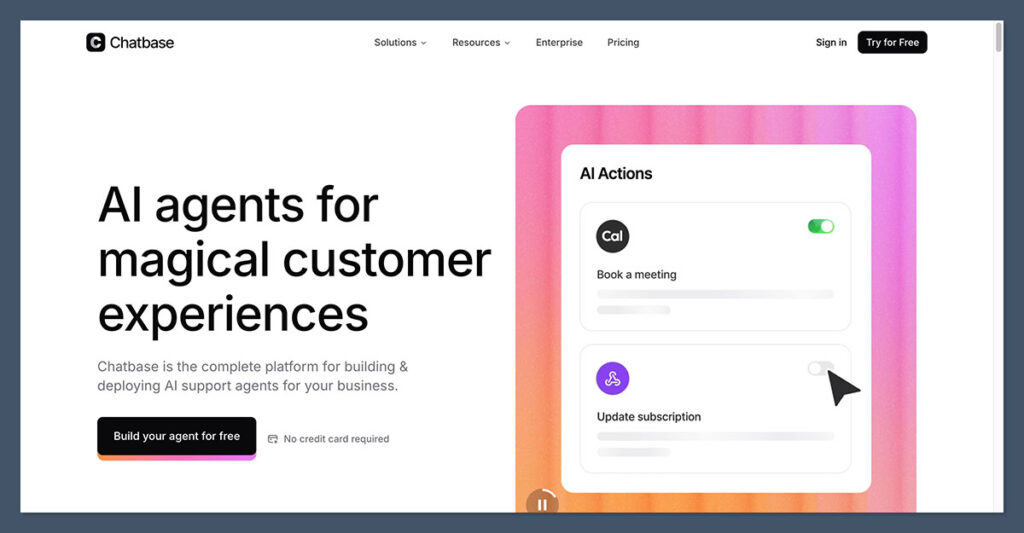
Signing up for Chatbase is dead simple. I didn’t need to enter payment details to get started on the free plan, just an email address and I was in.
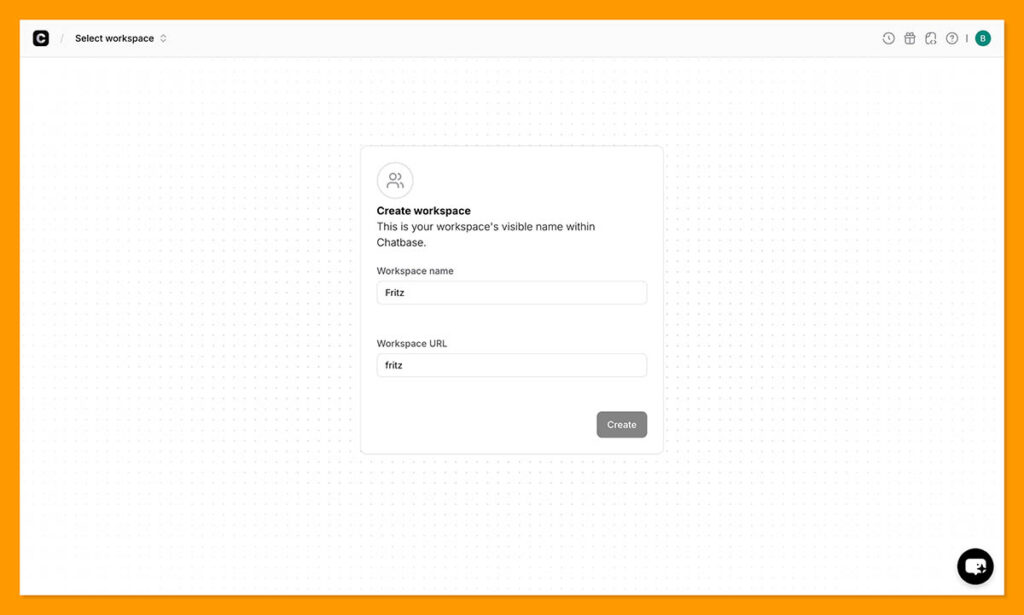
The dashboard loaded right away and the interface felt clean, if a little sparse compared to something like Botpress or Voiceflow.
The first thing Chatbase wants you to do is create a chatbot and feed it content. I uploaded a few PDFs (a product FAQ document and a returns policy), pasted in a couple of website URLs, and let the platform crawl them.
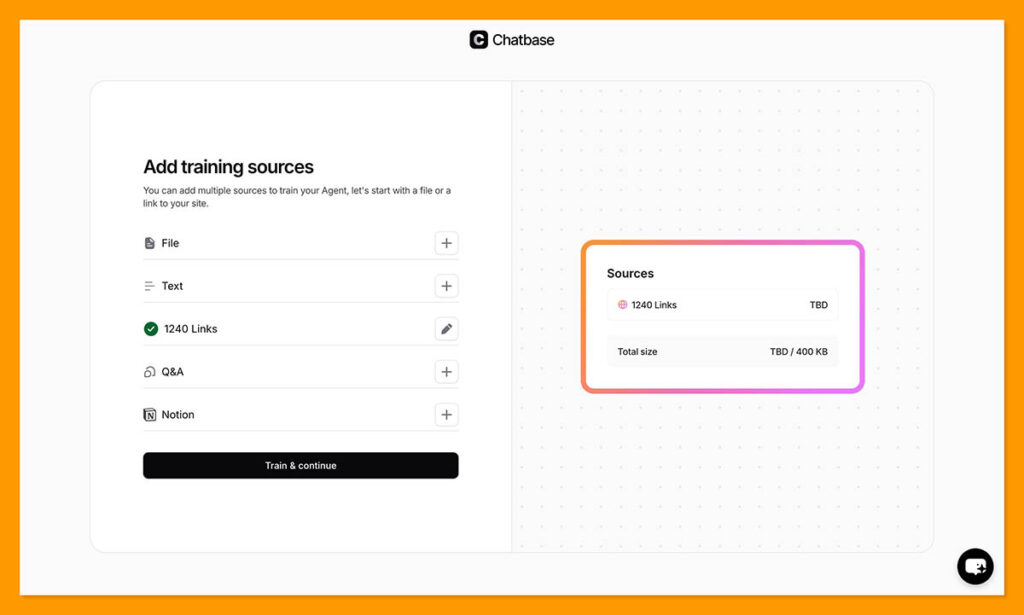
The whole ingestion process took maybe two minutes. After that, I could test the bot directly in the dashboard, and honestly, the answers were surprisingly decent right out of the gate.
📝 Author’s Testing Notes I was impressed by how quickly the bot could answer questions using only the content I’d uploaded. It wasn’t pulling generic internet responses – it was referencing my specific documents. That said, I did notice it occasionally paraphrased things in a way that lost some nuance. You’ll want to review conversation logs regularly and refine your source material if accuracy really matters for your use case. |
How I Set Up My Bot
After uploading my content, Chatbase walked me through a few configuration steps: giving the bot a name, writing a system prompt (basically instructions for how it should behave), and choosing the AI model.
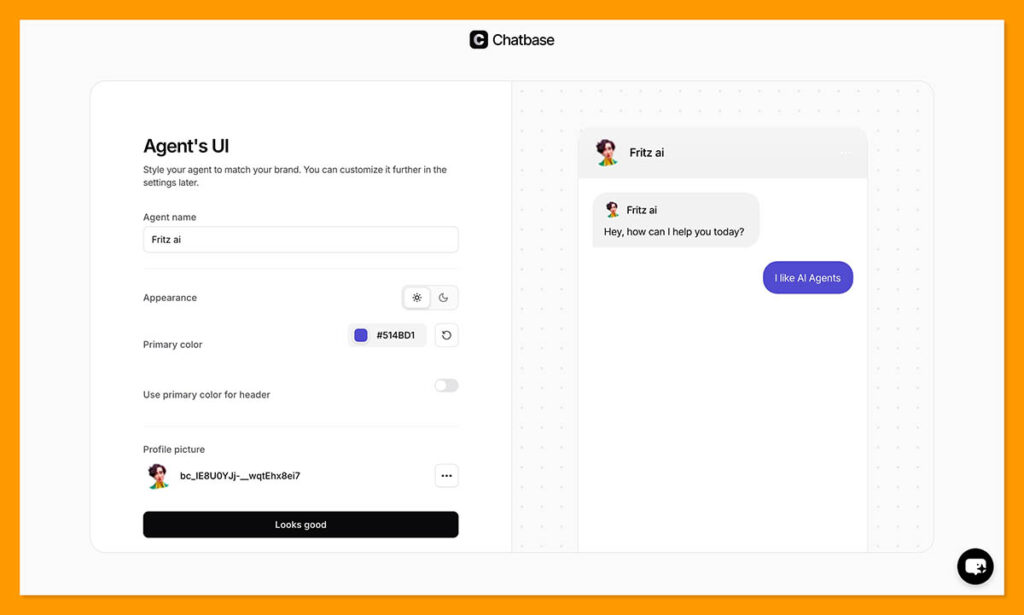
On the free plan you’re limited to the default model, but paid plans let you pick higher-end options like GPT-4 Turbo.
I appreciated that the system prompt field is flexible. I could tell the bot to stay on-topic, avoid making promises about delivery dates, and direct users to email support for complex issues.
This kind of behavioral control is important and Chatbase handles it well without making you write code.
Deploying the bot was equally straightforward. I grabbed the embed snippet, dropped it into a test site, and the chat widget appeared.
The whole process from account creation to live bot on a page took me about 12 minutes. That tracks with what other reviewers have reported.
Connecting to WhatsApp and Other Channels
Beyond website embeds, I tested the WhatsApp integration. The setup involves connecting through the Chatbase dashboard and it worked without too many headaches, though the documentation could be clearer on some of the steps.
Once connected, the bot responded to messages on WhatsApp using the same knowledge base and instructions as the website version.
That said, if you’re expecting the kind of marketing automation you’d get from a dedicated WhatsApp tool – broadcast messages, drip sequences, product carousels – you won’t find that here. Chatbase is built for reactive support conversations, not proactive marketing outreach on social channels.
How Much Does Chatbase Cost?
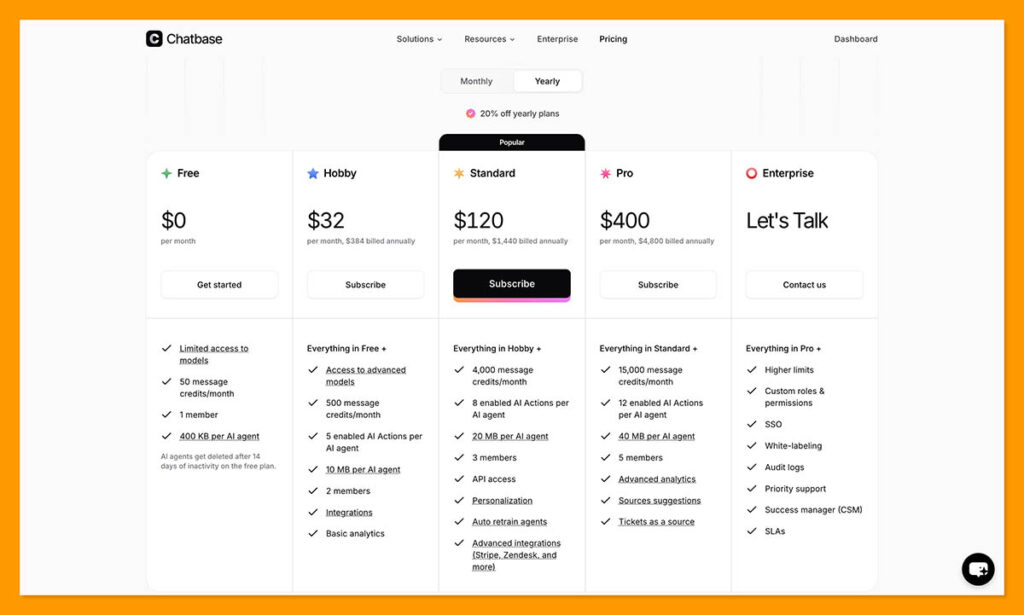
Chatbase uses a freemium model with tiered paid plans. Here’s the breakdown as of early 2026 (pricing can change, so always check their live pricing page):
| Plan | Price (Monthly) | Chatbots | Best For |
|---|---|---|---|
| Free | $0 | 1 | Basic testing |
| Hobby | ~$19 | 2–5 | Light commercial use |
| Standard | ~$99 | 5–10 | Growing businesses |
| Unlimited/Pro | ~$399+ | 10+ | Agencies & high volume |
Is Chatbase Good Value for Money?
The free plan is fine for kicking the tires, but it’s too restrictive for anything production-grade – you’re looking at a tight monthly message cap and limited characters per bot. For a single small-business bot, the Hobby tier at around $19/month is reasonable and gets you into paid territory without a huge commitment.
Where things get tricky is scaling. Higher tiers unlock more bots, bigger message quotas, API access, and the ability to choose more powerful AI models. But if you need to buy extra message credits or add agents beyond your plan’s limit, those per-unit costs add up.
Several independent analyses flag this as a pain point – a bot that costs $19/month during quiet periods could run significantly higher during a product launch or holiday rush.
📝 Author’s Testing Notes I’d recommend starting with the Hobby plan and monitoring your message usage closely for the first month. If you’re an agency spinning up bots for multiple clients, pay attention to the per-agent add-on costs – these aren’t always obvious on the pricing page and can change the math quickly. |
Chatbase’s Core Features
Training on Your Own Data
This is where Chatbase earns its keep. You can upload PDFs, plain text files, paste in website URLs, or connect knowledge bases.
The platform crawls and indexes your content, then the AI uses it as the primary source for answering questions. The result is a bot that talks about your products, your policies, and your brand – not generic internet knowledge.
In my testing, well-structured content produced noticeably better results. A clean FAQ document with clear questions and answers gave the bot everything it needed.
A messy, sprawling product manual with inconsistent formatting? The bot still managed, but answers were sometimes vague or missed details. Garbage in, garbage out – as with most AI tools.
AI Actions and Integrations
Chatbase’s “AI Actions” feature lets your bot connect to external APIs and services. In practice, this means the bot can do things like check an order status, create a support ticket, or log information in a CRM – not just answer questions.
For teams already using Zapier or Make, the integrations make it relatively painless to wire up these workflows.
I wouldn’t call it as flexible as building custom actions in something like Botpress, but for most SMB use cases it’s more than enough.
And the no-code aspect means your marketing or support team can set this up without bugging engineering.
Analytics and Conversation Logs
The analytics dashboard tracks conversations, surfaces the most common questions, and shows engagement metrics.
More importantly, you can read through full conversation logs to see exactly where the bot nailed it and where it fumbled.
This is genuinely one of the more useful features. I found myself going through logs after a day of testing and spotting three or four questions where the bot gave technically correct but unhelpful answers.
I tweaked my source documents, re-trained the bot, and the responses improved immediately. That feedback loop is valuable, especially in the first few weeks after launch.
💡 Top Tip Set a weekly calendar reminder to review your Chatbase conversation logs for the first month after launch. You’ll catch gaps in your knowledge base fast and can update your documents before those gaps frustrate real customers. |
Multi-Channel Deployment
Chatbase gives you a website embed widget plus connections to messaging platforms like WhatsApp.
The idea is that customers can reach your bot wherever they already are, and the bot uses the same knowledge base regardless of channel.
For a small e-commerce brand, this is a practical setup. Imagine installing a Chatbase bot on your site and connecting it to WhatsApp.
Within a few days it’s answering shipping questions, sizing queries, and return policy questions 24/7 while you sleep. That’s the pitch, and from what I tested, it delivers on that basic promise.
Where it falls short is anything resembling proactive marketing. If you want to broadcast promotions, run drip campaigns through WhatsApp, or set up product carousels on Instagram – you need a different tool. Chatbase is a support-first platform, not a conversational marketing engine.
Chatbase Review: Where Chatbase Falls Short
No Visual Flow Builder
If your team needs to map out exact conversation paths with branching logic, decision trees, and strict step-by-step processes, Chatbase doesn’t offer that.
There’s no drag-and-drop flow editor. The platform relies on AI-driven conversations, which works well for open-ended Q&A but less well for rigid, deterministic dialogues like multi-step booking flows or compliance-driven processes.
Live Chat and Human Handoff
There’s no built-in live-chat module. If a customer’s question goes beyond what the bot can handle, you need to connect an external tool like Zendesk for the handoff.
For teams already using a helpdesk platform, this might not matter much. But if you’re looking for an all-in-one solution where bots and human agents work in the same interface, Chatbase isn’t it.
Language and Localization
Some users – and I noticed this too – have flagged issues with multi-language performance. The bot occasionally stumbled with regional English variants (UK spellings, for instance) and switching between languages in the same conversation didn’t always go smoothly.
If you’re serving a global audience with multiple languages, this is worth testing thoroughly before committing.
Customer Support and Documentation
This is a common complaint in user reviews across multiple platforms. While many people are positive about Chatbase overall, there’s a recurring theme of slow or unresponsive customer support and thin documentation in some areas.
When you’re stuck on a configuration issue, waiting days for a reply is frustrating.
Using Chatbase’s Customer Support
Chatbase’s support options are more limited than what you’d get from a larger platform like Intercom or Zendesk:
- Email support – available, but response times vary widely based on user reports
- Knowledge base and documentation – covers the basics but has gaps for more advanced configurations
- Community resources – some third-party tutorials and YouTube walkthroughs exist, which can fill gaps the official docs don’t cover
I didn’t run into any showstopping issues during my testing period, but I also wasn’t trying to do anything especially exotic.
If you’re planning to push Chatbase into complex territory – multiple integrations, high-volume deployments – keep in mind that you may be somewhat on your own for troubleshooting.
How Does Chatbase Compare to Competitors?
Chatbase occupies a specific niche: fast, no-code AI chatbot deployment for SMBs. Here’s how it stacks up against some alternatives:
| Platform | Best For | Flow Builder | Starting Price | Key Strength |
|---|---|---|---|---|
| Chatbase | SMB support bots | No | Free / ~$19/mo | Speed of setup |
| Botpress | Dev-friendly bots | Yes | Free / ~$79/mo | Flow + AI flexibility |
| Tidio | E-commerce chat | Yes | Free / ~$29/mo | Live chat + bot combo |
| Intercom Fin | Enterprise support | Limited | ~$29/seat/mo | Full helpdesk suite |
| Voiceflow | Conversation design | Yes | Free / ~$50/mo | Visual builder depth |
If you’re not sure Chatbase is the right tool, here are some alternatives worth considering:
Botpress is the better choice if you want both AI conversations and visual flow building in one platform. It’s more complex to learn but gives you significantly more control over conversation logic.
Tidio is a strong pick for e-commerce teams that want live chat and chatbot functionality in the same tool, with better marketing features on social channels than Chatbase offers.
Intercom Fin makes sense for teams that are already in the Intercom ecosystem and want an AI bot layered on top of a full helpdesk, rather than bolting together separate tools.
Voiceflow is worth exploring if conversation design is your priority and you want a sophisticated visual builder with AI capabilities, especially for teams building more complex conversational experiences.
Who Should Use Chatbase?
Good Fit
- Small to mid-size businesses that need an AI support bot up and running fast, without hiring developers or learning complex platforms
- Agencies building multiple bots for clients where speed and simplicity matter more than deep customization
- Teams with well-structured existing content (FAQs, product docs, help articles) that want to turn that content into an interactive support channel
Less Ideal
- Enterprise teams that need strict compliance workflows, native live-agent handoff, and advanced permissioning in one platform
- Teams requiring robust multi-language support or heavy outbound marketing automation on social channels
- High-volume operations where unpredictable scaling costs could blow the budget
Chatbase Review: Should You Use Chatbase for Your AI Chatbot?
Chatbase is a pragmatic, no-fuss AI chatbot builder that does one thing well: it gets you from zero to a working support bot faster than almost any competitor.
If you’re a small or mid-size business with decent content already written and you want that content answering customer questions 24/7 across your website and WhatsApp, Chatbase delivers.
It’s not the tool for complex conversation flows, proactive marketing automation, or enterprise-grade helpdesk needs. And you should go in with eyes open about how costs scale once your message volume grows or you need multiple bots.
But for the core use case – a smart, trained-on-your-content support bot that your non-technical team can manage – it’s one of the most accessible options on the market right now.
Start with the free plan, test it with your own content, and see if the answers hold up. If they do, you’ll know within a day whether it’s worth upgrading.
✅ Bottom Line Chatbase is best for SMBs and agencies that want fast, no-code AI support bots without the complexity of enterprise platforms. Start with the free plan to test it with your own content before committing to a paid tier. |

Comments 0 Responses