

If you’ve been looking for a fast, affordable way to create high-quality headshots without hiring a professional photographer, you’ve probably come across Headshot Pro and Photo AI.
Both are leading platforms in the AI headshot space, but they serve slightly different needs.
I tested each tool to see how they stack up in terms of photo quality, pricing, customization, and overall user experience.
Whether you’re preparing for a job interview or building a content-heavy personal brand, this review will help you decide which tool is best for you.
Quick Verdict: Headshot Pro vs Photo AI
Headshot Pro – Best if you want realistic, professional headshots for LinkedIn, resumes, or corporate bios.
Photo AI – Best if you’re a content creator or need a wide range of photo styles and outputs on an ongoing basis.
While Headshot Pro is purpose-built for business users, Photo AI is a better fit for people who want variety, creativity, and ongoing content generation.
Side-by-Side Comparison: Headshot Pro vs Photo AI
Here’s a quick side-by-side look at how the two tools compare across key areas.
| Feature | Headshot Pro | Photo AI |
|---|---|---|
| Pricing | One-time payment ($29–$59) | Monthly or yearly subscription ($9–$199) |
| Best for | LinkedIn, resumes, business profiles | Content creation, social media, creative assets |
| Output Type | Static headshots | Custom scenes and ongoing content |
| Ease of Use | Very beginner friendly | Moderate learning curve |
| Setup Time | 10–20 images, no training needed | 10–20 images, requires training AI model |
| Turnaround Time | Under 24 hours | A few hours after training, varies by plan |
| Customization | Limited | Extensive with prompt-based generation |
| AI Accuracy | High for business use | Good, varies with scene and prompt complexity |
Headshot Pro Overview: Focused and Reliable for Professional Headshots
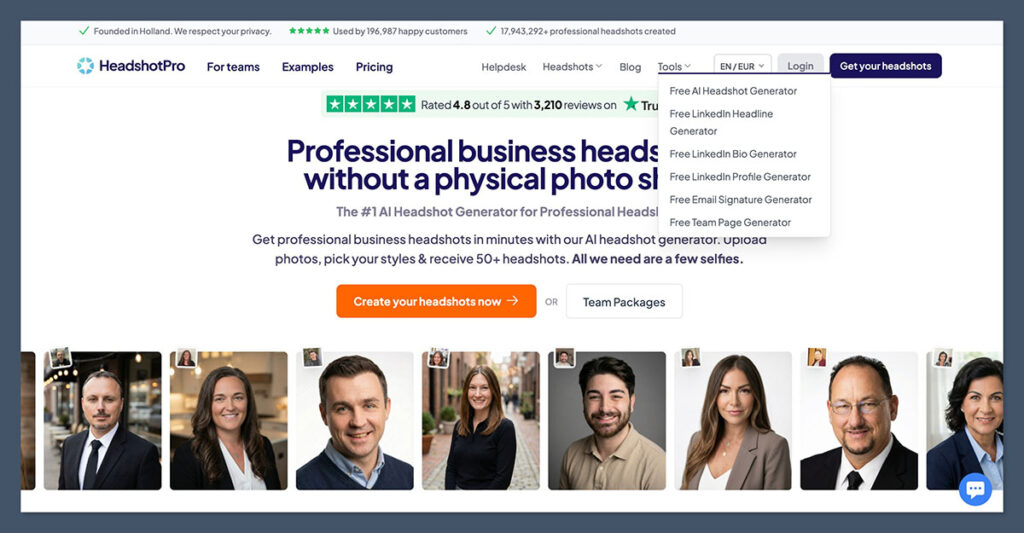
Headshot Pro is a one-time-use AI headshot generator designed to produce studio-quality photos for professional profiles.
It focuses on realism and consistency, making it a strong option for anyone needing a solid LinkedIn photo or company bio image.
You upload 10 to 20 selfies from different angles, and the platform generates dozens of high-resolution images in business attire, with professional backdrops and lighting.
What It Offers
Headshot Pro is designed for a specific use case: producing business-friendly headshots that look like they came from a corporate studio.
Here are some of its standout features:
- One-time payment with no subscriptions or recurring fees
- Optimized outputs for LinkedIn, resumes, and corporate bios
- Straightforward upload process and clean user interface
- Emphasis on privacy, with clearly stated deletion timelines
Once you submit your images, it typically takes less than 24 hours to receive the full gallery of generated headshots.
Pricing Plans
Headshot Pro keeps things simple with three pricing tiers:
| Plan | Price | Estimated Output |
|---|---|---|
| Basic | $29 | ~40 headshots |
| Professional | $39 | ~100 headshots |
| Executive | $59 | ~200 headshots |
Each plan is a one-time payment, making it ideal for anyone who only needs headshots once or twice a year.
Pros
- Clear and easy to use
- Great value for one-time headshot needs
- Very little user input required
- Minimalist, focused design and workflow
Cons
- Some AI artifacts like soft skin textures or mismatched facial features
- Not suitable for creative photo styles
- Limited control over poses and expressions
If your goal is to get a few polished images for your LinkedIn profile or job application, Headshot Pro gets the job done without requiring much time or effort.
Photo AI Overview: A Creative Studio in Your Pocket
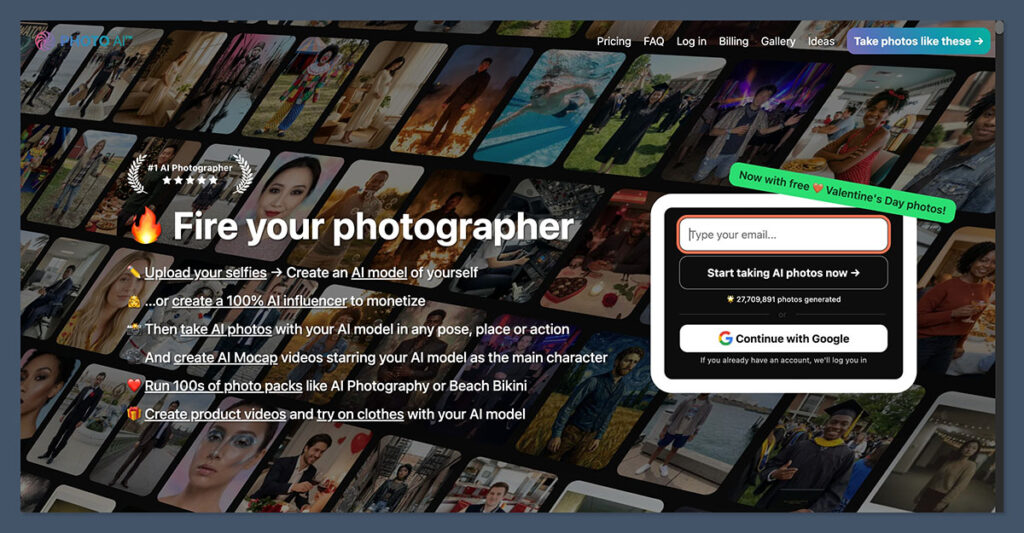
While Headshot Pro specializes in one-and-done headshots, Photo AI offers a broader, more creative solution.
The platform allows you to train a model of yourself, then generate photos in all kinds of themes—from corporate and formal settings to casual, seasonal, or even fantastical environments.
Photo AI is designed to be used regularly. You pay a monthly or annual fee, and in return, you can keep generating content using your personalized AI model.
What It Offers
Photo AI is built for people who need variety and flexibility in their photo content. Once your model is trained using 10 to 20 selfies, you can generate unlimited images depending on your plan.
Here’s what I found valuable about it:
- You can create everything from business headshots to lifestyle photos
- The platform includes presets for gym, travel, dating apps, and more
- It’s highly customizable, with prompt-based image generation
- You can continually regenerate content as your needs change
It’s a more involved platform than Headshot Pro, but the tradeoff is greater creative control.
Pricing Plans
Photo AI uses a subscription model, which means you pay monthly or annually for access. Here’s a breakdown of the available plans:
| Plan | Monthly Price | Annual Price (Effective Monthly Rate) |
|---|---|---|
| Starter | $19 | $99/year (~$9/month) |
| Pro | $49 | $349/year (~$29/month) |
| Max | $99 | $599/year (~$49/month) |
| Ultra | $199 | $1199/year (~$99/month) |
The Starter plan lets you train one AI model and generate basic photos using standard prompts and a limited set of scenes and outfits. Image generation runs in the regular queue, and customization and retraining options are fairly limited.
The Pro plan adds faster image generation, higher resolution outputs, and access to a wider range of scenes, outfits, and backgrounds. It also allows more frequent model retraining and gives you greater control over how your photos look.
The Max plan includes priority processing, full access to premium scenes, and deeper customization such as pose selection, facial expressions, and lighting styles. This tier is designed for users who generate images often and need consistent, high-quality results.
The Ultra plan unlocks the fastest rendering speeds, unlimited customization, and the highest resolution outputs available. It is aimed at agencies and high-volume creators who need maximum flexibility, priority support, and commercial-ready images.
Pros
- Unlimited creative options
- Ideal for content creators and marketers
- Reusable AI model saves time in the long run
- Offers more personalization than one-off tools
Cons
- Subscription can get expensive over time
- Workflow is more complex than Headshot Pro
- Headshot results are not always as polished
If you’re building a brand across platforms and need visual content regularly, Photo AI gives you the freedom to keep producing without needing constant photo shoots.
Which Tool Should You Use?
Both tools are solid in their own right, but choosing between them depends on what you need.
Choose Headshot Pro if:
- You only need professional headshots occasionally
- You prefer a one-time payment
- You want realistic, corporate-style images with minimal effort
- You’re not interested in creative or casual image styles
Choose Photo AI if:
- You regularly create content for social media, websites, or ads
- You want control over background, styling, and outfits
- You’re comfortable working with an AI model and prompts
- You need flexibility and volume, not just quality headshots
In my experience, Headshot Pro is ideal if you just want to tick “get headshots” off your to-do list.
Meanwhile, Photo AI is best if content creation is an ongoing part of your business or personal brand.
Final Thoughts
Both Headshot Pro and Photo AI are impressive AI tools that simplify the process of getting high-quality images without hiring a photographer. That said, they solve different problems.
Headshot Pro is perfect for the once-a-year task of getting a great LinkedIn photo. It’s fast, easy, and affordable.
Photo AI is a better long-term tool for creators who want control over how they appear in different formats, scenes, and platforms.
The subscription model makes sense if you create visual content regularly and need it to align with your personal or brand image.
After testing both, I’d say the choice really comes down to whether you want a simple one-and-done solution or a flexible platform that supports ongoing content creation.
For most professionals, starting with Headshot Pro is a smart move. If you find yourself needing more creative options later, Photo AI is a great tool to grow into.

Comments 0 Responses