

Every business reaches that messy middle. You’ve got leads coming in, social posts going out, a few spreadsheets trying to hold everything together. I wanted to see which tool could actually bring order to that mess: HubSpot CRM or Recurpost.
They both promise to make growth simpler, but they tackle the problem from opposite ends.
HubSpot is a proper CRM that pulls your contacts, sales, and marketing into the same place, so nothing falls through the cracks. Recurpost is lighter. It’s built for keeping your social feeds alive without stealing your energy.
When I tried both tools side by side, the contrast was clear. HubSpot’s platform unified everything. It felt like sitting in a control booth where every number, click, and deal movement showed up in real time.
You could see who did what, when, and why it mattered. Recurpost just kept good content rolling out on schedule, quietly doing its job.
So, let’s see which one is right for you.
What Is HubSpot? (and Who It’s Best For)
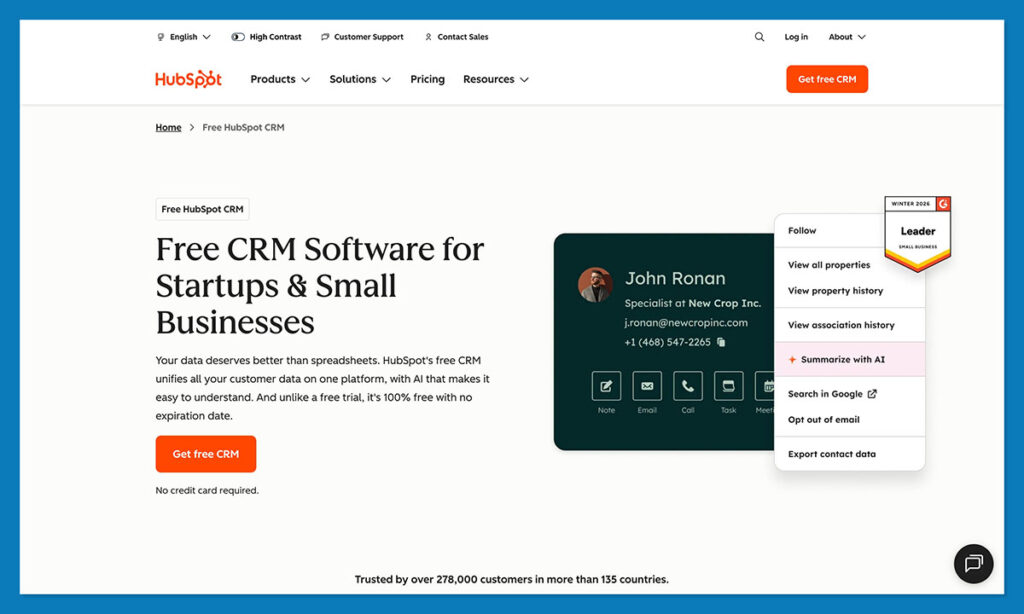
If you haven’t used HubSpot before, picture a place where all the parts of your business finally talk to each other. It isn’t just for contacts or email. It ties together your marketing, sales, and customer service so everything runs as one system.
That’s always been HubSpot’s thing: one login, one database, every interaction tracked. In 2025, they’ve doubled down on that idea with smarter automation and tighter integrations. The software now also includes Breeze AI, which predicts what you should focus on next, whether that’s a lead who’s gone cold or a campaign that’s starting to work.
There’s also a set of AI Agents built in, which help clean up data, write quick responses, and spot inactive deals before they die quietly in your pipeline.
If you’re looking at HubSpot and Recurpost, you’ll probably start with HubSpot Marketing Hub. It helps you make forms, sort audiences, run social posts, and even use AI to drive engagement.
But don’t underestimate the other parts of HubSpot’s wheelhouse. Tools like Commerce Hub can help you manage your business, Service Hub makes customer support easier.
Plus, there are endless integrations. In 2025, HubSpot added native connections for WhatsApp, TikTok Ads, and Zoom Phone, on top of the thousand-plus integrations already available through its marketplace.
What really hit me when I started using HubSpot was how everything just connects. Say someone downloads a guide from your site. The CRM logs their info, tags them automatically, and sends a follow-up email before you even think about it. You don’t do anything. It just happens. The whole process feels like it’s running itself in the background.
What Is Recurpost (and Who It’s Best For)
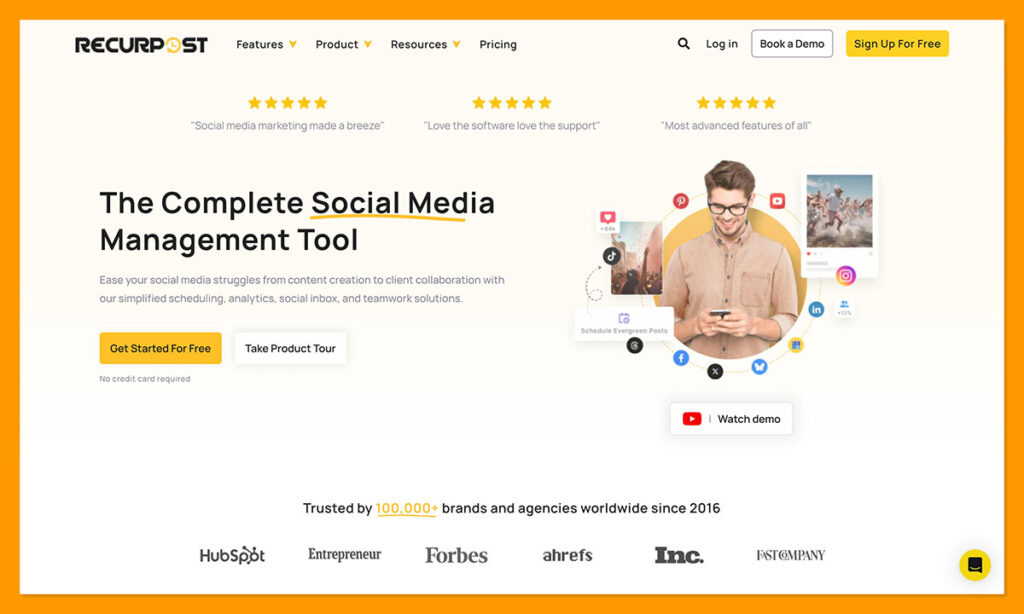
Recurpost is a lean social media scheduling platform designed for one job: keeping your brand visible without you spending all day chasing posts.
You set up your posting schedules, drop your evergreen content into a few queues, and the platform keeps things running automatically. It’s like hiring someone to handle your social routine, only they don’t sleep or forget to post.
In 2025, the team behind Recurpost added a few genuinely useful upgrades. The biggest one is Instagram DM automation, which rolled out around May 2025. It means you can now handle some basic customer messages right from inside the platform.
The Social Inbox also got a serious improvement. You can now manage comments and messages from multiple platforms in one view, which saves a lot of time if you handle several brands or clients. For agencies, the new multi-account workspaces make it easier to switch between clients without messing up permissions.
They’ve also updated their mobile apps on iOS and Android, which actually work well, something I can’t say for every scheduler out there. You can approve posts, tweak captions, or move things around in the queue without having to open your laptop.
But Recurpost is still focused on consistency, not conversion. It’s perfect if your goal is to stay active, recycle content, and keep your feeds alive. What it won’t do is tell you how those posts translate into sales or leads, that’s outside its scope.
If you’re a freelancer, a small agency, or a local business that just wants your brand to look alive online, Recurpost is more than enough. For bigger teams that care about tracking the full customer journey, though, Recurpost pairs best with something heavier like HubSpot CRM, which can pick up where the social posting ends.
HubSpot vs Recurpost: Feature Comparison
| Feature | HubSpot | Recurpost |
| Core Purpose | CRM, sales & multi-channel marketing automation | Social media scheduling |
| Automation | AI workflows, lead scoring, routing | Post queues, DM automation |
| CRM Features | Deals, pipelines, contact insights | None |
| Marketing Tools | Social media management, email, ads, forms, landing pages | Social posting only |
| Analytics | Attribution, ROI, funnel reporting | Engagement metrics |
| Social Inbox | Basic monitoring | Unified cross-platform inbox |
| AI Tools | Breeze AI, AI Agents | Minimal |
| Integrations | 2,000+ native (Slack, Zoom, Shopify) | Social + Zapier |
| Mobile App | Yes | Yes |
| Scalability | Startup → Enterprise | SMB / Freelancers |
| Security | SOC2, GDPR, 2FA | Basic team permissions |
| Support | 24/7 chat, phone, email | Email-based |
| Pricing | Free → scalable tiers | Flat monthly pricing |
Ease of Use & Onboarding
Ease of use is where a lot of software wins or loses people early on in my experience. You can have all the automation in the world, but if setup feels like a puzzle, most teams won’t use it.
HubSpot CRM looks more complex at first glance, but it’s surprisingly friendly once you dive in. The layout is organized, and most tools are visual, with drag-and-drop workflows, clear dashboards, and deal pipelines.
What really helps is the onboarding support. HubSpot has an entire learning library called HubSpot Academy, packed with step-by-step lessons on everything from sales automation to inbound marketing. When you first sign up, it guides you through setup with short prompts for connecting your email, syncing contacts, importing data, setting goals.
Recurpost is very simple too. You can tell it’s built for small teams or solo users who just want to get posts out the door. You connect your accounts, set your time slots, drop content into folders, and start cycling through automatically.
The interface is clean and predictable with a big grid of your queues and posts. You don’t need training; you can learn the whole thing by clicking around for ten minutes. Once your evergreen libraries are full, it pretty much runs itself.
So, HubSpot takes a few hours to learn but pays you back every day after that. Recurpost takes minutes to learn and does exactly what it promises, no more, no less.
Automation & AI: The Real Differentiator
Automation and AI are where the gaps between HubSpot and Recurpost start to appear.
Both promise automation, but they mean completely different things when they say it.
HubSpot automates the work that actually moves money like nurturing leads, scoring prospects, assigning deals, even triggering follow-ups based on customer behavior. It’s not just sending emails on a timer.
HubSpot’s updates in 2025 made automation smarter. Breeze AI studies your activity and gives gentle nudges on what to do next. The platform has AI Agents which are small built-in helpers that clean up contacts, summarise notes, and flag deals before they go cold.
Recurpost focuses on another side of work. It keeps your content pipeline running. Posts recycle, captions rotate, and with Instagram DM automation, basic replies can now happen on their own. It’s neat, predictable, and keeps your brand visible, but it doesn’t predict trends or outcomes. If I had to sum it up: HubSpot drives growth. Recurpost maintains presence.
If your goal is to nurture customers and close deals, HubSpot’s automation will make your day shorter and your data cleaner. If you just want to stop worrying about missing a post, Recurpost’s automation will do that without overcomplicating things.
Multi-Account Management, Privacy & Security
Managing several brands or client accounts is hard. Both HubSpot and Recurpost handle this in their own way, and the difference says a lot about what each tool is built for.
HubSpot handles security like a larger company would. Every user has their own access level, every action is logged, and every contact update can be traced. You decide who can see what. It also supports two-factor authentication and meets both SOC 2 and GDPR standards. For teams working with sensitive data, this kind of setup is essential. A single wrong export or shared login can cause real trouble, and HubSpot’s security layers make that mistake harder to make.
Recurpost is lighter. It gives you workspace separation, meaning you can manage different brands without their content bleeding together. Each workspace can have its own posting schedule and social accounts.
That’s a lifesaver if you handle multiple clients or products. The team also added new safeguards in 2025 to reduce the chance of accounts being flagged when connecting through APIs, something that used to be a small headache for social managers.
Overall, Recurpost keeps things simple, but it doesn’t offer detailed audit logs or enterprise-grade compliance. For most small teams, that’s fine. For regulated industries or agencies working under NDAs, HubSpot clearly wins the security conversation.
Analytics & Reporting
This is where you really notice the difference. HubSpot doesn’t just hold your data; it explains it. You open a dashboard, and all the moving pieces start to make sense. Every form, every ad, every deal stage shows up in one connected view.
With HubSpot, you can pull up where a lead came from, what they did before they talked to sales, and which campaign closed the deal. It’s fast and clean. You can build reports on almost anything: revenue by channel, email performance, even how fast your team follows up. The AI features help too. They surface patterns you might miss, like a sudden spike in conversions from a certain ad or time zone.
Recurpost, though, keeps things simple. It shows engagement numbers, likes, clicks, reach, and trends over time. It’s tidy, and for content planning it’s enough. You can see what people respond to and what they scroll past. But that’s it. It won’t tell you if any of that engagement turned into customers.
If your focus is social growth, that’s fine. But if you need to prove results or see what content is paying off, HubSpot wins hands down.
Integrations & Scalability
This is where you start to see what each tool is built for long term.
HubSpot CRM plugs into almost everything. Over two thousand integrations now: Slack, Zoom, Shopify, Stripe, QuickBooks, Google Ads, even TikTok Ads and WhatsApp got added this year. You don’t have to fight with APIs or third-party connectors.
For bigger teams, that level of connection makes a real difference. You can run ads, track signups, sync payments, and follow up with leads, all inside the same workspace. HubSpot’s open API gives developers plenty of room to customize too. It grows naturally with your business and doesn’t collapse under its own weight when you scale. It just keeps going.
Recurpost lives in a smaller world. It connects to all the big social networks, plus gives teams a Zapier link if you want to bridge it to other tools. That covers most needs for freelancers and small teams. In 2025, they’ve focused more on privacy compliance and support for niche platforms like LinkedIn Groups and Mastodon. Smart move, considering how fast social APIs keep changing.
Still, the scale is different. Recurpost grows sideways, with more accounts, more brands, more posts. HubSpot grows upward, with more data, more automation, more systems talking to each other.
HubSpot vs Recurpost: Pricing & Value
Pricing is where a lot of people get tripped up, mostly because HubSpot and Recurpost play in completely different leagues. One scales with you. The other stays flat and simple.
HubSpot CRM starts with a free plan that’s surprisingly capable, with full contact management, deal tracking, email tools, basic automation, and analytics all included. For a lot of small teams, that free tier alone is enough to run their entire sales pipeline.
Once you start scaling, you move into the paid tiers: Starter at $15 per month, Marketing Hub Professional at $890 per month, and Enterprise, which is custom-priced depending on what you need. The jump sounds big, but HubSpot often replaces three or four other tools at once.
When you add up what most companies pay for a CRM, an email platform, and a form builder, HubSpot usually ends up cheaper in the long run. I’ve seen teams cut their software costs by nearly a third after consolidating everything under one login. You’re paying for integration, not just features.
Then there’s Recurpost, it has no free tier, but does have a free trial, then there’s flat monthly plans ranging from about $9 to $79 per month depending on how many accounts you manage. You don’t pay per contact, per seat, or per automation. It’s simple, predictable, and great for freelancers or small agencies watching their budget.
So, HubSpot scales up; Recurpost stays steady. If you’re a team that needs an all-in-one platform and plans to grow, HubSpot’s value multiplies over time. If you just need to keep your social calendar filled without stretching the budget, Recurpost gives you that consistency for a fraction of the cost.
HubSpot vs Recurpost: Which Fits Best in 2026?
After a few weeks switching between the two, I’ve stopped thinking of them as rivals. They’re not. They just live in different worlds.
Recurpost feels like one of those tools that just keeps working in the background. You load it up with content, pick your posting times, and that’s pretty much it. It doesn’t need a lot of attention, and that’s part of the appeal. It keeps your social feeds alive while you’re busy doing the real work.
HubSpot is a whole different story. It’s the structure underneath everything. It connects your marketing, sales, and service so they actually talk to each other. You start to see patterns: where leads are coming from, what triggers a sale, what content converts.
If you just want to stay visible, use Recurpost. It’ll keep your social media alive and consistent without stealing time from your day. If you want to scale growth and track, automate, and understand what drives results, HubSpot is the platform that makes that possible.
FAQs
What’s HubSpot CRM best for?
HubSpot is best for keeping everything in one place. The platform automatically tracks your contacts, emails, social interactions, deals, all tied together.
Does Recurpost work with HubSpot?
Not natively, but you can link them with Zapier or similar connectors. It’s not hard, a few clicks, and you can have new Recurpost posts or engagement data syncing over to HubSpot automatically. It’s simple once it’s set up.
Can HubSpot replace other tools?
Yes, and that’s the reason a lot of people switch to HubSpot. It can handle your CRM, email campaigns, forms, reporting, chat, and more. Most businesses end up dropping multiple separate subscriptions after moving everything into HubSpot.
Is HubSpot expensive?
It depends. The free version covers a ton, especially for small teams. Costs go up as you add features or contacts, but by then you’re usually saving time and cutting other tools anyway. For most people, it balances out.

Comments 0 Responses