

Factory.ai is our top-rated AI coding agent for real engineering workflows, offering end-to-end automation for tasks like implementing features, fixing bugs, writing tests, and submitting PR-ready changes. It’s not just autocomplete, it actually takes action.
In this review, I’ll walk you through Factory.ai’s pricing, features, and use cases, so you can decide whether it’s the right AI development tool for your team or project.
Key Takeaways 🔍
- Factory.ai Droids perform real dev tasks, they don’t just suggest code, they run commands, edit files, and push changes.
- Factory.ai works across IDE, terminal, and web, making it ideal for both solo devs and engineering teams.
- Pricing starts at $0, with pro-level plans from $20/month to $2,000/month for enterprise usage.
- It’s best suited for structured teams with strong CI and review culture, not ideal if you only want lightweight autocomplete tools.
- Factory.ai integrates with GitHub, GitLab, Jira, Notion, Sentry, and more, great for real-world workflows.
Factory.ai at a Glance
| Feature | Details |
|---|---|
| Rating | ★★★★☆ (4.5/5) |
| Best For | Teams and devs who want AI agents that complete PR-ready tasks |
| Platforms | VS Code, JetBrains, Terminal, Web |
| Free Plan | Yes (BYOK) |
| Paid Plans | $20 – $2,000/month |
| Overage Cost | $2.70 per million tokens |
| Top Benchmark Score | 63.1% Terminal Bench (Dec 2025) |
| Security | SOC 2, GDPR, ISO 42001, CCPA-compliant |
| Integrations | GitHub, GitLab, Jira, Notion, Sentry, PagerDuty |
What I Like About Factory.ai
✔️ End-to-end execution, not just suggestions, but real actions like editing files, writing tests, and submitting PRs
✔️ Built for developer workflows across terminal, IDEs, and web
✔️ Integrations with key platforms like GitHub, Jira, and Notion
✔️ Strong enterprise posture with security and compliance built-in
✔️ Public benchmark scores show high performance on dev agent tasks
What I Dislike About Factory.ai
❌ Token usage and pricing can become expensive if not managed
❌ Code quality still varies and requires solid review practices
❌ Steeper learning curve compared to autocomplete tools like Copilot
❌ Not ideal for devs who don’t enjoy reviewing AI-generated code
❌ No visual UI builder or autocomplete experience for beginners
Is Factory.ai Good Value for Money?
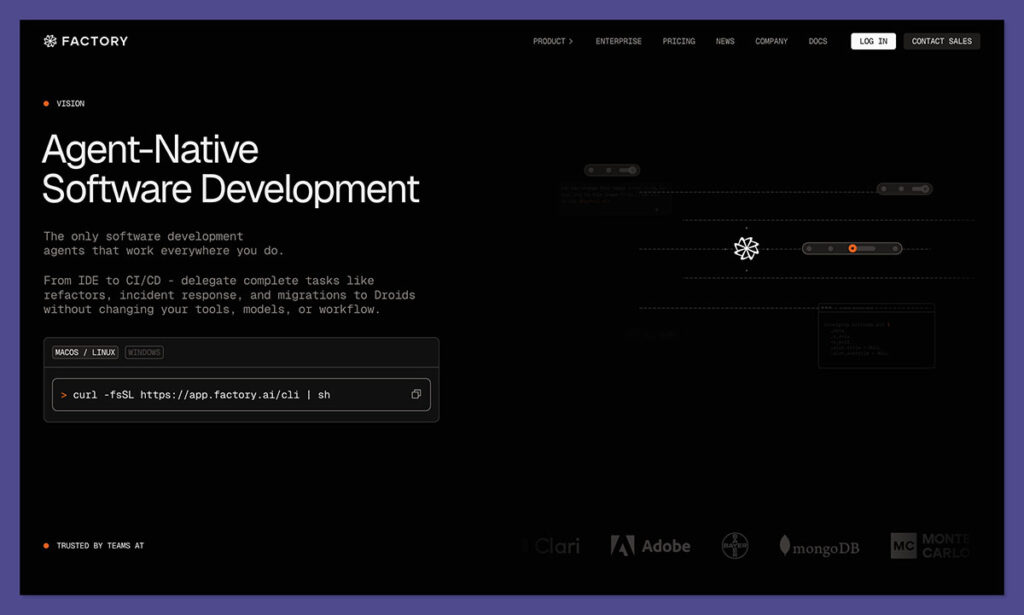
Factory.ai uses a token-based billing system instead of charging per seat. This means you only pay for what your agents actually do, which can be great if your workflows are efficient and well-scoped. However, costs can increase quickly depending on your usage patterns, especially for long-running or complex tasks.
One advantage of this model is that it offers flexibility for teams with variable workloads. If your usage changes from month to month, you are not stuck paying for unused seats. Instead, you’re billed based on how much work your agents actually perform, which makes Factory more performance-aligned than flat-rate tools.
Another benefit is how Factory discounts cached tokens. When agents can reuse previous context or avoid regenerating similar outputs, you pay significantly less. This promotes thoughtful prompt engineering and smarter workflows. Teams that optimize token use can stretch their plan limits further without hitting overage charges.
Still, budgeting requires planning. For teams working with large monorepos, multiple agents, or advanced language models, it’s important to monitor token consumption actively. Factory provides usage tracking in its dashboard, but it’s up to you to set guardrails. Ignoring token burn could lead to surprise billing, especially on lower-tier plans.
Factory.ai Pricing Plans
| Plan | Price (Monthly) | Included Tokens | Notes |
|---|---|---|---|
| Free | $0 | BYOK (Bring your own keys) | For devs using external LLM providers |
| Pro | $20 | 10M tokens + 10M bonus | Great for solo users or small tasks |
| Max | $200 | 100M tokens + 100M bonus | Built for heavy usage |
| Ultra | $2,000 | 1B tokens + 1B bonus | Enterprise-grade capacity |
Overage: $2.70 per 1M standard tokens. Cached tokens are 90% cheaper.
Each language model (e.g. GPT-4, Claude) has a different multiplier, which means tasks using more advanced models will use tokens faster.
Factory also allows teams to bring their own keys on the free plan, which makes it highly customizable. You can experiment with different models or self-hosted infrastructure before committing to a paid plan. This is ideal for testing without a financial barrier.
What stands out in the paid plans is the generous bonus tokens offered at each tier. Doubling your token allocation with a sign-up bonus helps teams ramp up without immediately worrying about limits. For example, the Max plan includes 200 million tokens total with the bonus, offering good headroom for active usage.
Overall, the pricing is competitive when compared to other autonomous AI tools with similar capabilities. That said, unlike seat-based pricing, token-based billing puts the responsibility on users to manage consumption closely. For teams that are disciplined with agent usage, Factory’s plans deliver strong value.
Factory.ai Features Overview
Factory.ai stands out by delivering full-code solutions that are ready to review and merge, not just snippets. Here’s what makes it so different from most other AI coding tools.
Agent Workflows Across IDE, Terminal, and Web
Unlike traditional coding copilots that live only in your IDE, Factory agents work across your terminal, IDE (like VS Code or JetBrains), and web dashboard. This gives you more flexibility to delegate work and review it from anywhere, including mobile.
- Works natively in VS Code, JetBrains, Vim, and terminals
- Web UI lets you review diffs, task history, and PRs
- Supports adjustable autonomy (from suggestions to full execution)
Whether you’re at your desk or reviewing from your phone, the experience is built around getting work done, not just writing faster.
The multi-environment approach means developers don’t have to change their habits or tools to adopt Factory. If your team already spends most of its time in JetBrains or the command line, Factory slides right in with native support, not just browser extensions or chat interfaces.
Another advantage of Factory’s interface is its purpose-built review system. When an agent completes a task, the web dashboard lets you inspect every line of the diff, understand why the code changed, and accept or reject the result. This review-first workflow reinforces trust and control.
For mobile workflows, Factory’s web UI supports task review and delegation from a phone or tablet. This can be helpful during on-call rotations or code reviews on the go. Engineers can triage AI-generated output without needing to boot up a local dev environment.
Strong Benchmark Performance
Factory.ai publicly shares its benchmark scores, and they are impressive. These benchmarks measure how well agents can complete real tasks like writing working code, fixing bugs, and executing shell commands.
Factory.ai Performance (Dec 2025)
| Benchmark | Factory Score | Notes |
|---|---|---|
| Terminal Bench | 63.1% | Beats OpenAI Codex CLI (60.4%) |
| Agent Arena | Top-tier | Ranked among the best |
| Next.js Evals | #1 | Outperforms popular dev agents |
While benchmarks aren’t the full story, they help demonstrate that Factory is more than marketing hype. It consistently delivers across coding tasks that real teams face, including framework-specific workflows and terminal-based challenges.
Factory’s strong showing in the Terminal Bench is particularly notable. That test simulates command-line development environments, including repo navigation and CLI task execution, areas where many AI tools struggle. Scoring over 63% shows a high level of capability for hands-free workflows.
It’s also worth noting that these benchmarks are run by Factory but made transparent. The company publishes its results and includes competitor scores for context. This level of openness around performance builds credibility and gives buyers a fair basis for comparison.
Critical Integrations for Teams
Factory.ai integrates with the platforms where your team already works. This isn’t just a nice-to-have. It is essential if you want your AI agents to operate in the context of your real workflow.
Supported integrations:
- Git: GitHub (Cloud & Enterprise), GitLab (Cloud & Self-hosted)
- PM tools: Jira, Linear
- Docs: Notion, Google Drive
- Ops: Sentry, PagerDuty
These integrations let the agent access real project data, documentation, and tracking tools. That context makes the difference between vague code suggestions and meaningful diffs that match your team’s expectations.
Factory encourages teams to connect these systems early in the onboarding process. This ensures agents have the visibility they need to complete complex tasks. Whether it’s referencing a Notion doc or auto-linking a Jira ticket, Factory’s integrations support deeper automation.
For teams running incident response workflows, linking Sentry or PagerDuty enables use cases like postmortem automation, test generation from stack traces, or creating follow-up tickets. It’s not just about writing code, it’s about embedding AI where the work already happens.
Enterprise-Level Security and Compliance
Factory is clearly targeting regulated teams. If your company needs security guarantees or compliance, this tool has you covered with real certifications, not just vague promises.
Security and Compliance Highlights:
- SOC 2, ISO 42001, GDPR, and CCPA compliant
- AES-256 encryption at rest
- Audit logging for enterprise plans
- Single-tenant sandboxed environments for max isolation
- Zero code reuse for training, your IP is your own
The single-tenant architecture ensures that your Factory instance is isolated, with no cross-customer data leakage. This setup is ideal for regulated industries where shared infrastructure can be a red flag during security audits or vendor assessments.
Audit logging adds transparency to AI actions, tracking what each agent did and when. This can be critical for compliance reviews, especially in sectors like finance or healthcare, where every code change must be accounted for.
Factory’s commitment to not using customer code for training also reduces IP risk. Unlike some AI providers who use user input to retrain models, Factory draws a clear line. Your code stays your own, which is an important factor for enterprise buyers managing proprietary systems.
Factory.ai Limitations
Like any powerful tool, Factory.ai has trade-offs. It’s designed for structured teams, not casual users or people hoping for a “no-effort” coding solution.
Code Quality Is Still Inconsistent
Even though Factory Droids can do a lot, they don’t always produce perfect code. Like most AI tools, they can hallucinate logic, miss edge cases, or write inefficient solutions, especially if your prompt or repo is vague.
You’ll still need to:
- Review pull requests carefully
- Write solid tests and CI pipelines
- Guide agents with clear specs and goals
AI can save time, but only if your team is willing to put in some oversight.
Costs Can Creep Up Fast
Because of the token billing model, pricing isn’t always predictable. If you’re using large context windows, long-running tasks, or multiple models, your token consumption may exceed what you expected.
Keep in mind:
- More complex agents = higher multipliers
- More integrations = more context = more tokens
- Idle or repeated queries still count toward usage
Tracking your token consumption is key, especially in the Max and Ultra plans.
Requires Good Engineering Discipline
Factory.ai works best if your team is already mature. That means having solid testing, code review processes, and repo hygiene. If those aren’t in place, the agents may introduce more bugs than they solve.
Teams with weak patterns, poor tests, or messy repos will find the agent’s output less reliable, and harder to trust.
Who Is Factory.ai Best For?
Factory.ai isn’t trying to be a Copilot replacement. It’s built for teams who want to delegate structured tasks to an AI that can operate independently and return production-ready work with a proper review flow.
Ideal Users:
- Startups looking to ship fast with lightweight teams
- Product teams who want to automate repetitive coding tasks
- Platform and infra teams running migrations or refactors
- Enterprise devs who need compliance and auditability
This platform is ideal for fast-moving teams that can define tasks clearly and want to reduce low-leverage engineering work. Factory makes it possible to scale engineering output without constantly hiring more developers.
Platform teams that handle internal tooling or legacy system maintenance can also benefit from using agents to handle batch work, generate tests, and clean up outdated code. Factory’s multi-agent system and web dashboard make it easy to orchestrate these initiatives at scale.
Not Recommended For:
- Beginners looking for autocomplete or in-editor help only
- Teams without CI/test infrastructure
- Devs who dislike reviewing AI-generated diffs
If your team is highly structured, Factory can dramatically reduce your dev cycle time. But if you’re not ready to support the agent with context, you’ll likely bounce off the platform quickly.
Teams who just want faster autocomplete will likely find Factory too heavy. It’s not trying to replace a dev’s flow; it’s trying to own the task from start to finish. That distinction means Factory feels powerful, but only if you’re prepared to manage it like part of your team.
For teams that dislike reviewing PRs or enforcing review loops, Factory will add friction rather than remove it. The review interface is a strength, but if your team isn’t disciplined about checking and validating output, you may end up merging bad code or wasting tokens on rework.
Factory.ai vs Other AI Coding Tools
Here’s how Factory stacks up against similar platforms in 2026:
| Tool | Type | Best For | Notes |
|---|---|---|---|
| Factory.ai | Agent-native coding | Structured teams, PR-ready output | Full autonomy |
| Devin | Autonomous engineer | SWE-in-a-box experience | High ambition, high complexity |
| Cursor | In-editor agent | Solo devs, lighter tasks | Autocomplete + chat |
| Copilot | Autocomplete | Beginner devs | Good assist, not autonomous |
| Continue | Chat-based dev AI | Flexible coding help | Browser-first design |
If your goal is execution, not just code suggestions, Factory.ai is in the top tier right now.
Unlike other tools that act more like smart typing assistants, Factory is structured around delegation. You hand off work, and it comes back with a full implementation and a diff to review. This workflow is fundamentally different and more aligned with team-based software development.
Factory’s competition is shifting toward full-stack autonomy. Devin, for example, positions itself as a standalone engineer, while Factory offers a more structured and auditable system.
If you care about reviewing AI work before it hits production, Factory may offer more control than tools chasing full autonomy.
Final Verdict: Should You Use Factory.ai?
Factory.ai is one of the most advanced AI coding agents available today. It’s not just impressive on paper, it delivers real results in the hands of developers who understand how to use it well.
If your team is looking to automate feature implementation, code review, testing, and bug fixing, Factory can serve as a reliable assistant, especially if you’re already using tools like GitHub, Jira, and CI pipelines.
That said, Factory isn’t for everyone. It works best in environments with strong engineering discipline, well-documented repos, and high task clarity.
If you want an AI that writes good code and pushes PRs while you stay focused on bigger problems, it’s definitely worth trying.

Comments 0 Responses